

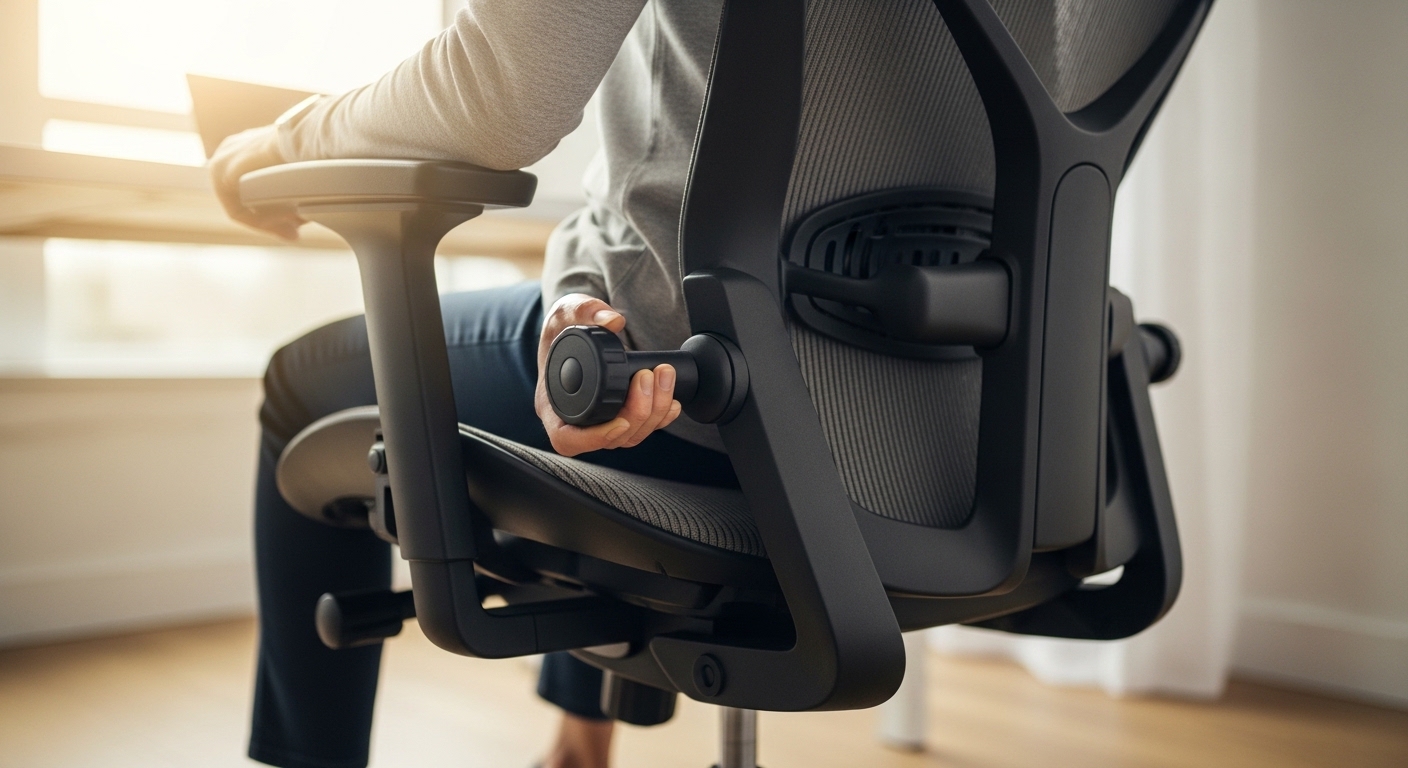
The Importance of Proper Seating for Spinal Health
Maintaining a healthy spine is a fundamental requirement for anyone working in a home office environment. Many people suffer from persistent discomfort because they do not understand how to customize their workspace.
Performing a precise ergonomic chair adjustment is the most effective way to mitigate physical strain during long shifts. This guide provides a detailed walkthrough of every setting available on modern seating solutions.
Lower back pain often stems from poor distribution of body weight and lack of support for the natural curves of the spine. When you sit for extended periods, your muscles can become fatigued and your discs may experience uneven pressure.
By following these instructions, you can transform your chair into a tool for recovery rather than a source of pain. We will explore the mechanics of lumbar support and pelvic positioning in depth.
Understanding the Anatomy of the Lower Back
The lumbar region consists of five vertebrae located between the ribs and the pelvis. This area carries the majority of your body weight when you are in a seated position.
A healthy spine maintains an inward curve known as lumbar lordosis which must be preserved while sitting. If your chair is flat, your back will likely slouch or round outward.
Slouching puts immense pressure on the spinal discs and can lead to long term issues like herniation. Proper support helps maintain the natural alignment of these delicate structures.
Understanding this anatomy allows you to visualize why specific adjustments are necessary for your comfort. Your goal is to achieve a neutral spine position where the muscles are relaxed and the bones are stacked efficiently.
Step 1 Calibrating Seat Height for Circulation
The first step in any setup is determining the correct height of the seat pan from the floor. Incorrect height can lead to restricted blood flow in the legs or excessive pressure on the tailbone.
Stand in front of your chair and adjust the height so the top of the seat is level with the bottom of your kneecaps. This ensures that when you sit, your feet rest flat on the ground.
Once seated, check that your hips are slightly higher than your knees. This creates an open angle at the hips which reduces the strain on your lower back muscles.
If your feet dangle or press too hard into the floor, your pelvis will tilt incorrectly. A stable base is essential for ergonomic chair adjustment for lower back pain relief success.
Optimizing Your Leg Position
Your thighs should be parallel to the floor or angled slightly downward. This position prevents the seat from cutting off circulation at the back of the legs.
If your desk is too high and forces you to raise your chair, use a footrest to support your feet. Never let your legs hang without support as this pulls on the lower lumbar vertebrae.
Step 2 Adjusting Seat Depth for Thigh Support
Seat depth refers to the distance between the front edge of the seat and the backrest. This setting is often overlooked but is critical for pelvic stability.
Sit all the way back so your spine is firmly against the backrest. There should be a small gap between the back of your knees and the edge of the seat.
Use the two finger rule to measure this space accurately. If the seat touches the back of your knees, it can restrict venous blood flow and cause numbness.
If the gap is too large, your thighs will not receive enough support. This lack of support forces your back to work harder to keep you upright.
The Impact of Seat Pan Tilt
Some advanced chairs allow you to tilt the seat pan forward or backward. A slight forward tilt can help maintain the natural curve of the lower back by rotating the pelvis forward.
Experiment with a few degrees of tilt to see if it relieves pressure on your sacrum. Ensure that you do not feel like you are sliding off the chair.
Step 3 Perfecting Lumbar Support Placement
The lumbar support is the most vital component for ergonomic chair adjustment for lower back pain relief. It must fill the gap between the chair and the small of your back.
Locate the height adjustment for the lumbar pad and move it until it fits perfectly into the curve of your lower spine. It should feel like a gentle firm hug for your back.
If the support is too high, it will push your ribcage forward and cause tension in the middle back. If it is too low, it will provide no benefit to the lumbar discs.
The depth of the support also matters for different body types. You want enough pressure to maintain the curve without feeling a hard protrusion against your spine.
Customizing Firmness for Comfort
Many chairs allow you to increase or decrease the firmness of the lumbar area. Start with a medium setting and adjust based on how your back feels after an hour of work.
If you feel a dull ache, the support might be too aggressive for your current muscle strength. Gradually increase the firmness as your posture improves over several weeks.
Step 4 Configuring Backrest Recline and Tension
Sitting at a perfectly vertical 90 degree angle is actually not the most healthy position for everyone. Research suggests that a slight recline of 100 to 110 degrees reduces spinal disc pressure.
Adjust your backrest so it allows you to lean back slightly while still reaching your keyboard comfortably. This shifts some of your weight from the spine to the chair back.
The tension of the recline mechanism should be calibrated to your body weight. You should be able to lean back without effort but not feel like you are falling backward.
When the tension is correct, the chair should move with you as you change positions. This encourages dynamic sitting which is vital for long term spinal health.
Step 5 Armrest Positioning for Shoulder Relief
Armrests play a secondary but important role in preventing lower back pain. If your arms are not supported, the weight of your limbs pulls on your shoulders and neck.
Adjust the height of the armrests so your elbows are bent at a 90 degree angle. Your shoulders should remain relaxed and down, not shrugged upward.
The armrests should be close enough to your body to support your forearms without forcing your elbows out. This prevents strain in the trapezius muscles which connects to the back.
Avoid setting the armrests so high that they lift your shoulders. This creates tension that eventually travels down the spine to the lumbar region.
Width and Pivot Adjustments
If your chair allows, move the armrests inward or outward to match the width of your shoulders. You should be able to type while your forearms rest lightly on the pads.
Pivoting the armrests inward can be helpful when using a smaller keyboard or a laptop. This keeps your wrists neutral and your upper body aligned.
Step 6 Integrating the Chair with Your Desk
Your chair adjustment is only half of the equation for a pain free day. The relationship between your seat and desk determines your final posture.
Once your chair is set, pull yourself close to the desk surface. Your keyboard and mouse should be at a height where your wrists are straight.
If your desk is fixed and too high, you must raise your chair and use a footrest. Never sacrifice your lower back alignment to reach a desk that is the wrong height.
The monitor should be at eye level so you do not lean forward. Leaning forward or craning your neck ruins the benefits of your lumbar support.
Practical Tips for Daily Spine Maintenance
Even with the best settings, your body is designed for movement. Stagnant positions lead to muscle fatigue and reduced blood flow over time.
Set a timer to stand up every thirty minutes for a brief stretch. This allows your spinal discs to rehydrate and your muscles to reset their tension levels.
Practice micro movements while sitting, such as small pelvic tilts or shoulder rolls. These movements prevent the tissues from becoming stiff and painful.
Check your posture throughout the day using a mirror or a phone camera. It is easy to slip into slouching as the afternoon fatigue sets in.
Hydration and Disc Health
Drinking plenty of water is surprisingly important for your back comfort. The discs between your vertebrae are composed largely of water and need hydration to remain spongy.
A dehydrated disc is less effective at absorbing shock and maintaining space between bones. Combine proper hydration with your chair adjustments for the best results.
Common Mistakes in Chair Setup
One common error is using a pillow that is too thick for lumbar support. This can create a pressure point that causes more harm than good.
Another mistake is sitting on the edge of the seat pan. This completely bypasses the ergonomic features of the chair and strains the lower back immediately.
Many users also forget to lock the backrest when they need stability for intense tasks. Conversely, leaving the chair permanently locked prevents the benefits of dynamic movement.
Failing to adjust the chair after someone else uses it is also a frequent issue. Always verify your personal settings before starting your work day.
The Role of Core Strength in Sitting
While a chair provides support, your internal muscles are your primary stabilizers. Developing a strong core will make sitting for long hours much easier on your joints.
Exercises like planks or bird dogs help build the endurance of your spinal stabilizers. A balanced core works in harmony with your ergonomic chair adjustment for lower back pain relief.
Think of your chair as a partner to your body rather than a replacement for muscle engagement. Proper abdominal activation helps keep the pelvis in a neutral position.
In the year 2026, we see more people combining fitness routines with ergonomic setups for total body health. This holistic approach is the key to longevity in a remote work career.
Frequently Asked Questions
How often should I readjust my ergonomic chair? You should check your settings every morning or whenever you feel new tension developing in your body.
Is a headrest necessary for lower back pain? While not directly related, a headrest helps maintain upper spine alignment which affects the lower back indirectly.
Can I use a standing desk instead of adjusting my chair? A standing desk is a great supplement, but you still need a correctly adjusted chair for the hours you spend sitting.
What if my chair does not have lumbar adjustment? You can use a dedicated lumbar roll or a small folded towel to fill the gap in your lower spine.
Should I sit on an exercise ball for back pain? Exercise balls lack proper back support and are generally not recommended for full work days.
Conclusion
Mastering the ergonomic chair adjustment for lower back pain relief is a skill that pays dividends in productivity and wellbeing. By taking the time to calibrate your seat height, depth, and lumbar support, you protect your most valuable asset.
Remember that ergonomics is a continuous process of observation and refinement. Listen to your body and make small tweaks until you find the configuration that feels weightless.
A well configured home office is the foundation of a long and healthy professional life. Start your adjustment journey today and feel the difference in your daily comfort levels.