

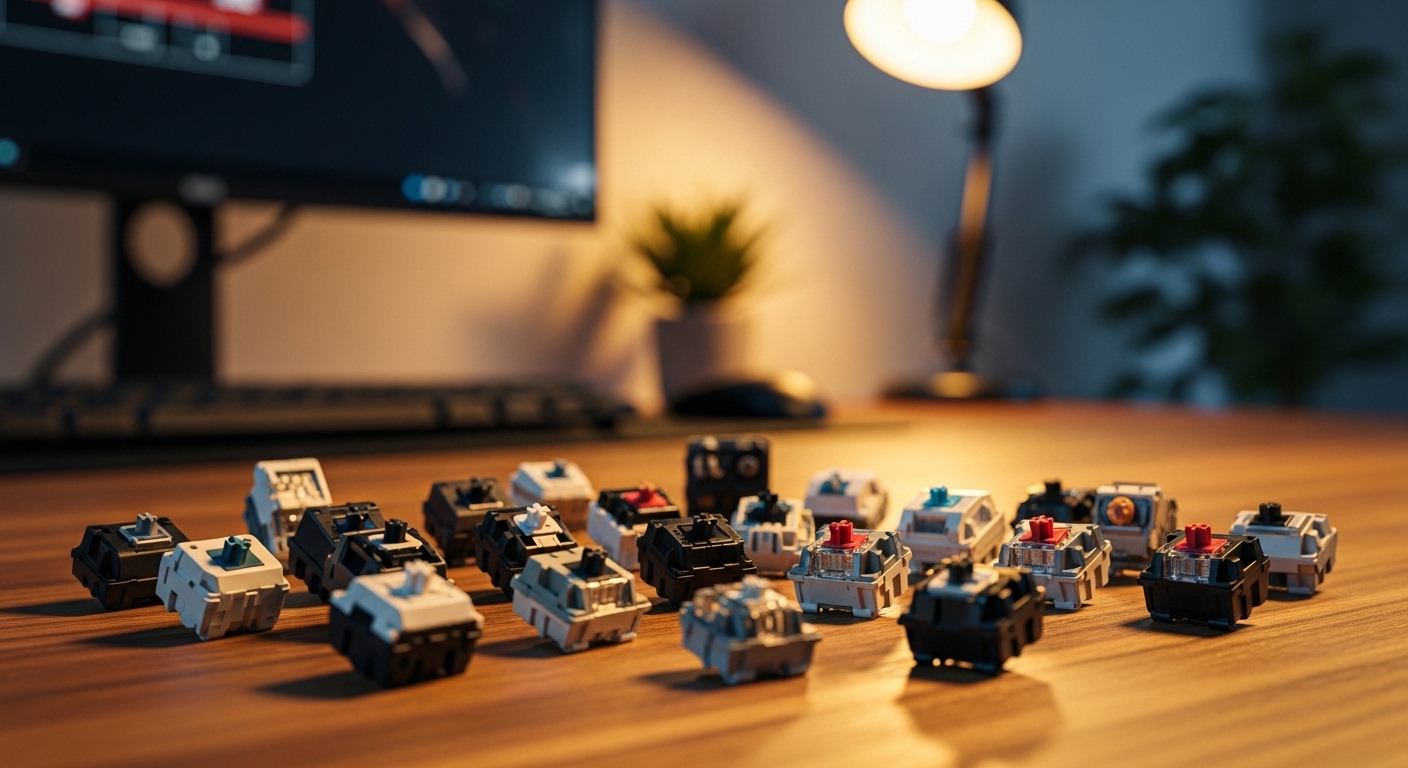
Selecting the right components for your workspace is a critical step in building an efficient professional environment. The mechanism beneath your fingers dictates how you interact with your digital world every single day.
If you want to know how to choose mechanical keyboard switches for productivity, you must look beyond the marketing buzzwords. You need to understand the physics of typing and how different designs affect your stamina.
A keyboard is more than just a tool for inputting data into a computer. It is a tactile interface that can either enhance your focus or become a source of constant frustration.
Professional writers and coders often spend over eight hours daily at their desks. During this time, thousands of individual keystrokes are performed with varying levels of force and precision.
The Importance of Feedback Mechanisms
The primary way to categorize these components is through the feedback they provide to your fingertips. There are three main families of technology used in modern mechanical boards.
Tactile switches are frequently cited as the best choice for typing accuracy. They feature a physical bump that you can feel halfway through the press of the key.
This bump serves as a signal to your brain that the character has been registered. You do not need to push the key all the way down to the bottom plate to be successful.
Linear switches provide a smooth and consistent movement from the start to the finish. There is no tactile interruption or resistance during the downward stroke of the finger.
Many professionals prefer this style because it allows for a very fluid and fast motion. However, beginners might find themselves making more mistakes without that physical confirmation of a press.
Clicky switches add an audible noise to the tactile sensation for a nostalgic experience. While these are very satisfying to use alone, they are often too loud for shared professional spaces.
If you work in a quiet office, the sharp sound might annoy your colleagues or distract you during deep work sessions. Think carefully about your environment before selecting this specific category.
- Tactile switches for clear physical feedback
- Linear switches for smooth and fast motion
- Clicky switches for maximum sensory engagement
- Silent variants for noise sensitive environments
Understanding Actuation and Operating Force
The weight of a switch is measured in grams and determines how hard you must press. This measurement is often called the actuation force of the mechanism.
Light switches usually require around thirty five to forty five grams of pressure. These are excellent for reducing finger fatigue during long sessions of data entry.
However, if a switch is too light, you might find yourself accidentally triggering keys just by resting your hands. This leads to frequent typos and can actually slow down your overall productivity.
Medium weight options fall between fifty and sixty grams of force. Most people find this range to be the most balanced for general office tasks and professional writing.
Heavy switches require sixty five grams or more to move the stem downward. These are ideal for people with a heavy hand who frequently bottom out their keys with significant power.
Using a heavy switch can help build finger strength over time, but it might cause strain for some users. Always consider your own typing style when evaluating these weight specifications.
The Role of Travel Distance
Travel distance is the total length the key travels from the top to the bottom. Most standard mechanical designs feature a total travel of about four millimeters.
The actuation point is where the signal is actually sent to the computer system. This usually happens at the two millimeter mark in a standard configuration.
Some specialized designs offer a shorter travel distance for a more immediate response. These are sometimes called speed switches because they reduce the time between intent and action.
While speed is important, a very short travel can feel jarring to those used to traditional keyboards. It may take several weeks for your muscle memory to adjust to a shallow typing experience.
As we look toward the workplace of 2026, the demand for customized travel distances is expected to increase. More manufacturers are offering adjustable sensors to let you decide where the key registers.
Ergonomics and Long Term Comfort
Productivity is closely tied to your physical comfort throughout the business day. A switch that feels great for ten minutes might feel exhausting after four hours.
Ergonomics is the study of how your body interacts with your tools. When you prioritize ergonomic comfort, you reduce the risk of repetitive strain injuries in your wrists.
Linear switches are often praised for their lack of resistance which helps keep the muscles relaxed. Tactile switches help by preventing you from using excessive force on every single stroke.
The goal is to find a balance where you can type effortlessly without needing to think about the hardware. This state of flow is where true professional productivity happens.
Consider the angle of your keyboard and how the switches interact with that incline. A steep angle combined with heavy switches can put unnecessary pressure on the tendons in your hand.
If you have existing wrist pain, you might want to look into low profile switches. These have a much shorter height and keep your hands closer to the surface of the desk.
- Monitor your hand fatigue levels weekly
- Experiment with different spring weights
- Ensure your wrists remain in a neutral position
- Take regular breaks to stretch your fingers
Materials and Build Quality
The materials used to construct the switch housing and the stem affect both sound and feel. Most common housings are made from plastics like Nylon or Polycarbonate.
Nylon housings tend to produce a deeper and softer sound profile when the key is pressed. Polycarbonate is usually stiffer and results in a higher pitched and sharper sound.
The stem is the moving part of the switch that holds the keycap in place. Using a material like Polyoxymethylene or POM for the stem ensures a very low friction movement.
Self lubricating plastics are highly desirable for productivity because they stay smooth for years. You do not want the keys to feel scratchy or inconsistent as they age.
The internal spring is another vital component that determines the longevity of the device. High quality steel springs maintain their resistance levels even after millions of cycles.
Cheaper springs might start to ping or lose their snappy feel after only a year of heavy use. Investing in premium components ensures your tools remain reliable throughout your career.
Optical vs Mechanical Technology
Traditional mechanical switches use a metal leaf that makes contact to complete a circuit. This is a proven technology that has been used for many decades.
Optical switches use a beam of light to detect when a key has been pressed. Because there are fewer moving metal parts, these can be even more durable than traditional versions.
Optical designs also eliminate a phenomenon called debounce delay which can slightly improve responsiveness. For most office tasks, the difference in speed is negligible but the durability is a plus.
One downside of optical technology is that it requires a specific type of circuit board. You cannot simply swap them into a standard mechanical keyboard chassis.
Sound Profiles and Office Etiquette
The sound of your typing can have a massive impact on your concentration and your environment. Some people find a deep rhythmic sound helpful for staying in the zone.
Others find any noise to be a distraction that pulls them away from their work. Silent switches use internal rubber dampeners to soften the impact of the stem.
These dampeners work on both the downward stroke and the upward return of the key. This results in a much quieter experience that is perfect for open plan offices.
However, some users find that silent switches feel slightly mushy compared to their standard counterparts. The rubber absorbs the impact but also takes away some of the crispness.
If you work from home, you have more freedom to choose a sound profile that you enjoy. Many enthusiasts enjoy a deep sound often described as thocky by the community.
Achieving this sound usually requires a combination of high quality switches and a well built keyboard case. It creates an auditory feedback loop that can make typing feel more rewarding.
- Test sound levels in a quiet room
- Use desk mats to absorb vibrations
- Consider silent switches for video calls
- Lubricate switches to remove metallic pings
The Customization Factor and Hotswap Boards
One of the best ways to find your perfect match is to use a hotswap keyboard. This feature allows you to change switches without using a soldering iron.
Being able to swap switches easily means you can test different types over several weeks. You might find that you prefer tactile switches for writing but linear for data work.
A hotswap board is a great investment for anyone serious about their home office setup. It provides a level of future proofing that standard keyboards simply cannot match.
If a single switch fails or starts to act up, you can replace it in seconds. This extends the life of your peripheral and saves money in the long run.
Customization also extends to the internal parts of the switch itself. Enthusiasts often open their switches to apply specialized lubricants for a smoother feel.
Lubrication reduces the friction between the stem and the housing significantly. It also helps to eliminate the scratchy sound found in some mass produced options.
Budget Considerations and Value
Mechanical switches are available at many different price points from budget to premium. You do not always need to spend a fortune to get a great typing experience.
Many affordable brands offer excellent clones of famous switch designs. These are often just as reliable for standard office work as the more expensive versions.
Premium switches are usually manufactured with tighter tolerances and better materials. They offer a more consistent feel across the entire keyboard which helps with typing rhythm.
When you are calculating your budget, remember that you will need around seventy to one hundred switches for a full size board. The cost can add up quickly if you choose high end artisan options.
Think of your keyboard as a long term investment in your professional health. Spending a little more now can prevent discomfort and improve your daily output for years.
The Role of Keycaps in the Typing Experience
While the switch is the engine, the keycap is the part you actually touch. The shape and material of the keycap can change how a switch feels to your fingers.
Thicker keycaps made from PBT plastic provide a more solid and substantial feel. They also tend to produce a deeper sound when they bottom out against the switch.
The profile of the keycap refers to its height and curvature. Sculpted profiles are designed to fit the natural reach of your fingers as you move across the rows.
Flat profiles offer a uniform height which some people find better for speed. Experimenting with different keycaps is a common way to fine tune the productivity of your board.
Ensure that the keycaps you choose are compatible with the stem of your switches. Most modern switches use a cross shaped stem which is the industry standard.
- Choose PBT for better durability
- Match keycap profile to hand size
- Verify stem compatibility before buying
- Look for textured surfaces for grip
How to Test Switches Before Committing
Reading about switches is helpful, but nothing compares to actually feeling them under your fingers. You should try to test as many varieties as possible before making a final decision.
Switch testers are small acrylic blocks that hold a variety of different switch types. They are an affordable way to compare linear, tactile, and clicky options side by side.
Many local tech shops also have display models that you can try out. Spend a few minutes typing actual sentences rather than just tapping random keys.
Pay attention to how your fingers feel after a few minutes of continuous use. If you feel any immediate tension, that specific switch might be too heavy for your style.
Online communities and forums are also great resources for gathering opinions. However, remember that typing feel is highly subjective and what works for others might not work for you.
Always trust your own personal tactile preference over popular trends or influencer recommendations. Your hands are unique, and your equipment should reflect that reality.
Maintenance for Continued Productivity
Even the best switches will eventually collect dust and debris from the environment. Keeping your keyboard clean is essential for maintaining a consistent feel.
Dust can get inside the housing and cause the keys to feel gritty or even fail to register. Use a compressed air canister to blow out particles from between the keys regularly.
If a switch becomes sticky, it might be time to remove the keycap and clean the stem area. Avoid using harsh chemicals that could damage the plastic or the electronics.
A well maintained keyboard will provide a reliable typing experience for many years. This reliability is a cornerstone of a truly productive professional workflow.
Conclusion
Learning how to choose mechanical keyboard switches for productivity is a journey of discovery. It requires you to be mindful of your own habits and physical needs.
By understanding the differences in actuation, travel, and feedback, you can curate a workspace that supports your best work. The right switch will disappear into the background and let your ideas flow.
Whether you choose a smooth linear path or a responsive tactile bump, the goal remains the same. You want a tool that empowers you to reach your full potential every single day.
Invest the time to research and test your options thoroughly. Your future self will thank you for the extra comfort and efficiency you have built into your home office.