

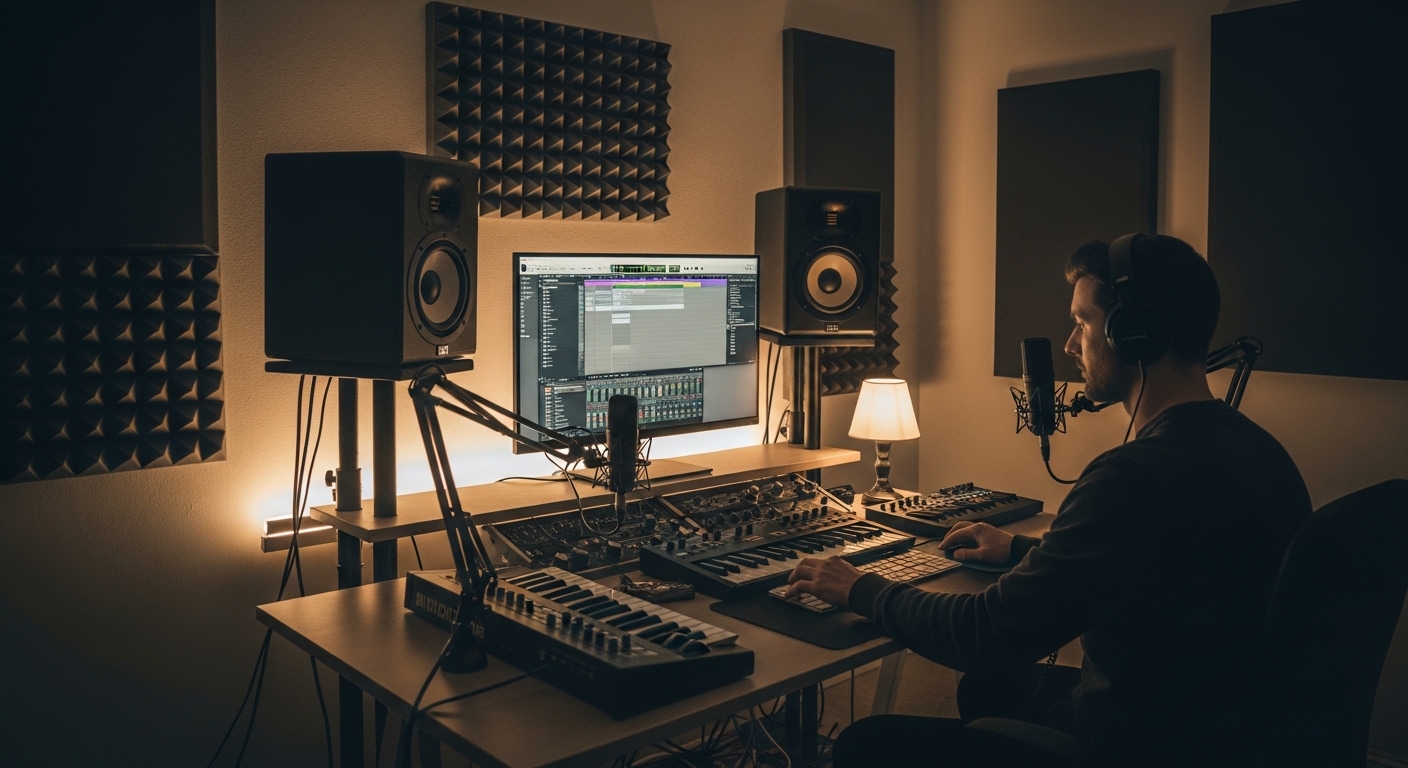
The Importance of Precise Speaker Placement
Achieving professional audio quality in a home environment starts with physics rather than just expensive gear. Most enthusiasts assume that high end speakers will automatically deliver perfect clarity regardless of where they sit.
In reality, the way sound waves interact with your room boundaries determines the accuracy of what you hear. Learning how to position studio monitors for optimal sound is the most cost effective upgrade you can make.
Even the most expensive monitors will sound poor if they are placed in a corner or directly against a wall. Proper placement ensures a flat frequency response and a reliable stereo image.
This guide will walk you through the technical steps required to transform your listening environment. We will cover geometry, height, and the nuances of acoustic interference.
The Geometry of the Equilateral Triangle
The foundation of any professional monitoring setup is the equilateral triangle. This geometric shape ensures that the distance between the speakers matches the distance to your head.
Start by measuring the distance between your left and right studio monitors. Then, ensure your listening position is the same distance away from both cabinets.
This layout creates a stable phantom center where vocals and kick drums sound like they are coming from the middle. Without this symmetry, your stereo image will feel skewed and unnatural.
If you sit too close, the soundstage becomes overly wide and disjointed. If you sit too far back, the room reflections will overwhelm the direct sound from the speakers.
- Measure from the center of the woofer or tweeter of each speaker.
- Use a physical tape measure to ensure precision down to the centimeter.
- Angle the speakers inward so they point directly at your ears.
- Maintain this 60 degree angle for the most accurate perception of high frequencies.
Determining the Ideal Listening Position
Before you place your desk, you must find the best spot for your ears within the room. In most rectangular rooms, the 38 percent rule is a great starting point for placement.
This rule suggests that your head should be located at 38 percent of the room length from the front wall. This specific location typically avoids the worst peaks and nulls caused by standing waves.
Avoid sitting exactly in the center of the room length. The middle of a room is often a dead zone for bass frequencies due to phase cancellation.
Similarly, avoid sitting with your back against the rear wall. Rear wall reflections can cause significant phase distortion that ruins your ability to judge low end levels.
Addressing Room Length and Width
Always orient your setup so that you are firing the speakers down the longest dimension of the room. This allows the bass waves more space to travel before they bounce off the back wall.
Firing speakers across the narrow width of a room leads to early reflections from the side walls. These reflections arrive at your ears too quickly and smear the audio details.
Height and Vertical Alignment
The height of your studio monitors is just as important as their horizontal distance. High frequency sound waves are highly directional and tend to travel in a narrow beam.
For the best results, the tweeters should be positioned at ear level. If the speakers are too low, you will lose clarity and detail in the treble range.
If your desk is low, do not simply leave the speakers on the surface. Use dedicated speaker stands or isolation blocks to raise them to the correct vertical plane.
When you sit in your chair, your eyes should be roughly level with the point between the tweeter and the woofer. This ensures the acoustic axis of the speaker points directly at you.
Managing Speaker Tilt
If you cannot raise the speakers, you might consider tilting them upward toward your ears. While this is better than having them flat, it is not always the most ideal solution.
Tilting speakers can introduce unwanted reflections off the ceiling or the desk surface. Always aim for a straight, horizontal path for the sound waves whenever possible.
Distance from the Front Wall
The space between the back of your monitor and the wall behind it is a critical variable. This area is often referred to as the Speaker Boundary Interference Response zone.
When a speaker is close to a wall, low frequencies wrap around the cabinet and bounce off the wall. This reflection combines with the direct sound and causes frequency cancellations.
Generally, you should either place the monitors very close to the wall or far away from it. Avoid a distance of roughly one meter as this often causes a massive dip in the bass response.
Placing monitors directly against a wall will boost the bass significantly. This can be useful for small speakers, but it often leads to a boomy and inaccurate low end.
- Keep at least 20 to 30 centimeters of space for rear ported monitors.
- Use the built in EQ switches on your monitors to compensate for wall proximity.
- Experiment with moving the desk forward and backward to find the cleanest bass.
- Listen for a tight and punchy low end rather than just maximum volume.
The Role of Room Symmetry
Your brain relies on identical signals from both sides to determine the position of sounds. If your room is acoustically lopsided, your stereo image will never be accurate.
Try to ensure that the distance from the left speaker to the left wall matches the right side. If one speaker is in a corner and the other is in the open, the bass will be uneven.
Hard surfaces on one side and soft curtains on the other will also cause shifts in the frequency balance. Symmetry is the key to consistent monitoring across the entire frequency spectrum.
In a home office, you might have a window on one side. Use heavy drapes to balance the acoustic absorption with the wall on the opposite side.
Comb Filtering and Desk Reflections
One of the most overlooked issues in speaker placement is the reflection from the desk surface. Sound waves bounce off your desk and reach your ears slightly after the direct sound.
This creates an effect called comb filtering, which makes the frequency response look like a comb with many gaps. It results in a hollow or metallic sound quality.
To minimize this, try to keep your speakers on stands behind the desk rather than on the desk itself. If they must be on the desk, use angled isolation pads to break up the reflection path.
Keep your workspace clear of large objects between the speakers and your ears. Items like large computer monitors or gear racks can cause additional diffraction and interference.
Desktop Arrangement Tips
Position your computer monitor so that it does not block the path of the studio monitors. Large screens can act as acoustic mirrors that bounce sound waves in unpredictable ways.
If possible, push your computer screen back so it sits slightly behind the plane of the speakers. This small adjustment can significantly improve the clarity of the mid range frequencies.
Decoupling and Vibration Control
When your studio monitors sit directly on a desk, they transfer energy into the furniture. This causes the desk to vibrate and resonate, essentially becoming part of the speaker.
This added resonance colors the sound and makes it difficult to hear the true character of the audio. Decoupling is the process of separating the speaker from the surface it sits on.
Professional stands are the best way to achieve this, as they have minimal surface area. High quality foam pads or rubber isolators are also effective for desktop setups.
You will notice that decoupled speakers have a much tighter bass response. The stereo image also becomes more defined when the cabinets are not shaking your desk.
Vertical versus Horizontal Orientation
Most studio monitors are designed to be used in a vertical orientation. The woofer and tweeter are aligned to provide the widest horizontal dispersion when standing upright.
Turning a vertical monitor on its side can cause phase issues between the drivers. This happens because the distance from the drivers to your ears changes as you move your head horizontally.
If you must place your monitors horizontally, check the manual to see if they support it. Some models have rotatable tweeters specifically designed for this purpose.
Always favor a vertical setup if your space allows for it. It provides a more stable listening area and better frequency consistency across the desk.
Calibration and Final Adjustments
Once you have physically positioned your monitors, it is time for fine tuning. Even the best placement might leave some minor frequency imbalances in a typical room.
Many modern studio monitors include onboard Digital Signal Processing to help correct for room issues. Use the room correction switches to roll off excess bass if the speakers are near walls.
In 2026, many professionals are using measurement microphones and software to analyze their rooms. This software can create a correction curve that flattens the response of your monitors.
Physical placement should always be the first priority before relying on software. Calibration is the finishing touch that perfects a well positioned monitoring system.
- Run a sine wave sweep to check for rattles or resonant objects in the room.
- Listen to familiar reference tracks to verify the stereo image and bass levels.
- Make small adjustments of just a few centimeters at a time.
- Trust your ears but verify your findings with objective measurements.
Room Treatment and its Impact
No matter how well you position your monitors, the room itself will still influence the sound. Acoustic treatment works in tandem with proper speaker placement to create a neutral environment.
Bass traps in the corners can help absorb the low frequency energy that causes boomy sound. Absorptive panels at the first reflection points will improve the clarity of the stereo image.
The first reflection points are the spots on the side walls where sound bounces directly to your ears. You can find these points by using a mirror while sitting in your listening position.
If you can see the speaker in the mirror, that spot needs an acoustic panel. Treating these areas will make the sound feel much more focused and less cluttered.
Common Mistakes to Avoid
One of the biggest mistakes is placing speakers at different heights. This destroys the vertical alignment of the sound stage and confuses your ears.
Another error is placing monitors too far apart in a small room. This creates a hole in the middle of the sound where center panned elements disappear.
Avoid placing your setup in a way that puts one speaker right in a corner. The corner will boost the bass of that single speaker, making your mixes sound off balance.
Finally, do not forget to check the distance from the ceiling. If your monitors are too high, the ceiling reflections can cause significant high frequency interference.
Managing Cables and Gear
Ensure your audio cables are not pulled tight or interfering with the physical stability of the stands. Cables should have enough slack to allow for precise adjustments of the speaker angle.
Avoid placing large gear racks directly between you and the speakers. These physical obstructions act as barriers that block and diffract the sound waves.
How to Position Studio Monitors for Optimal Sound: The Checklist
To summarize, the process of how to position studio monitors for optimal sound involves several key steps. Start with the equilateral triangle and the 38 percent rule for room depth.
Align the tweeters with your ears and ensure the speakers are decoupled from your desk. Maintain symmetry in the room and address early reflections with basic acoustic treatment.
Test your setup with various music genres to ensure the low end is accurate. If the kick drums feel thin or the bass is overwhelming, reevaluate the wall distance.
By following these technical guidelines, you can turn any home office into a reliable monitoring space. Precision in placement is the secret to professional audio results at home.
Frequently Asked Questions
Should I point my speakers directly at my ears or straight ahead? You should generally toe in the speakers so they point directly at your ears for the best high frequency response.
How far should I be from my monitors? For near field monitors, a distance of 1 to 1.5 meters is usually the sweet spot for most home offices.
Can I place my studio monitors on their side? Most monitors are vertically oriented, so you should only place them sideways if the manufacturer specifically recommends it.
What if my room is very small? In small rooms, keep the speakers close to the front wall and use acoustic treatment to manage the resulting bass boost.
Do I need expensive stands for my monitors? While expensive stands are nice, any heavy and stable structure that provides the correct height and isolation will work.
Conclusion
Mastering how to position studio monitors for optimal sound is a skill that every home producer and audiophile should learn. It is a process that requires patience and testing, but the rewards are immense.
By understanding the physics of sound and room interaction, you can hear your audio with total clarity. This allows you to make better mixing decisions and enjoy a superior listening experience.
Remember that every room is unique, so use these rules as a starting point. Your ears are the ultimate judge of acoustic accuracy in your workspace.
Take the time to experiment with small changes in distance and angle. These tiny adjustments often make the biggest difference in the final sound quality of your home office lab.