

Introduction to Professional Audio Support
Creating a high quality workspace requires more than just a good computer and a fast internet connection. For many professionals, the clarity of their voice during digital meetings defines their level of professionalism.
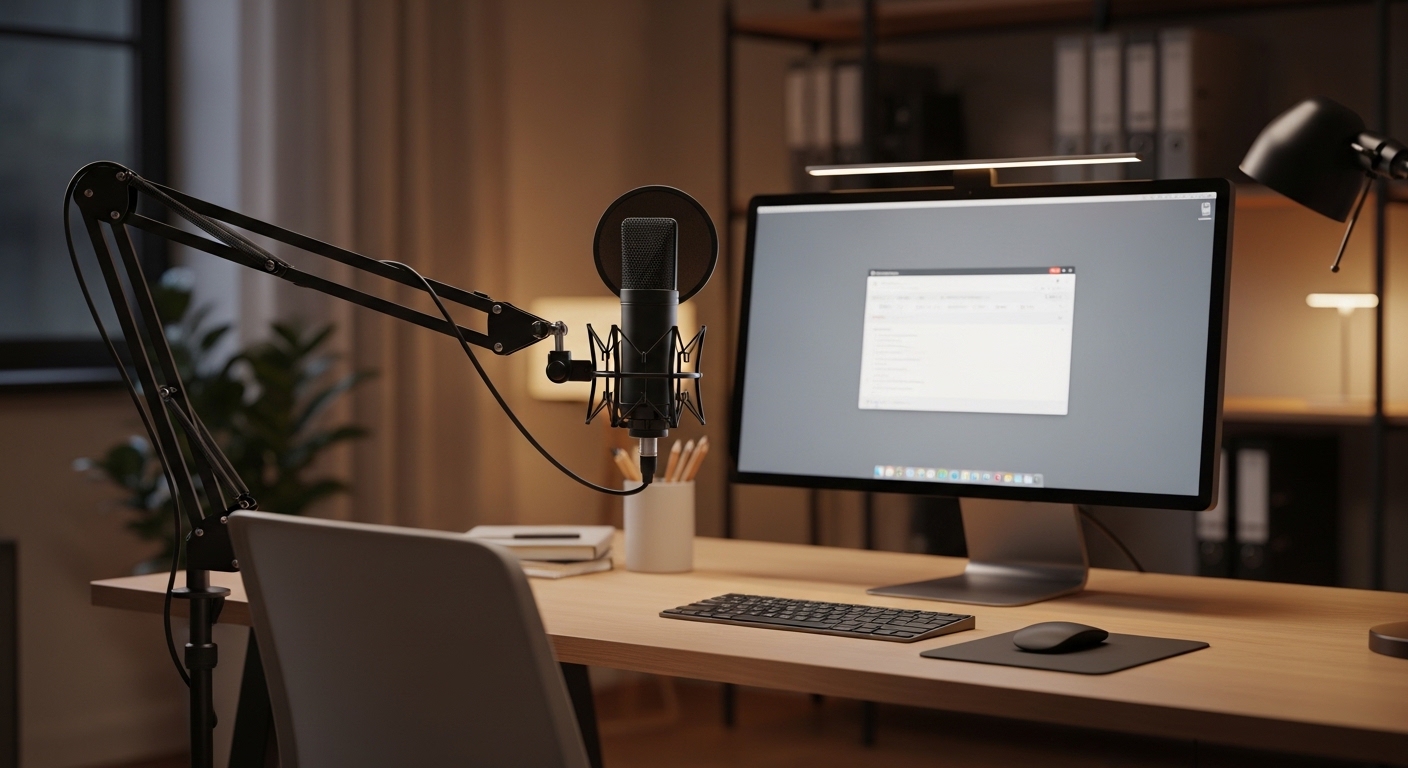
Standard desk stands often take up valuable real estate and transmit every keyboard click directly into the recording. This is where choosing a microphone boom arm for video calls becomes a critical decision for your home office lab.
A boom arm allows you to position the microphone closer to your mouth without blocking your view of the monitor. This proximity ensures that your voice remains clear and consistent throughout long sessions.
Furthermore, these tools help in reducing the physical clutter on your desk surface. By suspending the device in the air, you create a minimalist aesthetic that promotes focus.
The Importance of Proper Microphone Positioning
The distance between your mouth and the microphone capsule significantly impacts the frequency response of your voice. When a microphone is too far away, it picks up more ambient room noise and echoes.
By using a dedicated arm, you can maintain the ideal distance of three to six inches. This placement captures the natural warmth of your speaking voice while ignoring background distractions.
Ergonomics also play a vital role in why you should consider this upgrade. Looking down at a desk stand can cause neck strain over several hours of meetings.
A boom arm allows the microphone to meet you at eye level or just below the chin. This setup encourages a healthy posture and keeps your spine properly aligned during calls.
Improving Your Professional Presence
Visual presentation is just as important as audio quality in a remote work environment. A bulky stand sitting in the middle of your camera frame looks unorganized and distracting.
A well placed boom arm can enter the frame from the side or sit just below the camera line. This creates a cleaner visual that keeps the focus on your face and your ideas.
- Enhanced voice clarity through proximity
- Better desk space management
- Reduced physical strain on the neck
- Professional visual appearance on camera
Weight Capacity and Load Management
Every boom arm has a specific limit regarding how much weight it can safely support. This is the most crucial technical specification to check before making a purchase.
Heavy broadcast microphones require a heavy duty arm with strong tension springs. If the arm is too weak, the microphone will slowly sag or fall completely during your call.
Conversely, using an extremely stiff arm with a featherweight microphone can be problematic. The arm may spring upward because there is not enough weight to hold it in place.
Always calculate the combined weight of your microphone, shock mount, and pop filter. This total mass must fall within the middle of the arm’s rated weight range for optimal performance.
Understanding Dynamic and Static Loads
Static load refers to the weight of the microphone when it is perfectly still. Dynamic load involves the force applied when you move or adjust the arm quickly.
High quality arms use robust internal mechanisms to handle these adjustments without snapping. Look for arms that mention reinforced joints or steel construction for better longevity.
Maximum Reach and Vertical Extension
The physical size of your desk determines how much reach you need from your boom arm. A standard desk might only require thirty inches of horizontal extension.
Larger standing desks or dual monitor setups often require a much longer reach. You must ensure the arm can clear the top of your monitors if necessary.
Vertical height is also a factor if you prefer to have the arm come from behind your screen. Choosing a model with a tall riser can provide the necessary clearance for large displays.
Measure your workspace carefully before committing to a specific design. Knowing the exact dimensions will prevent the frustration of an arm that cannot reach your preferred seating position.
Calculating Your Desk Space Needs
Think about where you will mount the base of the arm relative to where you sit. If the base is at the far corner, the total arm length must span that entire distance.
Consider the height of your head when sitting in your primary office chair. The arm must be able to pivot comfortably without hitting your lighting or camera equipment.
Mounting Stability and Desk Attachment
The point where the arm connects to your desk is the foundation of the entire system. Most models use a C clamp that grips the edge of the table surface.
Check the maximum opening width of the clamp to ensure it fits your desk thickness. Some heavy wooden desks or metal frames require a very wide clamp opening.
If your desk has a decorative edge or a lip, a standard clamp might not fit securely. In these cases, a grommet mount is often the most stable and permanent solution.
Grommet mounts require a hole in the desk but offer unmatched stability for heavy equipment. They also allow you to place the arm in the middle of the desk surface.
The C Clamp Versus Grommet Mount
C clamps are ideal for users who want to move their setup frequently. They provide great flexibility and require no permanent modifications to your furniture.
Grommet mounts are better for dedicated professional studios or long term home offices. They ensure the arm never wobbles even during aggressive adjustments.
- Measure desk thickness carefully
- Check for surface protection pads
- Consider permanent versus temporary mounting
- Verify clearance for the clamp handle
Spring Mechanisms and Noise Reduction
The type of spring used in the arm dictates how much noise it makes during movement. External springs are more affordable but can produce a metallic ringing sound.
This sound can travel through the arm and into the microphone during a live call. Internal springs are hidden inside the frame and offer a silent operation.
Silence is vital when you need to move the microphone while your mic is active. Look for arms that feature dampened joints to eliminate squeaks and creaks.
Tension adjustment screws allow you to fine tune how much force is needed to move the arm. This customization ensures a smooth experience tailored to your specific hardware.
Internal Versus External Spring Designs
External springs are functional and easy to replace if they ever break. However, they can trap dust and may pinch your fingers during use.
Internal springs provide a sleek look and a quieter performance for professional environments. By the year 2026, most high end models will likely adopt this streamlined internal design.
Cable Management and Desktop Aesthetics
Loose cables hanging from your microphone can look messy and unprofessional. Premium boom arms often include integrated cable channels to hide the wires.
These channels keep the USB or XLR cable tucked neatly inside or along the arm. This prevents the cable from getting tangled or snagged during movement.
If the arm does not have channels, look for included clips or velcro straps. Proper cable routing extends the life of your wires by preventing excessive bending at the connectors.
A tidy setup also reduces the visual noise in your workspace. This level of organization is a hallmark of choosing a microphone boom arm for video calls wisely.
Acoustic Vibration and Mechanical Isolation
Typing on a mechanical keyboard or bumping the desk creates vibrations. These vibrations travel through the desk and up the arm into the microphone capsule.
A high quality boom arm should have some level of mechanical isolation. Look for arms with rubberized padding at the joints and the mounting base.
Using a shock mount in conjunction with a good arm is the best strategy. The arm provides the primary support, while the shock mount handles the fine vibrations.
This dual layer of protection ensures your audience only hears your voice. Eliminating low frequency thumps makes your audio sound like a professional broadcast.
Low Profile Versus Standard Boom Arms
Standard boom arms sit high above the desk and reach down toward the user. These are excellent for maximum range and clearing large obstacles like monitors.
Low profile arms sit much lower and move underneath your line of sight. They are perfect for users who do not want an overhead arm visible on camera.
Choosing between these two depends on your specific desk layout and camera angle. Low profile options are gaining popularity for minimalist setups where visibility is a concern.
However, low profile arms may have a shorter reach than their vertical counterparts. Evaluate your monitor height to ensure a low profile arm can slide underneath safely.
Pros and Cons of Different Profiles
Standard arms offer more flexibility in terms of 3D positioning. They can rotate and swivel across a much larger volume of space.
Low profile arms provide a very clean look and stay out of your way. They are ideal if you frequently use physical notes or tablets on your desk.
- Standard arms for maximum reach
- Low profile for minimal camera visibility
- Vertical height vs horizontal clearance
- Joint flexibility for precise positioning
Budget Considerations for Home Offices
Entry level boom arms are often made of thinner metal and use basic springs. These are cost effective for casual users or those with very light microphones.
Mid range options provide a balance of durability and features like cable management. These are usually the best value for the average office worker.
Professional grade arms are built for daily use in radio stations or recording studios. They offer superior longevity and the smoothest mechanical movement available.
Investing more upfront can save money in the long term. A cheap arm may lose tension after a year, requiring a full replacement.
Finding the Sweet Spot of Value
Focus on the build quality of the joints rather than just the brand name. All metal construction is usually more reliable than arms with many plastic parts.
Consider how often you will actually move the arm during your workday. If it stays in one place, mechanical smoothness might be less important than weight capacity.
Maintenance and Long Term Care
Even the best boom arms require occasional maintenance to stay in top shape. Dust the joints regularly to prevent gritty movement or noise.
Check the tension screws every few months to ensure they remain tight. Constant movement can slowly loosen the hardware over several hundred hours of use.
If your arm has exposed springs, avoid overextending them beyond their natural limit. This preserves the elasticity of the metal and prevents permanent deformation.
Lubricating the main pivot points with a tiny drop of silicone oil can help. This keeps the rotation smooth and prevents any annoying squeaking during important calls.
Conclusion
Choosing the right support for your microphone is an investment in your communication quality. By choosing a microphone boom arm for video calls carefully, you enhance both sound and comfort.
Prioritize weight capacity and reach to ensure the arm fits your specific hardware and desk. Remember that a stable mounting point is the key to a frustration free experience.
Whether you prefer a high reach arm or a low profile design, quality matters most. A well built arm will reliably support your voice for many years to come.
Take the time to manage your cables and adjust the tension for the best results. Your home office lab deserves a professional audio setup that looks and sounds amazing.