

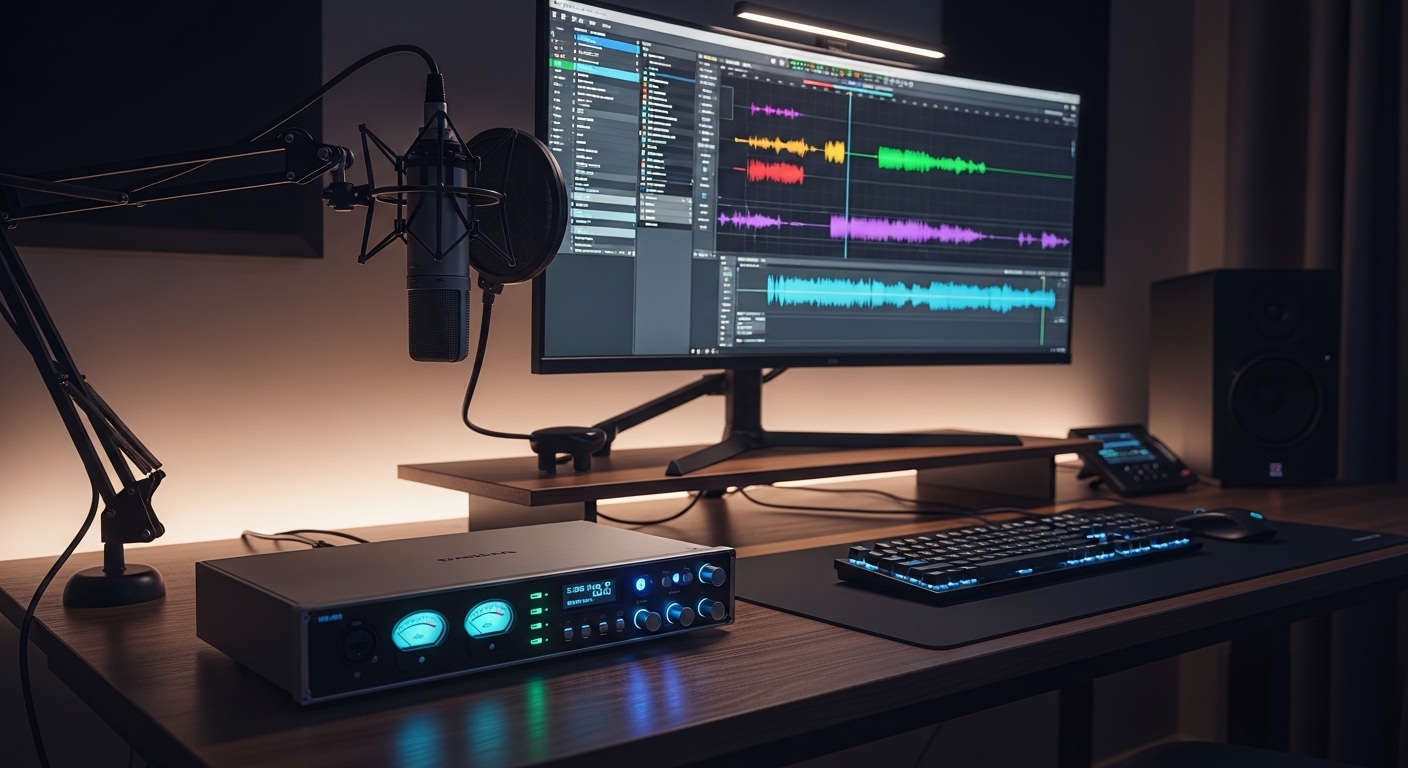
The Critical Importance of Audio in Virtual Meetings
In the modern corporate landscape, your digital presence is defined by the quality of your transmission. While high definition video is often prioritized, the auditory experience actually carries more weight in how professional colleagues perceive your authority and clarity.
Standard integrated laptop microphones often capture excessive room reflections and electrical hum. This creates a psychological barrier that forces listeners to work harder to understand your message during complex negotiations or presentations.
The Science of Sound Clarity
An external audio interface serves as a dedicated bridge between your professional microphone and your computer system. By converting analog signals into digital data with high precision, these devices eliminate the background hiss common in cheaper setups.
This hardware transition ensures that your voice retains its natural timbre and frequency response. When your audio is rich and full, it commands immediate attention and reduces listener fatigue during long sessions.
Why Integrated Audio Fails Professionals
Onboard sound cards are frequently plagued by electromagnetic interference from internal components like processors or cooling fans. This leads to a thin, metallic sound that lacks the professional warmth required for high stakes environments.
Investing in a dedicated interface allows you to use professional grade XLR microphones that were previously reserved for recording studios. This setup offers unmatched reliability for the remote worker who cannot afford technical glitches during a client call.
Quick Buying Guide
When selecting the right hardware for your desk, you must prioritize the quality of the internal preamps. These components are responsible for boosting the quiet signal of your microphone to a usable level without adding noise.
Look for interfaces that offer a high gain range, especially if you plan to use dynamic microphones like the Shure SM7B. A clean gain of at least 60 decibels is often necessary for optimal performance without needing extra hardware lifters.
The Necessity of Loopback Features
The loopback feature is perhaps the most vital tool for professionals who share media during calls. It allows you to route computer audio back into your video conferencing software alongside your voice seamlessly.
This is essential for sharing video clips, presentations with sound, or system alerts without complex software workarounds. Ensure your chosen device supports driver level loopback to maintain a clean and efficient workflow in 2026.
Build Quality and Desk Ergonomics
Since this device will sit on your desk alongside your mouse devices and keyboard, build quality is paramount. A chassis made of brushed aluminum provides better durability and shielding against wireless interference from mobile phones.
Physical controls such as large volume knobs and tactile buttons allow for quick adjustments during a call. These manual overrides are much faster than hunting for software sliders when you need to mute or adjust levels instantly.
The 8 Best audio interfaces for professional video calls
Finding the perfect balance between studio power and office simplicity is the key to a successful setup.
1. Universal Audio Volt 276
The Universal Audio Volt 276 arrives with a stunning industrial design that features vintage inspired wood side panels. The chassis feels incredibly substantial on the desk, providing a weighted stability that prevents it from sliding around when you connect cables.
The top panel layout is intuitive, featuring clear metering for both input and output levels. Every button provides a satisfying tactile click that reinforces the premium nature of the hardware.
Internally, this device features a unique Vintage Mic Preamp mode that emulates the classic sound of the Universal Audio 610 tube preamp. This adds a subtle harmonic richness to your voice, making it sound more authoritative during important video conferences.
The integrated 76 Compressor is another standout feature, offering three tailored presets to control your vocal dynamics. This ensures your voice remains at a consistent volume even if you lean back or get excited during a conversation.
This interface is the perfect choice for the executive who wants a plug and play solution with a sophisticated aesthetic. It excels at delivering radio ready sound without requiring the user to learn complex mixing software.
The main drawback is its slightly larger footprint compared to ultra compact units. However, the audio fidelity and build quality more than justify the desk space it occupies.

2. Focusrite Scarlett 2i2 4th Gen
The Focusrite Scarlett 2i2 4th Gen continues the legacy of the most popular interface series in the world with modern refinements. Its iconic red anodized casing is both durable and visually striking, fitting well in any contemporary home office lab.
The updated Gain Halos around the control knobs provide a quick visual reference to ensure you are not clipping. This visual feedback is essential when you are focused on a video call and cannot check software levels.
Advanced Automated Features
The fourth generation introduces an Auto Gain feature that automatically sets the perfect level for your voice. This eliminates the guesswork involved in setup, ensuring you are never too quiet or unpleasantly loud for your audience.
Additionally, the Clip Safe technology monitors your levels and automatically adjusts the gain if you suddenly speak louder. This provides a safety net that guarantees your audio remains distortion free during intense business debates.
The Scarlett 2i2 is ideal for professionals who need a reliable and well supported device. It offers a massive software bundle and excellent driver stability across both Windows and macOS platforms.
While it is very versatile, some might find the red color too bold for a minimalist setup. However, the technical specifications and ease of use make it a top contender for any professional.

3. Elgato Wave XLR
The Elgato Wave XLR is a purpose built device designed specifically for creators and office professionals who value software integration. It features a minimalist design with a single large dial that controls gain, volume, and crossfade.
The rear of the unit is kept clean with essential ports, keeping cable clutter to a minimum. A capacitive mute button on the top allows for silent operation, which is perfect for avoiding clicks during a live call.
What truly sets this interface apart is the powerful Wave Link software ecosystem. This allows you to create multiple submixes for your voice, system audio, and meeting apps with incredible precision.
The Clip Guard technology is also integrated here, acting as a virtual limiter to prevent digital distortion. This ensures your communication remains professional even if there is a sudden loud noise in your environment.
This device is the best option for users who are already invested in the Elgato ecosystem. It pairs perfectly with stream decks to provide a highly customized and automated virtual meeting experience.
Some users might miss having multiple physical inputs for instruments or second microphones. For a dedicated solo setup, however, its streamlined approach is almost impossible to beat.

4. Kmise USB Audio Interface
The Kmise USB Audio Interface provides a budget friendly solution for users seeking clear sound during professional video conferences. This device supports 24 bit 192 kHz resolution and includes 48V phantom power to drive studio microphones.
Plug and play functionality ensures that the unit integrates seamlessly with computer operating systems without the need for complex drivers. It stands out as one of the best audio interfaces for professional video calls due to its simple gain controls and low noise floor.

5. Solid State Logic SSL 2
The Solid State Logic SSL 2 brings the legendary sound of high end recording studios to your desktop. The layout is reminiscent of a classic console, featuring large knobs and a slanted top for better ergonomics.
The build quality is exceptional, utilizing high quality components that are built to last for years. It features Neutrik connectors and Alps pots, ensuring that every physical interaction feels smooth and reliable.
The standout feature is the Legacy 4K button, which adds a high frequency boost and subtle distortion. This is inspired by the classic 4000 series consoles and helps your voice cut through the mix of a crowded video call.
With two high quality preamps, you have the flexibility to run a dual microphone setup if necessary. The high current headphone amplifier also ensures you can hear your colleagues with perfect clarity even with high impedance headphones.
This interface is suited for the professional who wants a touch of analog character in their digital workflow. It offers a distinctive sonic profile that makes voices sound more expensive and polished.
It does have a larger footprint than some of the other mobile options on this list. For a permanent desk setup, the SSL 2 is a statement piece that performs as good as it looks.

6. PreSonus AudioBox GO
The PreSonus AudioBox GO is the ultimate solution for the professional who is frequently on the move. It is incredibly compact and lightweight, yet it does not sacrifice the essential features needed for a clear call.
The device is bus powered via USB C, meaning you do not need an external power brick to operate it. It easily fits into a small pocket of a backpack, making it the ideal companion for digital nomads.
Mobile Professional Performance
Despite its small size, it features a professional XMAX L preamp that delivers clean and quiet power. This allows you to use proper XLR microphones even when you are working from a hotel or a remote co-working space.
The interface is also class compliant, meaning it works instantly with iPads and mobile devices without extra drivers. This versatile connectivity is a major advantage for those who use tablets for their video conferencing needs.
This is the best choice for those on a budget or those who prioritize extreme portability. It provides a significant upgrade over built in audio at a very accessible price point.
The plastic construction is not as rugged as the metal units from Audient or SSL. However, for lightweight travel, the weight savings are a beneficial trade off for most users.

7. MOTU M2
The MOTU M2 stands out in the crowded market by offering a full color LCD screen for level metering. This provides the most accurate visual feedback in its class, showing you exactly where your levels are at all times.
The construction is incredibly solid, featuring a metal enclosure that provides excellent protection for the internal circuitry. The ESS Sabre32 Ultra DAC technology ensures that the audio you hear is just as good as the audio you send.
One of the strongest technical aspects of the M2 is its ultra low latency performance. This is critical if you use software based processing or effects during your professional video calls in real time.
The loopback channels are easy to configure, allowing for seamless integration of background music or sound effects. This makes it a top tier choice for those who produce webinars or high quality live presentations.
The MOTU M2 is ideal for users who want precision and technical excellence in every department. The visual metering alone makes it a favorite for many professional office setups.
Availability can sometimes be a challenge due to its high demand in the pro audio community. If you can find one, it is a near perfect audio interface for any serious remote worker.

8. Lewitt Connect 6
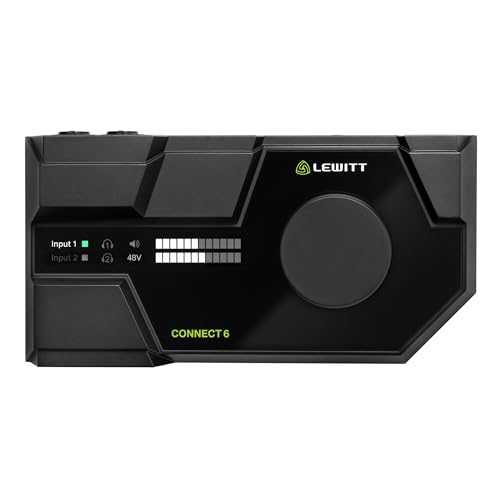
The Lewitt Connect 6 is a modern marvel that rethinks how an audio interface should function for the digital age. It features a sleek, low profile design that looks more like a high end consumer gadget than a piece of studio gear.
It includes a powerful onboard DSP chip that handles audio processing without taxing your computer’s CPU. This allows you to use compression and EQ directly on the hardware for a polished sound with zero latency.
Unrivaled Connectivity Options
The Connect 6 offers unique dual USB C ports, allowing you to connect both a computer and a mobile device simultaneously. This is a game changer for professionals who need to bring audio from their phone into a meeting.
The software control center is incredibly deep, offering an easy way to manage complex routing with a few clicks. It simplifies the process of managing multiple apps, ensuring your audio always goes exactly where it needs to.
This is the best option for the tech savvy professional who wants the most advanced features available. It bridges the gap between traditional audio gear and modern digital workflows perfectly.
The depth of the software might have a slight learning curve for those who are not technically inclined. Once mastered, it provides a level of control that no other interface in this price range can match.
Comparison
Choosing the right hardware requires a side by side look at how these devices compare in terms of their primary strengths and intended use cases.
| Product Name | Key Feature | Best For | Price Range |
| Universal Audio Volt 276 | 76 Compressor | Professional Vocals | Mid Range |
| Focusrite Scarlett 2i2 4th Gen | Auto Gain | Ease of Use | Mid Range |
| Elgato Wave XLR | Wave Link Software | Digital Ecosystems | Budget Friendly |
| Audient iD4 MkII | Console Preamps | Pure Audio Quality | Mid Range |
| Solid State Logic SSL 2 | Legacy 4K Mode | Analog Character | Mid Range |
| PreSonus AudioBox GO | Ultra Compact | Frequent Travelers | Budget Friendly |
| MOTU M2 | Full Color LCD | Precision Monitoring | Mid Range |
| Lewitt Connect 6 | Dual USB & DSP | Complex Routing | Premium |
Final Verdict
After a thorough analysis of the top contenders, the Universal Audio Volt 276 emerges as the overall best pick for professional video calls. Its combination of iconic industrial design, built in hardware compression, and vintage preamp emulation provides a level of vocal presence that is simply unmatched. It transforms a standard home office into a professional broadcast environment with the push of a button, ensuring you always sound your best without needing to be an audio engineer.
For those who prefer a more software centric approach, the Elgato Wave XLR is the definitive alternative. Its seamless integration with the Wave Link software and the wider Elgato ecosystem makes it an incredibly powerful tool for managing complex audio during presentations. Whether you prioritize the analog warmth of the Volt or the digital flexibility of the Wave, moving away from integrated audio is the single best investment you can make for your professional career.