

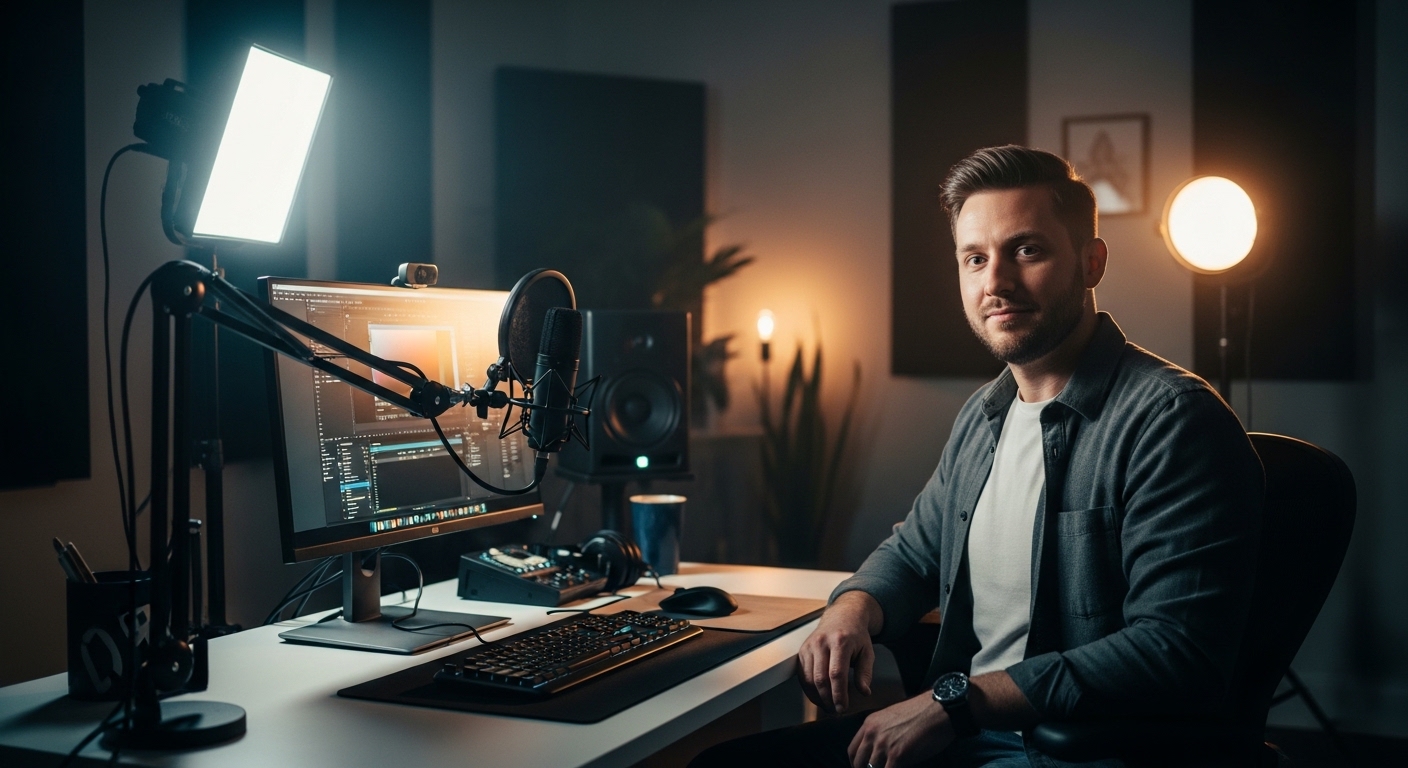
Creating professional video content often feels like a daunting task for many home office professionals. You might have a high end camera and a great microphone but still find that your footage looks flat or amateurish.
The secret to cinematic quality often lies in your illumination strategy rather than your camera sensor. Learning how to use three point lighting for video is the most effective way to elevate your visual presence during calls or recordings.
This classic technique has been the standard in the film and television industry for decades. It provides a reliable framework for creating depth, dimension, and focus on the subject in any environment.
In this guide, we will explore the nuances of this lighting arrangement. You will learn how to transform a dull workspace into a professional studio using simple geometric principles.
The Fundamental Philosophy of Three Point Lighting
The core objective of this technique is to separate the subject from the background. Without proper lighting, a person can appear to blend into the wall behind them, which creates a two dimensional appearance.
By using three distinct sources of light, you control the shadows and highlights on your face. This control allows you to guide the eyes of the viewer exactly where they need to go.
Each light in this trio has a specific job to perform. They work in harmony to provide texture and shape to the human form.
While modern technology has made lights smaller and more affordable, the physics of light remains the same. Understanding these foundational physics will allow you to adapt to any room or situation.
Whether you are recording a YouTube video or attending an important executive meeting, the principles remain constant. Let us break down the first and most important component of this system.
Mastering the Key Light for Primary Exposure
The key light serves as your primary source of illumination for the entire scene. It is responsible for providing the bulk of the exposure on your face and body.
Typically, you should place this light at a forty five degree angle relative to your camera lens. This placement creates a natural look that mimics how we perceive light in the real world.
If you place the key light directly in front of you, the result is often a flat and washed out appearance. By moving it to the side, you introduce subtle shadows that define your facial features.
The height of the key light also matters significantly for a professional look. It should usually be slightly above your eye level and tilted downward toward your face.
This downward angle prevents the light from looking like a flashlight held under a chin. It ensures that the shadows fall naturally under the nose and jawline for a flattering aesthetic.
You may need to adjust the intensity of this light based on the ambient light in your room. If you have a window nearby, your key light must be powerful enough to compete with or complement the sun.
Choosing the Right Softness for Your Key Source
Hard light creates sharp shadows that can highlight skin imperfections or harsh lines. Most professional setups favor diffused soft light for the key source to ensure a smooth transition.
You can achieve this softness by using a softbox or a diffusion panel over your LED light. These tools spread the light over a larger surface area, which results in a wrap around effect on the skin.
If your light is too small, the shadows will be too crisp. Aim for a large light source relative to your face to achieve that soft, professional glow.
Remember that the distance between you and the light affects the softness as well. Placing the light closer actually makes it softer because it becomes a larger source from your perspective.
Experiment with the placement until you find a balance that looks professional. Every face reacts differently to light, so personalization is vital for the best results.
Balancing the Scene with the Fill Light
Once your key light is in place, you will notice that one side of your face is quite bright while the other is in deep shadow. This high contrast look can be dramatic but is often too intense for standard professional videos.
The fill light is used to fill in those dark shadows without creating a second set of shadows. It should be placed on the opposite side of the camera from your key light.
The intensity of the fill light should always be lower than the key light. If both lights are equal in power, you will lose the sense of depth you worked so hard to create.
A common ratio for fill light is about half the intensity of the key light. This allows for some shadow to remain, which preserves the three dimensional look of your face.
Some creators prefer a very subtle fill light for a moody appearance. Others prefer a bright fill light for a clean, high energy look often seen in corporate communications.
The fill light does not always have to be a separate powered lamp. In small home offices, a simple white reflector can serve as an excellent fill source by bouncing key light back onto your face.
Controlling Shadows and Contrast Ratios
The relationship between your key and fill lights is often described as a lighting ratio. A ratio of two to one means your key is twice as bright as your fill.
Understanding this ratio helps you maintain consistency across different recording sessions. Consistent lighting is a hallmark of a high quality video production or professional home studio.
If you find that your fill light is creating a second shadow on the wall, it might be too far to the side. Try moving it closer to the camera lens to minimize competing shadows in the background.
Always check your monitor to see how the fill affects the overall mood. You want to see detail in the shadows without making the image look flat or lacking in character.
This balance is what makes a viewer feel comfortable while watching your content. It provides a visual clarity that allows them to focus on your message rather than distracting lighting flaws.
The Role of the Back Light in Creating Separation
The third and final component of the system is the back light, often called a rim light or hair light. This light is placed behind the subject and usually out of the camera frame.
Its primary purpose is to create a thin outline of light around your hair and shoulders. This outline serves to separate you from the background and prevent a merged silhouette effect.
Without a back light, you can easily get lost in a dark background or a complex shelf setup. The back light gives you a crisp edge that makes you pop off the screen.
You should position this light high and slightly to one side behind you. It should point down toward the back of your head and shoulders for the most effective glow.
Be careful not to point the back light directly into the camera lens. This will cause lens flares that can obscure your face and ruin the footage.
If you have dark hair or are wearing dark clothing, the back light is even more important. It provides the necessary contrast to ensure your shape is defined clearly.
Adding Depth and Texture with the Rim Light
The back light can also be used to add a bit of color or style to your video. Some creators use a slightly different color temperature for the back light to create a unique look.
For example, a slightly warmer back light can give the impression of a golden hour sunset. A cooler blue back light can provide a modern tech feel to your home office setup.
Ensure that the back light is not so bright that it creates a distracting halo. It should be a subtle enhancement that improves the image without being the main focus.
When you look at professional news broadcasts, you will see this technique used extensively. It is the reason the anchors look so sharp and distinct from the set behind them.
Applying this in your home office will immediately make your setup look more expensive. It is a simple addition that provides a massive visual impact for very little effort.
Practical Logistics for Your Home Office Studio
Setting up these lights in a standard home office requires some planning and space management. Most desks are pushed against a wall, which can make back light placement difficult.
You may need to pull your desk a few feet away from the wall to create space for your lights. If space is tight, consider using telescoping desk mounts for your lighting fixtures.
These mounts save floor space while allowing you to position the lights at the correct height and angle. Managing cables is also a priority to prevent tripping hazards in your workspace.
Think about the color of your walls when setting up your three point system. Light colored walls will reflect light everywhere, which might make it harder to control your shadows.
Darker walls are often easier to work with because they do not bounce light back onto the subject. If your walls are very reflective, you might need black foam boards to block unwanted reflections.
Always consider the height of your ceiling as well. Low ceilings can cause light to bounce off the top and wash out your intended lighting pattern.
Adapting to Natural Light Sources
If your office has a window, you must decide whether to use it or block it out. Natural light is beautiful but highly unpredictable during a long recording session.
Clouds passing by can change your exposure and color temperature in an instant. For the most consistent professional video, using blackout curtains is often the best choice.
If you prefer to use the window, use it as your key light source. You can then use your artificial lights as the fill and back components of your setup.
Just remember that the sun moves throughout the day. A setup that looks perfect at ten in the morning might be completely unusable by two in the afternoon.
By controlling your environment, you ensure that your video quality remains high regardless of the time. This reliability is essential for busy professionals who need to record on short notice.
Understanding Color Temperature and Consistency
Light is not just about brightness, it is also about the color of the light. This is measured in Kelvin, ranging from warm orange tones to cool blue tones.
When you learn how to use three point lighting for video, you must ensure your lights match. Mixing a warm key light with a cool fill light can create unnatural skin tones.
Most professional LED lights allow you to adjust the color temperature to your preference. A common standard is 5600K, which mimics natural daylight and looks very clean on camera.
If you prefer a cozy home feeling, you might choose a warmer setting around 3200K. The most important thing is consistency across all three of your light sources.
In the year 2026, most budget lights offer bi color features that make this adjustment very easy. You no longer need expensive colored gels to change the mood of your room.
Always perform a white balance on your camera after setting your lights. This ensures the camera interprets the colors accurately for the final recording.
The Importance of High CRI Ratings
When looking at lights, you will often see a Color Rendering Index or CRI rating. This number indicates how accurately the light reveals the true colors of objects and skin.
You should aim for lights with a CRI of ninety five or higher. Lower quality lights can make skin look green or grey, which is very difficult to fix in post production.
High quality LEDs provide a full spectrum of light that makes your footage look vibrant. Investing in good light quality is often more important than investing in a higher resolution camera.
Good lighting makes even a simple smartphone camera look like a high end cinema tool. It is the most cost effective way to improve your overall production value.
Avoid cheap office lamps for your primary video lighting if possible. They often flicker or have poor color accuracy that will frustrate you during the editing process.
Common Mistakes to Avoid in Your Setup
One of the most frequent errors is placing the lights too close to the background. This creates distracting shadows on the wall that can pull focus away from you.
Try to create as much distance between yourself and the wall as possible. This distance allows the light to fall off naturally before it hits the background surface.
Another common issue is overlighting the scene until it looks flat. Remember that shadows are your friend because they create the depth that makes video look professional.
If you wear glasses, you might struggle with reflections from your key and fill lights. To fix this, raise your lights higher on their stands and tilt them down more steeply.
This angle causes the reflection to bounce off your glasses toward the floor rather than into the lens. Small adjustments like this can save hours of frustration during filming.
Finally, avoid using a single light source directly above your head. This creates deep shadows in the eye sockets, often referred to as raccoon eyes.
Dealing with Background Distractions
Your three point setup should focus on you, but don’t forget the background. If your background is too bright, it will overpower the subject even with great lighting.
You can use a fourth light, called a background light, to specifically illuminate your decor. This light should be separate from the three point system used on your face.
Keeping your background slightly darker than your face helps maintain the focus on you. This contrast is a key visual cue that tells the audience who is important in the frame.
Check for reflective surfaces in the background like mirrors or glass picture frames. These can catch your studio lights and create bright spots that are annoying for the viewer.
A well lit subject with a clean, dark background is the gold standard for video. It looks sophisticated and intentional, which builds trust with your audience.
Actionable Tips for Small Home Offices
If you have a tiny workspace, you might think three point lighting is impossible. However, you can use minimalist gear to achieve the same effect effectively.
Small LED panels that clip to your desk are great for key and fill lights. They provide plenty of power without taking up any floor space at all.
For your back light, a small puck light or a smart bulb in a desk lamp can work. Position it on a shelf behind your head to get that essential separation.
You can also use walls as natural reflectors to soften your lights. Point your light at a white wall instead of at your face to create a massive, soft light source.
This technique is called bouncing and is perfect for small rooms where large softboxes won’t fit. It produces a very natural look that is perfect for professional video calls.
Always keep a few clamps or tape handy to secure your gear in tight spots. Flexibility is the key to mastering small spaces for video production.
Software Tweaks to Complement Your Lighting
Good lighting is the foundation, but your camera settings must be adjusted accordingly. Turn off auto exposure on your webcam or camera once your lights are set.
Auto exposure will try to change the brightness as you move, which can cause flickering. Lock your ISO and shutter speed to keep the look consistent throughout your video.
Check your color saturation and contrast in your recording software. You may find that with proper three point lighting, you need less digital processing to look great.
Most video software like OBS or Zoom allows for minor color corrections. Use these tools to fine tune the look that your physical lights have created.
The goal is to have the video look perfect straight out of the camera. This saves time and ensures a high level of professionalism in every single frame.
Frequently Asked Questions
Can I use sunlight as part of a three point setup? Yes, sunlight makes a fantastic key light if you can control its intensity and position.
Do I need expensive lights to start? Not at all, as even basic desk lamps with the right bulbs can work for a beginner setup.
How far should the lights be from my face? Usually, about three to five feet is ideal for maintaining softness without losing too much brightness.
What if I only have two lights? You can use a reflector as your fill light and use the two powered lights as your key and back lights.
Why does my video still look grainy? Grain usually comes from a lack of light causing the camera to boost digital gain excessively.
Is three point lighting necessary for every video? While not strictly mandatory, it is the most reliable way to ensure a professional look every time.
Conclusion
Mastering how to use three point lighting for video is a transformative skill for any home office professional. It moves your content from looking like a standard webcam call to a high quality production.
By carefully positioning your key, fill, and back lights, you create a sense of depth and professionalism. This setup highlights your best features while minimizing distractions in your environment.
Consistency is the hallmark of professional work, and this system provides exactly that. Once you have your lights dialed in, you can focus entirely on your message and your audience.
Take the time to experiment with angles, intensities, and color temperatures in your space. Every room is unique, and your perfect lighting setup is waiting to be discovered.
Investing in your lighting is the single best way to respect your viewers and elevate your brand. Start small, apply these principles, and watch your video quality soar to new heights.