

The Evolution of Desktop Connectivity for Mac Users
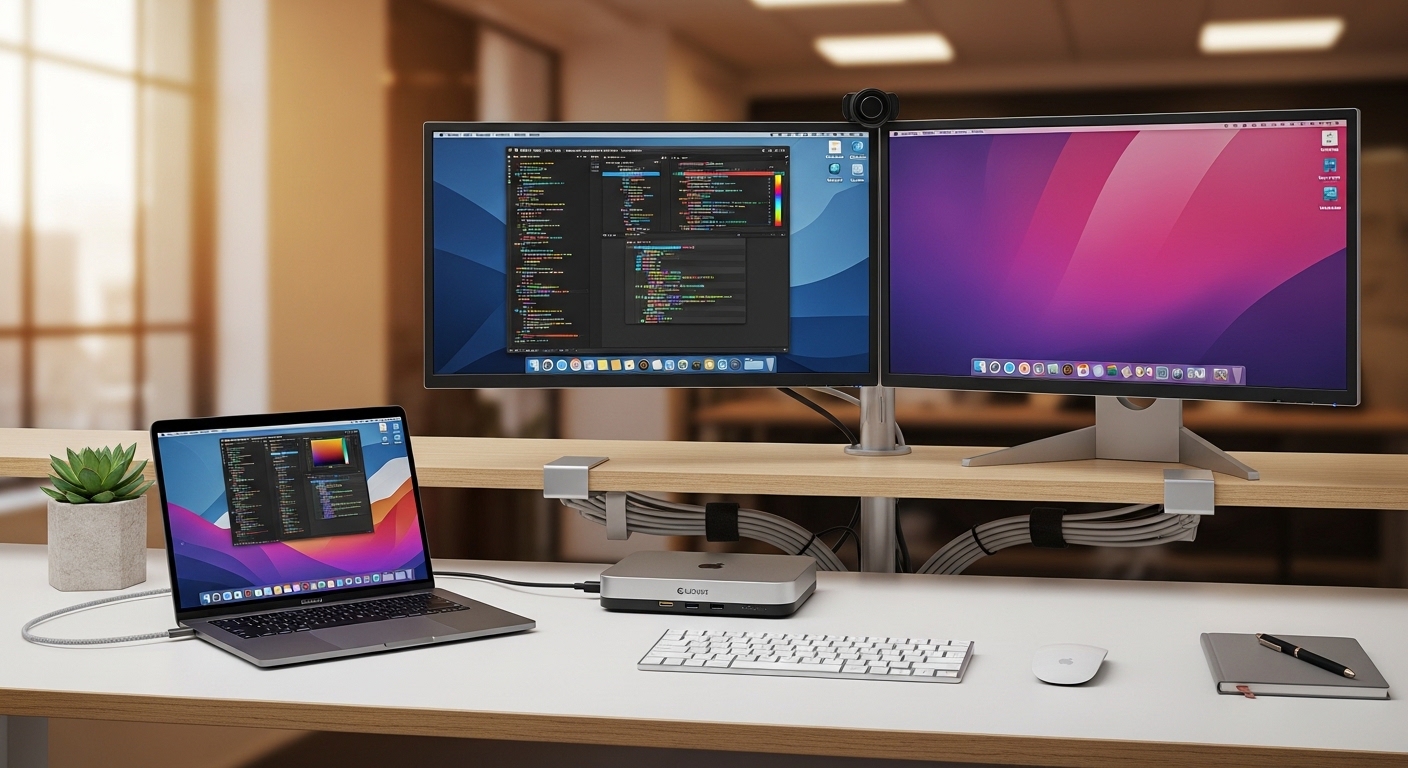
Modern professionals often struggle with the limited port selection found on the latest Apple hardware designs. While the transition to slim chassis designs has made portables more elegant, it has simultaneously created a significant connectivity bottleneck for power users.
This limitation requires a sophisticated hardware solution capable of translating a single cable into a massive array of functional inputs. The science behind this involves the high bandwidth capabilities of the Thunderbolt 4 protocol which provides forty gigabits per second of bidirectional data flow.
Using this massive pipeline allows your machine to communicate with high resolution displays and external storage arrays without any measurable latency. This technology effectively transforms your mobile laptop into a permanent desktop powerhouse with one simple connection.
Understanding Thermal Dynamics in Docking Solutions
High performance docking stations generate a significant amount of heat during intensive data transfers and laptop charging cycles. Premium manufacturers utilize heat dissipation techniques involving heavy aluminum enclosures to maintain peak performance levels.
A dock that stays cool ensures that your external drives maintain their maximum read and write speeds during large file transfers. This thermal stability is essential for creative professionals who work with large video files or complex audio projects regularly.
The Importance of Power Delivery Architecture
Charging your MacBook through a docking station requires a robust internal power supply capable of consistent wattage output. Most high end units offer at least ninety watts of Power Delivery to ensure your battery remains full even under heavy workloads.
This integrated charging capability eliminates the need for your original Apple power brick on your primary desk setup. Having a reliable power source prevents thermal throttling and ensures your processor can reach its maximum clock speeds when needed.
Quick Buying Guide
When selecting a professional dock, you must first evaluate the specific display requirements of your current workstation setup. Not all docking stations support dual 6K monitors, so checking the Display Stream Compression capabilities of the hardware is vital.
Apple silicon chips have varying levels of external display support depending on whether you use a base model or a Max tier processor. You should verify that the dock supports the refresh rates you require for a smooth visual experience across all screens.
Evaluating Port Density and Variety
Consider the types of peripherals you use daily, such as external keyboards, audio interfaces, and various mouse devices. A high quality dock should provide a mix of USB A and USB C ports to accommodate both legacy and modern hardware.
If you are a photographer or videographer, look for integrated SD card readers that support the UHS II standard for rapid media ingestion. The presence of a 2.5 Gigabit Ethernet port is also a major advantage for those needing fast local network speeds.
Build Quality and Material Science
The materials used in the construction of a docking station directly impact its longevity and physical stability on your desk. Heavy aluminum alloys are preferred because they provide enough weight to prevent the dock from sliding when you plug in cables.
Look for units with rubberized feet and high quality internal components that can withstand constant power cycles. A premium finish will also match the aesthetics of your MacBook for a more cohesive and professional looking home office setup.
The 8 Best best thunderbolt 4 docking stations for macbook
The following selection represents the absolute peak of connectivity technology available for your Apple ecosystem in 2026.
1. CalDigit TS4 Thunderbolt 4 Dock
The CalDigit TS4 features a rugged aluminum exterior that is designed to stand vertically or sit horizontally on your desk surface. This industrial design approach ensures maximum passive cooling efficiency while occupying a very small footprint in your workspace.
With eighteen separate ports of connectivity, this device offers the most comprehensive expansion capability currently found on the consumer market. It provides a massive 98W power delivery which is more than enough to charge even the largest 16 inch MacBook Pro models at full speed.
This product is the definitive choice for creative professionals who need to connect multiple mouse devices, audio interfaces, and high speed storage arrays simultaneously. The main downside is the premium price point, but the build quality and port variety justify the investment for serious users.

2. OWC Thunderbolt Go Dock
The OWC Thunderbolt Go Dock is unique because it features an integrated power supply which eliminates the need for a bulky external brick. This makes it the most streamlined solution for users who frequently move between different office environments or travel for work.
Technical performance is top tier, offering a 2.5 Gigabit Ethernet port and three downstream Thunderbolt ports for complex daisy chaining. It maintains 90W charging capacity despite its compact internal power architecture, ensuring your laptop stays powered during intensive tasks.
This model is best suited for the mobile professional who demands a clutter free desk without sacrificing the high speed bandwidth of Thunderbolt 4. While it lacks some of the legacy ports found on larger units, its portability and internal power supply are unmatched.

3. Belkin Connect Pro Thunderbolt 4 Dock
Belkin has designed the Connect Pro with a very sleek and minimalist aesthetic that blends perfectly into any corporate office environment. The build quality feels exceptionally solid, featuring a smooth gray finish that resists fingerprints and scratches over long periods of use.
This dock provides a very stable connection for dual 4K displays at sixty hertz, making it a reliable hub for multi tasking workflows. It includes a front facing USB C port for quick data transfers and charging of mobile phones or other small accessories.
We recommend this unit for corporate executives and administrative professionals who need a dependable hub that works every single time it is plugged in. It may not have the extreme port count of other models, but its reliability and aesthetic appeal are its strongest features.

4. Satechi Thunderbolt 4 Multimedia Pro Dock
The Satechi Multimedia Pro Dock stands out with its elegant silver finish and a specialized stand that allows it to sit elegantly next to a studio display. The design language is clearly inspired by Apple, making it one of the most visually compatible accessories for Mac users.
It features a total of sixteen ports, including both UHS II SD and microSD card slots for rapid file offloading from cameras. The performance is optimized for multimedia creators who need high speed access to various memory card formats and multiple high resolution monitors.
This station is perfect for video editors and graphic designers who prioritize aesthetic harmony and easy access to card readers. The port layout is logical and well spaced, though the horizontal orientation does require more desk real estate than vertical alternatives.

5. Kensington SD5700T Thunderbolt 4 Dock
Kensington is known for producing enterprise grade hardware, and the SD5700T is a testament to their commitment to long term durability. The housing is made of a dense matte material that feels incredibly sturdy and is designed for heavy daily use in busy environments.
It supports the connection of up to three additional Thunderbolt devices through its downstream ports, providing incredible flexibility for daisy chaining hardware. The security slot on the side allows you to lock the dock to your desk, which is a vital feature for shared office spaces.
This product is the best choice for IT departments and enterprise users who need high security and reliable peripheral management. While the design is more functional than flashy, the internal components are of the highest quality to ensure consistent uptime.

6. Sonnet Echo 11 Thunderbolt 4 Dock
The Sonnet Echo 11 is a compact powerhouse that focuses on providing the maximum number of high speed Thunderbolt ports in a small frame. Its minimalist design is perfect for those who want to hide their docking station behind a monitor or under a desk shelf.
This dock excels at managing multiple NVMe SSD enclosures and other high bandwidth peripherals without any drops in performance. It provides 90W of power to the host computer, ensuring that even power hungry processors have enough energy for peak performance.
This is the ideal solution for users who have already invested in a suite of Thunderbolt 4 accessories and need a central hub to connect them all. It lacks some of the older legacy ports, but it makes up for this by offering the fastest modern connections available.

7. Anker 777 Thunderbolt Docking Station
Anker has created a very versatile docking station with the 777 model, featuring a unique all metal exterior with deep cooling fins. This industrial aesthetic serves a practical purpose by significantly increasing the surface area for heat dissipation during heavy data loads.
It includes an HDMI port alongside its Thunderbolt ports, which is a rare feature that provides more options for connecting older monitors without adapters. The data transfer speeds across all USB ports remain consistent even when the dock is fully loaded with different peripherals.
This station is best for users who have a mix of new and old hardware and need a versatile bridge to connect everything. It is a very balanced product that offers great value for the price, though it can get quite warm to the touch during operation.

8. Razer Thunderbolt 4 Dock Mercury Edition
The Razer Mercury Edition dock is a stunning piece of hardware that features a brilliant white finish and customizable Chroma RGB lighting on the base. This design is clearly aimed at users who want their desk setup to have a clean, modern, and slightly futuristic look.
Technically, it provides four Thunderbolt 4 ports and a high speed SD card reader, making it very capable for gaming and design tasks. The bandwidth management is excellent, ensuring that high polling rate mouses and mechanical keyboards work with zero lag.
This unit is specifically for the style conscious professional or gamer who wants a dock that functions as a statement piece on their desk. It is one of the more expensive options, but the combination of performance and unique aesthetics is difficult to find elsewhere.

Comparison
Below is a detailed breakdown of how these premium docking stations compare against one another in terms of functionality and target audience.
| Product Name | Key Feature | Best For | Price Range |
|---|---|---|---|
| CalDigit TS4 | 18 Ports / 98W | Creative Pros | Premium |
| OWC Thunderbolt Go | Internal Power | Travelers | High End |
| Belkin Connect Pro | Stable Dual 4K | Corporate Office | Mid Range |
| Satechi Multimedia Pro | UHS II Slots | Media Editors | High End |
| Kensington SD5700T | Security Slots | Enterprise | High End |
| Sonnet Echo 11 | Downstream TB4 | Daisy Chaining | Mid Range |
| Anker 777 | HDMI Support | Legacy Users | Mid Range |
| Razer Mercury | RGB Lighting | Gamers/Designers | Premium |
Final Verdict
After a comprehensive analysis of all the leading options, the CalDigit TS4 remains the undisputed champion for the majority of MacBook users. Its massive port selection, class leading power delivery, and exceptional thermal management make it the most reliable long term investment for any professional workspace.
For those who value portability above all else, the OWC Thunderbolt Go is the clear runner up due to its innovative integrated power supply design. Ultimately, your choice should depend on your specific need for either maximum port expansion or a streamlined, mobile friendly setup that eliminates extra cables.