

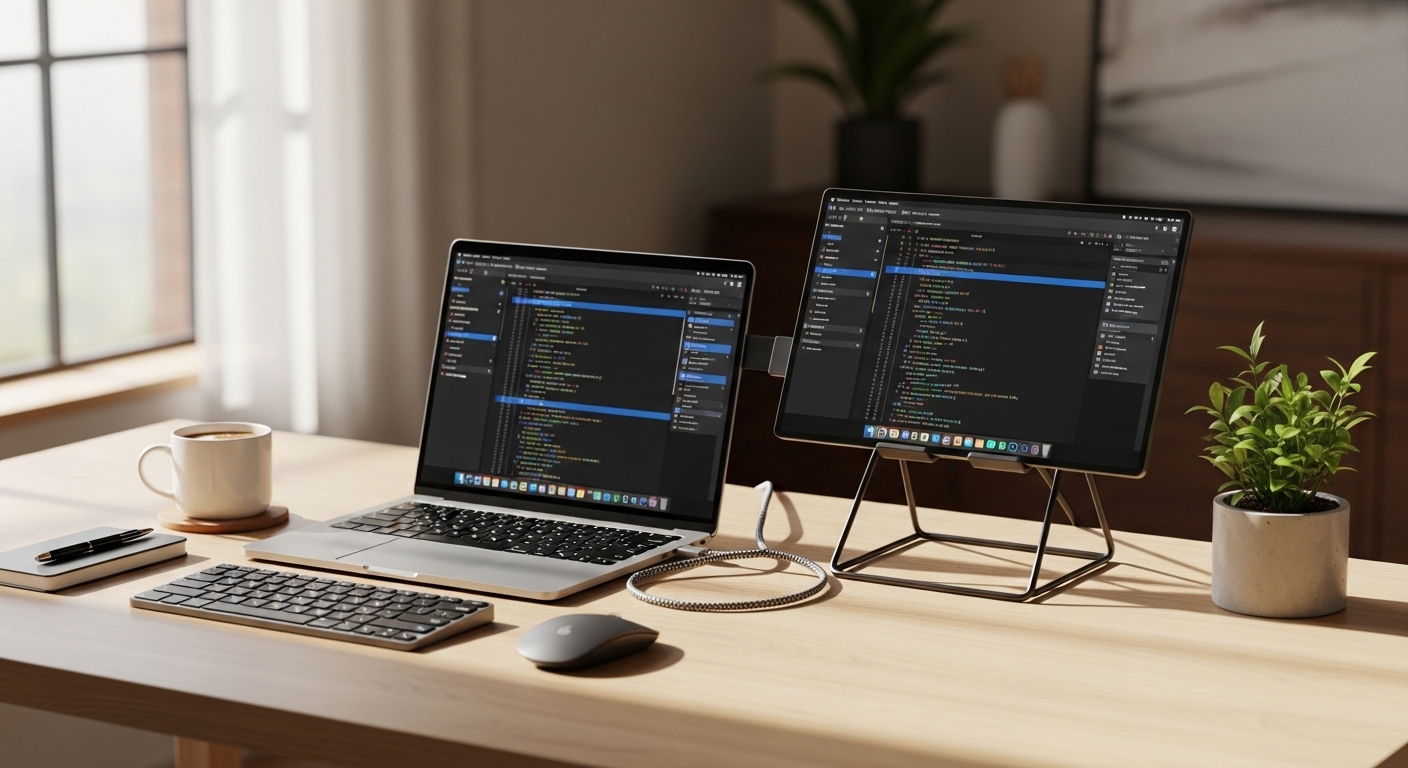
The Science of Expanding Your Digital Horizon
Modern knowledge work requires a massive amount of cognitive bandwidth to process multiple streams of information simultaneously. When you work on a single small laptop screen, your brain must constantly switch between tabs and applications, which triggers a phenomenon known as context switching fatigue.
Studies in human computer interaction suggest that adding a second display can increase overall efficiency by up to 40 percent for complex tasks. This productivity surge occurs because the brain can visually map different tasks to specific physical locations in space.
A portable monitor solves this problem by providing a lightweight and high resolution canvas that fits inside a standard backpack. These devices represent the pinnacle of mobile ergonomics, allowing professionals to maintain a dual screen workflow regardless of their physical location.
The core technology behind these panels has evolved from dim and blurry screens to vibrant displays that rival the best desktop units. Using a secondary display reduces the strain on your working memory by keeping essential data always visible.
By positioning a portable screen next to your laptop, you create a seamless bridge for your eyes to follow. This alignment minimizes neck rotation and helps maintain a neutral spine position during long hours of deep focus.
The transition from a cramped single screen to a dual monitor environment feels like moving from a tiny studio apartment to a spacious office. It is the single most effective upgrade for any mobile professional or digital nomad seeking peak performance.
Quick Buying Guide
Choosing the right portable display requires a deep understanding of your specific workflow requirements and hardware compatibility. You must first evaluate the connection types available on your host device to ensure a smooth setup process.
Most modern displays utilize a single USB Type C cable for both power and video signals. This simplicity is vital for maintaining a clean workspace without a mess of tangled wires and bulky power bricks.
Panel technology is the next critical factor you must consider before clicking the buy button. IPS panels offer excellent viewing angles and color consistency, while OLED options provide perfect blacks and infinite contrast for creative tasks.
Brightness levels are often overlooked but remain crucial for working in cafes or bright office environments. Look for a screen that offers at least 300 nits of brightness to ensure legibility under harsh overhead lighting conditions.
Weight and build quality determine how often you will actually carry the device in your daily commute. A magnesium alloy or premium aluminum chassis provides durability without adding excessive bulk to your carrying case.
Finally, consider the stand mechanism as it dictates your ergonomic flexibility. Some monitors include integrated kickstands, while others rely on magnetic smart covers that can be finicky on uneven surfaces.
The 8 Best best portable monitors for dual screen laptop setups
The following selection represents the absolute best in mobile display technology for high performance professionals.
1. ASUS ZenScreen MB16ACR
The ASUS ZenScreen MB16ACR features a remarkably thin profile that measures only 8 millimeters in thickness. This sleek design utilizes a premium metallic finish that feels incredibly sturdy while remaining light enough for daily travel.
The inclusion of a smart cover ensures the screen remains protected during transport while doubling as a versatile stand for different orientations. You will immediately notice the excellent build quality that ASUS has become famous for in the mobile market.
Technically, this monitor shines with its hybrid signal solution that supports both USB Type C and Type A connections. This versatility allows you to connect the screen to older laptops that lack modern power delivery ports.
The flicker free technology and blue light filters protect your eyes during grueling sixteen hour workdays. It effectively eliminates the stuttering that often plagues lower quality portable screens during fast motion video playback.
This monitor is the ideal choice for business travelers who frequently work in cramped airplane trays or hotel desks. Its small footprint and universal compatibility make it a safe bet for anyone using diverse hardware.
While the brightness is modest compared to high end gaming screens, the matte finish handles reflections with grace. It remains a top tier choice for spreadsheet management and document editing on the move.

ASUS ZenScreen MB16AC 15.6″ Full HD IPS USB Type-C Portable Eye Care Monitor
Check Price on Amazon
Optimizing Your Workspace Portability
Portability is not just about weight, but about how quickly you can deploy your tools. A good monitor should be ready to work in less than ten seconds after you open your laptop lid.
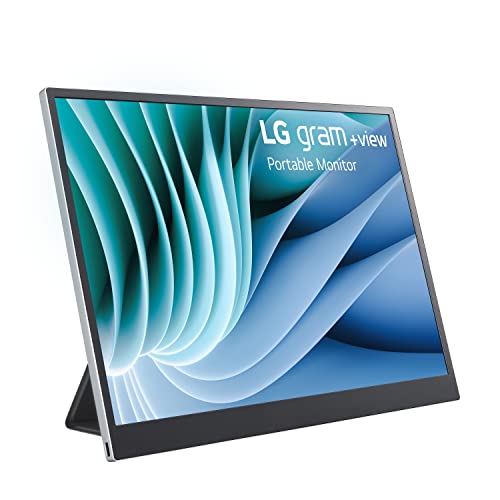
2. LG Gram +view 16MR70
The LG Gram +view 16MR70 is a masterpiece of modern engineering that prioritizes vertical screen real estate for maximum productivity. It features a unique 16:10 aspect ratio which provides significantly more space for reading code or long documents.
The chassis is made from lightweight materials that match the aesthetic of the famous LG Gram laptop series perfectly. It feels like a natural extension of your computer rather than a bulky third party accessory.
This display boasts a stunning 2.5K resolution that delivers crisp text and vibrant colors for every application. The anti glare coating is among the best in the industry, effectively diffusing bright light sources in sunny rooms.
You can easily adjust the brightness and contrast using the dedicated software without fumbling with awkward physical buttons. The dual USB Type C ports allow for easy cable management on either side of your machine.
Writers and developers will find this to be the absolute best portable monitor for their specific needs. The extra vertical space reduces the need for constant scrolling while reviewing complex data sets.
The only minor drawback is the lack of a built in battery, meaning it relies on your laptop for power. However, its low power consumption ensures your laptop battery life remains manageable throughout the day.
Understanding Resolution and Scaling
When using a high resolution portable screen, you must ensure your operating system scaling is set correctly. This ensures that icons and text appear sharp without being too small to read comfortably.
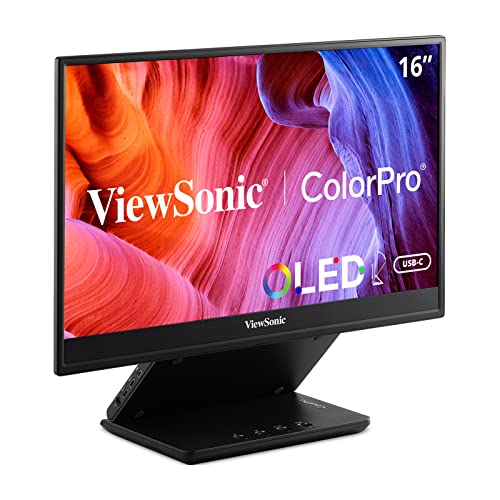
3. ViewSonic ColorPro VP16-OLED
The ViewSonic ColorPro VP16-OLED is specifically designed for photographers and videographers who demand perfect color accuracy. The OLED panel technology provides 100 percent DCI P3 color gamut coverage for professional grade editing workflows.
The integrated folding stand is one of the most robust designs on the market today. It allows for height adjustment and tilt which is a rare feature in the world of portable displays.
Performance is where this unit truly separates itself from the competition with its infinite contrast ratio. Blacks are perfectly deep because each individual pixel can be turned off completely when not in use.
It comes factory calibrated with a report to prove its color precision out of the box. The inclusion of a protective hood helps block ambient light during critical color grading sessions in the field.
This is the definitive choice for creative professionals who cannot compromise on visual fidelity. If your work involves color grading or high end photo manipulation, this is the tool for you.
The price point is higher than standard IPS monitors, but the visual quality justifies the investment. It transforms any coffee shop into a professional editing suite within seconds.
4. Uperfect True 4K Portable Monitor
The Uperfect True 4K Portable Monitor brings ultra high definition clarity to the mobile workspace. The aluminum alloy frame gives it a premium feel that rivals high end tablets and smartphones.
The bezel design is extremely thin, which allows for a more immersive viewing experience when placed side by side with your laptop. It feels remarkably solid and resists flexing when handled roughly during travel transitions.
This monitor excels at media consumption and detailed design work thanks to its true 4K resolution. Every detail is rendered with surgical precision, making it perfect for reviewing high resolution blueprints or 4K video timelines.
It features built in speakers that provide decent audio for quick video previews or casual listening. The high brightness of 400 nits makes it one of the most visible screens in outdoor settings.
Power users who need maximum pixel density will find this display to be an essential part of their kit. It is particularly useful for multitasking with several small windows open simultaneously.
One potential issue is that 4K resolution requires more power than standard displays. You may need to use an external power source to reach the maximum brightness levels during long sessions.

The Role of Panel Brightness
A bright screen is essential for maintaining focus when working near windows or under high intensity LED office lights. Low brightness often leads to squinting and increased eye strain over time.
5. Lenovo ThinkVision M14
The Lenovo ThinkVision M14 is widely considered the gold standard for portable business displays due to its legendary reliability. It weighs less than 600 grams, making it one of the lightest 14 inch monitors available today.
The tilt stand is integrated directly into the base, providing a very stable platform that does not wobble. It features a sleek and professional aesthetic that fits perfectly in any corporate boardroom environment.
This display features two USB Type C ports that support power passthrough, allowing you to charge your laptop through the monitor. This clever engineering simplifies your cable setup by requiring only one wall outlet for both devices.
The low blue light technology is certified to reduce eye fatigue during long evening work sessions. The display quality is consistently sharp with excellent color reproduction for standard office applications.
This monitor is perfect for consultants and accountants who need a dependable second screen that just works every time. Its compact size allows it to fit into even the smallest messenger bags without effort.
The 14 inch screen size might feel small for some, but it perfectly matches the footprint of most ultraportable laptops. It is a tool built for efficiency and long term durability in the field.

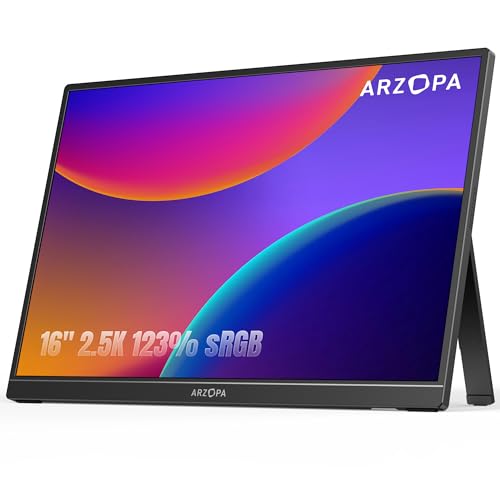
6. Arzopa Z1RC Portable Monitor
The Arzopa Z1RC Portable Monitor offers an incredible balance of performance and value for the modern user. It features a 2.5K resolution and a high refresh rate of 144Hz, which is quite rare for productivity focused portable screens.
The carbon fiber textured back gives it a unique look while providing a grippy surface for safe handling. It feels much more expensive than its price tag suggests, with a very slim and modern profile.
The high refresh rate makes every mouse movement and window animation feel buttery smooth. This reduces visual friction and makes the digital environment feel more responsive to your inputs.
It includes a smart cover that protects the screen and acts as a stand with multiple viewing angles. The color accuracy is surprisingly good for a budget friendly device, covering a wide color gamut.
Students and remote workers on a budget will find this to be the best value proposition on the market. It provides high end specs at a fraction of the cost of premium brand names.
The internal speakers are somewhat weak, but most users will prefer using headphones or laptop speakers anyway. It remains a versatile powerhouse for both work and light gaming on the side.
High Refresh Rates in Productivity
While often associated with gaming, high refresh rates reduce the perceived lag when moving your mouses across the screen. This small detail can significantly improve the comfort of your daily digital interactions.
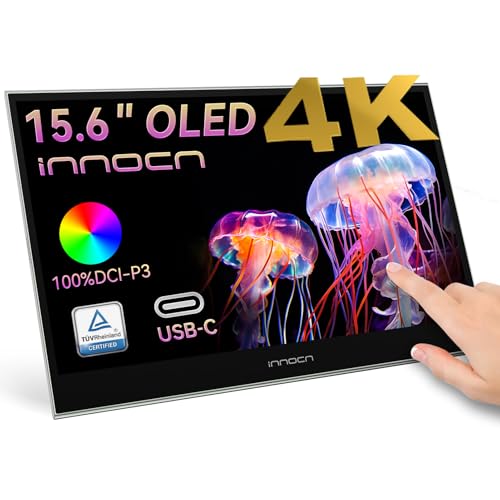
7. KTC 15.6 Inch 4K OLED Monitor
The KTC 15.6 Inch 4K OLED Monitor represents the pinnacle of luxury in the portable display category. It uses a stunning OLED panel that delivers vibrant colors and an infinite contrast ratio for a breathtaking visual experience.
The metal body is precision machined and feels incredibly premium in the hand. It has a minimalist design that avoids flashy logos or unnecessary decorative elements, focusing purely on the display itself.
Technical performance is top notch with a fast response time that eliminates ghosting in fast moving content. The 4K resolution on a 15.6 inch screen creates an incredibly high pixel density for razor sharp imagery.
The touch screen functionality is responsive and adds a new layer of interactivity to your dual screen setup. You can easily navigate menus or sign documents directly on the glass surface with your finger.
This monitor is for the tech enthusiast who wants the absolute best visual experience possible while traveling. It is a stunning piece of hardware that will draw attention in any workspace.
Because it is a 4K OLED panel, it does consume a significant amount of power from the host device. Using a dedicated power adapter is recommended to ensure the screen can reach its full peak brightness.
8. Sidetrak Solo Pro 15.6
The Sidetrak Solo Pro 15.6 is designed with a focus on versatility and ease of use for the remote professional. It features a lightweight design that can be used as a standalone monitor or attached to certain laptops with optional magnets.
The matte finish on the screen is excellent at reducing glare from overhead office lights. The build quality is solid, with reinforced corners that provide extra protection against accidental bumps or drops.
The monitor offers a reliable connection via a single USB Type C cable for both data and power. It is designed to be plug and play, requiring no complex drivers or software installations on most operating systems.
The viewing angles are wide, allowing you to share your screen with a colleague sitting next to you without color shifting. It maintains a consistent image quality across the entire surface of the panel.
This device is best for general office workers who need a simple and effective solution for expanding their screen space. It does not try to be the flashiest monitor, but it excels at being a dependable workhorse.
While it lacks the high resolution of 4K models, the 1080p resolution is more than adequate for standard tasks. It is a balanced choice for those who value practicality and ease of transport over raw specifications.

Comparison
The following table provides a quick overview of how these portable displays compare against each other in key categories.
| Product Name | Key Feature | Best For | Price Range |
|---|---|---|---|
| ASUS ZenScreen MB16ACR | Hybrid Signal | Frequent Travelers | Mid Range |
| LG Gram +view 16MR70 | 16:10 Ratio | Data Analysis | Premium |
| ViewSonic VP16-OLED | OLED Color | Visual Artists | High End |
| Uperfect True 4K | 4K Resolution | Media Editors | Mid Range |
| Lenovo ThinkVision M14 | Power Passthrough | Business Pros | Mid Range |
| Arzopa Z1RC | 144Hz Refresh | Budget Users | Affordable |
| KTC 4K OLED | OLED Touch | Tech Enthusiasts | High End |
| Sidetrak Solo Pro 15.6 | Versatile Mount | Remote Workers | Mid Range |
Final Verdict
After a comprehensive analysis of the current market, the overall winner for the majority of users is the LG Gram +view 16MR70. Its 16:10 aspect ratio provides the most functional workspace for actual productivity, allowing for more vertical context in emails and documents.
The lightweight design combined with the high 2.5K resolution makes it a superior companion for any modern laptop setup. It strikes the perfect balance between portability, screen size, and visual clarity for the discerning professional in 2026.
If you are a creative professional who handles color critical work, the ViewSonic ColorPro VP16-OLED is the undisputed champion. Its incredible contrast and color accuracy are unmatched by any IPS display on this list.
No matter which model you choose, upgrading to a dual screen setup will fundamentally change the way you work. You will find that tasks which once felt overwhelming are now much easier to manage with the extra digital space.