

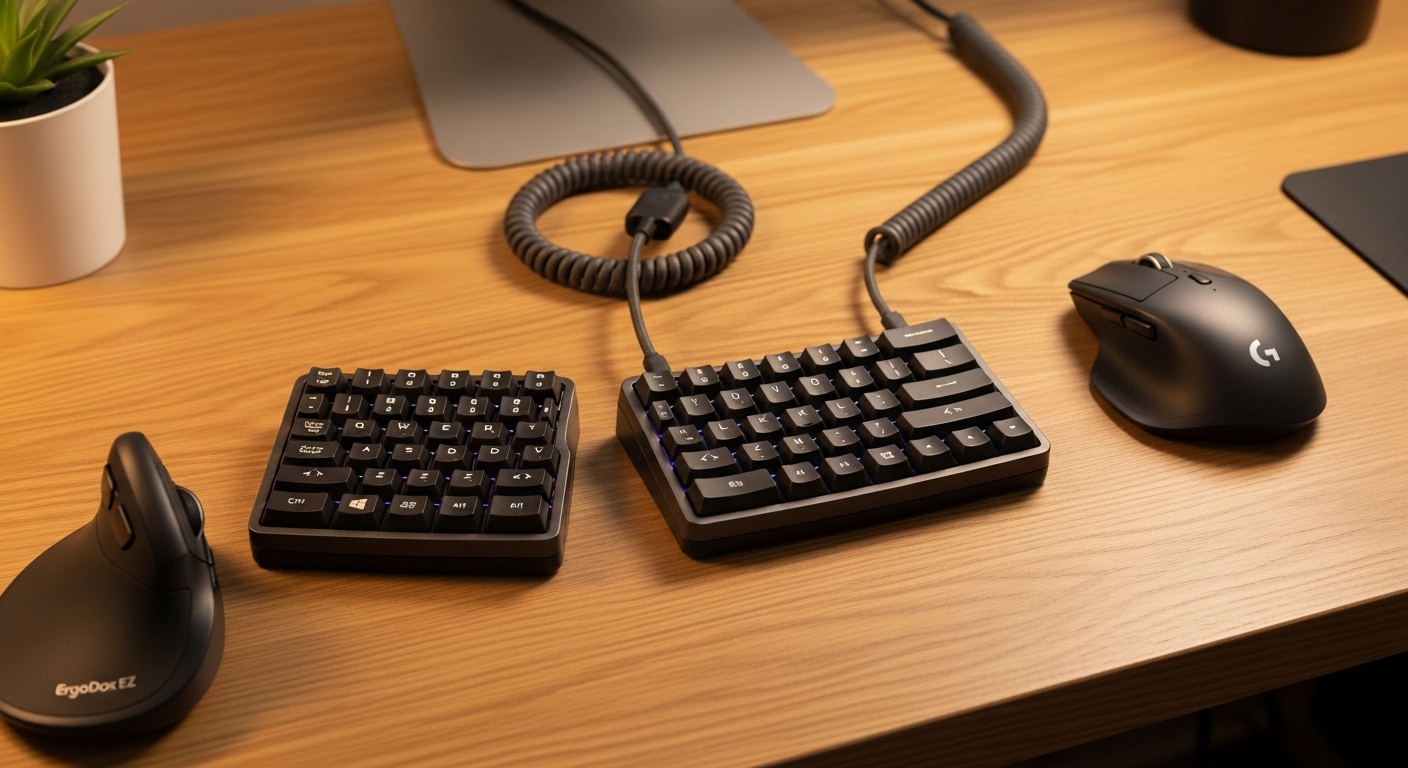
The Science of Comfortable Typing and Wrist Health
Finding the best split ergonomic keyboards for carpal tunnel relief is a critical step for anyone spending hours at a computer. Carpal tunnel syndrome occurs when the median nerve becomes compressed as it passes through the wrist into the hand.
This pressure often results from repetitive motions and sustained awkward postures during typing sessions. Traditional flat keyboards force the wrists to bend outward in a position called ulnar deviation, which increases internal pressure.
Split keyboards address this issue by allowing you to place each half at shoulder width. This alignment ensures your wrists remain straight and neutral while you work throughout the day.
Beyond simple separation, many ergonomic designs incorporate a tenting feature to reduce forearm pronation. Pronation happens when you turn your palms flat against the desk, crossing the radius and ulna bones in your forearm.
By angling the keyboard halves upward, you maintain a more natural handshake position. This posture significantly reduces muscle fatigue and prevents the onset of chronic pain symptoms.
Modern research suggests that early intervention with ergonomic tools can prevent the need for surgical procedures later in life. Investing in a specialized keyboard is not just about comfort, but about protecting your career longevity.
The year 2026 will likely see even more advanced sensors in these devices to track your posture in real time. However, the mechanical benefits of a physically split layout remain the gold standard for immediate relief.
Using these tools alongside high quality mouse devices creates a comprehensive workstation that supports your skeletal health. Your home office lab should prioritize these adjustments to ensure a pain free workflow.
Transitioning to a split layout may require a short learning period as your muscle memory adjusts. Once the transition is complete, most users find it impossible to return to standard layouts.
The relief provided to the tendons and nerves is often felt within the first few days of consistent use. Choosing the right model depends on your specific hand size and typing style preferences.
Understanding Wrist Pronation and Ulnar Deviation
When you type on a standard keyboard, your wrists are forced into a narrow space. This leads to ulnar deviation, where the hands angle toward the pinky fingers.
Simultaneously, the flat surface causes forearm pronation which rotates the soft tissues of the wrist. Split keyboards eliminate these stresses by providing a customizable angle for each arm.
Quick Buying Guide
When searching for the best split ergonomic keyboards for carpal tunnel relief, the degree of adjustability is your most important metric. A fixed split keyboard provides some benefit, but a fully adjustable model allows for precise positioning.
Look for keyboards that offer tenting kits or built in legs to raise the inner edges. This elevation is what allows your forearms to rest in a neutral rotation.
The choice of key switches also plays a massive role in managing carpal tunnel symptoms. Mechanical switches are generally preferred because they offer tactile feedback without requiring you to bottom out the keys.
Reducing the force required to register a keystroke minimizes the impact on your finger joints and tendons. Linear or light tactile switches are often the best choice for those with sensitive nerves.
Consider the layout and spacing of the keys to ensure they match your hand size comfortably. Some split keyboards use an ortholinear or columnar layout where keys are arranged in straight vertical columns.
This design reduces the distance your fingers must travel to reach different rows. It effectively minimizes repetitive reaching motions that can aggravate the median nerve over time.
Portability might also be a factor if you move between a home office and a corporate environment. Some split models are compact and easy to pack, while others are large, stationary workstations.
Ensure the keyboard is compatible with your operating system and offers programmable macros. Customizing shortcuts can reduce the total number of keystrokes you perform daily.
Palm rests are another essential feature to look for in a premium ergonomic keyboard. A well cushioned palm support helps maintain the correct wrist height relative to the keys.
This prevents the wrists from dropping into an extended position that pinches the carpal tunnel area. Always check if the palm rests are detachable to suit your specific desk setup.
Connectivity and Wireless Options
Connectivity is another vital consideration for a modern desk setup. Many split keyboards use a cable to connect the two halves, while others offer wireless connectivity for both.
A wireless setup reduces cable clutter and allows for more flexible placement on your desk. However, wired versions often provide a more stable connection for intensive typing tasks.
The 8 Best Split Ergonomic Keyboards for Carpal Tunnel Relief
We have carefully selected these products based on their ergonomic features, build quality, and user feedback regarding pain management.
1. Kinesis Advantage360 Professional
The Kinesis Advantage360 Professional represents the pinnacle of ergonomic engineering for power users. It features a unique contoured shape with deep keywells that follow the natural curve of your fingers.
The build quality is exceptionally robust, utilizing high grade plastics and premium mechanical switches. The two halves are completely independent, allowing you to position them exactly at shoulder width for perfect alignment.
This keyboard utilizes ZMK firmware, which offers incredible levels of customization for advanced users. The integrated tenting mechanism allows for three different height settings to find your ideal forearm angle.
It solves the problem of carpal tunnel by placing the thumbs in charge of frequent keys like Space and Backspace. This move shifts the workload away from the weaker pinky fingers to the stronger thumbs.
This product is best for professionals who are already experiencing wrist pain and need a serious solution. It has a steep learning curve but offers the most comprehensive relief once mastered.
The main pro is the unmatched ergonomic design, while the high price point remains the primary con. It is a long term investment in your physical well being.

2. Arteck Split Ergonomic Keyboard with
The Arteck Split Ergonomic Keyboard with wireless connectivity features a curved layout designed to promote a neutral forearm position. This model includes an integrated cushioned palm rest that serves as a top choice for carpal tunnel relief during long workdays.
It operates using a stable 2.4GHz receiver and houses a rechargeable battery with a long lifespan. The low profile keys respond to a light touch to ensure users do not experience unnecessary strain while typing.

3. MEETION Ergonomic Keyboard and Mouse
The Meetion Ergonomic Keyboard and Mouse combo features a split curved layout designed to reduce wrist strain by promoting a more natural typing posture. This model includes a built in padded wrist rest and a vertical mouse that helps alleviate median nerve pressure.
Its wireless 2.4GHz connection provides a reliable range of ten meters while the keyboard offers adjustable tilt legs for personalized comfort. These specialized features make the bundle an affordable option for users seeking relief from persistent carpal tunnel symptoms during long work sessions.

4. Kinesis Freestyle Pro
The Kinesis Freestyle Pro offers a more traditional layout in a split format, making it very accessible. It is built with a focus on reliability and features a slim design that fits many office setups.
The two halves are connected by a heavy duty cable that can be adjusted in length. The build quality is professional grade, designed to withstand years of heavy typing in a corporate setting.
The keyboard uses tactile switches that provide a clear signal when a key is pressed. This feedback prevents the user from pressing harder than necessary, which is a common cause of finger fatigue.
When paired with the optional VIP3 lift kit, it provides adjustable tenting and integrated palm supports. This configuration is highly effective at neutralizing wrist angles and preventing carpal tunnel flare ups.
This product is best for office workers who want ergonomic benefits without a radical change in key positions. It is very easy to adopt and provides immediate comfort improvements.
The main pro is the low barrier to entry and familiar navigation. The con is that the essential tenting accessories are often sold separately.

5. Mistel Barocco MD770 RGB
The Mistel Barocco MD770 RGB is a compact split 75 percent keyboard that maximizes desk space. It features a high quality plastic chassis and beautiful PBT keycaps that resist shine over time.
The split design is seamless, allowing the two halves to be pushed together for a standard look or pulled apart. It is a very sturdy device that feels dense and well assembled for its size.
Technically, it offers hardware level programming, meaning you do not need to install software on your work computer. This is a major advantage for those working in strict IT environments with limited permissions.
The compact nature ensures your mouse devices can be placed closer to your body. This reduces shoulder strain, which is often an indirect contributor to overall arm and wrist discomfort.
This keyboard is best for minimalist enthusiasts who want a split mechanical board for a clean setup. It provides the essential split benefit while maintaining a traditional row staggered layout.
The pros are the great build quality and portability. The con is the lack of built in tenting, which may require aftermarket solutions for maximum relief.

6. Perixx PERIBOARD-335 Compact Mechanical
The Perixx PERIBOARD-335 Compact Mechanical is an excellent entry level option for those exploring split designs. It features a clean, white aesthetic and a compact layout that fits smaller desks.
The build quality is impressive for the price, offering a solid typing experience without a premium cost. It uses low profile switches that reduce the overall height of the keyboard halves.
Low profile keys are beneficial for carpal tunnel because they require less wrist extension to reach the top rows. The keyboard halves are joined by a simple cable, allowing for flexible separation distances.
It includes integrated feet that allow for a slight tilt, providing a basic level of ergonomic adjustment. This simplicity makes it a great starting point for home office users on a budget.
This model is perfect for students or budget conscious professionals who need relief from wrist strain. It proves that you do not need to spend hundreds of dollars for better ergonomics.
The pros include the affordable price and the low profile design. The con is that it lacks the deep customization and extreme tenting of high end models.

7. Goldtouch V2 Adjustable Keyboard
The Goldtouch V2 Adjustable Keyboard is a classic in the world of office ergonomics. It features a unique ball and socket joint that connects the two halves at the top.
This design allows for both horizontal split and vertical tenting in one fluid movement. The build is focused on functionality, with a standard membrane feel that many corporate users find familiar.
The primary performance benefit is the infinite adjustability within its range of motion. You can dial in the exact angle that feels best for your specific wrist anatomy.
It is designed to be plug and play, requiring no special drivers to achieve its ergonomic goals. This makes it a favorite for large scale corporate deployments where consistency is key.
This product is best for corporate professionals who want a proven, adjustable solution that is easy to set up. It is widely recognized by ergonomic evaluators as a standard for workplace health.
The pros are the simple adjustment mechanism and the reliable performance. The con is the membrane switch feel, which lacks the crispness of mechanical alternatives.

8. Matias Ergo Pro
The Matias Ergo Pro is designed with a focus on tactile comfort and quiet operation. It features massive, gel filled palm rests that are among the most comfortable in the industry.
The build quality is very high, utilizing Matias Quiet Click switches that provide a mechanical feel without the loud noise. This makes it perfect for shared office spaces or late night typing sessions.
The keyboard provides extensive tenting capabilities, allowing you to angle the halves significantly. It also allows for a negative tilt, which is often recommended for preventing wrist extension.
The layout is very smart, with dedicated keys for Undo, Cut, Copy, and Paste on the left side. This reduces the need for awkward multi key combinations that can strain the hand.
This model is ideal for writers and editors who value silence and soft support. It offers a very plush experience that reduces the physical impact of a full day of typing.
Pros include the amazing gel palm rests and the quiet switches. The con is that the palm rests are quite large and cannot be easily removed without losing the tenting legs.

Importance of Switch Choice for Nerve Health
The type of switch inside your keyboard dictates the actuation force required to type. For those with carpal tunnel, a lighter switch can prevent the micro trauma caused by heavy typing.
Choosing a switch with a clear tactile bump helps you learn to stop pressing once the key registers. This technique, called touch typing, is vital for long term hand health.
Comparison of Top Split Keyboards
The following table summarizes the key features and target audiences for the best split ergonomic keyboards for carpal tunnel relief discussed in this guide.
| Product Name | Key Feature | Best For | Price Range |
|---|---|---|---|
| Kinesis Advantage360 Professional | Contoured Keywells | Advanced Ergo Users | Premium |
| ZSA Moonlander Mark I | Modular Tenting | Developers | Premium |
| Cloud Nine C989 ErgoFS | Full Numpad | Data Entry | Mid Range |
| Kinesis Freestyle Pro | Standard Layout | Office Workers | Mid Range |
| Mistel Barocco MD770 RGB | Hardware Macros | Minimalists | Mid Range |
| Perixx PERIBOARD-335 | Low Profile | Budget Users | Budget |
| Goldtouch V2 | Ball Joint Pivot | Corporate Setup | Mid Range |
| Matias Ergo Pro | Gel Palm Rests | Writers | Mid Range |
Final Verdict
After a thorough analysis of the market, the Kinesis Advantage360 Professional stands out as the ultimate choice for carpal tunnel relief. Its concave keywells and complete separation address every major risk factor associated with repetitive strain injuries.
While it requires a time investment to learn the layout, the physiological benefits are far superior to any flat keyboard. It effectively relocates the physical stress of typing to your strongest muscles and maintains a perfect neutral posture.
For those who prefer a more traditional layout while still seeking significant relief, the ZSA Moonlander Mark I is the best alternative. Its modularity and hot swappable switches allow you to customize the typing experience to your exact needs.
The combination of a columnar layout and adjustable thumb clusters makes it a powerful tool for modern professionals. Regardless of your choice, switching to a split layout is the single best decision you can make for your wrist health.