

Introduction to Cervical Health in the Workspace
Maintaining physical health while working remotely requires a proactive approach to your environment. Many professionals suffer from chronic discomfort due to poor habits and incorrect equipment placement.
Understanding how to prevent neck pain at your desk is essential for long term productivity and physical well being. This guide provides a comprehensive look at the science of ergonomics and practical steps to protect your spine.
The human neck is a complex structure designed to support the weight of the head while allowing significant mobility. However, the repetitive nature of office work often places undue stress on this delicate area.
By implementing structured ergonomic changes, you can eliminate the source of most common aches. Let us explore the fundamental principles of a healthy home office setup.
The Physics of Your Head and Neck
The average human head weighs between ten and twelve pounds when held in a neutral position. When you tilt your head forward to look at a screen, the effective weight on your cervical spine increases dramatically.
At a sixty degree angle, your neck muscles must support the equivalent of sixty pounds of pressure. This phenomenon is often called tech neck and is a leading cause of chronic pain.
The Critical Role of Monitor Placement
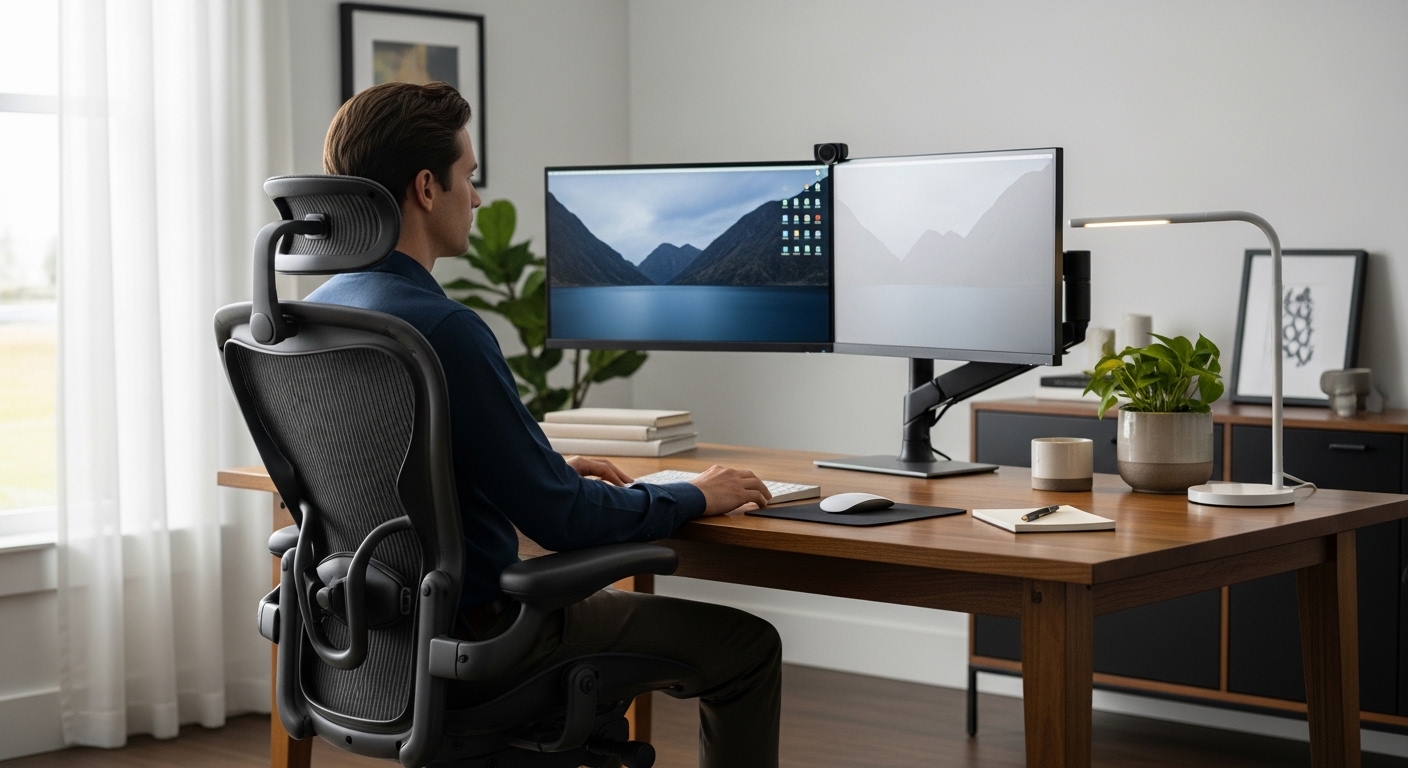
The height of your screen is perhaps the most influential factor in your daily comfort levels. If your monitor is too low, you will naturally pull your chin toward your chest.
This position strains the posterior neck muscles and compresses the discs in your spine. Conversely, a monitor that is too high causes you to tilt your head back, which can lead to headaches.
Your eyes should ideally align with a point approximately two or three inches below the top of the monitor casing. This allows you to view the center of the screen with a slight downward gaze of fifteen degrees.
Using a dedicated monitor arm or a stable riser can help you achieve this perfect height. Ensure the screen is about an arm length away from your face to prevent leaning forward.
Addressing Laptop Usage and Ergonomics
Laptops are inherently unergonomic because the keyboard and screen are joined together. If the keyboard is at the right height for your arms, the screen is inevitably too low for your eyes.
To solve this, you must separate the two components by using an external keyboard and mouse. Place the laptop on a stand to bring the display to eye level while keeping your peripherals on the desk surface.
Optimizing Your Seating and Lumbar Support
Your chair provides the foundation for your entire posture throughout the workday. A lack of lower back support often causes the upper back to slouch, which pushes the head forward.
Proper lumbar support maintains the natural curve of your spine and keeps your head balanced over your shoulders. Adjust your chair height so your feet rest flat on the floor with your knees at a ninety degree angle.
If your chair features a headrest, it should be adjusted to support the base of your skull. This encourages you to rest your head rather than holding it in a protruded position while you type.
Avoid sitting on the edge of your seat as this removes all support from your back. Sit deep into the chair to allow the backrest to perform its intended mechanical function.
The Importance of Armrest Adjustment
Armrests that are too high will force your shoulders to shrug toward your ears. This constant contraction leads to trapezius muscle tension and eventual neck stiffness.
Adjust your armrests so your elbows rest lightly while your shoulders remain completely relaxed. Your forearms should be parallel to the floor to ensure a neutral wrist position.
Lighting and Vision as Postural Factors
It is surprising to many that lighting affects how to prevent neck pain at your desk quite significantly. When you cannot see your screen clearly, your body instinctively leans forward to compensate.
Glare from windows or overhead lights can cause you to squint and tilt your head at awkward angles. Use diffuse ambient lighting and task lamps to create a balanced visual environment.
Position your monitor perpendicular to windows to minimize reflections and harsh shadows. If glare persists, consider using a high quality monitor light bar to illuminate your workspace evenly.
Vision correction is also vital for maintaining a healthy posture. If your prescription is outdated, you might lean closer to the screen, which disturbs spinal alignment over time.
Digital Eye Strain and Font Scaling
Small text sizes often lead to a forward head posture known as craning. Increase the scaling settings in your operating system to ensure text is easily readable from a distance.
A larger font allows you to sit back in your chair and utilize the support systems you have installed. This simple software adjustment can reduce physical strain more than many hardware changes.
Developing a Movement Protocol
The human body is not designed to remain static for eight hours at a time. Even the most ergonomic workstation will cause discomfort if you do not move regularly.
Implementing a movement protocol is a non negotiable part of a healthy work life. Micro breaks allow your muscles to recover from the static load of sitting.
- Practice the twenty twenty twenty rule to rest your eyes and reset your posture.
- Perform gentle neck glides by pulling your chin straight back without tilting your head.
- Rotate your shoulders in large circles to release tension in the upper back.
- Stand up and walk for at least two minutes every hour to encourage blood flow.
These small actions prevent muscle fatigue from turning into chronic inflammation. Consistency is more important than the intensity of the movements you choose.
The Benefits of Standing Desks
A height adjustable desk allows you to change your physiological state throughout the day. Standing encourages a more active core engagement and can naturally improve your head position.
However, standing for too long can also lead to fatigue and poor form. Aim for a balanced rotation between sitting and standing to keep your muscles engaged and flexible.
Psychological Stress and Muscle Tension
Mental stress often manifests as physical tension in the neck and shoulders. When you are under pressure, you may subconsciously clench your jaw or lift your shoulders.
This persistent contraction reduces blood flow to the muscles and creates painful trigger points. Learning to recognize these physical stress markers is the first step toward relief.
Taking deep, diaphragmatic breaths can help lower your nervous system arousal and relax your upper body. Mindfulness during the workday ensures that you catch yourself before tension becomes a problem.
As we look toward the workspace of 2026, ergonomics remains a top priority for remote professionals. Integrating wellness habits into your professional routine is a vital skill for the future.
Organizing Your Primary Reach Zone
The items you use most frequently should be within easy reach to avoid twisting your neck. This area is known as the primary reach zone and includes your mouse and keyboard.
Reaching for a phone or a notepad located too far away can cause repetitive strain. Keep your essential tools close to your body to maintain a centered and stable posture.
Practical Tips for Immediate Relief
If you are currently experiencing stiffness, there are several immediate steps you can take. Heat therapy can help relax tight muscles and improve circulation in the cervical region.
Self massage with a foam roller or a small ball can target specific knots in the upper back. These tools help break the cycle of pain and allow you to return to a neutral posture.
Hydration is another often overlooked factor in muscle health. Dehydrated tissues are more prone to cramping and irritation, so keep a water bottle on your desk.
Finally, ensure your clothing does not restrict your movement or pull your neck forward. Heavy hoodies or tight collars can subtly influence your head position throughout the day.
Setting Up a Sustainable Routine
Long term success requires more than a single adjustment to your chair or monitor. You must build a sustainable routine that prioritizes your physical health alongside your deadlines.
Set digital reminders to check your posture every thirty minutes. Use these moments to realign your spine and take a few deep breaths before continuing your work.
Frequently Asked Questions
How often should I adjust my workstation? You should assess your setup every few months or whenever you feel new discomfort.
Is a standing desk better for neck pain? A standing desk helps by encouraging movement, but only if the monitor is at the correct eye level.
Can eye strain cause neck pain? Yes, because blurred vision often causes you to lean forward and strain your neck muscles.
Should I use a neck brace at my desk? Generally, no, as braces can weaken the muscles that should be supporting your head naturally.
What is the best way to sit? Sit with your back fully supported, feet flat, and head balanced directly over your shoulders.
Final Thoughts on Desk Ergonomics
Your workspace should be a tool that supports your health rather than a source of injury. Investing time into optimizing your environment pays dividends in comfort and career longevity.
Remember that the best posture is your next posture. Keep moving, stay mindful, and use the ergonomic principles outlined here to stay pain free.
Conclusion
Learning how to prevent neck pain at your desk is a journey of small, consistent improvements. From monitor height to stress management, every detail contributes to your overall physical success.
By following these expert recommendations, you can transform your home office into a healthy sanctuary for productivity. Take the first step today by checking your monitor height and relaxing your shoulders.