

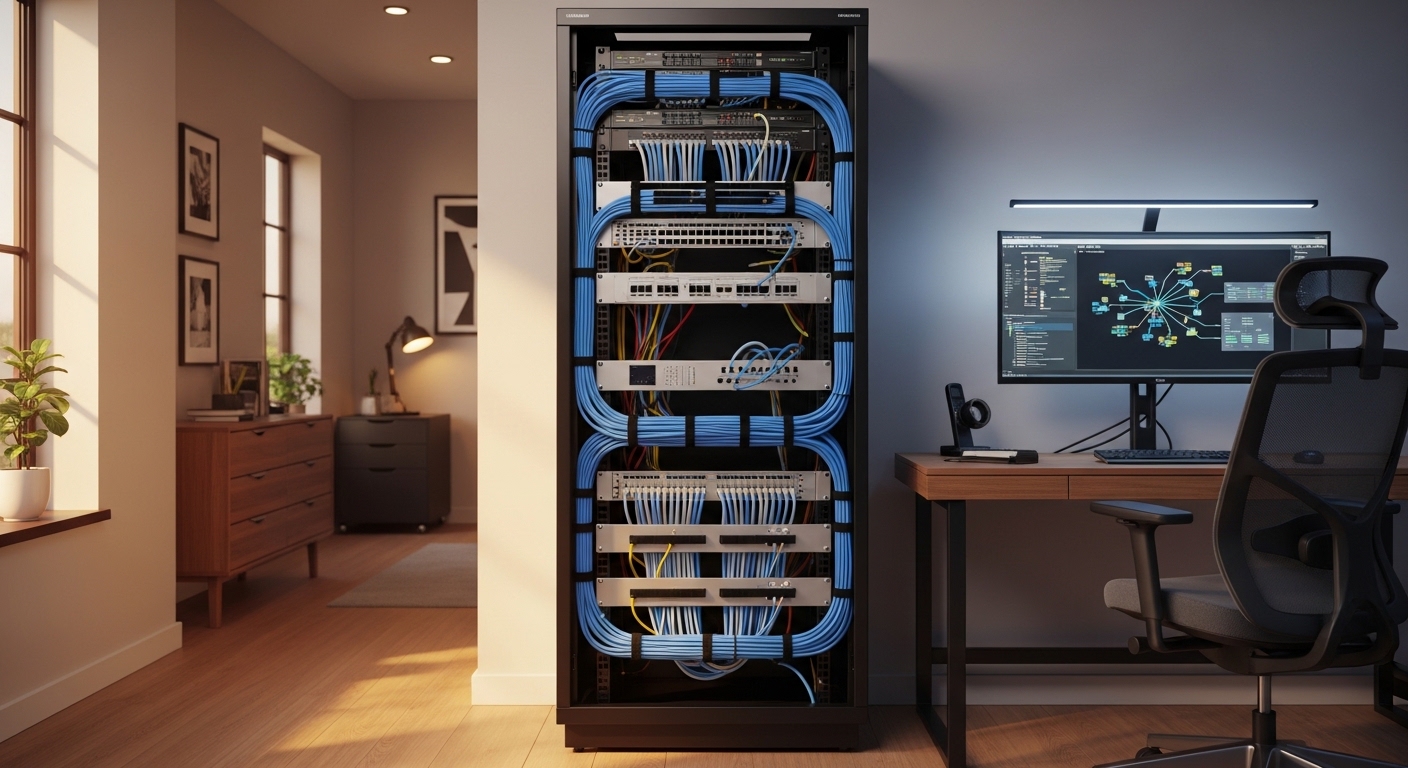
Mastering the Art of Server Rack Cable Management
Walking into a server room or looking at a home lab often reveals a chaotic mess of tangled wires. This visual clutter indicates a deeper problem with efficiency and system safety.
Knowing how to organize cables in a server rack is an essential skill for any technology enthusiast. It ensures that your hardware remains cool and accessible during routine maintenance.
A well organized rack improves the overall reliability of your network infrastructure. It also makes the process of adding new equipment much simpler for the owner.
Proper management prevents the accidental unplugging of critical devices during a repair. It transforms a confusing pile of wires into a professional and streamlined machine.
The Essential Benefits of a Tidy Rack System
Organization is not just about aesthetics in a professional environment. The primary benefit of a tidy rack is the massive improvement in airflow and cooling efficiency.
When cables block the intake or exhaust vents of a server, temperatures rise quickly. High heat leads to thermal throttling and can significantly shorten the lifespan of your components.
An organized rack also simplifies the process of troubleshooting network issues. You can trace a specific wire from the switch to the device in seconds rather than minutes.
This speed is vital when you are trying to restore service during a connectivity outage. Clear paths also reduce the risk of signal interference between data and power lines.
Phase One: Planning Your Layout Carefully
Before you touch a single wire, you must create a detailed plan on paper or a computer. Planning prevents the dreaded spaghetti effect that often plagues poorly managed home labs.
Start by mapping out every piece of hardware that will live inside the rack. Identify the best locations for your power distribution units and network switches.
Heavy equipment like uninterruptible power supplies should always sit at the very bottom. This placement keeps the center of gravity low and ensures the rack remains stable.
Switches are usually placed in the middle or top to allow easy access for patch cables. Consider the future expansion of your network when deciding on the initial placement of components.
Choosing the Right Management Tools
You will need specific tools to achieve a clean and functional rack layout. Horizontal cable managers are the most common solution for routing wires across the front.
These units often feature plastic fingers or rings to hold the cables in place. Vertical managers run along the sides of the frame to handle large cable bundles effectively.
Both types of managers help maintain the proper bend radius for your data lines. Maintaining this radius prevents internal damage to the copper or fiber optic cores.
Investing in high quality organizers makes the initial setup much faster and more enjoyable. It also provides a structured framework that is easy to follow during upgrades.
Labeling Strategies for Maximum Efficiency
Labeling represents the single most important step in the entire organization process. Without clear labels, identifying the correct wire during a crisis becomes a nightmare.
Use a professional label maker to mark both ends of every single cable. This simple habit saves countless hours of frustration during future hardware migrations.
Standardize your labeling scheme so it remains consistent across the entire rack. You might include the device name, the port number, and the destination on every tag.
Wrap around labels are excellent because they are readable from any angle. Avoid using temporary tape as it often peels off or leaves a sticky residue over time.
Standardized Naming Conventions
Develop a logical naming convention that anyone could understand with a quick glance. For example, use a code that identifies the rack row and the specific unit height.
Consistent naming makes it possible to maintain a digital network map alongside the physical one. This documentation is invaluable for complex setups with many moving parts.
Clear labels also help when you are working with remote assistants or family members. You can simply tell them to check the labeled connection on port five of the switch.
Organization is a continuous process that requires discipline every time a change is made. Never plug in a new cable without applying a label to it first.
Horizontal Management and Patch Panels
Patch panels serve as the central interface between your infrastructure and your switches. They allow you to use short patch cords for the final connection to the network.
This setup prevents the need to run long cables directly from walls into your hardware. It creates a clean transition point that is very easy to manage and modify.
Mount your horizontal managers directly above or below each patch panel. This creates a natural path for the wires to travel without creating tension on the ports.
Leave enough space between units to allow your fingers to reach the plugs comfortably. A crowded panel is difficult to work on and prone to accidental disconnections.
Optimizing Patch Cable Lengths
Using the correct cable length is a fundamental part of rack organization. Excessively long cables create loops of unnecessary slack that block airflow and look messy.
Measure the distance between ports and select a cable that fits with a small amount of slack. Most professional setups utilize cables ranging from six inches to three feet in length.
Avoid stretching cables tightly between devices as this puts stress on the internal connectors. A gentle curve is the safest approach for maintaining high signal integrity.
Store your various cable lengths in categorized bins for easy access during the build. Having the right size ready prevents the temptation to use a long wire where it is not needed.
Vertical Management and Side Channels
Vertical managers are designed to handle the primary bundles that travel between rack units. They provide a hidden channel where bulk cables can reside safely.
These channels are typically located on the left and right sides of the rack rails. They keep the central area of the rack clear for equipment installation and removal.
Use the vertical space to separate your data lines from your power distribution cables. Keeping electrical wires away from network cables reduces the risk of electromagnetic interference.
This separation is particularly important when using unshielded twisted pair cabling. Vertical managers also provide secure anchor points for heavy bundles that might otherwise sag.
Bundling Techniques for Safety
When bundling cables inside a vertical manager, avoid packing them too tightly. Overcrowding can lead to heat buildup within the bundle itself, which is a potential fire hazard.
Divide your cables into smaller groups based on their destination or their primary function. This makes it easier to pull out a single line without disturbing the rest of the bundle.
Secure these groups at regular intervals to prevent them from slipping or becoming tangled. A well organized vertical channel is the backbone of any professional server enclosure.
Check the capacity of your vertical managers before you start the installation process. Ensure they are wide enough to accommodate all the wires you plan to run.
The Great Debate: Velcro vs Zip Ties
Selecting the right fastener is a critical decision for any network administrator. Plastic zip ties are common but they can be dangerous for data cables if used incorrectly.
If a zip tie is pulled too tight, it can pinch the insulation and crush the copper pairs. This damage causes signal degradation and intermittent connectivity issues that are hard to find.
Instead, most experts recommend using hook and loop fasteners, commonly known as Velcro. These straps are much gentler and allow for easy adjustments later on.
You can simply peel back the strap to add or remove a cable from the bundle. This flexibility is essential in a dynamic lab environment where hardware changes happen frequently.
Benefits of Hook and Loop Straps
Hook and loop straps are reusable, which makes them a more sustainable choice for your lab. They also do not require tools like wire cutters to remove, increasing safety.
Using these straps prevents the sharp plastic edges that zip ties often leave behind. These edges can cut your hands or damage other cables while you are working in the rack.
Buy a large roll of bulk material so you can cut custom lengths for every bundle. This ensures a perfect fit and a clean look across the entire installation.
Consistent use of the same fastener type creates a cohesive and professional appearance. It shows that you have invested time into the longevity of your technical setup.
Color Coding for Rapid Identification
Color coding is a powerful visual tool for managing complex network environments. It allows you to identify the purpose of a cable from across the room.
Assign specific colors to different types of traffic or different network segments. For example, blue cables might represent your primary data network for servers.
Red cables are often reserved for critical infrastructure or security camera feeds. Green could be used for management ports or environmental sensors throughout the office.
Maintaining a color standard makes it easy to spot a misplaced wire immediately. It also simplifies the process of explaining the setup to a colleague or a client.
Creating a Color Standard
Document your color coding scheme and post it on the inside of the rack door. This reference ensures that anyone working on the system follows the established rules.
Yellow is frequently used for fiber optic connections in many professional data centers. White might be used for general purpose connections or standard workstations.
Consistency is more important than the specific colors you choose to use. Stick to your chosen scheme religiously to avoid confusion as your network grows larger.
Using colored patch cables is often more effective than using colored tape or small tags. The entire length of the wire provides a clear visual signal of its function.
Managing Power Cables and Distribution
Power cables are often the bulkiest and most difficult items to manage in a rack. They require careful routing to avoid blocking access to data ports and fans.
Use short power cords that are sized exactly for the distance to the power unit. This eliminates the need to coil excess cable behind your expensive server hardware.
Route power cables along the opposite side of the rack from your network lines. This physical distance minimizes electrical noise and improves the overall signal quality.
Secure the power plugs with retaining clips if your equipment supports them. This prevents a cable from being accidentally bumped and causing a system crash.
Redundancy and Power Routing
If you are using redundant power supplies, route each cord to a different power source. This ensures that a single circuit failure will not take down your entire server.
Label each power cord with the name of the device it serves at both ends. Finding the right plug in a dark rack is much easier when it is clearly marked.
Avoid daisy chaining power strips together as this creates a significant fire risk. Always plug your equipment into a properly rated power distribution unit or a surge protector.
Managing power is just as important as managing data for a stable home lab. Clear power routing also makes it safer to perform maintenance while the system is running.
Airflow Optimization and Heat Management
The primary goal of rack organization is to keep your hardware running cool. Cables that are bundled in front of intake fans starve the equipment of fresh air.
Cables that block the exhaust vents trap hot air inside the server chassis. This leads to component overheating and can cause permanent damage over several months.
Keep the front and rear of the rack as clear as possible by using side managers. Use blanking panels to fill empty rack units and prevent hot air from recirculating.
Blanking panels force the air to travel through the equipment rather than around it. This creates a controlled cooling path that is much more efficient for the fans.
Monitoring Rack Temperatures
Install temperature sensors at the top and bottom of your rack to monitor the environment. Modern technology in 2026 allows for automated alerts if the rack gets too hot.
Regularly check for hot spots where air might be getting trapped by cable bundles. Adjust your routing strategy if you find areas where heat is accumulating unnaturally.
A cool rack is a quiet rack because the internal fans do not have to spin as fast. Proper cable management reduces the noise levels in your home office significantly.
Think of your rack as a breathing organism that needs a clear airway to survive. Every wire you move improves the health of your digital infrastructure.
Documentation and Digital Mapping
Physical organization must be matched by thorough digital documentation for full effect. Keep a spreadsheet or a dedicated database of every connection in the rack.
Record the cable type, the color, the length, and the ports it connects together. This digital twin of your rack makes planning upgrades much easier from your desk.
Update your records every single time you move or replace a cable. Inaccurate documentation can be more dangerous than having no documentation at all.
Take high resolution photos of the front and back of the rack once it is finished. These photos serve as a valuable reference for future troubleshooting or insurance purposes.
Using Network Diagrams
Create a logical network diagram that shows how data flows through the various devices. This diagram should be linked to the physical port numbers in your documentation.
Visualizing the logic of your network helps you identify potential bottlenecks or failures. It also provides a clear roadmap for anyone else who needs to assist you.
Store these documents in a secure cloud location that is accessible from your mobile phone. This ensures you have the information ready even if your main server is offline.
Good documentation is the mark of a truly professional and organized home lab owner. It turns a complex system into a manageable and understandable asset.
Maintenance Routines for Long Term Success
Organization is not a one time event but a continuous commitment to quality. Schedule a quarterly inspection of your rack to check for sagging cables or loose ties.
Dust often accumulates on top of cable bundles and can block the air intake vents. Use a vacuum or compressed air to keep the cabling and the rack clean.
Check the integrity of your labels to ensure they are still legible and firmly attached. Replace any faded tags before the information on them is lost forever.
Remove any cables that are no longer connected to active hardware at both ends. Dead cables create unnecessary clutter and make the rack harder to navigate.
Frequently Asked Questions
Should I use zip ties or Velcro for my rack? Velcro is almost always the better choice because it is reusable and gentle. It prevents damage to the internal wires and allows for easy changes to the bundle.
How do I prevent signal interference in my rack? Keep your power cables and data cables in separate vertical managers. Physical distance is the best defense against electromagnetic noise affecting your network speeds.
Is color coding really necessary for a small home lab? While not mandatory, color coding makes management much easier as your setup grows. It provides an instant visual reference for troubleshooting and identifying different network segments.
How much slack should I leave in my cables? Leave enough slack for a gentle curve without creating large loops. A few inches of extra length allows for small adjustments without putting tension on the hardware ports.
Conclusion
Mastering how to organize cables in a server rack is a journey of patience and discipline. It requires a significant upfront investment of time and careful planning.
The results are well worth the effort as you achieve a professional and reliable environment. Your hardware will run cooler, and your troubleshooting will become significantly faster.
Remember to label every wire and use the right management tools for the job. Stay consistent with your color coding and keep your digital documentation updated regularly.
A clean rack is the foundation of a successful home office or professional data center. Take pride in your cable management and enjoy the peace of mind it brings.