

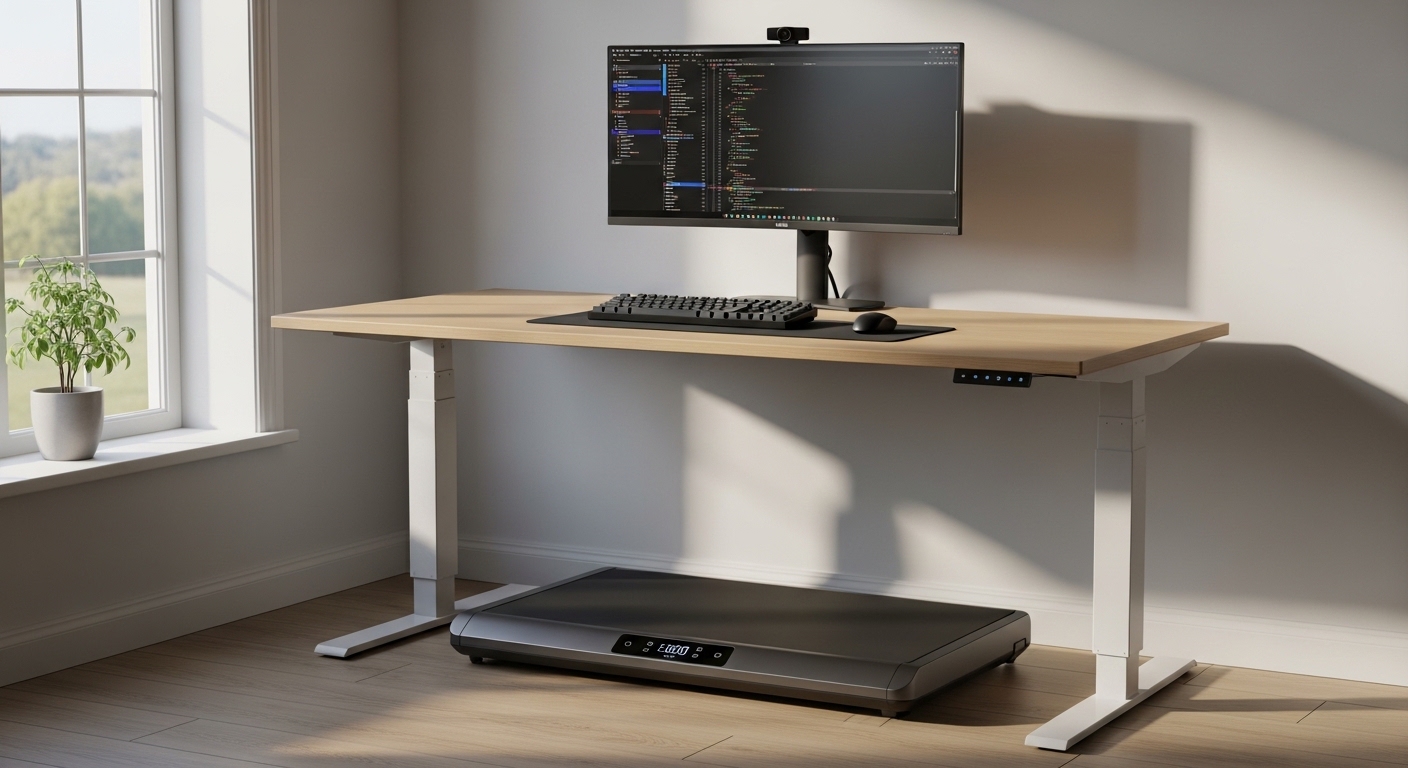
Embracing the Active Workstation Revolution
Modern professionals spend long hours sitting behind a computer screen which leads to a sedentary lifestyle. This lack of movement affects your health, energy levels, and productivity throughout the workday.
Transitioning to an active setup is a powerful way to reclaim your physical health without leaving your desk. Many remote workers now use a walking pad to keep their bodies moving during conference calls and routine tasks.
Adding movement to your work routine does not mean you need to compromise your focus. A dedicated walking pad allows you to maintain a steady, low speed while continuing to type and think clearly.
This comprehensive buying guide will teach you exactly how to choose an under desk treadmill that fits your space, budget, and lifestyle. Let us explore the technical specifications and features that make a difference in your daily routine.
The Wellness Benefits of Walking While Working
Walking at a gentle pace increases blood flow to the brain and enhances cognitive function. You will find that creative problem solving becomes much easier when your body is in motion.
Daily physical activity also helps reduce stress levels by releasing endorphins. This modern equipment represents the pinnacle of remote work wellness in 2026.
Maintaining a slow speed of one to two miles per hour still burns significant calories over several hours. This simple addition can prevent the common back pain associated with prolonged sitting.
Furthermore, active movement keeps your muscles engaged and improves your overall posture. Investing in your workspace health pays huge dividends in long term physical well being.
Understanding the Motor Specifications
The motor is the heart of your walking pad and determines how smoothly the belt moves under load. You should look for a motor with high continuous horsepower rather than peak horsepower.
Continuous duty motors can handle weight and friction for hours without overheating. A motor rating of at least two horsepower is ideal for regular office walking.
Cheaper options often use weak motors that struggle when you step on the belt. This causes a jerky motion that disrupts your balance and typing concentration.
A strong motor also runs much cooler and lasts significantly longer. It ensures the belt moves at a consistent speed even during multi hour walking sessions.
Belt Dimensions and Comfort
The size of the walking surface directly impacts your comfort and safety. A belt that is too narrow will make you feel restricted and anxious about stepping off the side.
Most walking pads feature a belt width between fifteen and twenty inches. Aim for at least sixteen inches of width to ensure you have adequate lateral space.
The length of the belt is equally important for a natural walking gait. Taller users require a longer walking deck to accommodate their natural stride without hitting the front hood.
A belt length of forty inches is usually sufficient for walking at slow speeds. If you plan to jog occasionally, look for a model that offers forty five inches or more.
Frame Construction and Weight Capacity
Frame construction determines the maximum user weight the machine can safely support. Always check the weight limit specified by the manufacturer before making a decision.
A robust steel frame prevents flexing and shaking while you walk. Models with higher weight capacities generally feature superior build quality and more durable motors.
We recommend choosing a machine with a weight limit that exceeds your actual weight by at least twenty pounds. This safety margin ensures the motor does not run at its absolute limit.
Sturdier frames also reduce vibrations which can travel up your standing desk to your monitors. A heavy frame keeps your screens from shaking while you type.
Noise Levels and Workplace Etiquette
An office environment requires quiet machinery so you do not disrupt your family or coworkers. A loud motor or a squeaking belt can be highly distracting during virtual meetings.
Look for brushless motors which operate much more quietly than traditional brushed motors. Premium decks also include multi layered belts that dampen the sound of your footsteps.
The noise level of a quality walking pad should stay below fifty decibels. This whisper quiet performance ensures your audio microphone will not pick up the background hum.
You can also place the machine on a dedicated mat to absorb additional sound. This keeps your remote work environment peaceful and professional.
Analyzing Deck Cushioning and Shock Absorption
Walking on hard surfaces for hours can place significant stress on your joints and lower back. High quality walking decks incorporate cushioning technologies to mitigate this impact.
Look for decks equipped with rubber shock absorbers or flexible composite materials. These components compress slightly with each step to absorb the force of your heel strike.
A well cushioned deck protects your knees and ankles from fatigue. This allows you to walk for longer periods without feeling sore the next day.
Investing in advanced joint protection is especially important if you have a history of joint discomfort. Proper cushioning makes a massive difference in your daily comfort levels.
Evaluating Speed Range and Controls
Walking while working requires a very different speed range than a standard gym workout. Most professionals find their sweet spot is between one and two miles per hour.
Your chosen model should offer precise speed adjustments in small increments. Look for a machine that changes speed by one tenth mile per hour increments.
This precision allows you to find the exact speed where you can type comfortably. A maximum speed of four miles per hour is perfect for brisk walking during passive video calls.
Make sure the speed controls are easy to access while you are in motion. Sudden speed changes should be smooth rather than abrupt to prevent loss of balance.
Control Interfaces and Remotes
Since these machines sit completely under your desk, you cannot easily reach the physical console buttons. A reliable remote control is essential for adjusting your speed on the fly.
Some remotes come with a wrist strap to keep the controller easily accessible. Many modern models also offer smartphone application integration for seamless control.
Make sure the remote has a clear layout that allows you to adjust settings without looking down. Tactile buttons are much easier to operate while keeping your eyes on your monitor.
Some premium walking pads also feature step sensing controls that speed up or slow down based on your position. This hands free operation is highly convenient once you get used to it.
Crucial Safety Features to Look For
Safety should never be an afterthought when integrating fitness equipment into your work area. A sudden distraction can cause a loss of balance if you are not careful.
An emergency stop clip is a crucial safety component that attaches to your clothing. If you slip or step too far back, the cord pulls free and stops the belt instantly.
Some compact walking pads lack this physical cord and rely solely on remote buttons. We highly recommend choosing a model that includes a magnetic safety key for maximum protection.
This feature is especially important if you have pets or small children in your home office. An instant stop prevents accidents and gives you peace of mind during hectic days.
Auto Pause and Step Detection
Advanced models feature intelligent sensors that detect when you step off the deck. The machine will automatically pause the belt if it senses no weight for several seconds.
This prevents the belt from running endlessly if you step away to answer the door. It is an excellent safety feature that also conserves electrical power over time.
Step detection also helps track your daily activity levels accurately. It ensures you get precise data for your health and fitness apps.
Comparing Flat Walking Pads and Folding Models
Under desk fitness equipment comes in two primary designs to suit different user needs. Understanding these categories helps you make the right choice for your specific workspace.
Flat Walking Pads without Handrails
These models are completely flat and designed to slide entirely under a standing desk. They are highly compact, lightweight, and very easy to store when not in use.
- Extremely low profile design that fits under most beds or sofas
- Lightweight frame with transport wheels for effortless mobility
- No assembly required out of the box
- Usually more affordable than complex folding models
The major disadvantage of these flat designs is the lack of physical support. You do not have handrails to grab if you lose your balance during a quick movement.
Additionally, these models are strictly limited to walking speeds. They lack the structural frame required to support running or jogging safely.
Folding and Two in One Treadmills
These versatile machines feature a folding handrail that can be raised or lowered. When the handrail is down, the machine operates at safe walking speeds under your desk.
- Dual mode functionality offers both walking and jogging speeds
- Folding handrail provides stability during faster workouts
- Often features a larger motor with higher weight capacities
- Includes a physical console on the handrail for easy viewing
The trade off for this versatility is a much larger footprint. These units are significantly heavier and require more effort to move and store.
The raised handrail also means you cannot keep it under your desk unless you fold it down. This folding process can become tedious if you switch between sitting and walking often.
Measuring Your Workspace Clearance
The physical space in your home office is a precious resource that must be managed carefully. You must measure your room and your standing desk before buying any walking pad.
Most electric standing desks have crossbars or legs that limit the available floor space. Measure the distance between your desk legs to ensure the walking pad will fit.
You must also consider the height of the walking deck from the floor. A taller deck reduces your available headroom and might require you to raise your desk significantly.
A low profile deck height of under five inches is ideal for most setups. This ensures you maintain optimal ergonomic alignment without hitting your head on the ceiling.
Storage and Portability Solutions
If you share your workspace or prefer to sit for part of the day, storage is a priority. Look for models that can stand vertically against a wall or fit flat under a couch.
Front transport wheels are absolutely mandatory for moving the unit around your room. Without wheels, moving a seventy pound piece of metal becomes a painful daily chore.
Check the build quality of the wheels to ensure they do not scratch your flooring. Soft silicone wheels are much better for hardwood floor protection than hard plastic wheels.
Some models also feature folding frames that fold in half to save even more space. This makes them incredibly easy to tuck away into tight closets.
Budget Considerations and Price Tiers
Walking pads are available across a wide range of price points to suit different budgets. Understanding what you get at each tier helps you spend your money wisely.
Entry Level Models
Entry level options typically cost under three hundred dollars and offer basic functionality. These machines are great for light users who only walk a few hours a week.
However, these models often feature narrower walking belts and smaller motors. They may also lack advanced cushion systems, leading to a louder and firmer walking experience.
The warranty on these budget options is usually very limited. If you plan to use your walking pad daily, investing in a higher tier is highly recommended.
Mid Range Workhorses
The mid range category spans from three hundred to six hundred dollars and represents the best value. These machines offer excellent structural durability and quieter brushless motors.
You will find wider walking belts, better shock absorption, and smarter remote controls in this tier. Frame construction is much sturdier, which supports higher user weights comfortably.
Many reliable brands focus on this segment, offering decent warranty coverage and customer support. This is the sweet spot for the average remote worker who walks daily.
Premium Fitness Investments
Premium models cost over six hundred dollars and are built for heavy commercial use. They feature commercial grade motors that can run all day without breaking a sweat.
These high end machines offer the absolute best shock absorption to protect your joints. They also integrate seamlessly with office tracking software and health applications.
If you want a machine that will last for years of intense daily use, a premium model is the best choice. The initial cost is higher, but the durability and peace of mind are unmatched.
Ergonomics and Workstation Setup
Setting up your active workstation correctly is vital to prevent strain and injury. Walking while working requires a brief period of physical adjustment.
Never place your walking pad directly on hardwood floors or thick carpeting. The friction and weight can damage your floor, while carpet fibers can enter the motor compartment.
A durable rubber mat placed under the machine absorbs vibrations and reduces noise. This simple addition protects your investment and ensures a quieter walking experience.
The mat also catches any lubricant or dust that may shed from the belt during normal operation. It keeps your workspace clean and tidy with minimal maintenance effort.
Optimizing Your Ergonomic Alignment
When walking, your keyboard and monitor heights must be adjusted to match your moving posture. Your elbows should maintain a ninety degree angle while your hands rest lightly on the keyboard.
Your eyes should look straight ahead at the top third of your computer screen. Avoid looking down at your feet, as this puts immense strain on your neck muscles.
Take short breaks to sit or stand still throughout the day. Alternating between walking, standing, and sitting is the healthiest way to work.
Wear supportive athletic shoes rather than walking barefoot or in flat socks. Proper footwear provides the necessary arch support and prevents foot fatigue during long sessions.
Maintenance and Longevity Tips
Proper maintenance is the key to extending the life of your under desk walking pad. Neglecting these simple tasks will cause premature motor failure and belt wear.
Friction between the belt and the deck is the primary enemy of treadmill motors. You must apply pure silicone lubricant under the belt regularly to keep it running smoothly.
Most manufacturers recommend lubricating the deck after every forty hours of active use. Many modern machines feature a convenient oil hole that makes this process extremely simple.
Never use general lubricants like WD forty, as they can ruin the delicate belt material. Stick strictly to the recommended silicone oils for the best results.
Belt Alignment and Tension Adjustments
Over time, the walking belt may shift to one side or become loose. A misaligned belt will rub against the frame and wear out quickly.
You can easily adjust the tension and alignment using the bolts at the rear of the machine. Turn the bolts in small increments until the belt runs perfectly centered.
The belt should be tight enough not to slip when you step, but not so tight that it strains the motor. Finding this balance ensures a smooth walking motion.
Keep the motor compartment free of dust and pet hair by vacuuming it occasionally. A clean motor runs cooler and operates much more efficiently over its lifespan.
Summary of the Selection Process
Finding the perfect workspace companion requires matching your physical needs with the right hardware. Let us review the essential steps of your decision journey.
First, measure your desk clearance and determine your storage capabilities. Second, evaluate the motor power and weight capacity to ensure long term reliability.
Third, prioritize safety features like emergency stops and step detection. Finally, choose a design that fits your speed goals and budget parameters.
Final Thoughts on Active Workstations
Integrating movement into your workday is one of the best decisions you can make for your health. A high quality walking pad turns boring desk hours into an active and energizing experience.
By taking the time to research the technical details, you will find a machine that serves you well for years. We hope this guide helps you build the ultimate active office setup.