

Starting Your Home Server Journey
The digital age has transformed how we store and manage our personal data. Many users are now looking for ways to reclaim their privacy and control by learning how to choose a home server for beginners effectively.
A home server is essentially a dedicated computer that remains powered on at all times. It provides services to other devices on your local network such as your laptop, tablet, or smart television.
Building a home server might seem intimidating at first glance. However, the process is much simpler than it was a decade ago thanks to modern software and hardware.
In this guide, we will explore everything you need to know about selecting your first server. We will cover hardware specifications, form factors, and the different types of servers available on the market.
Why You Need a Server
Before buying any equipment, you should identify your specific needs. Most people use a home server for centralized file storage to keep their documents safe.
Others want a dedicated machine to host their own media collection. This allows you to stream movies and music without relying on expensive monthly subscription services.
Smart home enthusiasts also use servers to run local automation platforms. This keeps your smart lights and cameras functioning even when your internet connection goes down.
Finally, a server is a fantastic tool for learning about networking and web development. It provides a safe environment to test new software and configurations.
Defining Your Primary Use Case
Your intended use will dictate how much you need to spend on hardware. A server used only for backups requires minimal processing power compared to a gaming server.
If your goal is to host a Plex or Jellyfin media server, you need to consider transcoding. This is the process of converting video files on the fly to fit different screen sizes.
Transcoding requires a modern processor with integrated graphics or a dedicated graphics card. Without this capability, your video streams might stutter or fail to load on mobile devices.
For those interested in virtualization, the requirements are different. You will need a high core count processor and plenty of memory to run multiple operating systems at once.
File Storage and Personal Cloud
One of the most popular reasons to learn how to choose a home server for beginners is creating a personal cloud. This replaces services like Google Drive or Dropbox with your own private hardware solution at home.
You can sync your phone photos automatically to your server every night. This ensures that you never lose precious memories if your mobile device is lost or damaged.
When choosing a server for storage, the number of drive bays is the most important factor. You want enough room to add more high capacity drives as your data grows over time.
It is also wise to plan for data redundancy. Using multiple drives allows the server to keep running even if one hard drive fails completely.
This is often achieved through technology known as RAID. You can read more about this in our guide on how to choose RAID for home lab storage for deeper technical details.
Essential Hardware Criteria for Beginners
When looking at specifications, focus on three main components. These are the central processing unit, the random access memory, and the total storage capacity of the system.
The processor does not need to be the fastest model available. In fact, many home servers run beautifully on energy efficient chips that stay cool and quiet.
For a basic file server or a home automation hub, a dual core or quad core processor is plenty. Only look for more power if you plan on hosting several users simultaneously.
RAM is where most beginners should focus their budget. Having at least eight gigabytes of memory ensures the operating system runs smoothly without any slowdowns.
Choosing the Right RAM
If you plan to run many applications, sixteen gigabytes is the current sweet spot for most home users. This provides enough headroom for multitasking without being overly expensive for your first build.
Some advanced servers use Error Correction Code memory, also known as ECC RAM. This specialized memory helps prevent data corruption by detecting and fixing minor errors automatically.
While ECC is great for long term stability, it is not strictly necessary for most beginners. Standard desktop memory is very reliable and much easier to find at a lower price point today.
Always check how many memory slots are available on the motherboard. This allows you to start with a small amount and upgrade your memory later if needed.
Storage and Hard Drive Selection
Storage is the heart of any home server project. You must decide between mechanical hard disk drives and modern solid state drives for your main data pool.
Hard drives are much cheaper for storing large amounts of data like movies and backups. You can get several terabytes of space for a fraction of the cost of an SSD.
However, SSDs are much faster and more responsive for running the operating system and applications. We recommend using a small SSD for your boot drive to keep the interface snappy.
When buying mechanical drives, look for those specifically designed for server use. These drives are built to run twenty four hours a day without wearing out prematurely.
For more specific advice on picking the right drives, see our buying guide for SSDs in a home lab environment. This will help you understand the nuances of different drive technologies.
Connectivity and Network Requirements
A server is only useful if it can communicate quickly with your other devices. Most modern servers come with at least one gigabit ethernet port for standard networking.
You should always connect your server to your router using a physical cable. Wireless connections are often too unstable for hosting files or streaming high quality video.
If you plan on moving massive amounts of data regularly, you might consider ten gigabit networking. This requires specialized switches and compatible hardware on both ends of the connection.
For beginners, a standard gigabit connection is more than enough. It provides plenty of speed for multiple high definition streams and fast file transfers across the house.
Internal Ports and Expandability
Check the number of SATA ports available on the motherboard. These ports are what connect your hard drives to the rest of the system.
If you run out of ports, you can often add more using a PCIe expansion card. This is why having a larger case and motherboard can be beneficial for future growth.
USB ports are also useful for connecting external backup drives. You should always have an external copy of your most important data stored in a separate location.
In 2026, many beginners are also looking for Thunderbolt or USB4 support. These high speed ports allow for external storage enclosures that perform as fast as internal drives.
Different Types of Home Servers
There are three main paths you can take when deciding how to choose a home server for beginners based on your comfort level. These include prebuilt appliances, repurposed computers, or custom builds.
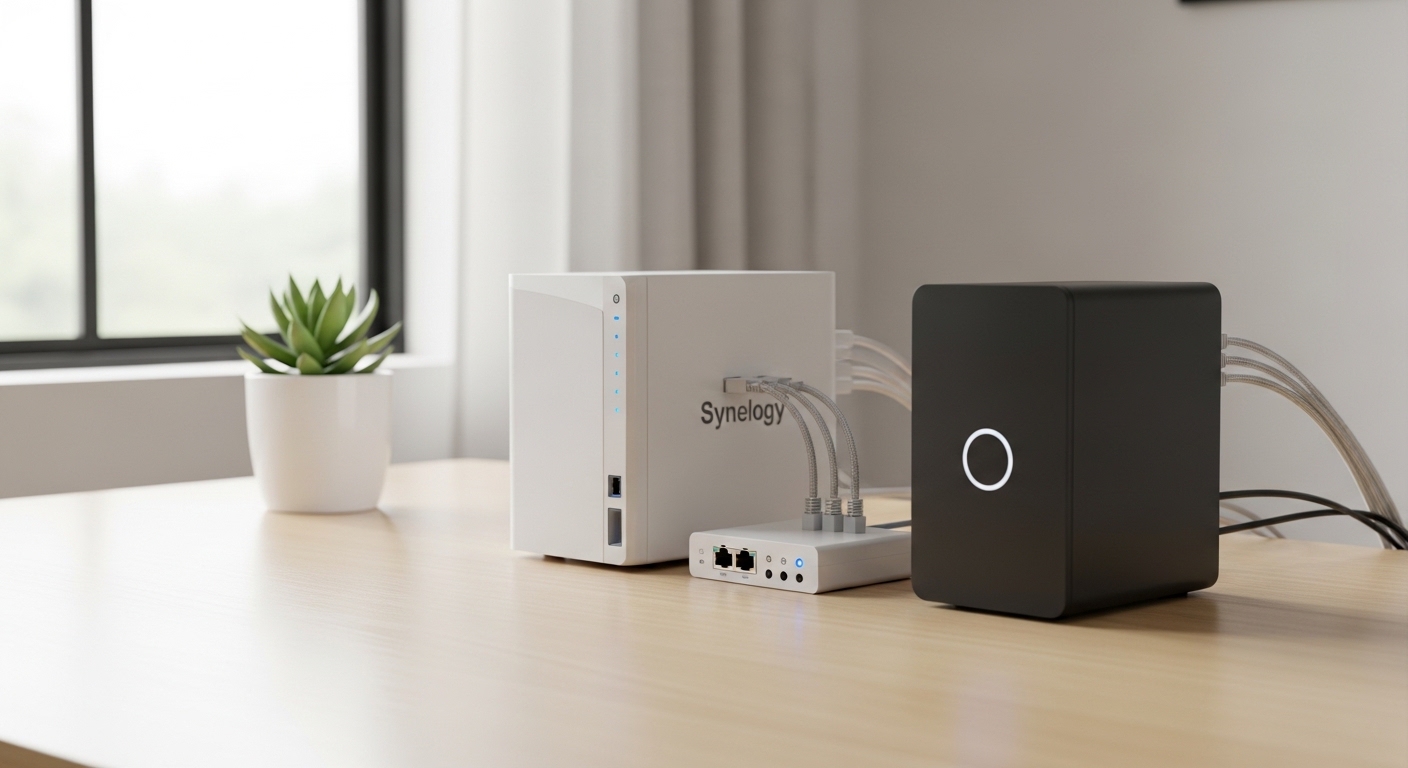
Network Attached Storage devices, or NAS, are the easiest option. These are all in one units that come with user friendly software already installed and ready to go.
Repurposing an old desktop or laptop is the most cost effective way to start. It allows you to learn the ropes without any significant initial financial investment.
Building a custom server offers the most flexibility. You can choose every single part to perfectly match your specific performance needs and noise requirements.
The Benefits of Prebuilt NAS Devices
A prebuilt NAS is perfect for someone who wants a system that just works. The software is usually designed with a simple web interface that looks like a standard desktop.
These devices are very compact and consume very little electricity. They are designed to be tucked away in a closet or on a shelf and forgotten about.
Most NAS manufacturers provide mobile apps for easy access to your files. This makes it very simple to share photos with family members who are not tech savvy.
The main downside is the price, as you pay a premium for the software and compact design. They are also harder to upgrade if you need more processing power in the future.
Repurposing Used Enterprise Hardware
Many beginners find great value in buying used office computers. Small form factor desktops from major brands are often sold cheaply when companies upgrade their equipment.
These machines are often very reliable and surprisingly powerful for their size. They make excellent low cost server nodes for running lightweight applications and services.
You can often find these units for under two hundred dollars on auction sites. Just be sure to check that the unit has enough space for drives if you need lots of storage.
Using a mini PC is also a popular trend for those with limited space. You can learn more about these in our article about the best mini PCs for home lab servers currently available.
Pros and Cons of Different Form Factors
The physical size of your server matters more than you might think. A large tower provides plenty of room for expansion and cooling but takes up significant floor space.
Miniature PCs are almost silent and can be mounted behind a monitor. However, they usually only have room for one or two internal drives, limiting your total storage capacity.
Rackmount servers are designed for professional environments and offer extreme durability. They are often very loud and power hungry, making them poor choices for a living room.
Most beginners should opt for a traditional mid tower case or a small form factor desktop. These offer a great balance between noise levels and storage potential for a home environment.
Understanding Tower Servers
Tower servers look just like a standard desktop computer. They are easy to work on because the components are standardized and widely available at most electronics stores.
You can easily replace the fans to make the system quieter if it sits in your office. Large fans can spin slowly while still moving a lot of air to keep components cool.
If you want to build your own, choosing the right case is critical. Check out our detailed guide on how to choose a case for a home server to avoid common mistakes.
Towers also allow for larger power supplies which can support many hard drives. This is the best route if you plan to build a massive media library over several years.
Operating System and Software Choices
Once you have your hardware, you need an operating system to run it. Windows is familiar but can be resource heavy and expensive due to licensing costs.
Linux is the gold standard for servers because it is free and extremely efficient. Many server distributions are designed to be managed entirely through a web browser on another computer.
TrueNAS and Unraid are two very popular choices for beginners focused on storage. They provide a graphical user interface that simplifies complex tasks like managing drive arrays.
Unraid is particularly famous for allowing you to mix and match drives of different sizes. This is very helpful for beginners who want to add drives gradually as they find deals.
The Importance of Virtualization
Virtualization allows you to run multiple separate systems on a single piece of hardware. This is done using software called a hypervisor, such as Proxmox or VMware.
This is a great way to keep your services organized. You can have one virtual machine for your media server and another for your home security system.
If one system crashes, the others remain unaffected and keep running. This adds a layer of stability and security to your entire home network infrastructure.
For more information on these tools, read our guide on how to choose home lab virtualization software for your needs.
Energy Consumption and Noise Levels
A server that runs all year round can impact your electricity bill. It is important to choose energy efficient components to keep your ongoing costs as low as possible.
Modern processors from recent years are much better at idling at low power. They only use significant energy when they are actively working on a difficult task.
Noise is another factor that beginners often overlook during the buying process. High speed fans can create a constant high pitched whine that becomes very annoying in a quiet home.
Look for components labeled as low power or silent. Using larger heat sinks can also help keep the system cool without needing loud, fast spinning fans.
Managing Heat in Small Spaces
If you plan to keep your server in a small closet, you must ensure there is enough airflow. Heat is the number one enemy of computer hardware and can lead to premature failure.
You might need to install a vent or a small exhaust fan in the closet door. Proper ventilation ensures that the ambient temperature stays within a safe range for your hard drives.
For professional tips on this topic, see our article on how to ventilate a home server closet properly. This will save you from hardware headaches down the road.
Monitoring your server temperature is also a good habit to develop. Most server software will send you an email or phone alert if the system gets too hot.
Budget Considerations for Beginners
Learning how to choose a home server for beginners involves balancing your initial costs with your long term goals. You do not need to spend thousands of dollars to get a great experience.
A basic used setup can cost as little as one hundred dollars. A mid range prebuilt NAS with two drives usually starts around three or four hundred dollars.
The biggest hidden cost is usually the hard drives themselves. High capacity drives are expensive, and you will likely want at least two for data protection and redundancy purposes.
Try to buy the largest drives you can afford now. It is often cheaper to buy two large drives than four smaller ones when you count the cost of the server bays.
Initial Cost vs Total Ownership
Always consider the cost of electricity over a three year period. A cheap, old server that uses one hundred watts of power might cost more in the long run than a modern efficient unit that costs more upfront.
Power protection is another essential investment for any home server. An uninterruptible power supply, or UPS, protects your data during a sudden power outage.
This device gives the server enough time to shut down safely when the lights go out. Without a UPS, a power flick can corrupt your entire database or damage your hard drives.
Check out our guide to choosing an uninterruptible power supply to find a model that fits your budget. It is the best insurance policy for your digital life.
Final Checklist for Your Purchase
Before you hit the buy button, run through a quick checklist of your requirements. Ensure the server has enough physical space for the number of drives you want to install.
Verify that the processor is modern enough to handle any video transcoding you might need. Check the total RAM capacity to make sure you can expand the memory later.
Confirm that the noise level will be acceptable for the room where it will live. Finally, make sure you have a solid backup plan for the data you will store on the server.
A server is a tool to make your life easier, not a source of constant frustration. Choosing the right hardware from the start will ensure a smooth and enjoyable experience.
Conclusion
Deciding how to choose a home server for beginners is an exciting journey into the world of self hosting. Whether you choose a sleek prebuilt NAS or a powerful custom tower, the benefits of owning your data are immense.
Start small and grow your setup as you become more comfortable with the technology. There is no need to build a professional grade data center on your first day.
Focus on reliability and ease of use to ensure you actually enjoy using your new server. Once the foundation is set, you can explore endless possibilities like hosting your own website or private game server.
Welcome to the world of home labs. Your path to digital independence and security starts with this first important hardware choice.