

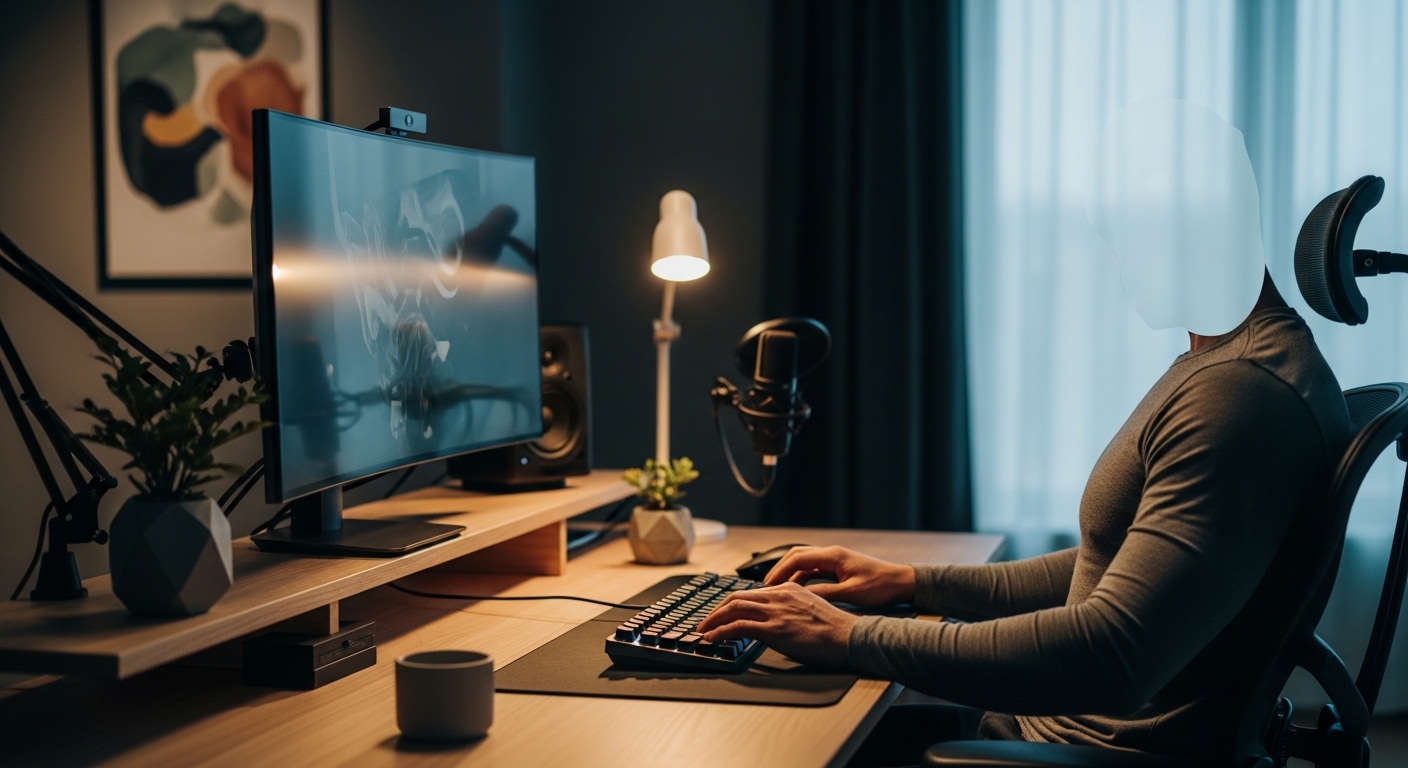
Introduction to Desktop Dimensions
Creating a functional workspace involves more than just picking a stylish surface. Many professionals spend hours wondering how deep should a desk be for ergonomics to ensure long term comfort.
The depth of your workstation dictates your posture and your visual health. A desk that is too shallow forces you to sit too close to your screens.
The Core Question
Most standard desks offer a depth of either 24 inches or 30 inches. While these are common industry standards, they do not always fit every individual or every technology setup.
In this guide, we will explore the technical reasons why surface depth matters. We will also look at how your specific hardware influences these requirements.
The Science of Human Vision
Your eyes have a natural resting point where they focus without effort. This distance is often referred to as the resting point of vergence by experts.
If your monitor is too close, your eye muscles must work harder to maintain focus. Over several hours, this leads to significant eye strain and headaches.
Focal Length and Eye Comfort
Ergonomic experts generally recommend keeping your screen at least 20 inches away from your face. For larger displays, this distance should increase significantly to maintain comfort.
A deep desk provides the necessary buffer to push your monitor back. This adjustment allows your eyes to relax while you process information on the screen.
The Impact of Monitor Size
As technology evolves, many of us are moving toward larger displays. A 27 inch or 32 inch monitor requires more physical viewing distance than a small laptop screen.
If you use a 32 inch display on a 24 inch deep desk, the screen might feel overwhelming. You will likely find yourself tilting your head back or squinting to see the corners.
Ultrawide and Dual Monitor Setups
Ultrawide monitors introduce even more complexity to the workspace. These screens require a wider field of view which is easier to manage when the screen is further away.
Dual monitor configurations also benefit from increased depth. Having extra space allows you to angle the monitors inward without crowding your keyboard area.
The Ergonomic Reach Zone
Ergonomics is not just about your eyes, it is also about your arms. The neutral reach zone is the area you can access without leaning your torso.
A desk that is too deep might encourage you to place items too far away. This causes you to overextend your shoulders and back throughout the work day.
Primary and Secondary Zones
Your keyboard and mouse should live in the primary zone closest to your body. Your elbows should stay at a 90 degree angle while you type.
Items like your phone or a notepad should sit in the secondary zone. A desk with approximately 30 inches of depth often provides the perfect balance for these zones.
Standard Industry Dimensions
In the world of office furniture, 24 inches is considered the minimum depth. This size is often found in small home offices or compact corner desks where space is limited.
While 24 inches can work for laptop users, it often feels cramped for desktop users. You may find your wrists hanging off the edge of the desk.
The 30 Inch Standard
A 30 inch depth is widely regarded as the gold standard for professional workstations. It provides enough room for a large monitor, a full sized keyboard, and a comfortable wrist rest.
This depth also leaves room for cables and monitor stands behind the screen. Many users find this extra 6 inches of space provides a significant boost in comfort.
Legroom and Lower Body Comfort
The depth of the desk surface directly impacts the amount of legroom underneath. If a desk is too shallow, your knees might hit the wall or the desk frame.
Proper knee clearance is essential for maintaining a healthy sitting position. You should be able to cross your legs or move them freely under the surface.
Under Desk Obstructions
Some desks include crossbars or modesty panels that limit leg space. A deeper desk usually moves these obstructions further back, away from your shins.
Ensure your desk depth allows you to pull your chair in completely. Your stomach should be close to the edge without your feet hitting the back of the unit.
Peripheral Clearance and Equipment
Think about the items you use every day besides your computer. You might have a large desk mat, a microphone arm, or high quality speakers.
Each of these items occupies valuable real estate on your desk surface. A shallow desk becomes cluttered very quickly when you add professional equipment.
Paperwork and Analog Tasks
If you frequently review physical documents, you need space between your keyboard and the monitor. This middle ground is only available on deeper desks.
Trying to read a document that is shoved under a monitor stand is frustrating. A 30 inch depth allows you to place a document holder or a notebook comfortably.
Small Office Strategies
Sometimes your room simply cannot accommodate a massive 30 inch deep desk. In these cases, you must get creative with space optimization techniques to stay healthy.
Using a monitor arm can save several inches of depth by removing the bulky factory stand. This allows you to push the screen right against the back edge of the desk.
Keyboard Trays
A keyboard tray can effectively extend the depth of a shallow desk. By moving the typing surface off the main desk, you gain more viewing distance for your eyes.
This setup allows a 24 inch desk to feel like a 30 inch desk. Just ensure the tray is stable and adjustable to avoid introducing wrist pain.
The Technical Measurement Guide
To find your ideal depth, you should perform a simple test at home. Sit in your chair with your arms extended forward at shoulder height.
The distance from your torso to your fingertips is a great starting point for desk depth. For most adults, this measurement falls between 25 and 30 inches.
Measuring Your Screen
Measure the distance from your eyes to your monitor while sitting comfortably. If this distance is less than 20 inches, you need a deeper desk or a monitor arm.
Keep in mind that high resolution screens often allow you to sit a bit closer. However, the physical size of the panel still dictates the necessary depth for eye comfort.
Future Trends in Workspace Design
The landscape of the home office continues to change as we look toward the year 2026 and beyond. We are seeing a trend toward deeper surfaces that accommodate virtual reality and multiple devices.
Modern users often have a tablet, a phone, and a laptop all on the same surface. Having a spacious work area prevents the feeling of being overwhelmed by technology.
Height Adjustable Factors
Standing desks are now very common in home offices. When you stand, your perspective on depth changes slightly compared to when you are sitting.
A deep desk provides more stability for the lifting mechanism. It also ensures that your equipment does not wobble when the desk is at its maximum height.
Common Pitfalls to Avoid
One mistake people make is choosing a desk based solely on the size of the room. While the desk must fit the floor plan, it must also fit the human body requirements first.
Another pitfall is ignoring the thickness of the monitor stand. Some stands are very deep and take up half of a 24 inch desk surface.
Cable Management Concerns
Cables often require a few inches of clearance behind the desk. If you push a desk flush against a wall, you might lose usable depth to accommodate wires.
Factor in the space needed for cable trays or power strips. A desk with integrated wire management can help maximize the usable surface area.
FAQ
Is a 24 inch desk deep enough for a 27 inch monitor?
It is often too shallow for most users. You might experience eye strain unless you use a monitor arm to gain back some space.
What is the best depth for a gaming desk?
Gamers often prefer a 30 inch depth. This provides room for large mouse movements and keeps the monitor at a safe distance during intense sessions.
Can a desk be too deep?
Yes, if a desk is deeper than 36 inches, you may struggle to reach items at the back. This can lead to poor posture and unnecessary stretching.
Summary of Recommendations
Determining how deep should a desk be for ergonomics requires looking at your specific hardware. For most professionals, a depth of 30 inches is the ideal choice for long term health.
If you have a very large screen or multiple monitors, do not settle for a shallow surface. Your eyes and your neck will thank you for the extra space.
Final Thoughts
A well designed workspace is an investment in your productivity. By choosing the right depth, you create an environment where you can focus without physical distraction.
Take the time to measure your reach and your monitor size today. A few extra inches of desk depth can make a world of difference in your daily comfort.