

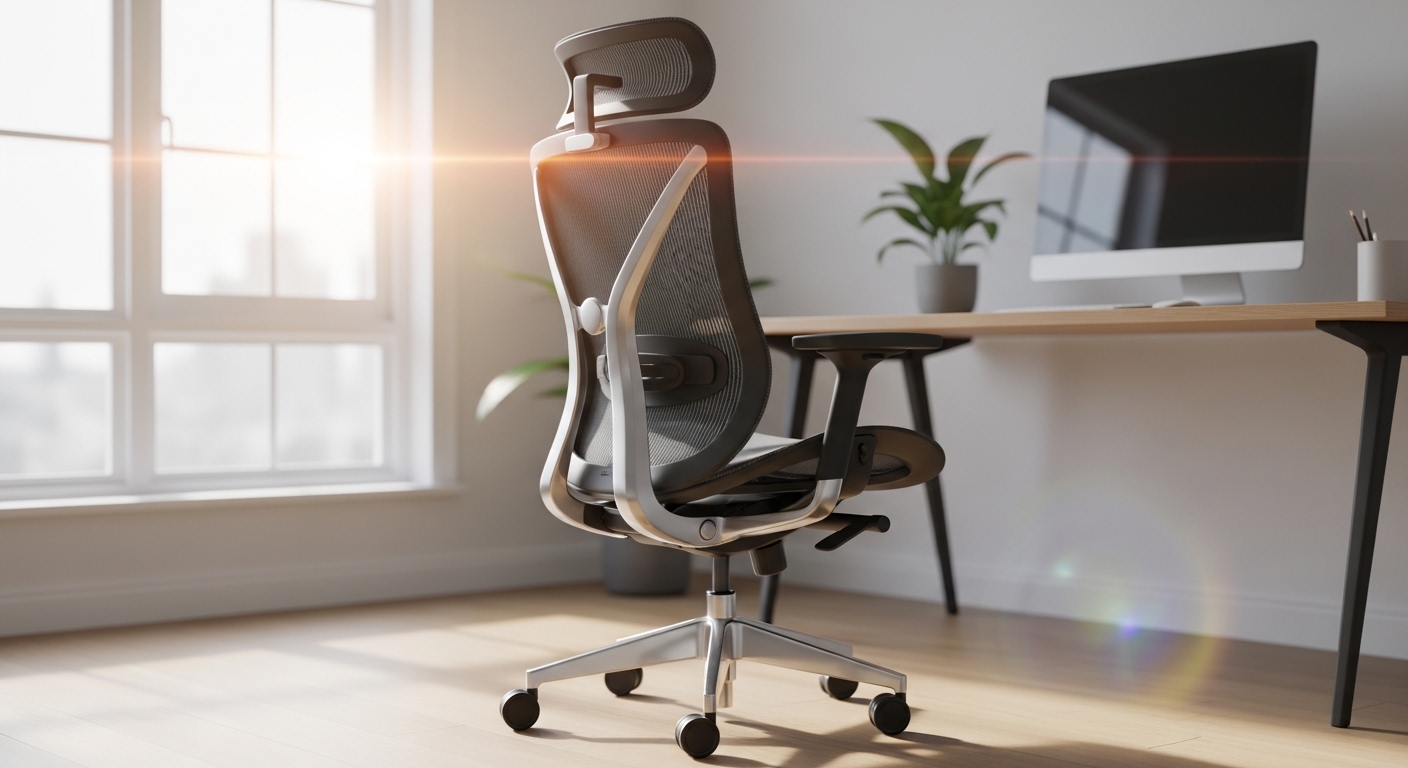
Introduction to Sciatica in the Office Environment
Finding the right seating solution is a priority for anyone suffering from nerve pain. Sciatica can turn a productive workday into a grueling endurance test of physical discomfort.
This pain originates from the sciatic nerve being compressed or irritated. Choosing the correct equipment is the first step toward achieving long term relief.
A standard office chair often lacks the specialized support required for this condition. Inadequate seating leads to poor posture and increased pressure on the lower spine.
This guide explains how to choose an ergonomic chair for sciatica by focusing on specific mechanical features. We will explore how different adjustments can alleviate nerve compression throughout your day.
Understanding your body is essential for making an informed purchase. A properly fitted chair acts as a tool for health rather than just a place to sit.
The goal is to find a balance between comfort and spinal alignment. Every component of the chair should contribute to reducing the load on your nervous system.
Understanding the Sciatic Nerve and Seating Mechanics
The sciatic nerve is the longest and thickest nerve in the human body. it travels from the lower back through the hips and down each leg.
When you sit, the weight of your upper body places significant stress on the lumbar region. This stress can cause discs to press against the nerve roots in your spine.
Conventional chairs often promote a slouched posture that flattens the natural curve of the back. This misalignment is a primary trigger for sciatica flare ups during work hours.
Ergonomic chairs are designed to distribute your body weight more evenly across the seat. This prevents specific pressure points from forming under your thighs and glutes.
By maintaining the natural S curve of the spine, you minimize the risk of disc protrusion. A healthy sitting posture keeps the vertebrae stacked in a neutral position.
We must also consider the impact of static sitting on blood circulation. Poor circulation can increase inflammation around the nerve and delay the healing process.
The Impact of Seat Pan Depth on Nerve Relief
One of the most critical features for sciatica sufferers is the adjustable seat pan. This allows you to move the seat forward or backward independently of the backrest.
If the seat is too deep, it will press against the back of your knees. This area is known as the popliteal fold and is very sensitive to pressure.
Continuous pressure here can restrict blood flow and irritate the sciatic nerve further down the leg. Conversely, a seat that is too shallow lacks sufficient thigh support.
Lack of support leads to increased pressure on the sit bones and lower spine. You should aim for a two finger gap between the seat edge and your knees.
This gap ensures that your legs are supported without compromising circulation. It allows you to sit fully back against the lumbar support without straining.
Proper depth adjustment is a non negotiable feature for anyone seeking serious relief. It accommodates different leg lengths and ensures a custom fit for every user.
Core Criterion 1: Adjustable Lumbar Support Systems
Lumbar support is the cornerstone of any ergonomic seating solution for back pain. It must be both height adjustable and depth adjustable to be truly effective.
The support should nestle firmly into the lordotic curve of your lower back. This prevents the spine from rounding into a C shape while you focus on tasks.
A rounded spine increases the internal pressure within the spinal discs. Over time, this pressure forces the discs toward the sciatic nerve roots.
Some chairs offer passive lumbar support, which is often insufficient for chronic pain. You should look for active lumbar systems that allow for precise tension control.
Being able to increase or decrease the firmness of the support is vital. Your needs may change throughout the day as your muscles fatigue or your posture shifts.
The support should feel like a firm but comfortable hand pushing against your lower back. It should encourage an upright posture without feeling like a hard obstruction.
The Role of Lumbar Height Adjustment
The height of the lumbar support is just as important as its depth. Every individual has a slightly different spinal curvature and torso length.
If the support is too high, it will press against your rib cage. If it is too low, it will push on your sacrum rather than the lumbar spine.
Both scenarios fail to protect the discs from compression during long sessions. A height adjustable backrest or a sliding lumbar pad is a mandatory requirement.
You should be able to move the support until it fits perfectly in the small of your back. This customization is what separates premium office chairs from basic models.
Test the adjustment range to ensure it covers your specific height requirements. A support that stays in place without slipping is essential for consistent relief.
Core Criterion 2: Advanced Tilt and Recline Mechanisms
Static sitting is the enemy of a healthy spine and a calm sciatic nerve. A chair that encourages dynamic movement will always be superior for pain management.
The tilt mechanism allows you to change your posture and shift your weight throughout the day. This shifting prevents the buildup of pressure in a single area of the spine.
A synchro tilt mechanism is the gold standard for ergonomic office seating. This feature tilts the backrest and the seat pan at a specific ratio, usually two to one.
As you recline, the seat rises slightly but keeps your feet flat on the floor. This opened torso angle reduces the load on your lower back significantly.
Reducing the load on the lumbar region directly translates to less nerve irritation. You should look for a chair with a tilt tension control to match your weight.
If the tension is too loose, you will feel unsupported while reclining. if it is too tight, you will struggle to move, which leads to muscle strain.
Why Recline is Beneficial for Sciatica
Research suggests that sitting at a slight recline is better for the spine than sitting perfectly upright. A 100 to 110 degree angle reduces disc pressure the most.
This position allows the chair back to take over some of the weight of your torso. Gravity helps pull your spine into the support rather than compressing the vertebrae.
Many people believe they must sit at 90 degrees for good posture. However, this upright position can actually be quite taxing on the lower back muscles.
A reclining feature allows you to take micro breaks while still staying productive at your desk. It is a simple way to give your nervous system a moment to recover.
Ensure the chair has a tilt lock if you prefer a specific angle for certain tasks. Stability in a reclined position provides the confidence needed to relax your muscles.
Core Criterion 3: Seat Height and Foot Placement
The height of your seat determines the angle of your hips and the position of your feet. For sciatica, your feet must always remain firmly planted on the floor.
If your feet dangle, the weight of your legs pulls on your lower back. This creates a shearing force that can irritate the sciatic nerve near the exit point.
The seat height should allow your hips to be slightly higher than your knees. This open hip angle prevents the pelvis from rotating backward into a slump.
A backward rotation of the pelvis is a major contributor to lumbar disc herniation. Check that the pneumatic cylinder has a wide enough range for your desk height.
If your desk is too high, you might be tempted to raise the chair too far. In this case, always use a footrest to maintain the correct ergonomic geometry.
Consistent foot support provides a stable base for the rest of your body. It allows the chair to do its job of supporting your weight correctly.
The Importance of a Waterfall Seat Edge
The front edge of the seat pan should have a rounded, sloping design. This is commonly referred to as a waterfall edge in the furniture industry.
The purpose of this curve is to reduce the pressure on the underside of the thighs. Sharp or hard seat edges can act like a clamp on the femoral and sciatic nerves.
By tapering the edge, the chair allows for better blood flow to the lower extremities. Improved vascular health is essential for managing the symptoms of sciatica.
A lack of blood flow can cause numbness and tingling, which mimics or worsens nerve pain. Look for a design where the padding or mesh curves downward gradually.
This small detail makes a massive difference during an eight hour workday. It ensures that the chair supports you without becoming a source of physical trauma.
Material Considerations: Mesh versus Fabric and Foam
The choice between mesh and fabric is more than just an aesthetic preference. It affects how your body interacts with the surface tension of the chair.
Mesh chairs are famous for their breathability and ability to conform to the shape of the user. High quality mesh provides firm, even support across the entire backrest.
This helps to eliminate hot spots where pressure might build up against the spine. However, low quality mesh can sometimes feel like sitting on a hard trampoline.
Fabric chairs with foam cushions offer a more traditional feel and softer initial impact. Memory foam or high density cold cured foam can provide excellent pressure relief.
For sciatica, the foam must be firm enough to prevent you from sinking too deep. Sinking into a chair causes the pelvis to tilt, which ruins your spinal alignment.
By the year 2026, we expect to see even more hybrid designs that combine the two. Choosing the right material depends on your personal sensitivity and local climate.
Maintaining Stability with Armrest Adjustability
Armrests might seem unrelated to sciatica, but they play a vital role in upper body stability. They help to offload the weight of your arms from your shoulders and spine.
When your arms are properly supported, your core muscles do not have to work as hard. This reduces the overall tension in your back and hips.
Look for armrests that are adjustable in four dimensions, height, width, depth, and angle. This allows you to position them close to your body while typing.
Wide armrests can cause you to lean to one side to reach them. Leaning creates an asymmetrical load on your spine, which is a major trigger for nerve pain.
Ensuring your shoulders are relaxed and your spine is centered is crucial. Every adjustment that promotes symmetry will help reduce the symptoms of sciatica.
Pros and Cons of Different Ergonomic Chair Types
- Mesh Office Chairs: These offer excellent ventilation and contouring for the back. They are durable and easy to clean, but some find the seat edges too firm.
- Executive Leather Chairs: These provide a luxurious feel and thick padding. They often lack the granular adjustments needed for specific nerve pain issues.
- Task Chairs: These are typically smaller and more agile for active environments. They might lack the full headrest or high back support required for long term rest.
- Kneeling Chairs: These encourage a very open hip angle and active core engagement. They are not ideal for all day use as they can strain the shins and knees.
Choosing the right category depends on your primary work tasks and the severity of your pain. A mesh backrest combined with a padded seat is often a winning combination.
This hybrid approach offers the cooling benefits of mesh with the soft support of foam. It addresses the need for both spinal alignment and soft tissue comfort.
Avoid cheap gaming chairs that prioritize style over actual orthopedic science. These often feature bucket seats that restrict movement and compress the hips.
True ergonomic chairs are designed based on anthropometric data and physiological needs. Investing in a proven design is the safest path to recovery.
Budget Considerations and Investing in Quality
When learning how to choose an ergonomic chair for sciatica, budget is a significant factor. It is important to view this purchase as an investment in health.
Lower priced chairs often use cheap foam that loses its shape within a few months. Once the foam bottom out, the chair provides zero support for your nerves.
Mid range chairs usually offer the basic adjustments like seat depth and lumbar height. These are often sufficient for users with occasional or mild sciatica issues.
Premium chairs come with long warranties and highly specialized mechanical components. These models provide the granular control necessary for chronic or severe pain.
A warranty of ten years or more is common among top tier ergonomic brands. This ensures that the chair will continue to support you throughout its entire life cycle.
If a new premium chair is out of reach, consider purchasing a refurbished high end model. This allows you to access superior engineering at a much more affordable price point.
The Cost of Neglecting Ergonomics
It is easy to be deterred by the price tag of a professional ergonomic chair. However, the cost of medical treatments and lost productivity is much higher.
Chronic sciatica can lead to expensive physical therapy sessions and specialized doctor visits. A preventative tool like a good chair can reduce these long term expenses.
Pain also diminishes your ability to focus and perform well at your professional tasks. By improving your comfort, you are also improving your career potential and wellness.
Calculate the cost per day over a ten year period for a quality chair. You will find that the daily expense is often less than a single cup of coffee.
Do not compromise on the features that your body specifically requires for pain relief. Saving a small amount now may lead to significant discomfort later on.
How to Test and Adjust Your New Chair
Once you have selected a chair, the setup process is the final hurdle. Even the best chair will cause pain if it is configured incorrectly for your body.
Start by adjusting the seat height so your feet are flat and thighs are parallel to the floor. Then, slide the seat pan until you have the correct gap behind your knees.
Move the lumbar support until you feel it filling the gap in your lower back. Set the tilt tension so that you can recline easily without falling backward.
Position the armrests so your elbows are at a 90 degree angle while typing. Your wrists should be neutral and not resting on the hard edge of the desk.
Spend the first week making small adjustments as you notice how your body reacts. It takes time for the nervous system to adapt to a new sitting posture.
Stand up and stretch every thirty minutes regardless of how comfortable the chair feels. Movement is the ultimate supplement to a high quality ergonomic setup.
Conclusion
Mastering how to choose an ergonomic chair for sciatica involves looking beyond basic aesthetics. You must prioritize adjustable features that cater to your unique spinal needs.
Focus on seat depth, lumbar support, and tilt mechanisms to protect your sciatic nerve. A well chosen chair will transform your home office into a space of productivity and healing.
Remember that ergonomics is a holistic practice that includes your desk and habits. Pair your new chair with regular movement and proper desk height for the best results.
Take the time to research materials and mechanical designs before making your final decision. Your back will thank you for the extra effort and the quality of your work will reflect your comfort.
The Home Office Lab is dedicated to helping you build a workspace that supports your health. Choosing the right chair is a fundamental step toward a pain free professional life.