

The Evolution of Digital Eye Contact
Maintaining eye contact during a remote meeting is often the most difficult task for modern professionals. When you look at the face of your colleague on the monitor, you are actually looking away from your camera lens.
This creates a visual disconnect that can weaken your professional influence. Learning how to choose teleprompter for professional video calls is the ultimate solution for this common technical challenge.
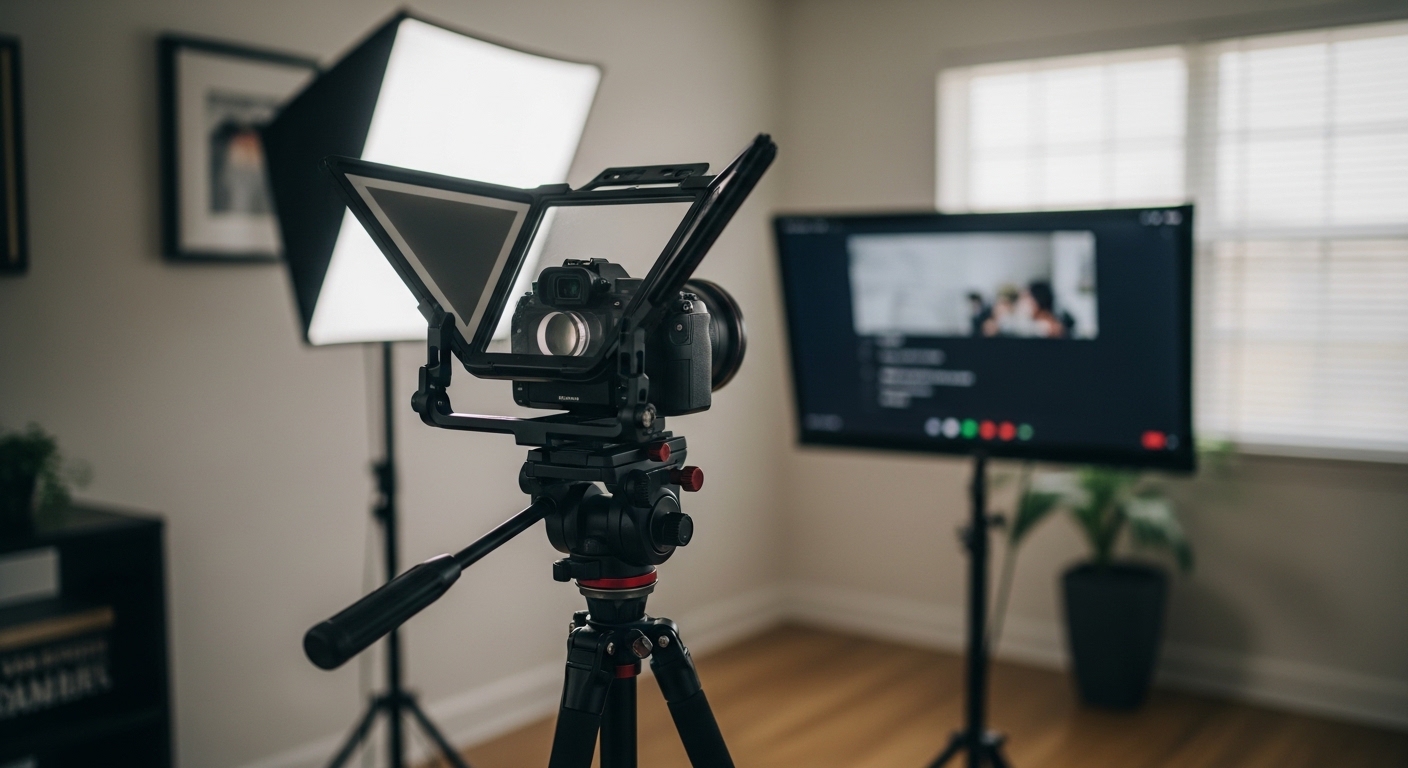
A teleprompter allows you to place the video feed of your meeting directly in front of your camera lens. You can see your coworkers while simultaneously looking directly into their eyes.
This setup transforms the quality of your communication and builds immediate trust. As we look toward the technical standards of 2026, having a professional presence is more important than ever before.
In this guide, we will explore every technical detail you need to consider. We will cover glass quality, mounting hardware, and the software required to run a seamless operation.
Understanding the Mechanics of a Teleprompter
A teleprompter works on the principle of a beam splitter. It uses a specialized piece of glass that is both reflective and transparent.
The glass is angled at forty five degrees in front of your camera lens. A screen placed below or above the glass reflects its image onto the surface for you to read.
Because the glass is transparent from the back, your camera can see right through it. Your audience never knows you are looking at a reflective glass surface instead of the lens itself.
This technology was once reserved for high budget newsrooms and television studios. Today, compact and affordable versions are available for home office use.
Choosing the right unit requires an understanding of how light interacts with these glass surfaces. You must balance the clarity of the reflection with the light transmission to your camera.
The Importance of Beam Splitter Ratios
The most critical component of any teleprompter is the glass quality. Most professional units use a seventy thirty ratio for their beam splitter glass.
This means seventy percent of the light passes through to the lens, while thirty percent is reflected toward your eyes. This ratio provides the perfect balance for clear visibility without darkening your video significantly.
Cheaper units might use a sixty forty ratio which reflects more light but makes your video darker. This requires you to increase your lighting or adjust your camera settings which can introduce digital noise.
Always prioritize high quality glass that features multi coated surfaces to prevent double images. This ensures the text or video feed remains sharp and easy to read during long calls.
How to Choose Teleprompter for Professional Video Calls: Size Matters
When searching for the best setup, you must consider the physical size of the unit. Small teleprompters are designed to clip directly onto your camera lens using adapter rings.
These are highly portable and work well for simple scripts or mobile setups. However, they may be too small to display a complex video call interface effectively.
For professional video calls, a larger glass surface is usually preferable. A larger prompter allows you to see the gallery view of your meeting software without squinting.
It also provides a wider field of view which prevents the prompter frame from appearing in your video. If you use a wide angle lens, a small prompter might cause unwanted dark corners in your image.
Consider the distance between your seat and the prompter. A ten inch or twelve inch screen is typically ideal for a standard desk depth.
Evaluating Mounting Systems and Stability
A teleprompter adds significant weight to your camera setup. You must ensure your current tripod or desk mount can handle the increased load capacity without wobbling.
Some teleprompters use a rail system that connects the camera and the prompter together. This design is very stable and allows for precise alignment of the lens with the glass.
Other models are designed to sit independently on a second stand. While this removes weight from your camera tripod, it can be difficult to align perfectly every morning.
Look for units that offer easy adjustments for height and tilt. This flexibility is vital for maintaining an ergonomic posture while you work.
Avoid mounts made entirely of thin plastic as they tend to vibrate when you type. Solid aluminum construction is the gold standard for long term durability in a home office.
Compatibility with Existing Camera Gear
Before purchasing, check the compatibility with your specific camera and lens. Most prompters use threaded adapter rings to attach to the front of a lens filter thread.
Ensure the kit includes the specific diameter for your lens, such as sixty seven or seventy seven millimeters. If you use a very large professional lens, you may need a prompter with a flexible fabric hood.
These hoods wrap around the lens rather than screwing onto it. This design is more universal and accommodates different lens lengths and sizes easily.
You should also verify if your camera has a flip out screen. Sometimes the prompter hardware can block your ability to see your own camera settings.
Display Options: Tablets versus Integrated Monitors
There are two primary ways to provide the image for your teleprompter. The most common method for home offices is using a tablet or smartphone.
You simply place your iPad or Android tablet into the cradle and use an app to mirror the screen. This is cost effective and uses hardware you likely already own.
The second option is a teleprompter with an integrated LCD monitor. These monitors connect directly to your computer via HDMI or USB C cables.
An integrated monitor is seen by your computer as a second or third display. This makes it much easier to drag your Zoom window or Teams interface directly onto the prompter glass.
While integrated monitors are more expensive, they offer a more seamless professional workflow. You do not have to worry about tablet battery life or wireless connection issues during a presentation.
Software and Control Mechanisms
To use a teleprompter for scripts, you need software that can flip the text horizontally. This is necessary because the glass creates a mirror image reflection of your screen.
If you are using it for video calls, your computer operating system needs to handle the mirroring. Some professional prompters have a hardware flip feature built into the monitor itself.
This is a major advantage because it allows you to mirror the image without using extra system resources. It also ensures that your mouse movements are intuitive rather than reversed.
Consider how you will control the speed of the text if you are reading a script. Many systems come with a Bluetooth remote control or a foot pedal.
These tools allow you to pace the text naturally without reaching for your keyboard. For live video calls, focus more on how easily you can see the faces of your participants.
Lighting and Reflection Challenges
Adding a piece of glass in front of your lens can sometimes cause internal reflections. This happens if light from your room enters the space between the lens and the glass.
A high quality light shroud or hood is essential to block out this stray light. You should also be careful with light sources located behind you.
Bright windows or lamps can reflect off the back of the prompter glass and into your eyes. This causes significant eye strain and makes it difficult to see the display clearly.
Position your studio lights to the side at a forty five degree angle. This provides excellent illumination for your face while minimizing direct glare on the prompter surface.
Ergonomics and Distance Considerations
The placement of your teleprompter affects your posture and eye comfort. If the prompter is too close, your eyes will noticeably move back and forth as you read.
This is known as eye scanning and it can look unnatural to your audience. Placing the unit slightly further away makes your eye movements less perceptible.
Ensure the center of the glass is at your direct eye level. Looking up or down at a prompter for hours can lead to chronic neck pain and fatigue.
You may need a dedicated monitor arm or a tall tripod to achieve the correct height. A proper ergonomic setup ensures you remain comfortable during back to back meetings.
Budgeting for Your Setup
Teleprompter prices vary wildly based on materials and features. Entry level models that use your smartphone are often very affordable and functional.
These are great for beginners who want to test the technology without a large investment. Mid range models for tablets offer better glass and more robust mounting hardware for serious users.
Professional grade units with built in high brightness monitors represent the highest cost tier. These are designed for daily use and offer the best visual clarity available today.
Consider the value of your professional image when deciding on a budget. A reliable setup that works every time is worth more than a cheap one that requires constant troubleshooting.
Pros and Cons of Professional Teleprompters
- Pro: Perfect eye contact during every single video call.
- Pro: Reduces the anxiety of memorizing long scripts or presentations.
- Pro: High quality glass maintains the sharpness of your video feed.
- Pro: Creates a highly authoritative and professional visual presence.
- Con: Adds significant bulk and weight to your desk setup.
- Con: Requires additional cables and power management.
- Con: Professional monitors can be an expensive initial investment.
- Con: Can be difficult to transport if you travel for work.
Final Verdict on Professional Video Call Setups
Investing in the right tools is the fastest way to upgrade your digital communication. Once you understand how to choose teleprompter for professional video calls, you can select a unit that fits your workflow perfectly.
Focus on glass quality and mounting stability as your primary concerns. These two factors will determine the overall video quality and the longevity of your equipment.
Whether you choose a tablet based system or a dedicated monitor, the impact on your meetings will be immediate. Your audience will feel more engaged and connected because you are looking directly at them.
In a world of remote work, these small technical details make a massive difference in your career. Take the time to set up your prompter correctly and enjoy the benefits of superior eye contact.
With the right hardware, your home office will rival the production quality of a professional broadcast studio. You are now ready to make an informed decision for your professional future.