

The Science of Typing and Performance
Selecting the right tools for your workspace often begins with the primary interface between your hands and the computer. Understanding how to choose mechanical keyboard switches for productivity is a journey into ergonomics and sensory feedback.
Most professionals spend several hours every day pressing keys to communicate or create code. The resistance and sound of those keys directly impact your long term typing stamina and focus.
A keyboard switch is more than just a plastic component under a keycap. It is a complex assembly of springs, stems, and housing materials that dictates the tactile experience of your work.
Choosing the wrong switch can lead to finger fatigue or accidental keystrokes. Conversely, the right choice can transform your writing speed and overall workplace satisfaction.
We will explore the different mechanical designs that exist today. This guide ensures you find the optimal balance between speed and comfort for your specific tasks.
The Three Primary Switch Categories
Mechanical switches generally fall into three distinct categories based on their internal design. These categories are linear, tactile, and clicky variants.
Linear switches offer a smooth and consistent press from the top to the bottom. They are favored by many for their predictable feel and lack of resistance.
Tactile switches provide a physical bump at the point where the key registers. This feedback allows you to know exactly when a keystroke is successful without bottoming out.
Clicky switches add an audible click to that physical bump for extra confirmation. While satisfying to some, they are often too loud for shared office environments.
For most productivity tasks, tactile switches are considered the gold standard. They provide sufficient feedback to reduce typing errors while remaining relatively quiet.
Linear switches are also excellent for fast typists who prefer a light touch. They allow for rapid movements across the layout with minimal effort.
Defining Actuation Force and Weight
One of the most important metrics to consider is the actuation force of the switch. This refers to the amount of pressure required to register a key press.
Force is measured in grams and usually ranges from thirty five to eighty grams. A lighter switch requires less effort but might cause accidental presses.
Heavy switches require more intent and strength from your fingers. They are great for preventing typos and errors during intense data entry sessions.
If you have a heavy hand, look for switches with a force above fifty five grams. This ensures your fingers do not accidentally activate keys while resting on them.
Lighter switches are ideal for those who type with a delicate touch. They help reduce muscle strain over a full eight hour shift.
Finding your preferred weight is a personal process that depends on your typing style. Some people prefer the resistance of a heavy spring to mimic old typewriters.
Understanding Bottom Out Force
Beyond the actuation point, there is the force required to reach the very bottom. This is known as the bottom out force and affects the overall feel.
A switch with a high bottom out force feels cushioned. This prevents a harsh impact against the keyboard plate which can hurt your joints.
Low bottom out forces might feel more crisp but can be taxing. Your fingers absorb more vibration every time you press a key fully down.
Many modern switches use progressive springs to create a softer landing. This is a premium feature that enhances comfort during long writing sessions.
- Light springs are best for high speed typing.
- Medium springs offer a balanced professional feel.
- Heavy springs prevent accidental key activations.
- Progressive springs protect your finger joints.
Travel Distance and Speed Metrics
Travel distance refers to how far the key moves vertically. Standard mechanical switches usually have a four millimeter total travel distance.
The actuation point is the specific depth where the signal is sent. This usually occurs around two millimeters into the press.
Speed switches reduce these distances to make the keyboard more responsive. They can register a press with as little as one millimeter of movement.
While speed switches are marketed for gaming, some professionals love them for rapid data entry. They require less physical movement for every character typed.
However, short travel can feel jarring if you are used to deeper keys. It may take time to adjust your muscle memory to the new depth.
Traditional travel distances provide a familiar and comfortable rhythm. This rhythm is essential for maintaining flow during creative writing or coding.
The Importance of Tactile Feedback
Tactile feedback is the physical sensation of a bump during the stroke. This bump informs your brain that the character is registered without looking at the screen.
This feedback loop is crucial for increasing your typing speed. It allows you to move faster to the next key once the bump is felt.
Without this bump, many people tend to press keys much harder than necessary. This habit of bottoming out causes unnecessary fatigue and noise.
Tactile bumps come in different shapes and sizes. Some are sharp and sudden, while others are rounded and smooth.
A large rounded bump can feel more natural for many users. It mimics the organic feel of high quality office equipment from the past.
Sharp bumps provide a more digital and precise feeling. These are excellent for precise technical work where every keystroke must be deliberate.
Acoustics and the Professional Environment
The sound of your keyboard affects your colleagues and your own concentration. Acoustic performance is a major factor when deciding on a switch type.
Clicky switches are generally discouraged in open offices. The high pitched noise can be very distracting to people working nearby.
Tactile and linear switches produce a deeper thud rather than a click. This sound is usually more acceptable in professional settings.
You should also consider the sound of the key returning to its original position. The top out sound can sometimes be louder than the initial press.
Premium switches often use better plastics to dampen these sounds. Using denser materials like nylon can create a deeper and quieter profile.
If you work in a quiet library or a shared bedroom, sound is paramount. Your choice must prioritize silence to maintain a peaceful environment for everyone.
The Rise of Silent Switches
Silent switches are a specific sub category designed for maximum noise reduction. They feature internal dampeners made of soft rubber or silicone.
These dampeners are located on the stem to cushion both the downward and upward strokes. They make mechanical keyboards virtually silent during use.
The trade off is often a slightly mushy feeling at the bottom. This lack of crispness might bother purists who love the mechanical feel.
However, modern silent switches have improved significantly in recent years. They now offer a smooth experience that rivals traditional non silenced options.
- Nylon housings produce a deep muted sound.
- Polycarbonate housings offer a higher pitched clack.
- Silicone dampeners reduce the noise of impacts.
- Factory lubrication further eliminates scratchy sounds.
Material Science in Switch Construction
The materials used for the housing and stem change the friction levels. Low friction results in a smoother typing experience for the user.
Most standard switches use a plastic called POM for the stem. POM is self lubricating and becomes smoother as you use it more often.
Housings can be made of polycarbonate, nylon, or various blends. Each material has a different impact on the vibration and sound of the key.
Nylon is softer and tends to absorb more vibration. This results in a softer touch that is very comfortable for all day typing.
Polycarbonate is harder and clearer, allowing for better light transmission. It produces a more rigid and precise feel during the keystroke.
Blended materials are becoming popular to get the best of both worlds. Manufacturers are constantly innovating with exotic plastics to improve the typing feel.
Lubrication and the Quest for Smoothness
Friction is the enemy of a productive and comfortable typing experience. Lubricating your switches can drastically reduce the resistance felt during a press.
Many premium switches now come factory lubricated from the manufacturer. This saves time and ensures a consistent feel across the entire board.
Lubrication also removes the scratchy sound of plastic rubbing against plastic. It creates a buttery smooth sensation that is highly addictive to type on.
If you choose unlubricated switches, you may find them a bit rough at first. They often require a break in period of several weeks to feel optimal.
Applying lubricant manually is a very time consuming task. For most productivity users, buying pre lubricated options is the most efficient choice.
Smooth switches mean your fingers encounter less resistance with every word. This leads to improved speed and significantly less fatigue over time.
Choosing the Right Lubricant Type
Different lubricants are used for different types of switches. Thin oils are usually best for clicky switches to maintain their sound.
Thick greases are preferred for linear and tactile switches. They provide the maximum dampening and smoothness for these categories.
Properly applied grease can also eliminate the spring ping sound. Spring ping is a metallic ring that can be very annoying during quiet work.
Checking reviews for factory lubrication quality is a smart move. Not all pre applied lubricants are created equal in the current market.
Switch Longevity and Durability
Mechanical switches are famous for their incredible durability and long life. Most are rated for fifty million to one hundred million keystrokes.
This is far superior to standard membrane keyboards found in most offices. Investing in a mechanical board is a long term play for your productivity.
The gold plated contacts inside the switch prevent corrosion over time. This ensures reliable performance even in humid or dusty environments.
If a single switch fails, it can often be replaced individually. This is more sustainable than replacing the entire keyboard assembly.
High quality materials also mean the feel of the switch stays consistent. Cheap keyboards often become mushy after just a year of heavy use.
Choosing a reputable manufacturer ensures you get the durability you pay for. Quality control is essential for maintaining a professional tool for years.
Ergonomics and Finger Health
Typing should not be a painful experience for your hands or wrists. The ergonomic impact of your switch choice cannot be overstated.
Heavy switches can lead to Repetitive Strain Injury if you are not careful. They require more muscle engagement which can strain the tendons over time.
On the other hand, extremely light switches can cause you to bottom out hard. This repetitive impact is also bad for your finger joints and nerves.
A medium weight switch is usually the safest bet for most people. It provides enough resistance to cushion your fingers without being too taxing.
The height of the switch also plays a role in ergonomics. Low profile switches allow for a flatter wrist angle during your workday.
Pairing your switches with a good wrist rest is always recommended. This completes the system for a truly healthy typing environment.
The Role of Optical and Magnetic Switches
Newer technologies like optical and magnetic switches are entering the market. They use light or magnets instead of physical metal contacts.
This design eliminates physical wear and tear on the electrical parts. It allows for unprecedented durability and speed in high volume environments.
Magnetic switches also allow you to change the actuation point in software. You can customize the depth for different tasks throughout your day.
You might want a shallow press for gaming and a deep press for writing. This versatility is a major advantage for modern multi tasking professionals.
- Optical switches offer extreme speed and reliability.
- Magnetic switches provide adjustable actuation depths.
- Both technologies eliminate metal contact degradation.
- These are often found in premium professional keyboards.
Productivity and Speed Considerations
Typing speed is often the primary goal for many office workers. Knowing how to choose mechanical keyboard switches for productivity involves testing your speed on different types.
Tactile switches often lead to the highest accuracy for touch typists. The bump confirms the input so you can move on immediately.
Linear switches can be faster for some because there is no resistance. However, the lack of feedback can lead to more typos for certain users.
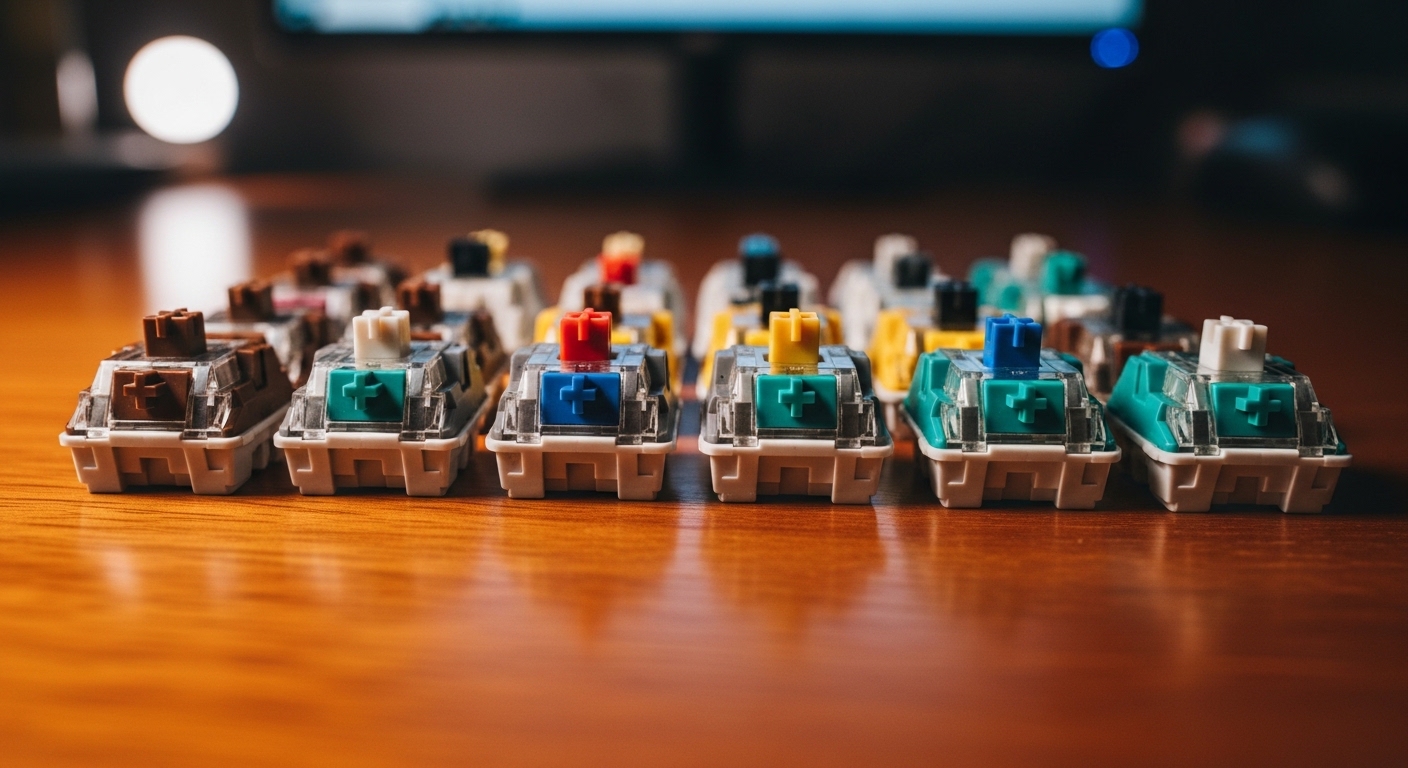
Testing a few different types with a switch tester is a great idea. A tester is a small tool with several different switches to try before buying.
Consider the type of work you do most often. If you write long reports, comfort and feedback should be your main priorities.
If you are a programmer, the accuracy of your symbol keys is vital. A switch that prevents double taps is very beneficial for coding.
Budget and Value for Professionals
While premium switches can be expensive, they offer great value over time. A reliable keyboard is one of the best investments for a home office.
Budget switches have improved significantly and offer a great starting point. You can find excellent clones of famous designs for a fraction of the price.
However, cheaper switches may have less consistent spring weights. This inconsistency can be distracting when moving between different keys.
Spending a bit more for high quality housing and springs is worth it. It ensures a uniform feel across the entire typing surface of your board.
Hot swappable keyboards allow you to change switches without soldering anything. This is a cost effective way to try new styles in the future.
In the year 2026, we expect even more specialized options for productivity. Staying informed about these trends will help you maintain an edge.
Maintenance and Cleaning for Longevity
Dust and debris are the enemies of mechanical keyboard switches. Keeping your workspace clean will extend the life of your expensive equipment.
Using a compressed air canister once a month is a good habit. It removes particles that might get inside the switch housing and cause friction.
If a switch becomes sticky, it can usually be cleaned with alcohol. Being proactive with care ensures your productivity never takes a hit.
Keycaps should also be removed and washed periodically. Clean caps feel better and enhance the grip during fast typing sessions.
Final Thoughts on Switch Selection
The journey to find the perfect typing experience is deeply personal. What works for a professional writer might not suit a developer or an analyst.
Start by identifying whether you prefer a smooth or a bumpy feel. This initial decision will narrow down your choices by fifty percent immediately.
Next, consider your working environment and the noise you can tolerate. Silent options are wonderful but they do change the tactile sensation.
Do not be afraid to experiment with different spring weights over time. Your finger strength and preference might change as you type more frequently.
A mechanical keyboard is a tool that should serve you for many years. Choosing the right internal components is the key to unlocking your full potential.
By understanding how to choose mechanical keyboard switches for productivity, you are investing in your own comfort. A better keyboard leads to a better workday every single time you sit down.