

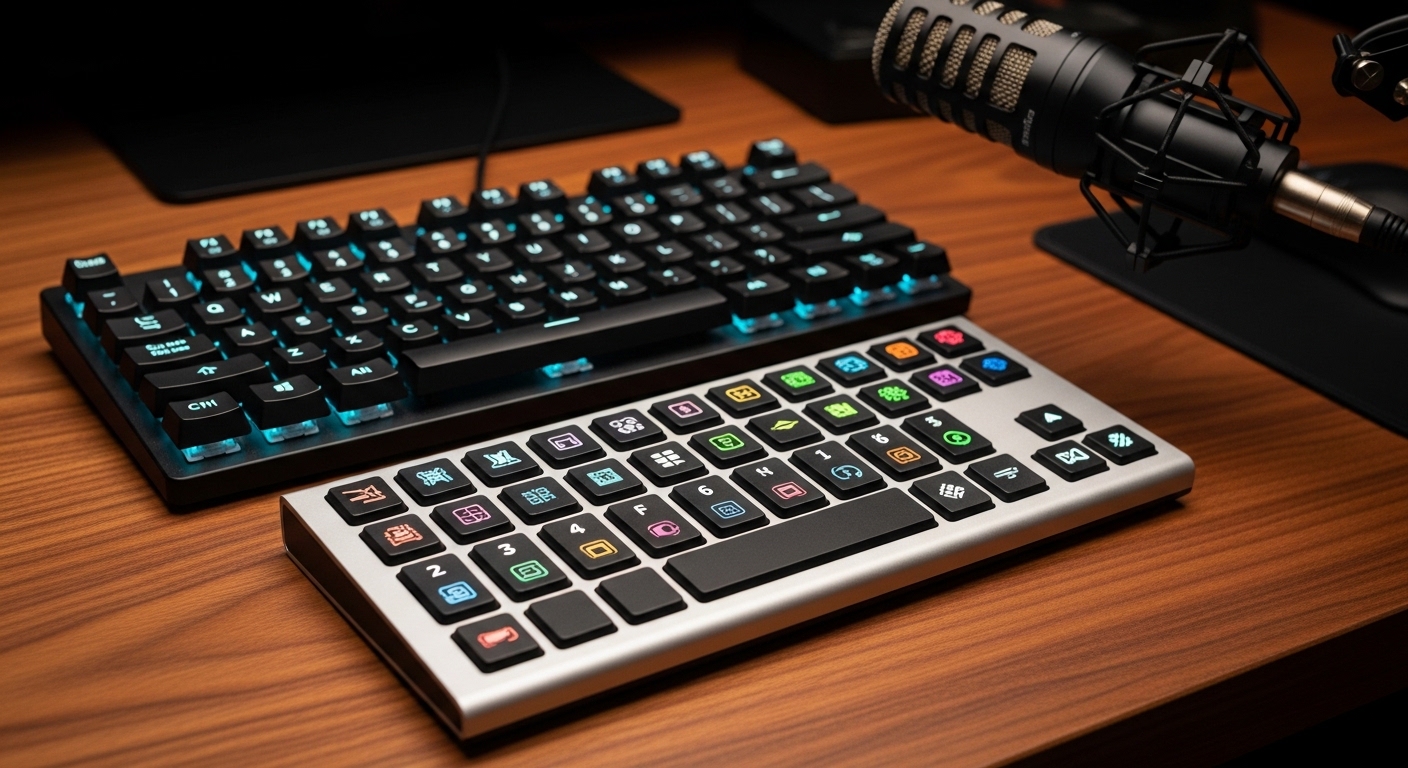
Enhancing Your Workflow with Dedicated Macro Hardware
Modern professionals often find themselves trapped in a cycle of repetitive digital tasks that drain cognitive energy. Whether you are toggling between spreadsheet tabs or launching complex software sequences, the constant movement of your hands across standard keyboards and mouse devices creates friction.
This friction accumulates over hours and leads to mental fatigue and physical strain. The science of human computer interaction suggests that reducing the number of steps to complete a task directly improves focus and output quality.
Programmable macro pads serve as the ultimate remedy for these workflow bottlenecks by providing dedicated tactile triggers for complex actions. These devices allow you to map multi step commands to a single physical button press.
By moving frequent operations away from deep menu structures and onto a standalone interface, you preserve your mental bandwidth for creative problem solving. This transition from abstract shortcuts to physical buttons creates a more intuitive and satisfying tactile experience for any remote worker.
The Evolution of Desktop Automation
Early automation relied heavily on software scripts that were often difficult to manage or remember. Today, the best programmable macro pads for home office productivity combine robust software with high quality hardware that sits comfortably within your reach.
These tools are no longer reserved for niche gamers or elite video editors. They have become essential components for developers, accountants, and creative directors who value every second of their workday.
Quick Buying Guide
When selecting the right macro pad, you must first evaluate the type of switches and feedback you prefer. Mechanical switches offer a tactile click that provides immediate confirmation of an input, which is vital for high speed data entry.
Alternatively, some devices use membrane or touch sensitive surfaces that operate silently. Consider your office environment and whether loud clicking sounds will disturb your focus or interrupt professional video calls.
The software ecosystem is the second most critical factor in your decision making process. Some macro pads come with extensive plugin libraries that integrate directly with popular apps like Excel, Zoom, or Photoshop.
Software Integration and Customization
Other units are more generic and require you to record your own keystrokes or scripts. If you are not tech savvy, look for products that offer a visual drag and drop interface for easy configuration.
Finally, consider the physical footprint and ergonomics of the device on your desk. A pad with an angled stand or a built in palm rest will prevent wrist fatigue during long sessions of intensive work.
Ensure the device uses a detachable cable or a reliable wireless connection to keep your workspace organized and free of clutter. Portability may also be a factor if you frequently move between a dedicated home office and a co working space.
The 8 Best Programmable Macro Pads for Home Office Productivity
We have carefully selected these eight devices based on their build quality, software versatility, and overall value for professional users.
1. Elgato Stream Deck MK.2
The Elgato Stream Deck MK.2 features fifteen customizable LCD keys that can display vibrant icons for any function. The build quality feels incredibly solid with a faceplate that is both removable and interchangeable for aesthetic customization.
Its weighted stand ensures the device remains stable even when you are tapping buttons with significant force. This model is widely considered the gold standard for desktop automation due to its premium aesthetic and tactile feedback.
The performance of the Stream Deck MK.2 is driven by its massive ecosystem of plugins and pre built profiles. Users can create folders within the device to store an almost infinite number of macros for different applications.
This product is ideal for power users who want a visual representation of their shortcuts. It simplifies complex tasks like launching several programs at once or controlling smart home lighting with a single touch.

Maximizing Visual Feedback
Visual cues on each button mean you never have to memorize which key performs which action. This reduces the learning curve significantly compared to blank mechanical pads.
2. Razer Tartarus V2
The Razer Tartarus V2 offers thirty two fully programmable keys in an ergonomic form factor that includes a padded palm rest. The design is intended to cradle your hand in a natural position to reduce the risk of repetitive strain injuries.
The mecha membrane keys provide a soft cushioned touch with a crisp mechanical click for tactile feedback. This hybrid approach offers the best of both worlds for those who find traditional mechanical switches too jarring.
Technically, the Tartarus V2 stands out because of its eight way directional thumbpad. This thumbpad can be used for scrolling through long documents or as a modifier to switch between different key maps instantly.
The Razer Synapse software allows for deep macro recording and lighting customization that syncs with other peripherals. It is best for users who perform heavy data entry or those who need a high number of keys without looking at their hands.

Ergonomics for Long Hours
The adjustable palm rest ensures that users with different hand sizes can reach every button comfortably. This focus on ergonomics makes it a top choice for writers and developers.
3. Loupedeck Live S
The Loupedeck Live S is a compact and elegant device featuring a mix of touch sensitive buttons and physical analog dials. The build is slim and modern, fitting perfectly next to premium laptops or minimalist keyboard setups.
The touch buttons provide haptic feedback, while the dials offer a smooth rotation that is perfect for fine adjustments. It feels like a professional studio controller shrunk down for the average desk.
In terms of performance, the analog dials are the star of the show. They allow you to control system volume, brush sizes in design software, or timeline scrubbing with incredible precision.
This macro pad is best for creative professionals who need granular control over sliders and settings. The software comes with native integrations for a wide variety of productivity tools and creative suites.

Analog Control for Digital Tasks
Dials provide a level of control that standard buttons simply cannot match. This makes the Loupedeck a unique tool for those who work with audio or video content.
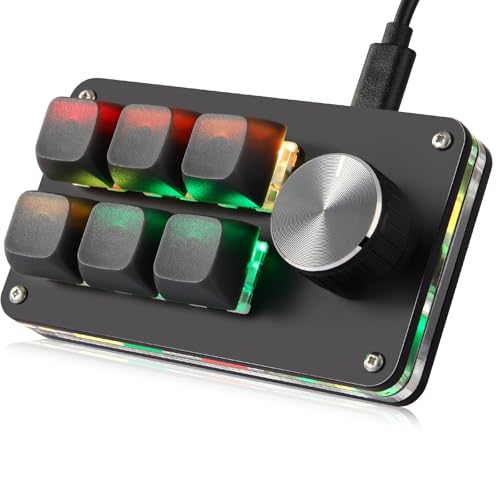
4. Koolertron One Handed Programmable Mechanical Keypad
The Koolertron keypad features twenty three traditional mechanical keys in a grid layout. The build is straightforward and utilitarian, focusing on durability and the satisfying feel of genuine mechanical switches.
It often comes with Cherry MX compatible switches, allowing you to swap out keycaps to suit your personal style. The keys are blank by default, which encourages the use of custom labels or stickers for organization.
The technical performance is impressive because it features onboard memory. This means you can program the macros once and they will work on any computer without needing to install software again.
This device is best for technicians or IT professionals who move between multiple machines. The four layers of programming allow you to store up to eighty eight different macros on a single small unit.
Durability and Portability
The lack of required software after the initial setup makes this a very reliable tool. It is a workhorse designed for those who value function over flashy aesthetics.
5. X-keys XK-24 Programmable Keypad
The X-keys XK-24 is an industrial grade macro pad with twenty four transparent keycaps. These clear caps allow you to print and insert your own labels, making the device highly specialized for specific professional tasks.
The frame is rugged and designed to withstand millions of presses in demanding environments. It lacks the RGB lighting of consumer products but offers a level of reliability that is unmatched in its class.
Performance is handled via the MacroWorks software, which supports complex scripting and even mouse devices emulation. The keys can be triggered by different actions like a short press or a long hold for added functionality.
This keypad is best for medical professionals, laboratory workers, or anyone requiring a highly specific and labeled interface. Its versatility in labeling makes it easy for teams to share a workstation without confusion.

Industrial Reliability for the Office
When your workflow cannot afford a hardware failure, industrial grade components are necessary. The X-keys provides that peace of mind for mission critical operations.
6. Blackmagic Design DaVinci Resolve Speed Editor
The DaVinci Resolve Speed Editor is a specialized macro pad that features a large, weighted search dial made of machined metal. The build quality is exceptional, featuring professional grade buttons that feel like they belong in a high end broadcast studio.
The keys are grouped by function, allowing for a muscle memory driven editing experience that is significantly faster than using standard mouses. It communicates via Bluetooth or USB C for maximum flexibility.
Technically, this device is built to integrate deeply with the DaVinci Resolve software suite. The search dial provides frame accurate navigation through video timelines, which is a massive productivity boost for editors.
While it is niche, it is the best programmable macro pad for anyone whose work involves video content. It includes a license for the professional version of the software, adding significant value to the purchase.

Precision Engineering
The weighted dial has a clutch mechanism that allows it to spin freely or move with clicks. This tactile variety is a masterclass in hardware design for specific workflows.
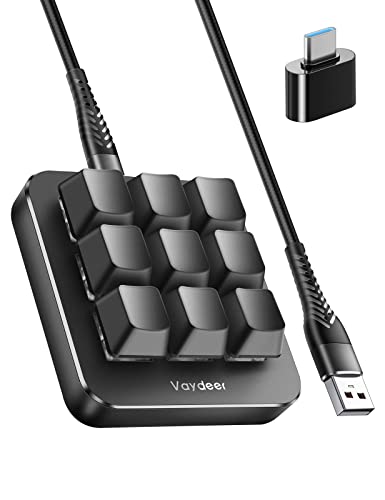
7. Vaydeer One-Handed Mechanical Keyboard Support
The Vaydeer one handed mechanical keyboard features nine fully customizable keys and two rotary knobs to improve office productivity. This compact device connects via a stable USB connection and supports complex macro commands for increased efficiency during repetitive tasks.
Users can easily program various shortcuts to the mechanical switches while the sturdy aluminum construction ensures excellent durability. It remains a top choice among the best programmable macro pads for individuals seeking dedicated hardware controls on their desktop.
High Definition Customization
The ability to see exactly what a button does through a high resolution screen eliminates guesswork. This leads to a much faster adoption of the tool into your daily habits.
8. Cooler Master ControlPad
The Cooler Master ControlPad features twenty four mechanical keys using unique Aimpad technology. This technology allows the keys to sense how far down they are being pressed, similar to an analog trigger on a controller.
The build includes a high quality wrist rest and a brushed aluminum top plate that looks professional on any desk. Two precision scroll wheels are located at the top for additional control options.
Performance wise, the pressure sensitivity allows for unique macros that change based on your touch. You could press a key lightly to scroll slowly and press it harder to speed up the scroll rate.
This pad is best for power users and enthusiasts who want to experiment with analog inputs in their productivity apps. It bridges the gap between a standard mechanical keyboard and a high precision instrument.

Analog Pressure Sensing
Having keys that respond to the depth of your press opens up a new dimension of efficiency. This is particularly useful for zooming in and out of complex design files or spreadsheets.
Comparison
Choosing the right macro pad requires a side by side look at how they fit into your specific work habits and budget constraints.
| Product Name | Key Feature | Best For | Price Range |
|---|---|---|---|
| Elgato Stream Deck MK.2 | 15 LCD Keys | Visual Shortcuts | Mid Range |
| Razer Tartarus V2 | Ergonomic Palm Rest | Comfort & Data Entry | Affordable |
| Loupedeck Live S | Touch & Analog Dials | Creative Editing | Premium |
| Koolertron Mechanical | Onboard Memory | Mobile Tech Use | Affordable |
| X-keys XK-24 | Clear Label Caps | Industrial Use | Mid Range |
| Blackmagic Speed Editor | Machined Jog Dial | Video Production | Premium |
| Mountain DisplayPad | Aluminum Chassis | Premium Aesthetics | Mid Range |
| Cooler Master ControlPad | Pressure Sensitivity | Technical Enthusiasts | Mid Range |
Final Verdict
After analyzing the technical specifications and real world performance of these devices, the Elgato Stream Deck MK.2 remains the overall best choice for most home office users. Its combination of visual feedback, an expansive plugin library, and consistent software updates makes it the most versatile tool for professional automation.
The ease with which you can customize icons ensures that the device grows with your changing workflow needs over the years. If you are looking to make a significant leap in your output by the end of 2026, this is the hardware investment that will provide the highest return on your time.
For those who prioritize ergonomics and silent operation, the Razer Tartarus V2 is a formidable runner up that provides exceptional value. Ultimately, the best programmable macro pads for home office productivity are those that you actually enjoy using every single day.