

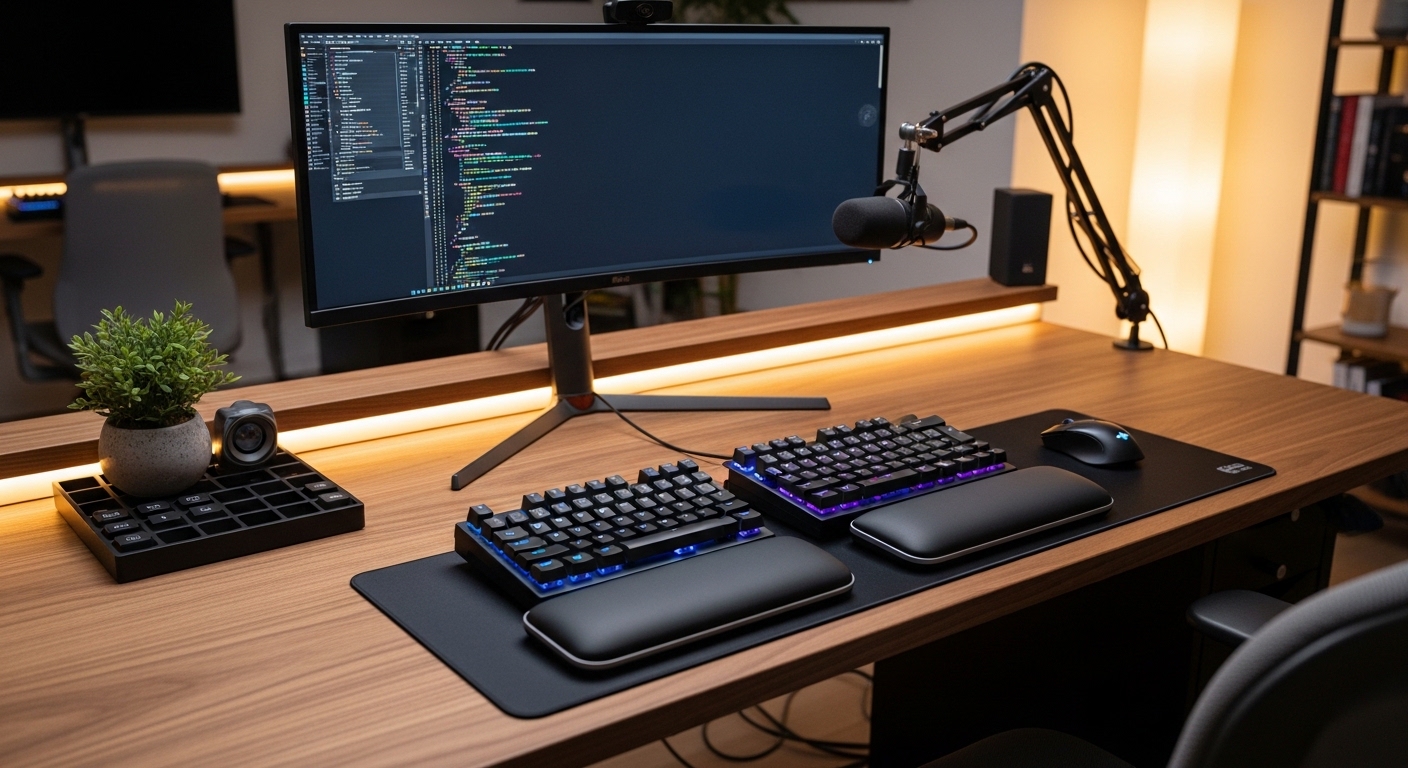
The Science of Desktop Comfort
Modern professionals often spend over eight hours every day typing on traditional keyboards that force the human body into unnatural positions. This standard flat design requires your wrists to bend outward towards the pinky side, a condition medically known as ulnar deviation.
When you maintain this posture for years, it leads to significant strain on the tendons and nerves passing through your carpal tunnel. The resulting pain can drastically reduce your professional output and overall quality of life.
Forearm pronation represents another major physiological hurdle for office workers because flat keyboards require your palms to face the floor completely. This rotation crosses the two bones in your forearm, which increases muscular tension and prevents blood flow.
Ergonomic split keyboards solve this specific issue by allowing your hands to rest at a more natural, vertical angle. By separating the keyboard into two distinct modules, you can align each half with your shoulders to promote a neutral posture.
Understanding Shoulder Alignment
Traditional keyboards force your shoulders to collapse inward, which often leads to chronic back pain and poor breathing habits. A split design allows you to open your chest and sit back properly in your ergonomic chair.
This physical expansion reduces the load on your upper trapezius muscles and prevents the common hunched posture seen in many remote workers. Investing in the best ergonomic split keyboards for home office productivity is ultimately an investment in your sustained professional longevity.
Quick Buying Guide
Before you purchase a new split keyboard, you must evaluate the specific degree of adjustability that your workstation requires. Some models offer a fixed split, while others provide two completely independent halves connected by a flexible bridge cable.
Independent halves offer the most freedom because you can place other equipment, such as mouse devices or microphones, directly between the two modules. This layout ensures that your arms remain parallel throughout the entire workday.
You should also prioritize keyboards that feature integrated tenting mechanisms to elevate the inner edge of each module. Adjustable tenting allows you to find the perfect angle that matches the natural resting slope of your hands.
Look for hardware that supports high degrees of tilt, as even a small increase in angle can significantly reduce forearm pressure. The ability to customize this angle is vital as your ergonomic needs might change over time.
Firmware and Customization Features
Productivity is not just about physical comfort but also about how quickly you can interact with your digital environment. Many premium split keyboards include programmable firmware that allows you to remap every single key to your liking.
This allows you to move frequently used keys like Backspace or Enter to your stronger thumbs rather than your weaker pinky fingers. Reducing the distance your fingers must travel will result in faster typing speeds and less physical fatigue by the end of the day.
The 8 Best ergonomic split keyboards for home office productivity
The following selection represents the absolute pinnacle of ergonomic design and engineering currently available for modern home offices.
1. Kinesis Advantage360 Professional
The Kinesis Advantage360 Professional is widely considered the gold standard for enthusiasts seeking the ultimate ergonomic experience in a home lab. It features a unique contoured key well design that mimics the natural shape and varying lengths of your fingers.
The build quality is exceptionally sturdy, utilizing heavy duty plastics and a robust linking mechanism that feels premium on any desk surface. This professional model eliminates the need for cluttered cables by utilizing wireless Bluetooth connectivity for both halves.
The technical performance is powered by the ZMK engine, which provides world class customization for power users who need complex macros. The integrated thumb clusters move the most common keys away from the pinkies to reduce repetitive strain during long coding or writing sessions.
This keyboard is ideal for users who are already experiencing significant hand pain and need a radical solution to stay productive. While the learning curve is quite steep, the long term health benefits and speed gains are worth the initial frustration.

Optimizing Your Key Layout
Customizing your layers is essential when using a contoured keyboard to ensure your most used tools are always within reach. This software driven efficiency is what separates elite keyboards from basic office peripherals.
2. Arteck Split Ergonomic Keyboard with
The Arteck Split Ergonomic Keyboard with its wireless design remains a top choice for home office productivity and user comfort. This model features a curved key layout and a cushioned palm rest to promote a natural typing position.
The hardware includes a built in rechargeable battery that lasts for several months after a single full charge. Its thin profile and low profile keys make it a budget friendly solution for users wanting to improve their desk ergonomics.

3. Logitech Ergo K860
The Logitech Ergo K860 offers a more accessible approach to ergonomics by utilizing a fixed split design on a single chassis. The curved frame is designed to support a natural typing posture while providing a familiar layout for those transitioning from standard keyboards.
It features a luxurious three layer wrist rest covered in durable fabric that provides excellent support for your palms. The sloping design reduces muscle strain in the wrists by encouraging a more neutral arm position during heavy typing.
Technically, the K860 shines with its ability to pair with three different devices and switch between them at the press of a button. The keys use a scissor switch mechanism that provides a quiet and tactile experience suitable for shared home offices.
This product is the best choice for general office workers who want immediate comfort without a difficult learning period. It balances affordability and performance while maintaining the high build standards expected from a major brand like Logitech.

The Importance of Palm Support
A high quality palm rest ensures that your wrists stay in a straight line rather than bending upwards. This neutral wrist alignment is the primary defense against developing carpal tunnel syndrome in the year 2026.
4. Cloud Nine C989 ErgoFS
The Cloud Nine C989 ErgoFS is a massive mechanical keyboard designed for users who refuse to compromise on features or size. It includes a full number pad on the right side, which is a rare find in the world of ergonomic split keyboards.
The build is substantial and includes a very large, integrated palm rest that provides support across the entire front of the device. The dedicated macro keys on the left side allow for quick execution of complex shortcuts with a single tap.
Technical performance is enhanced by the use of genuine Cherry MX mechanical switches, ensuring a lifespan of tens of millions of keystrokes. The central control wheel provides a tactile way to manage volume or scroll through long documents quickly.
This keyboard is perfect for financial analysts or data entry specialists who require a numpad for their daily tasks. It offers a comprehensive feature set that satisfies both gaming and high level productivity requirements simultaneously.

5. Mistel BAROCCO MD770
The Mistel BAROCCO MD770 is a compact 75 percent layout keyboard that focuses on portability and a clean desktop footprint. It features a split chassis that can be joined together to look like a standard keyboard or separated for ergonomic benefits.
The keycaps are made from high quality PBT plastic, which resists the oily shine that typically develops on cheaper keyboards over time. The solid construction ensures there is no flex or creaking during intense typing sessions.
It supports hardware level programming, meaning you can save your custom layouts and macros directly to the keyboard memory. This makes it an excellent travel companion for professionals who move between a home office and a corporate headquarters.
This keyboard is best for minimalists who want a mechanical split experience without taking up too much desk space. It provides essential ergonomic features in a package that fits easily into a standard laptop bag.

Maximizing Desk Space
A smaller keyboard allows you to keep your mouse devices closer to your center of mass. This proximity reduces the amount of reaching your shoulder must do, further protecting your rotator cuff from strain.
6. Kinesis Freestyle Pro
The Kinesis Freestyle Pro is a versatile workhorse that prioritizes flexibility through its long connecting cable between the halves. You can separate the modules by up to twenty inches, allowing for extreme shoulder widths or the placement of flight sticks in between.
The layout is very close to a standard keyboard, which makes it one of the easiest split keyboards to learn. It uses tactile mechanical switches that provide clear feedback without being loud enough to disturb others in your home.
The SmartSet Programming Engine allows for simple remapping without the need for specialized drivers or complicated software installations. You can quickly toggle between Windows and Mac layouts using dedicated onboard buttons.
This model is the ideal choice for people who want a split keyboard that feels familiar but offers professional grade adjustability. It is a reliable tool for writers and editors who spend their entire day generating high volumes of text.

7. Perixx PERIBOARD 512
The Perixx PERIBOARD 512 is a classic entry in the ergonomic world, offering a curved 3D layout at a very competitive price point. It uses a winged design that naturally splits the keys and angles them to match the forearm position.
The build features an integrated palm rest and a tactile membrane key system that is surprisingly comfortable for long periods. The large footprint provides a stable platform that does not slide around during heavy typing bursts.
While it lacks the deep programmability of mechanical units, it includes several multimedia hotkeys for controlling your music and system functions. It is a simple, effective solution that follows the time tested ergonomic principles established decades ago.
This keyboard is best for students or home office users on a strict budget who still want to protect their wrists. It provides a significant ergonomic upgrade over the flat keyboards that typically come bundled with new desktop computers.

8. Matias Ergo Pro
The Matias Ergo Pro stands out in the market due to its focus on providing a quiet typing experience without sacrificing tactile feel. It uses Matias Quiet Click switches, which are specifically engineered to be as silent as possible for shared environments.
The design includes four separate leg attachments that allow for both tenting and a negative tilt to further reduce wrist extension. The gel palm supports are exceptionally soft and can be removed if you prefer to use your own pads.
It features a high speed USB 2.0 hub, allowing you to connect other peripherals like mouse devices or flash drives directly to the keyboard. The navigation keys are arranged in a unique cluster to keep the overall width of the device manageable.
This keyboard is the top pick for professionals working in open spaces or those who participate in frequent video calls. It offers premium adjustability while ensuring that your typing does not become a distraction for your colleagues or family members.

Comparison
Comparing these keyboards helps highlight the trade offs between pure ergonomic adjustability, ease of use, and specialized features like mechanical switches.
| Product Name | Key Feature | Best For | Price Range |
|---|---|---|---|
| Kinesis Advantage360 Professional | Contoured Wells | Extreme RSI Relief | Premium |
| ZSA Moonlander Mark I | Columnar Layout | Software Developers | Premium |
| Logitech Ergo K860 | Curved Chassis | General Productivity | Mid Range |
| Cloud Nine C989 ErgoFS | Integrated Numpad | Data Entry | Mid Range |
| Mistel BAROCCO MD770 | 75% Compact Split | Minimalist Desks | Mid Range |
| Kinesis Freestyle Pro | Adjustable Split | Office Transition | Mid Range |
| Perixx PERIBOARD 512 | Fixed 3D Curve | Budget Users | Affordable |
| Matias Ergo Pro | Quiet Switches | Shared Offices | Premium |
Final Verdict
After a comprehensive evaluation of the best ergonomic split keyboards for home office productivity, the Kinesis Advantage360 Professional emerges as the definitive choice for the ultimate ergonomic setup. Its radical contoured design and advanced thumb clusters provide a level of physical relief that standard flat or even basic split keyboards simply cannot match. While the wireless connectivity and ZMK firmware require an initial investment of time to master, the resulting reduction in strain and increase in typing efficiency are unparalleled in the industry.
For users who find the Advantage360 too intimidating, the ZSA Moonlander Mark I is a phenomenal alternative that offers a more modern aesthetic and easier configuration software. It provides a perfect balance of high end mechanical hardware and extreme adjustability that will serve any professional for many years to come. Choosing either of these premium devices will fundamentally transform your relationship with your workstation and protect your long term physical health while you work from home.