

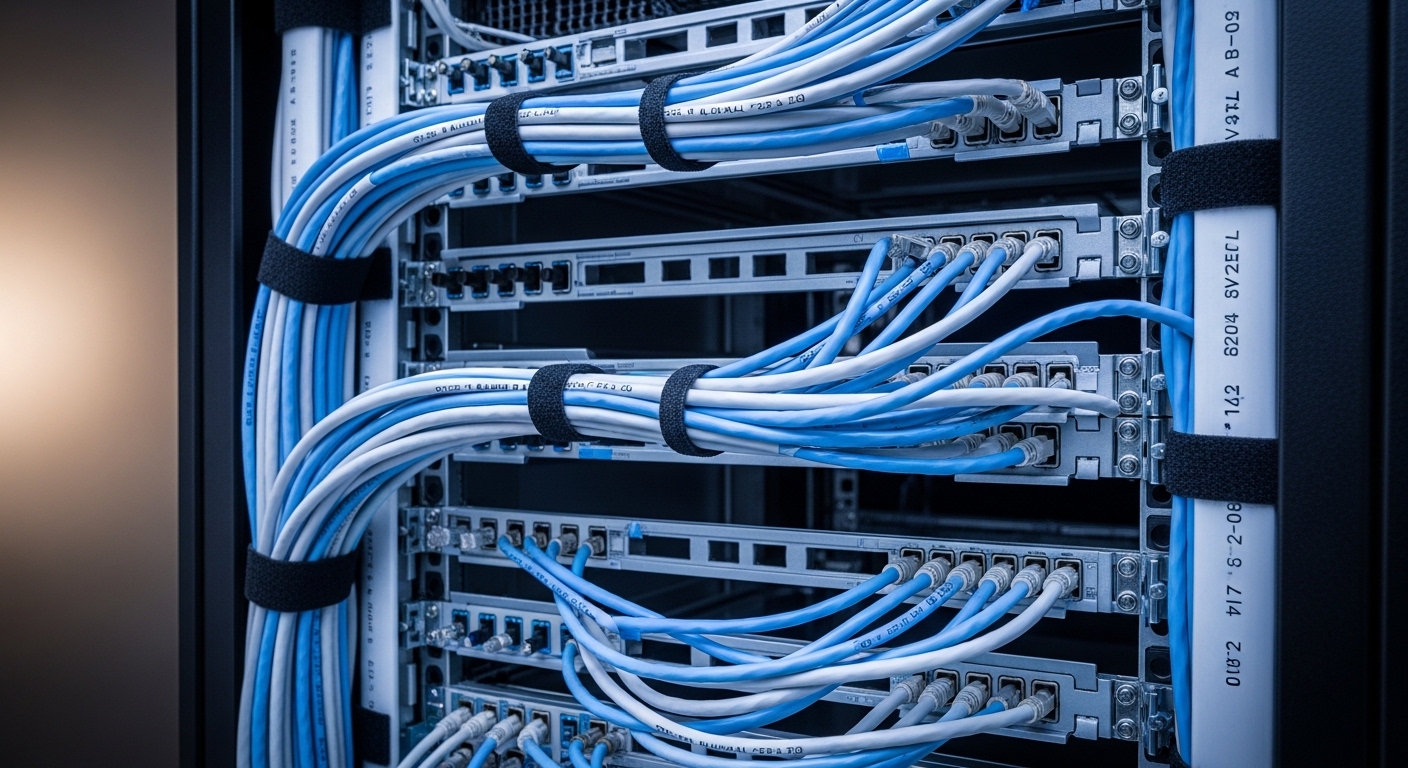
The Foundation of Professional Rack Management
Maintaining an orderly environment within your server enclosure is a fundamental skill for any IT professional or enthusiast. When you learn how to organize cables in a server rack, you elevate the reliability of your entire network infrastructure.
A disorganized mess of wires, often called spaghetti cabling, creates physical barriers for airflow. This obstruction forces fans to work harder and can significantly shorten the lifespan of your expensive hardware components.
Clear organization facilitates faster troubleshooting during critical outages. You can quickly trace a specific connection without digging through a tangled web of redundant wires.
Properly routed cables also prevent accidental disconnections when you are performing maintenance on adjacent hardware. A clean setup reflects a high level of professional standards and technical discipline in your home office or data center.
The Strategic Planning Phase
Success begins long before you plug in the first ethernet cord. You must create a detailed logical network map that outlines every single connection required for your setup.
Measure the distances between your components with precision. Using cables that are exactly the right length prevents the accumulation of excess slack that clutters the rack space.
Consider the placement of your patch panels in relation to your switches. Placing a switch between two patch panels often allows for shorter patch cords and a much cleaner aesthetic.
Inventory your equipment to determine the number of power and data connections needed. This preparation ensures you have enough cable management accessories on hand before you start the physical installation.
Implementing a Color Coding System
Color coding is one of the most effective ways to categorize network traffic at a glance. You should assign specific colors to different functions such as external internet uplinks or internal storage networks.
For example, blue cables might represent standard workstation data while red indicates critical server connections. This visual shorthand saves precious time when you are trying to identify a specific segment of the network.
Consistency is the most important factor in any color scheme you choose. Document your color choices in a central guide so that any future changes follow the same established pattern.
- Blue for general data and local area network traffic
- Red for management ports and critical infrastructure
- Yellow for fiber optic connections and high speed links
- Green for security cameras or secondary peripheral devices
- White for temporary connections or guest network access
Essential Cable Management Tools
To achieve a professional look, you need the right hardware for securing and routing your wires. Hook and loop fasteners, commonly known as velcro, are the gold standard for securing bundles in a server rack.
Unlike plastic zip ties, velcro straps are reusable and do not put excessive pressure on the delicate copper strands inside the cables. You can easily add or remove wires from a bundle without cutting anything or risking damage.
Horizontal cable managers are installed between rack units to provide a path for wires to travel across the width of the rack. They often feature finger ducts that hide the cables while keeping them organized and accessible.
Vertical cable managers run along the sides of the rack to handle the transition between different heights. These are essential for large scale deployments where hundreds of cables must travel from top to bottom.
The Role of Patch Panels
Patch panels act as the central nervous system of your server rack. They provide a fixed point for permanent building wiring to terminate, protecting the delicate ports on your expensive switches.
Using patch panels allows you to use short, uniform patch cords for the final connection. This creates a neat appearance and makes it much easier to move connections between different switch ports.
Choose high density patch panels if you are working in a confined space. These units pack more ports into a single rack unit, allowing you to maximize the capacity of your vertical real estate.
- Reduces wear and tear on active equipment ports
- Simplifies the process of labeling and identification
- Creates a structured bridge between fixed and mobile wiring
- Enables quick reconfigurations without reterminating long runs
Optimizing Airflow and Cooling
Server racks generate a significant amount of heat that must be moved away from the hardware. If cables block the exhaust or intake vents, your servers will thermal throttle or shut down entirely.
Keep the front and back of your servers as clear as possible. Route your cables along the sides of the rack using the dedicated mounting rails and vertical channels.
Use brush strips or blanking panels to fill empty spaces in the rack. These components prevent hot exhaust air from recirculating back to the front of the equipment, which improves overall cooling efficiency.
In 2026, many high performance servers require even more airflow than older models. Ensuring your cable management does not impede this flow is vital for maintaining peak performance levels.
Separation of Power and Data
Electrical interference can degrade network performance and cause mysterious packet loss. You must maintain physical distance between power distribution units and your data transmission lines.
Route power cables down one side of the rack and data cables down the opposite side. This separation minimizes the risk of electromagnetic interference affecting your signal integrity.
If power and data lines must cross, they should do so at a ninety degree angle. This specific orientation minimizes the surface area where the cables are parallel, reducing the potential for cross talk issues.
- Prevents electromagnetic interference from corrupting data signals
- Makes it safer to work on power lines without disturbing data
- Simplifies the identification of different cable types during stress
- Reduces the risk of accidental power surges through data ports
The Importance of Bend Radius
Every cable has a physical limit to how tightly it can be coiled or turned. Exceeding the minimum bend radius can cause internal fractures in copper or glass fibers.
Fiber optic cables are particularly sensitive to tight bends. A sharp kink can cause light to leak out of the core, leading to a complete loss of signal or intermittent connectivity.
Ensure that your routing path provides gentle curves rather than sharp corners. Use lacing bars at the back of the rack to support the weight of the cables as they exit the equipment.
Supporting the weight prevents gravity from pulling the cables down and creating a sharp bend at the connector. Tension on the connector itself can damage the internal pins of the port over time.
Cable Labeling Best Practices
Identification is the most overlooked aspect of rack organization. You should apply a clearly printed label to both ends of every cable in your system.
A good label should indicate where the cable starts and where it ends. For example, a label might read Switch 1 Port 5 to Server 2 Port A.
Use a professional label maker with industrial strength adhesive. Paper labels often peel off over time due to the heat generated within the server environment.
Consistent labeling ensures that any person can understand the network architecture without needing a map. It turns a complex task into a simple matter of reading the printed text on the wire.
Managing Cable Slack Effectively
Excess cable length is the primary cause of a messy server rack. When you have too much slack, you are tempted to stuff the extra into any available opening.
Instead of hiding the slack, use cables that are the correct length for the run. If you must use a longer cable, gather the excess into a neat loop and secure it to the side of the rack.
Avoid creating giant bundles of slack at the bottom of the rack. This area often houses the air intake for the entire enclosure and must remain clear for proper ventilation.
Vertical managers are excellent for hiding the necessary slack required for sliding server rails. They provide a safe place for the cable to fold when the server is pushed back into the rack.
Using D Rings and Lacing Bars
D rings are simple but effective tools for guiding cables along a specific path. They provide a contained loop that keeps cables from spilling out into the aisle or interfering with doors.
Lacing bars are horizontal metal rods that sit behind your equipment. They provide a solid point to secure cables using velcro ties, which takes the physical weight off the connectors.
These tools are essential for keeping the back of the rack tidy. A tidy rear section is just as important as the front because it allows for easy access to power supplies and fans.
- Supports heavy bundles of thick power cables
- Organizes the transition from horizontal to vertical routing
- Maintains a clear path for hot air exhaust
- Protects connectors from the strain of hanging weight
Documentation and Long Term Maintenance
A perfectly organized rack will eventually become messy if you do not maintain it. Every time you add or remove a device, you must follow the established routing rules you created.
Keep a physical or digital log of every port connection in your rack. Update this documentation immediately after making any changes to the wiring or the hardware.
Periodically inspect the rack for any loose cables or sagging bundles. Re tightening velcro straps and checking for dust accumulation will keep the system running smoothly for years.
Maintenance is a continuous process that prevents the return of the dreaded cable spaghetti. A disciplined approach ensures that your hard work in the initial setup is not wasted over time.
Common Mistakes to Avoid
One common error is using plastic zip ties for data cables. These ties can easily be over tightened, which crushes the internal twisted pairs and ruins the performance of the cable.
Another mistake is failing to account for the movement of sliding server rails. You must leave enough slack in a managed loop so the server can be extended for service without unplugging the cables.
Do not block the access to other components while routing your wires. Ensure that you can still reach power buttons and status lights on all of your devices.
Finally, avoid using cables that are too short. While excessive slack is bad, a cable that is too tight puts unnecessary stress on the equipment and can lead to intermittent connection failures.
Frequently Asked Questions
What is the best way to secure cables in a rack? You should use velcro cable ties because they are adjustable and do not damage the wiring.
Should I organize cables in the front or the back? You must organize both sides of the rack to ensure proper airflow and easy access to all ports.
Does cable management really affect performance? Yes, because poor airflow causes heat buildup that leads to hardware throttling and potential data errors.
How often should I check my cable organization? It is wise to perform a visual inspection every few months or whenever you make a hardware change.
Can I use regular tape for labeling? No, regular tape will dry out and fall off due to the heat inside the server enclosure.
Final Thoughts on Rack Organization
Mastering the process of how to organize cables in a server rack is a rewarding endeavor that pays dividends in stability. It transforms a chaotic collection of hardware into a streamlined and professional tool.
By following the principles of planning, labeling, and airflow management, you protect your investment. Your server rack will not only look impressive but will also operate reliably for its entire service life.
Start with a clear plan and the right tools. With patience and attention to detail, you can achieve a level of organization that makes maintenance a simple and stress free task.