

The Foundation of a Custom Workspace
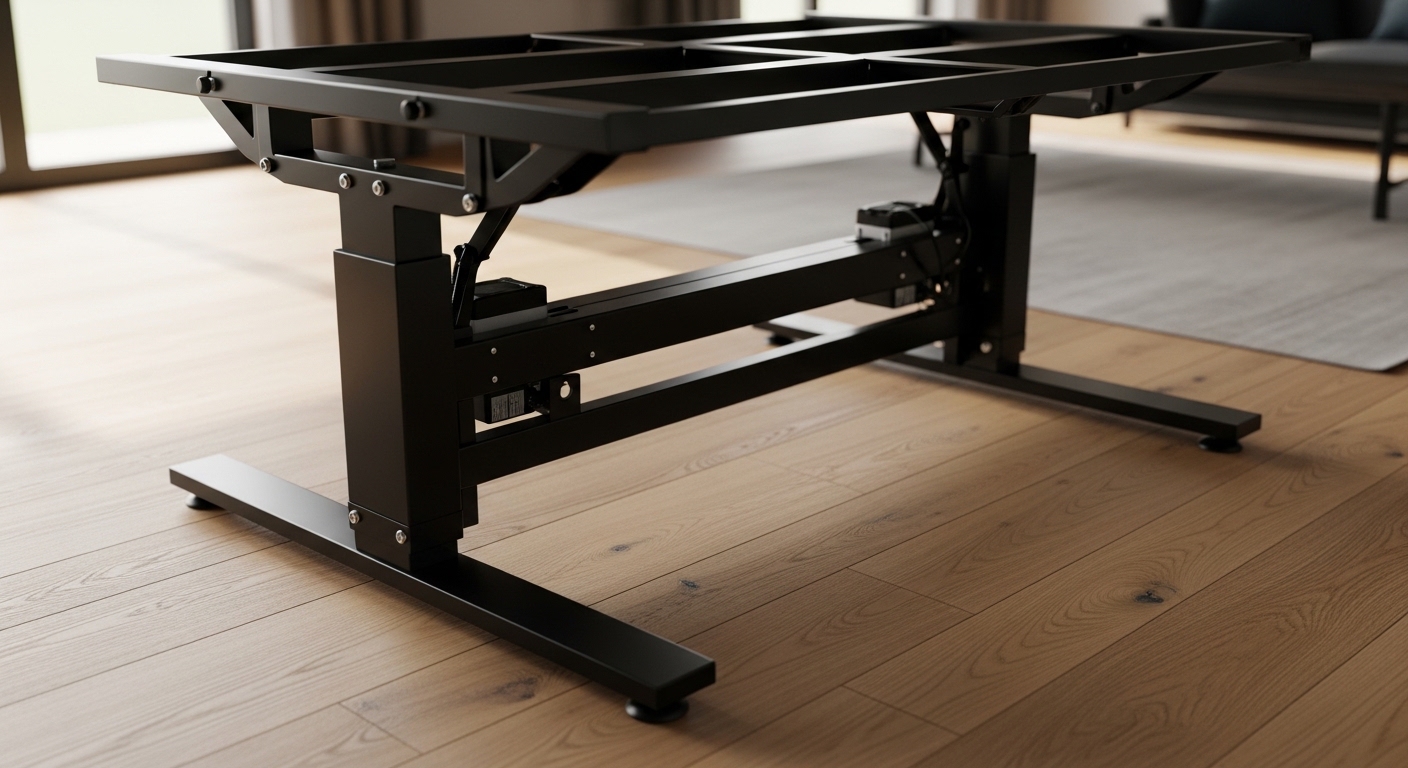
Creating a personalized desk setup begins with selecting a solid base. Many enthusiasts are now choosing the right standing desk frame for DIY to achieve a unique look.
This approach allows you to pair a high quality motor system with a custom wood slab or stone top. It provides a level of flexibility that preassembled furniture simply cannot match.
A DIY frame gives you total control over the width and depth of your workspace. You can optimize the dimensions to fit perfectly into a corner or a narrow room.
Building your own desk also ensures that the components meet your specific quality standards. You are not limited by the thin materials often found in mass produced office furniture.
Understanding Motor Configurations
The heart of any sit stand desk is the motor system. Most modern frames use electric linear actuators to move the legs up and down.
Single motor frames are generally the most affordable options available. These models use a single motor to drive both legs via a connecting hex rod.
While budget friendly, single motor designs often have lower weight capacities. They also tend to move slower and produce more noise during height transitions.
Dual motor frames provide a superior lifting experience for heavy duty workstations. Each leg contains its own dedicated motor for synchronized movement.
This configuration offers better reliability and a smoother transition between sitting and standing. It is the preferred choice for those using heavy solid wood desktops.
Triple motor systems are also available for L shaped or corner desk configurations. These frames provide the stability needed for massive wraparound workspaces.
Lift Speed and Noise Levels
Fast adjustment speeds are essential for maintaining a productive workflow. You do not want to wait several minutes for your desk to reach standing height.
Premium frames typically offer speeds over 1.5 inches per second for efficiency. This ensures that you can change positions without breaking your focus.
Noise is another critical factor to consider when working in a quiet home. High quality motors operate at volume levels below 50 decibels.
Look for frames that mention silent operation technology in their specifications. This will prevent distractions for you and your family members during the day.
Decoding Leg Stages and Height Range
Standing desk legs are designed with telescoping segments called stages. The number of stages determines how far the desk can extend or retract.
Two stage frames are common and provide a standard height range. They are suitable for users of average height who do not need extreme adjustments.
However, two stage legs often lack the range for very short or very tall individuals. They may not go low enough for ergonomic sitting for smaller users.
Three stage frames are the gold standard for versatility in DIY projects. These legs feature three overlapping segments for a much wider adjustment window.
A three stage frame can usually drop low enough for children or rise high enough for tall adults. This versatility makes it a future proof investment for your home.
The extra segment also adds structural stability at the highest settings. It reduces the overlap gap which helps prevent the desk from rocking.
Analyzing Frame Construction and Stability
Stability is the most discussed topic among standing desk enthusiasts. A desk that wobbles while you type is incredibly frustrating and unprofessional.
The thickness of the steel used in the frame is a primary indicator of quality. Look for frames constructed from heavy gauge steel for maximum rigidity.
Weight is actually a benefit when it comes to standing desk bases. A heavier frame lowers the center of gravity and prevents tipping.
Pay close attention to the design of the feet. Longer feet provide a more stable foundation and distribute the weight more evenly across the floor.
Crossbars and Knee Clearance
Some frames include a physical crossbar that connects the legs horizontally. This bar adds a significant amount of lateral stability to the structure.
While crossbars prevent wobbling, they can sometimes interfere with knee clearance. Modern engineering has allowed many brands to eliminate the crossbar while maintaining stability.
If you choose a frame without a crossbar, ensure the leg joints are reinforced. Robust mounting plates help keep the legs perpendicular to the desktop.
C frame designs place the lifting columns toward the back of the feet. This creates more leg room for the user and allows for easier movement.
T frame designs place the columns in the center of the feet. This provides a balanced weight distribution that can handle deeper desktops more effectively.
Weight Capacity and Dynamic Loads
When choosing a frame, you must calculate the total weight of your gear. This includes the desktop material, monitors, computers, and accessories.
Standard frames often support between 150 and 250 pounds. This is usually sufficient for most standard home office setups.
If you plan to use a thick butcher block or a heavy hardwood slab, you need more power. Premium dual motor frames can often lift over 350 pounds without straining.
There is a difference between static and dynamic weight capacity. Static capacity is what the desk can hold while stationary.
Dynamic capacity refers to what the motors can safely lift while moving. Always ensure your dynamic load rating exceeds your actual equipment weight.
Overloading a motor will lead to premature failure and loud grinding noises. It may also void the warranty provided by the manufacturer.
Adjustment Width and Desktop Compatibility
One of the best features of DIY frames is the adjustable width. Most frames feature a telescoping center beam that can expand or contract.
This allows the frame to support desktops ranging from 40 inches to over 80 inches. You can easily upgrade your desktop later without buying a new frame.
Ensure the frame you choose matches the depth of your chosen surface. Using a very deep desktop on a shallow frame can cause front to back instability.
Check the mounting hole patterns on the top plates of the frame. You will need to drill pilot holes into your custom desktop for a secure fit.
Electronics and Smart Controller Features
The control panel is your primary interface with the standing desk. Basic controllers only feature up and down buttons for manual adjustment.
Advanced controllers include programmable memory presets for your favorite heights. This allows you to switch between sitting and standing with a single touch.
Digital displays show the exact height of the desk in inches or centimeters. This precision is helpful for maintaining ergonomic consistency every day.
Safety features are paramount when motorized furniture is involved. Look for frames that include integrated anti collision sensors for safety.
These sensors detect resistance if the desk hits a chair or a window sill. The motor will immediately stop and reverse to prevent damage or injury.
Some modern controllers even offer Bluetooth connectivity for smartphone apps. You can track your standing time and set goals for better health in 2026.
Standby Power Consumption
Electric desks are always plugged into the wall for convenience. This means the control box consumes a small amount of electricity even when idle.
High quality electronics are designed for low standby power consumption. Efficient units use less than 0.5 watts while in sleep mode.
Check if the control box is shielded to prevent electromagnetic interference. This is important if you use high fidelity audio equipment on your desk.
Material Quality and Surface Finishes
The aesthetic of your frame should complement your home office decor. Most manufacturers offer frames in black, white, or silver finishes.
Industrial grade powder coating finishes provide the best resistance to scratches and scuffs. This durable coating keeps the frame looking new for many years.
Examine the weld points on the steel components for smoothness. Clean welds indicate better manufacturing processes and attention to detail.
Some premium frames offer specialized colors like charcoal or sand. These options can add a sophisticated touch to your custom DIY project.
Pros and Cons of the DIY Approach
Building a desk from a separate frame and top has many advantages. It is often the only way to get a truly custom size for your space.
You can also invest your money where it matters most to you. Some users prefer a high end motor system with a cheaper wood top.
Others might choose a basic frame and spend their budget on a rare hardwood slab. This flexibility is the main draw for the DIY community.
The primary disadvantage is the effort required for assembly. You will need a drill, a tape measure, and some patience to align everything correctly.
There is also the risk of damaging your desktop during the drilling process. You must be careful to use the correct screw lengths for your specific wood thickness.
Preassembled desks come with everything predrilled and tested. For many, the satisfaction of a custom build outweighs these minor inconveniences.
Budgeting for Your DIY Standing Desk Frame
Price points for desk frames vary significantly based on features and power. Entry level frames can be found for under two hundred dollars.
These affordable units are usually single motor and have limited height ranges. They are perfect for students or light weight laptop setups.
Mid range frames typically cost between three hundred and five hundred dollars. This segment offers excellent value for money with dual motors and memory controllers.
Premium frames can exceed six hundred dollars or more. These units feature the highest weight capacities and longest warranties in the industry.
When budgeting, do not forget to factor in the cost of your desktop. Solid wood can be quite expensive compared to laminate or plywood options.
Final Tips for Choosing the Right Standing Desk Frame for DIY
Before making a purchase, read customer reviews regarding long term reliability. A frame might look great on paper but develop squeaks after a few months.
Verify the warranty period offered by the manufacturer. A five year warranty on electronics and a ten year warranty on the steel is standard for quality brands.
Check the availability of replacement parts in case a motor fails later. Reputable companies provide support and spare components for their legacy models.
Consider the shipping weight and box dimensions of the frame. These steel components are heavy and may require help to move into your office.
Conclusion
Investing time in choosing the right standing desk frame for DIY will pay off in comfort and productivity. A sturdy base ensures your monitors do not shake during intense typing sessions.
Focus on motor quality, height range, and weight capacity to find the best fit. Your custom desk will serve as the centerpiece of your home lab for years to come.
Whether you choose a basic model or a premium dual motor system, prioritize stability. A stable desk is the key to a healthy and efficient remote working environment.