

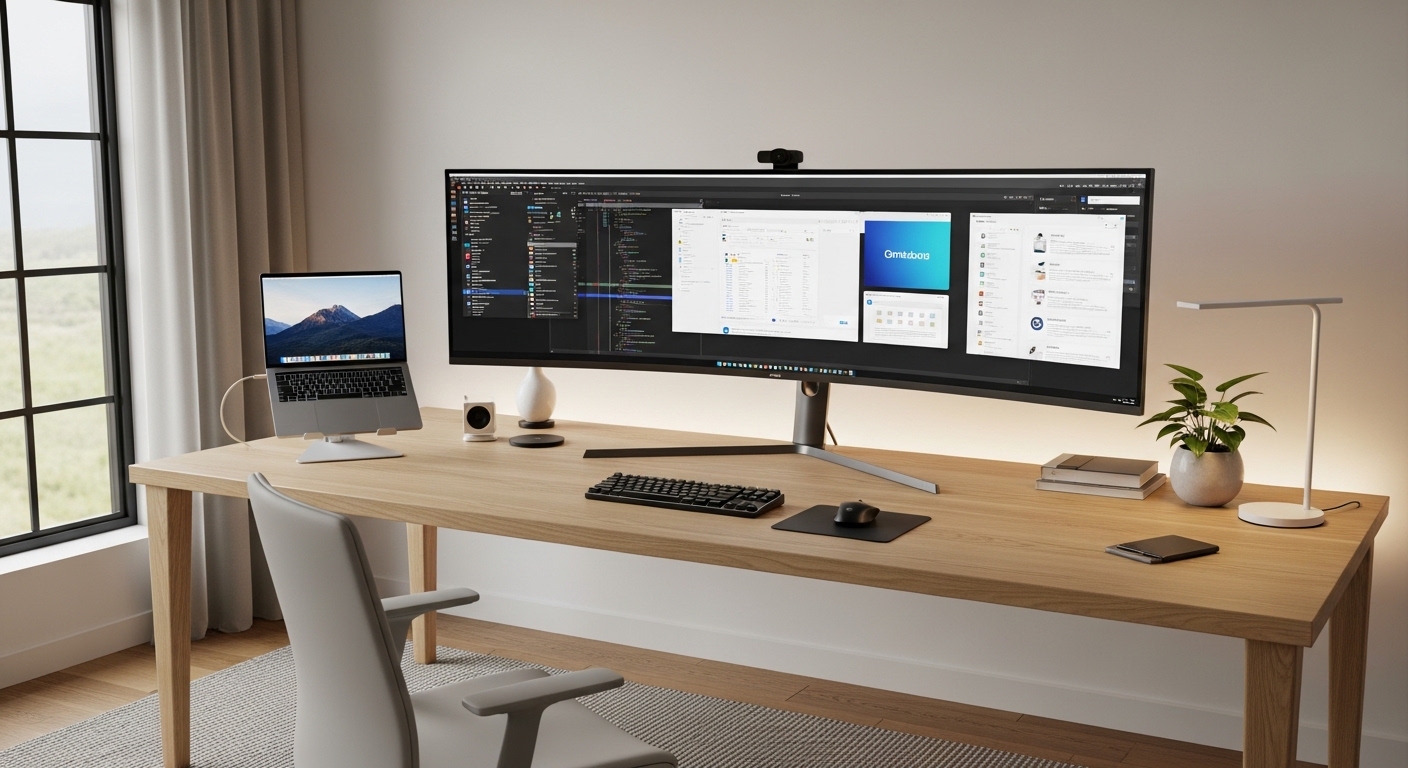
The Future of Desktop Real Estate
The modern digital workspace demands more than just a place to rest a laptop because professionals now face a deluge of data that requires massive visual real estate to process effectively. High resolution displays reduce the cognitive load associated with switching between hidden tabs or minimizing windows constantly.
This creates a psychological flow state where the user remains focused on the core task without the friction of digital clutter. By expanding the horizontal canvas, you allow your brain to map out projects in a spatial way that mirrors how we interact with physical documents on a large table.
Ultrawide panels provide a seamless canvas that mimics the natural human field of view which is inherently wider than it is tall. By removing the central bezel of a traditional dual monitor setup, users experience significantly less neck strain and eye fatigue throughout the day.
This ergonomic advantage translates directly into longer periods of deep work and mental clarity. Productivity in 2026 relies on these wide aspect ratios to manage complex software suites, large spreadsheets, and communication tools simultaneously without compromising visual comfort.
Optimizing Your Visual Environment
The science of peripheral vision suggests that a curved display can improve focus by keeping the edges of the screen at a consistent distance from your eyes. This design minimizes the refocusing time required when your gaze shifts from the center to the periphery of your workspace.
Furthermore, the elimination of multiple power cables and video wires simplifies your physical environment which reduces visual noise and stress. A clean desk often leads to a clear mind, and a single premium monitor is the cornerstone of this minimalist philosophy.
Quick Buying Guide
When selecting the best ultrawide monitors for home office productivity, the first technical specification you must evaluate is the panel type. In Plane Switching panels offer the best color accuracy and viewing angles which are essential for long hours of professional use.
You should also consider the resolution carefully because a wide screen with low pixel density will result in blurry text and eye strain. Aim for at least 1440 vertical pixels to ensure that your documents and applications appear crisp and legible at a normal viewing distance.
Connectivity is the next critical factor for a modern home office because it determines how easily you can integrate your hardware. Look for monitors with USB C or Thunderbolt ports that provide power delivery for your laptop while transmitting video signals through a single cable.
This feature essentially turns your monitor into a powerful docking station for all your peripherals like keyboards and external storage. Integrated KVM switches are also invaluable for users who need to control two different computers using the same set of mouses and keyboards.
Understanding Ergonomic Curvature
The curvature of a monitor is measured in millimeters of radius, and choosing the right one depends on your desk depth. A subtle curve like 3800R is excellent for general office work, while a more aggressive 1800R curve is better for immersive data analysis on very wide screens.
Finally, do not ignore the stand adjustability because your monitor must be at eye level to prevent chronic back pain. A premium stand should offer height, tilt, and swivel adjustments to accommodate your specific seating position and desk height perfectly.
The 8 Best Ultrawide Monitors for Home Office Productivity
The following selection represents the pinnacle of display technology designed to enhance your daily workflow and comfort.
1. Samsung 34″ ViewFinity S50GC Series
The Samsung 34 inch ViewFinity S50GC Series offers a 21:9 aspect ratio and Ultra WQHD resolution to simplify multitasking. This monitor features a 100Hz refresh rate and HDR10 support for crisp visuals during the workday.
Built in Picture by Picture capabilities allow users to view multiple sources simultaneously for maximum home office efficiency. Its borderless design and flicker free screen help maintain comfort during extended periods of professional use.

Performance and Screen Density
Screen density plays a vital role in how much information you can actually see without squinting. The following products prioritize pixel clarity to ensure that even small font sizes remain sharp during intense research sessions.
2. Dell UltraSharp U3423WE
The Dell UltraSharp U3423WE introduces the innovative IPS Black technology which offers significantly deeper blacks and higher contrast than traditional panels. The build quality is exceptional with a platinum silver finish and a very small footprint for the base.
This monitor excels in multitasking thanks to its internal KVM switch and extensive connectivity options including USB C and Ethernet. You can easily connect two different sources and view them simultaneously using the picture in picture functionality.
It is the ideal choice for business professionals and coders who prioritize text clarity and contrast over high refresh rates. The inclusion of multiple downstream ports makes it easy to connect various mouses and other accessories without a separate hub.

Dell UltraSharp U3423WE 34.1″ WQHD Curved Screen WLED LCD Monitor – 21:9
Check Price on Amazon
3. Samsung Odyssey OLED G9 G95SC
The Samsung Odyssey OLED G9 G95SC is a technical marvel that offers a massive forty nine inch screen with a thirty two to nine aspect ratio. The OLED panel provides infinite contrast and vibrant colors that make every application look stunningly realistic.
While often marketed for gaming, the sheer width allows you to have three full sized windows open side by side with zero overlapping. The integrated Neo Quantum Processor Pro ensures that the image quality remains consistent regardless of the light levels in your room.
This monitor is best for power users who handle massive spreadsheets or complex video timelines that require extreme horizontal space. The thin profile and futuristic design make it a statement piece for any high end home office.

Wide Versus Super Ultrawide
Choosing between a twenty one to nine and a thirty two to nine aspect ratio depends on your specific workflow. A super ultrawide essentially replaces two twenty seven inch monitors with a single continuous piece of glass for maximum immersion.
4. LG 40WP95C-W
The LG 40WP95C-W offers a unique 5K2K resolution which provides fifty percent more pixels than a standard wide monitor. The forty inch panel size is massive and the build quality is exceptionally robust with a heavy duty stand.
This monitor is a dream for professionals who require the highest possible detail, such as photographers or architects. The Thunderbolt 4 connectivity ensures future proof compatibility with the latest high performance laptops and storage devices.
It is best for users who refuse to compromise on resolution and need the equivalent of a 4K display but with extra horizontal room. The color accuracy is certified for professional use right out of the box which saves time on calibration.

5. BenQ PD3420Q
The BenQ PD3420Q is specifically designed for designers and features a flat panel rather than a curved one to ensure straight lines remain straight. The aesthetic is understated and professional with a dark gray finish and a very functional base.
It includes a specialized puck controller that allows you to swap between color modes or adjust brightness with a physical dial. The VESA DisplayHDR 400 certification ensures that your visual content has a wide dynamic range and accurate highlights.
This monitor is the perfect tool for graphic designers and artists who need a wide workspace but cannot tolerate the distortion of a curved screen. It handles Mac and Windows environments equally well with excellent color synchronization features.

Choosing Flat Versus Curved
While many prefer a curve for ergonomics, flat ultrawide monitors are essential for work where geometric precision is required. If you spend your day in CAD software or architectural drawing tools, a flat panel might be your most reliable partner.
6. Gigabyte M34WQ
The Gigabyte M34WQ is widely considered the best value option for those seeking a high performance flat ultrawide display. The design is simple and functional without the flashy elements often found in more expensive models.
It features a high one hundred forty four hertz refresh rate which makes all desktop animations and scrolling feel incredibly fluid. The integrated KVM switch allows you to use one set of mouses and keyboards across your work laptop and your home desktop.
This display is perfect for the budget conscious professional who still wants a premium visual experience and modern features. It offers a great balance of productivity tools and speed for an accessible price point.

7. ASUS ProArt PA348CGV
The ASUS ProArt PA348CGV is a color accurate powerhouse that comes factory calibrated with a high level of precision. The stand is one of the best in the industry, offering a wide range of motion and a very stable base.
It supports a one hundred twenty hertz refresh rate which provides a much smoother experience for daily tasks than standard sixty hertz office monitors. The USB C port delivers ninety watts of power to keep your workstation clean and your devices charged.
Creative directors and marketing professionals will find this monitor particularly useful for reviewing brand assets and digital content. It provides the reliability of a professional grade color tool with the productivity benefits of an ultrawide form factor.

Durability and Longevity
Investing in a high quality monitor means looking at the warranty and the build materials used in the chassis. A monitor that stays cool during operation will generally have a much longer lifespan and maintain better color consistency over time.
8. Dell UltraSharp U4924DW
The Dell UltraSharp U4924DW is a massive forty nine inch productivity beast that effectively doubles your workspace. The build quality follows the legendary UltraSharp standard with a very premium feel and highly adjustable stand.
It features a dual QHD resolution which is exactly the same as having two twenty seven inch fourteen forty p monitors side by side. The advanced internal hub includes high speed USB ports and an RJ45 ethernet port for a stable wired network connection.
This monitor is the ultimate solution for financial analysts and data scientists who need to see dozens of columns of data at once. It eliminates the distraction of bezels and creates an expansive, unified command center for your home office.

Comparison
Selecting the right panel involves comparing the specific features that align with your unique daily tasks and desk environment.
| Product Name | Key Feature | Best For | Price Range |
|---|---|---|---|
| LG 38WN95C-W | 38 inch Nano IPS | Creative Professionals | Premium |
| Dell U3423WE | IPS Black Contrast | General Business | Mid Range |
| Samsung OLED G9 | OLED 32:9 Panel | Super Ultrawide Enthusiasts | Luxury |
| LG 40WP95C-W | 5K2K Resolution | Visual Detail Experts | Premium |
| BenQ PD3420Q | Flat Panel Color | Graphic Designers | Mid Range |
| Gigabyte M34WQ | Value Flat KVM | Budget Conscious Users | Entry Level |
| ASUS ProArt PA348CGV | 120Hz Calibration | Marketing and Video | Mid Range |
| Dell U4924DW | Dual QHD Width | Data Analysts | Premium |
Final Verdict
After a comprehensive analysis of the current market, the LG 38WN95C-W stands out as the overall best choice for most home office professionals. Its unique thirty eight inch size offers the perfect balance of vertical and horizontal space without overwhelming your physical desk footprint or your peripheral vision. The inclusion of Thunderbolt connectivity and high color accuracy makes it a versatile tool that can handle everything from heavy administrative work to professional video editing.
For those who require the absolute maximum amount of screen real estate, the Dell U4924DW is the definitive runner up. It provides a seamless transition for users moving from a dual monitor setup by offering a massive forty nine inch canvas with an integrated docking station. Regardless of your choice, investing in one of these premium ultrawide displays is a guaranteed way to improve your ergonomic health and overall output during your work hours.