
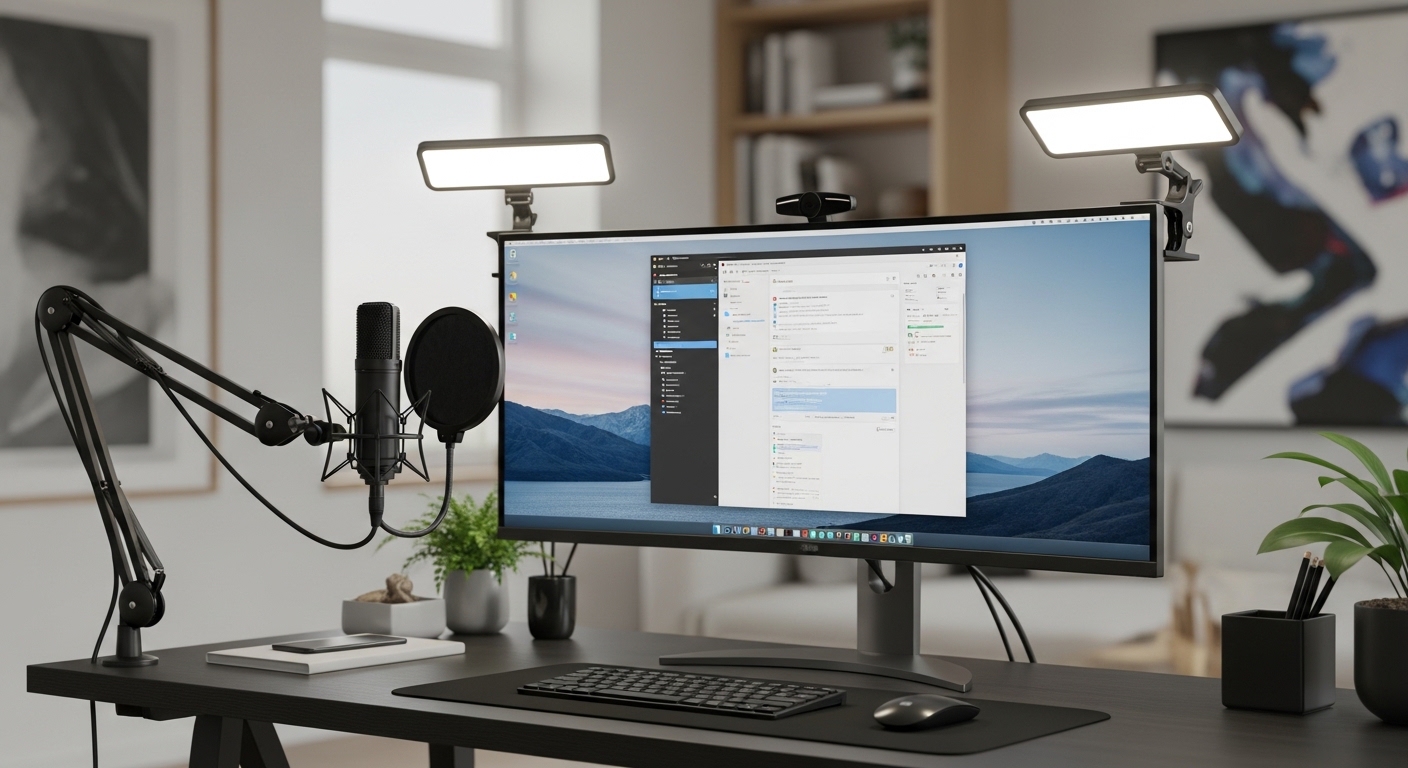
The Importance of Professional Illumination
Creating a professional presence during virtual meetings requires more than just a high resolution camera. Lighting serves as the foundation for all digital imaging by determining how sensors capture your physical features.
Many remote workers rely on overhead fixtures that create harsh shadows under the eyes and nose. This effect often results in a tired or unapproachable appearance that can undermine your authority during presentations.
Key lights solve this by providing a controlled source of illumination directed specifically at the subject. These devices use advanced diffusion layers to scatter photons evenly across the skin, which hides imperfections and provides a glowing professional look.
Understanding the science of color temperature is also vital for achieving a natural skin tone. Most modern lighting solutions allow you to adjust from warm amber tones to cool daylight settings easily.
This flexibility ensures that your video feed remains consistent regardless of the time of day or changing weather. A dedicated key light also prevents your webcam from overcompensating with digital noise which preserves image clarity significantly.
Optimizing Your Visual Environment
Beyond simple brightness, professional lights offer a high Color Rendering Index or CRI. This metric measures how accurately a light source reveals the true colors of objects and skin tones.
Using lights with a low CRI rating can make you appear sickly or desaturated on screen. By investing in premium lighting, you ensure that your natural vibrancy is communicated clearly to every meeting participant.
Quick Buying Guide
When selecting the ideal lighting for your workspace, the first consideration should be the mounting system. Most professional users prefer desk clamps because they occupy zero space on the actual desk surface.
These clamps attach to the edge of your table and feature telescopic poles for height adjustment. This allows you to position the light at eye level or slightly above to mimic natural sunlight effectively.
Control methods represent the second most important feature to evaluate before purchasing. Some lights feature physical buttons on the rear while others offer software control via your computer or smartphone.
Being able to adjust brightness or color temperature through a mouse click is incredibly convenient during live calls. Look for lights that integrate with your existing ecosystem to streamline your daily workflow.
Technical Specifications to Prioritize
Brightness levels are measured in lumens and you should look for a light that offers at least one thousand lumens. This ensures you have enough power to overcome bright windows or competing light sources in your room.
Effective heat management is also a critical factor for long work sessions. High quality lights use aluminum housings or advanced heat sinks to remain cool after hours of continuous operation.
Diffusion is the final technical element that separates budget options from premium key lights. Look for edge lit designs where LEDs are pointed inward toward a reflective panel for the softest possible output.
The 8 Best best key lights for home office video calls
Explore our curated selection of the most effective lighting solutions for your professional home office setup.
1. Elgato Key Light Air
The Elgato Key Light Air represents a pinnacle of industrial design within the professional lighting space. It features a weighted base that provides exceptional stability without requiring a permanent clamp on your desk surface.
The casing is constructed from high quality plastics and metals that feel incredibly premium to the touch. It integrates perfectly into a modern office environment without looking like bulky studio equipment.
Performance is where this device truly shines thanks to its eighty premium OSRAM LEDs. These components produce a flicker free output of up to 1400 lumens while remaining cool during long meetings.
The WiFi connectivity allows you to adjust settings directly from your PC or Mac using the Control Center app. This eliminates the need to reach behind the light during important calls to change brightness.
This product is the best choice for professionals who value software integration and a clean aesthetic. It works beautifully for those who have limited desk edge space for traditional clamps.
One minor drawback is the reliance on a stable WiFi network for full functionality. However, the build quality and light diffusion are nearly unmatched in this price category.

2. Logitech For Creators Litra Glow
The Logitech Litra Glow is a compact solution designed specifically for the needs of remote workers. It features a unique monitor mount that hooks onto the top of your display for a minimal footprint.
The design is focused on portability and ease of use for those with small desks. It feels robust despite its smaller size and lightweight materials used in construction.
Technical performance is enhanced by Logitech TrueSoft technology which delivers cinematic color accuracy. This ensures that skin tones look radiant and natural without any harsh glare or hotspots.
The light is powered via USB which simplifies your cable management by removing the need for a wall outlet. You can control the device using the Logi Tune software directly on your computer desktop.
This light is ideal for users who travel frequently or have very little space around their monitors. It serves as an entry level yet professional way to improve video call quality instantly.
The maximum brightness is lower than larger panels but it is sufficient for close proximity use. It is a cost effective tool for anyone starting their home office journey.

3. Neewer GL1 Pro
The Neewer GL1 Pro is a powerful edge lit panel that offers a substantial surface area for light diffusion. Its build quality is impressive with a sturdy metal frame and a secure desk clamp system.
The large panel size helps to wrap light around your face which effectively minimizes deep shadows. It looks like a piece of high end photography gear sitting on your desk.
It supports both 2.4G wireless control and smartphone app adjustments for maximum flexibility. The 15.5 inch panel produces a soft glow that is very comfortable for the eyes during eight hour workdays.
The color temperature range is wide and allows for precise matching with any ambient room light. This prevents the blue tint often associated with cheaper LED panels found in budget kits.
This light is best for professionals who want a large and soft light source without the bulk of a softbox. It is perfect for executive meetings where visual quality is a high priority.
The clamp requires a solid desk edge to mount properly which might not suit all furniture types. Still, the lighting quality provided by this panel is truly professional grade.

4. Razer Key Light Chroma
The Razer Key Light Chroma brings a unique flair to the home office with its RGB capabilities. While it provides excellent white light, it also offers millions of colors for creative background effects.
The build is exceptionally sturdy and features a heavy duty desk clamp that feels very secure. The low profile design ensures it stays out of your camera frame during wide angle shots.
With 2800 lumens of peak brightness, this is one of the most powerful lights on the market. It can easily illuminate an entire room or overcome very bright natural sunlight from windows.
It integrates with Razer Synapse software and even allows for synchronization with your other Razer peripherals. This creates a unified aesthetic for users who already own Razer mouse devices or keyboards.
This product is best for creators who double as professionals and want a versatile lighting setup. It is the ultimate choice for those needing maximum power and color customization.
The price point is higher than many competitors but the feature set justifies the investment. The RGB functionality adds a layer of versatility that standard white lights cannot match.
5. Lume Cube Edge Desk Light
The Lume Cube Edge Desk Light features a multi pivot arm that offers incredible positional freedom. It looks more like a high tech desk lamp than a traditional photography light panel.
The sleek black finish and thin profile make it a very stylish addition to any workspace. It uses a tight clamp that fits on almost any desk thickness without causing damage.
The Edge uses Edge Lit technology with built in diffusion to protect your eyes from fatigue. This is critical for users who spend many hours in back to back video conferences.
It includes convenient touch controls on the base of the light for quick manual adjustments. You can also charge your phone using the USB ports integrated into the mounting base.
This light is best for individuals who need their key light to function as a task lamp. It is a dual purpose tool that saves space while providing excellent video illumination.
Some users might find the arm reach a bit limited for very large ultra wide monitors. However, for standard setups, it provides an elegant and functional lighting solution.

6. Godox ES45 E-sports LED Light Kit
The Godox ES45 is designed with gamers and professional streamers in mind but excels in the home office. It features a massive panel and a unique wireless remote control that sits on your desk.
The build quality is industrial and durable with an efficient heat dissipation system on the rear. The metal construction ensures that it will last for many years of daily operation.
Technical performance is top tier with a very high CRI rating of 96 for perfect color. The light is exceptionally soft and eliminates the need for any additional diffusion accessories or filters.
The remote control is magnetically attached to the back of the light but can be removed for desk use. This allows for tactile control over brightness and temperature without using any software apps.
This kit is best for users who prefer physical controls over software based adjustments. It is a heavy duty choice for those who take their video appearance very seriously.
The large size means it takes up a bit more visual space in your room. The wireless remote is a standout feature that makes it very user friendly in 2026.

7. Dazzne D50 Desk Mount LED Video Light Kit
The Dazzne D50 is a high value option that provides a large lighting surface for a competitive price. It comes with a telescopic stand that clamps securely to the rear of your desk.
The panel itself is thin and lightweight which makes it easy to adjust and maneuver. It offers a clean look that fits well into a professional corporate environment.
It features a clear LCD display on the back to show your exact brightness and temperature settings. This allows for precise repeatability if you need to move your setup frequently.
The 45W output is bright enough for most home office scenarios and provides a consistent beam. It uses high quality LEDs that do not flicker when captured by high frame rate webcams.
This light is best for budget conscious professionals who do not want to sacrifice panel size. It offers a professional look and performance at a more accessible price point.
The plastic build is not as premium as the Razer or Elgato models. However, the actual light quality is comparable to much more expensive units.

8. Raleno LED Video Light Panel
The Raleno LED Video Light Panel is famous for its exceptionally soft output and built in battery. This battery allows you to use the light during power outages or in locations without outlets.
The design is simple and functional with a focus on ease of transportation and setup. It feels well balanced and the included hot shoe mount provides various mounting options.
The panel utilizes a unique light guide plate that ensures the illumination is perfectly even. It prevents glare on glasses which is a common problem for many office workers.
The color temperature can be adjusted from 3200K to 5600K using the simple dials on the back. It is a plug and play solution that requires no complex software installation or network pairing.
This panel is best for users who need a mobile lighting solution or have inconsistent power. It is a highly reliable light that works every time you turn it on.
The lack of app control might be a downside for those who want a fully automated desk. But for simplicity and soft light quality, it is a very strong contender.
 95 Photo Lights for Outdoor Photography Live Streaming Zoom Call” style=”max-width: 150px; height: auto;”>
Comparison
The following table summarizes the key specifications of our top lighting recommendations for your desk.
| Product Name | Key Feature | Best For | Price Range |
|---|---|---|---|
| Elgato Key Light Air | WiFi Control | Software Integration | Mid Range |
| Logitech Litra Glow | TrueSoft Tech | Small Desks | Budget |
| Neewer GL1 Pro | Large Edge Lit | Executive Calls | Mid Range |
| Razer Key Light Chroma | RGB Lighting | Content Creators | Premium |
| Lume Cube Edge | Pivot Arm | Task Lighting | Mid Range |
| Godox ES45 | Wireless Remote | Tactile Control | Premium |
| Dazzne D50 | LCD Display | Value Seekers | Budget |
| Raleno LED Panel | Built-in Battery | Portability | Budget |
Final Verdict
After analyzing all the options, the Elgato Key Light Air remains the overall best pick for most home office professionals. Its combination of compact design, powerful output, and seamless software integration makes it incredibly easy to use every day. The ability to adjust your lighting via a keyboard shortcut or a smartphone app provides a level of convenience that is hard to beat in a busy work environment.
If you require the absolute best light quality and have a larger budget, the Godox ES45 is a superior choice due to its massive panel size and dedicated remote. However, for those with limited space, the Logitech Litra Glow offers the most impressive value without cluttering your workspace. Ultimately, any of these lights will significantly improve your visual presence and help you look more professional during every video call.