

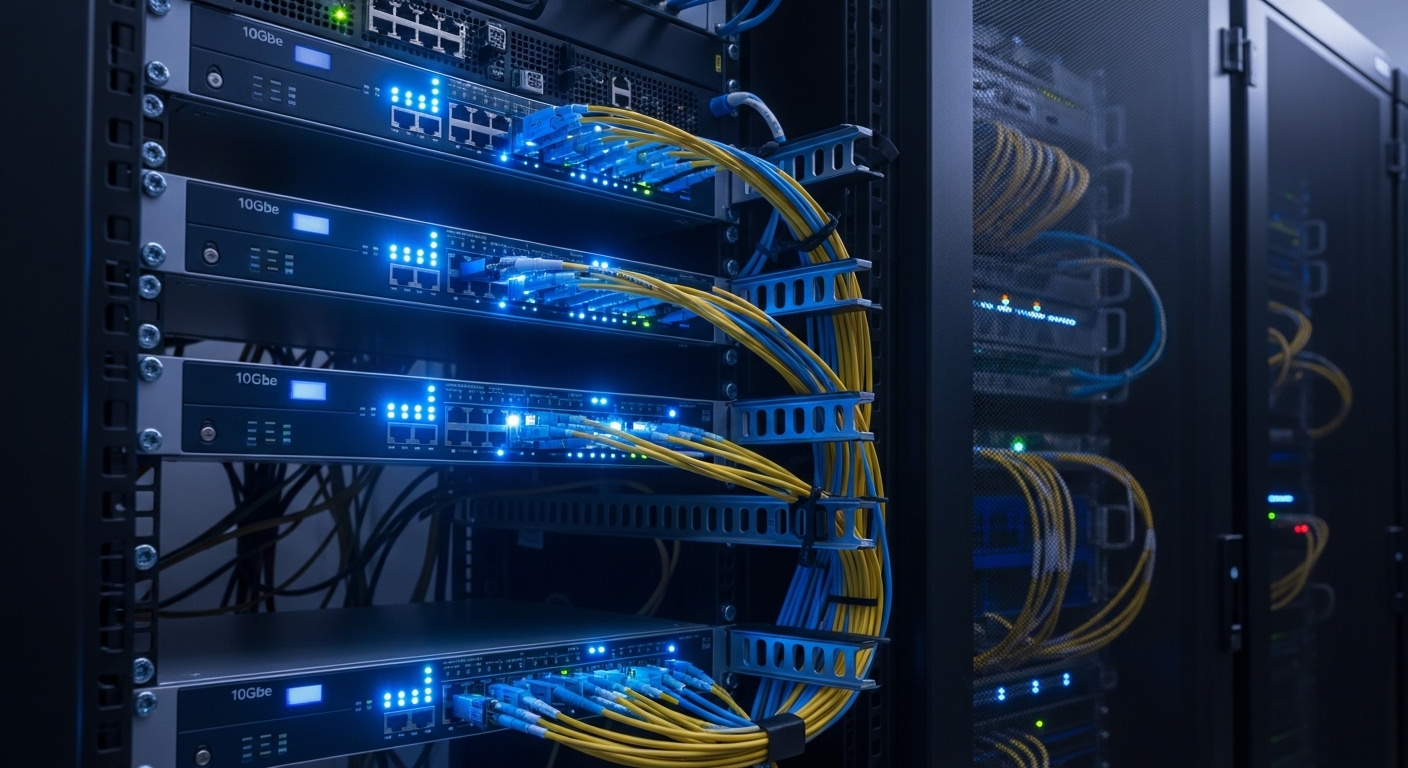
Building the Ultimate High Speed Network Infrastructure
The modern home lab has evolved from a simple collection of old desktop mouses and discarded hardware into a sophisticated enterprise grade environment that requires massive bandwidth. As enthusiasts move toward high density virtualization and ultra fast flash storage, the traditional one gigabit bottleneck becomes an insurmountable wall for data transfers.
Implementing the best 10gbe switches for home lab server racks allows your internal network to breathe by providing ten times the theoretical throughput of standard connections. This transition is essential for moving large virtual machine images or editing raw 4K video directly from a network attached storage device without experiencing frustrating latency.
The science of high speed switching involves managing heat and signal integrity while maintaining a non blocking backplane capacity that can handle simultaneous full duplex traffic. By choosing professional rackmount hardware, you ensure that your lab remains stable and quiet enough for a residential environment while delivering industrial performance levels.
The Evolution of Home Connectivity
As we approach the technological landscape of 2026, the demand for localized data speed continues to grow due to larger file sizes and complex automation. Standard consumer hardware often fails to provide the granular management features necessary for segmenting traffic via VLANs or prioritizing critical services.
Upgrading to a dedicated ten gigabit solution transforms your rack from a simple storage box into a dynamic computing powerhouse capable of handling modern workloads. This shift is particularly vital for those running intensive database operations or distributed computing clusters that rely on rapid inter node communication.
Quick Buying Guide
When selecting the ideal switch for your server rack, the primary decision revolves around the choice between SFP plus and RJ45 copper interfaces. SFP plus ports are generally preferred for rack environments because they consume less power and generate significantly less heat than traditional copper ports.
Copper RJ45 ports are more convenient for existing Cat6a cabling but they can become quite hot during sustained heavy loads in a confined rack space. You should evaluate your existing cable plant and decide if the flexibility of transceivers outweighs the simplicity of standard ethernet jacks.
Another critical factor is the choice between managed and unmanaged functionality within your network operating system. Managed switches provide deep insights into traffic patterns and allow for advanced security configurations that protect your lab from internal and external threats.
Hardware Thermal Management
Heat dissipation is a major concern when stacking multiple high speed devices in a small server cabinet or enclosed rack system. Look for switches with efficient cooling designs or those that offer silent fan modes to prevent the lab from becoming too loud for home use.
Total switching capacity must exceed the sum of all ports to ensure that no data packets are dropped during peak usage periods. A robust backplane ensures that your storage server can talk to your workstation at full speed without impacting other devices on the network.
The 8 Best 10gbe switches for home lab server racks
The following selection represents the pinnacle of performance and value for enthusiasts looking to optimize their racks today.
1. Ubiquiti UniFi Switch Aggregation
The Ubiquiti UniFi Switch Aggregation features a sleek silver chassis that fits perfectly into any standard rackmount environment with its professional aesthetic design. The build quality feels incredibly premium with a cold rolled steel exterior that aids in passive heat dissipation for the internal components.
This switch provides eight SFP plus ports which allow for high density fiber or direct attach copper connections across your entire server rack. It integrates seamlessly into the UniFi ecosystem which provides a centralized dashboard for monitoring real world performance and bandwidth consumption metrics.
This device is best for users who already own UniFi mouses or consoles and want a silent fanless solution for their home. The lack of fans makes it perfect for office environments, though it requires some airflow within the rack to stay cool under load.

Optimizing Fiber Connections
Using fiber optics within your rack can reduce electrical interference and provide superior signal integrity over longer distances. Most 10GbE switches utilize SFP plus modules to offer this level of professional grade flexibility to the end user.
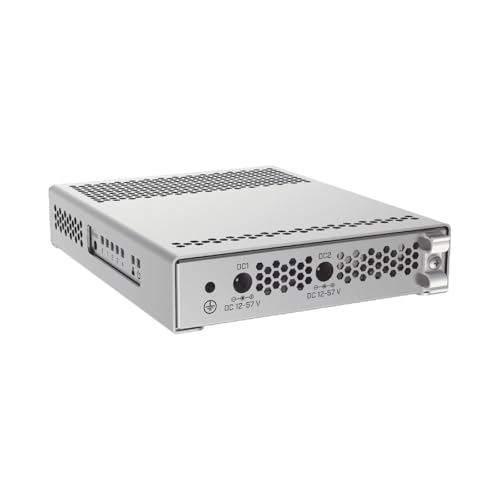
2. MikroTik CRS305 1G 4S IN
The MikroTik CRS305 1G 4S IN is a remarkably compact device that offers surprising power density in a very small form factor. While it is not a full width rackmount unit by default, it can be easily mounted on a tray to provide four dedicated SFP plus slots.
Technically, this switch is a marvel because it supports dual boot functionality allowing you to choose between the simple SwOS or the more complex RouterOS. This allows for advanced Layer 3 routing features that are rarely found in switches at this specific price point and size.
This product is the best choice for beginners who need a low cost entry into the world of ten gigabit networking. The main drawback is the limited port count, which might be outgrown quickly as your home lab expands with more servers.
3. TP Link TL SX3008F JetStream
The TP Link TL SX3008F JetStream is a robust eight port SFP plus switch designed to bring enterprise level management to the savvy home lab owner. It features a full metal casing and a standard rackmount design that ensures easy installation into any nineteen inch cabinet.
Its performance is categorized by a massive 160 Gbps switching capacity which ensures that all eight ports can operate at full wire speed simultaneously. The Omada SDN integration allows for remote management and automated configurations which is a massive benefit for those running complex multi site labs.
This switch is ideal for users who want centralized cloud management without the high cost associated with other premium brands. It offers a great balance of ports and features, though the fan noise might be audible in very quiet rooms.

Understanding Non Blocking Throughput
A non blocking architecture is essential for ensuring that the switch does not become a performance bottleneck during large file transfers. This ensures that every connected device can communicate at its maximum theoretical speed without interference from other traffic streams.
4. QNAP QSW M408 4C
The QNAP QSW M408 4C stands out due to its unique combination of four 10GbE combo ports and eight standard gigabit ports. This hybrid approach makes it an excellent core switch for a lab that still has many legacy devices requiring standard RJ45 connections.
The combo ports are especially versatile because they accept both SFP plus fiber and RJ45 copper modules depending on your specific needs. The user interface is web based and very intuitive, making it easy to set up VLANs and Link Aggregation Groups for increased redundancy.
This model is perfect for users transitioning their lab and who need diverse connectivity options in a single rack unit. While the design is slightly unusual, the performance and flexibility make it a top tier contender for mixed speed environments.
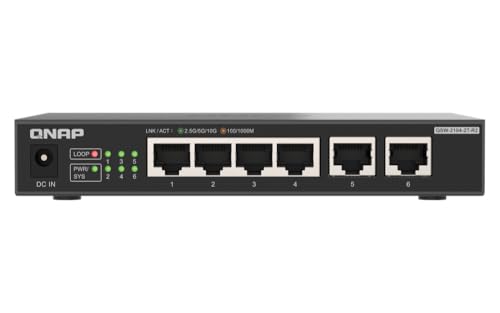
QNAP 4-Port 2.5Gbps & 2-Port 10BASE-T Unmanaged Switch (QSW-2104-2T-R2-US)
Check Price on Amazon
5. NETGEAR MS510TXM
The NETGEAR MS510TXM is a powerhouse that focuses on multi gigabit technology alongside dedicated ten gigabit SFP plus uplink ports. The build quality is industrial and rugged, designed to withstand the rigors of a continuous duty cycle in a busy server rack.
It features four ports that support speeds up to 2.5G, four ports up to 10G copper, and two dedicated 10G SFP plus slots for fiber backhauls. This makes it incredibly effective for connecting modern mouses or workstations that feature 2.5G or 5G ethernet ports as standard.
Power users who require maximum copper flexibility will find this switch to be the most capable option on the market. It is somewhat more expensive than SFP only options, but the multi gigabit support justifies the premium for many lab configurations.

The Importance of Layer 2 Plus Features
Advanced switches often include Layer 2 plus or basic Layer 3 features such as static routing to improve network efficiency. This allows the switch to handle some routing tasks internally, which reduces the load on your main firewall or router hardware.
6. MikroTik CRS309 1G 8S IN
The MikroTik CRS309 1G 8S IN is widely considered the gold standard for value in the home lab community due to its eight SFP plus ports. It features a heavy duty heatsink on the rear which allows the device to operate entirely without active cooling fans.
Performance is exceptional with a high forwarding rate that handles jumbo frames and complex VLAN tagging without any measurable drop in throughput. It can be mounted in a rack using the included ears, occupying only a small amount of vertical space while providing massive connectivity.
This switch is best for the silent enthusiast who needs eight high speed ports but does not want any fan noise in their workspace. The RouterOS interface can be intimidating for novices, but the learning curve is rewarded with incredible configuration depth.

7. Zyxel XGS1250 12
The Zyxel XGS1250 12 is a versatile multi gigabit switch that provides a cost effective path to high speed networking for smaller racks. It features three ports of 10G copper, one port of 10G SFP plus, and eight ports of standard gigabit ethernet.
The smart managed interface allows for basic configuration of Quality of Service and IGMP snooping which is vital for media streaming labs. The compact desktop design can be adapted for rack use, and the internal power supply simplifies cable management within your cabinet.
This unit is the best choice for those who need a mix of high speed copper and fiber for a small number of critical servers. It offers great value, although it lacks the port density found in more expensive dedicated aggregation switches.

Managing Port Density in Racks
Higher port density allows you to connect more servers and storage arrays without daisy chaining switches which can increase latency. For a growing home lab, choosing a switch with at least eight ports is often the most future proof strategy available.
8. TRENDnet TEG S750
The TRENDnet TEG S750 is a specialized five port switch where every single port supports full 10G copper speeds via standard RJ45. This makes it one of the simplest ways to add massive bandwidth to a rack that already uses high quality Cat6a or Cat7 cabling.
The unmanaged nature of this switch means it is truly plug and play, requiring no complex software setup to achieve maximum speeds immediately. It features a sturdy metal housing and a fanless design that relies on internal thermal pads to move heat away from the sensitive silicon.
This product is best for users who want the simplest possible installation without worrying about transceivers or fiber optic cables. The lack of management features means you cannot configure VLANs, so it is best used as an unmanaged expansion for a specific high speed subnet.

Comparison
The following table provides a quick reference for comparing the technical specifications and use cases of our top selected switches.
| Product Name | Key Feature | Best For | Price Range |
|---|---|---|---|
| Ubiquiti UniFi Switch Aggregation | 8 SFP+ Ports | UniFi Ecosystem Users | Mid Range |
| MikroTik CRS305 1G 4S IN | Compact 4 SFP+ | Small Labs | Budget Friendly |
| TP Link TL SX3008F JetStream | Omada SDN | Managed Performance | Mid Range |
| QNAP QSW M408 4C | Combo Ports | Mixed Media Labs | Mid Range |
| NETGEAR MS510TXM | Multi Gig RJ45 | High End Copper | Premium |
| MikroTik CRS309 1G 8S IN | 8 SFP+ Fanless | Silent Power Users | Mid Range |
| Zyxel XGS1250 12 | Hybrid Ports | Entry Level Multi Gig | Budget Friendly |
| TRENDnet TEG S750 | Full 10G Copper | Simple Expansion | Mid Range |
Final Verdict
After evaluating the performance and features of the best 10gbe switches for home lab server racks, the Ubiquiti UniFi Switch Aggregation stands out as the premier choice for most enthusiasts. Its combination of eight high speed SFP plus ports, a completely silent fanless design, and the powerful UniFi management interface provides a cohesive and professional experience that is hard to match at its price point.
For those who require more technical flexibility or are working with a tighter budget, the MikroTik CRS309 1G 8S IN is the definitive alternative. It offers the same port density with a more advanced operating system that allows for deep networking experiments, making it a staple in the home lab community. Either of these choices will effectively eliminate your network bottlenecks and prepare your infrastructure for the data demands of the next several years.