

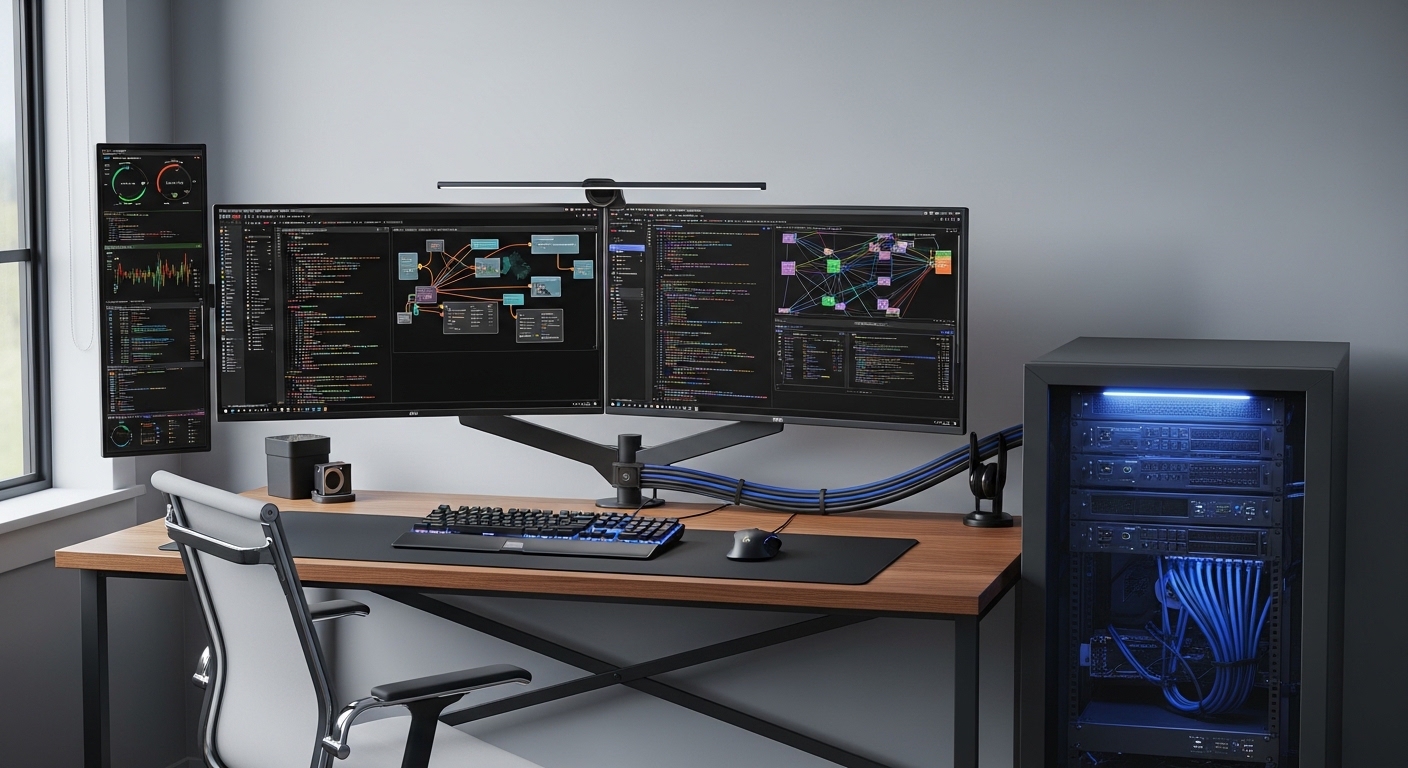
Creating a personal workspace for technical experimentation is a transformative step for any software engineer. The primary benefits of a dedicated home lab for developers extend far beyond simply having extra computer power.
It represents a private sanctuary where you can break systems without consequences. This environment fosters deep learning through trial and error which is often impossible in professional settings.
Establishing a Risk Free Learning Sandbox
One of the most significant advantages of maintaining a local lab is the freedom to fail. In a corporate environment, a simple configuration mistake can lead to downtime or security vulnerabilities.
Within your own lab, you can experiment with destructive testing scenarios without any fear. This allows you to understand the breaking points of various software architectures and database configurations.
If a system crashes or a kernel panic occurs, you simply wipe the virtual machine and start over. This iterative process accelerates the learning curve significantly for complex technologies.
Developers who regularly use a home lab tend to have higher confidence when deploying code. They have already seen the edge cases and failures in a controlled setting.
Improving Deployment Confidence
Testing deployment scripts locally ensures that your automation logic is sound. You can simulate production like environments by creating clusters of virtual servers that mimic your company infrastructure.
This practice reduces the likelihood of bugs reaching the cloud staging environment. It also saves your team time by catching configuration drift early in the development cycle.
Mastering Infrastructure as Code Locally
Modern development requires more than just writing application code. Understanding infrastructure as code or IaC has become a vital skill for senior developers and architects.
A home lab provides the physical and virtual resources needed to practice with tools like Terraform or Ansible. You can script the creation of entire networks and server fleets on your local hardware.
Managing these resources teaches you about state files and resource dependencies. You learn how to automate repetitive tasks which makes you much more efficient at your daily job.
Setting up an internal PXE boot server to automate OS installations is a classic lab project. This teaches you about the low level details of how operating systems boot and configure themselves.
Automating Your Personal Cloud
By treating your home lab as a private cloud, you develop a DevOps mindset. You can build continuous integration pipelines that trigger every time you push code to a local repository.
This hands on experience with CI CD tools is invaluable for career progression. It moves you beyond being a coder and into the realm of a full stack engineer.
Deep Diving into Virtualization and Containers
Virtualization is the backbone of modern computing and cloud services. A home lab allows you to explore different hypervisor technologies such as Proxmox or KVM without expensive subscriptions.
You can learn how to manage resource contention and CPU pinning for high performance applications. These skills are directly transferable to managing AWS EC2 instances or Azure VMs.
Containers have changed how we package and ship software globally. Running a local Kubernetes cluster gives you deep insights into pod orchestration and service meshes.
While cloud providers offer managed Kubernetes, running it yourself teaches you about the control plane. You learn how to handle certificate rotation and networking issues that are usually hidden by cloud providers.
Exploring Alternative Container Runtimes
A home lab is the perfect place to test alternatives to Docker. You can experiment with lightweight container runtimes and see how they impact resource usage on your servers.
Understanding these nuances helps you make better architectural decisions for your projects. You gain a broader perspective on the containerization ecosystem as a whole.
Enhancing Networking Proficiency
Many developers struggle with networking concepts like subnets and firewalls. A dedicated home lab forces you to confront networking challenges head on during the setup phase.
You might start by configuring a managed switch to separate your lab traffic from your home internet. This involves learning about virtual local area networks or VLANs to ensure security.
Setting up your own DNS server or reverse proxy provides clarity on how traffic flows across the internet. You will learn to troubleshoot connectivity issues using tools like packet sniffers or network monitors.
These skills are essential when debugging microservices that communicate over a complex mesh. Knowing how to read a routing table can save hours of frustration during a production incident.
Securing Your Local Infrastructure
Security is a major component of the benefits of a dedicated home lab for developers. You can practice setting up internal firewalls and intrusion detection systems to protect your data.
Learning how to manage SSL certificates locally is another great skill to acquire. This ensures that your local web services are just as secure as your public ones.
Privacy and Data Sovereignty
In the year 2026, data privacy has become a top priority for tech professionals. A home lab allows you to host your own services instead of relying on third party cloud providers.
You can run private versions of Git repositories or file synchronization tools. This ensures that your intellectual property remains on hardware that you physically own and control.
Self hosting also eliminates the monthly subscription fees associated with many developer tools. Over time, the initial hardware investment pays for itself through these savings.
Additionally, you can host local analytics or monitoring dashboards for your personal projects. This keeps your usage data private and away from large advertising networks.
Managing Personal Knowledge Bases
Many developers use their labs to host private wikis or documentation sites. Having a centralized knowledge base that is always accessible within your network is incredibly productive.
You can store snippets of code and architectural diagrams without worrying about data breaches. This creates a secure digital garden where your ideas can grow safely over time.
Hardware Knowledge and Resource Management
Software developers often treat hardware as an abstract concept. A home lab brings you closer to the metal and teaches you about physical resource constraints.
You will learn about the differences between various storage types like NVMe and SATA. Understanding disk IOPS and latency will change how you write database queries and file operations.
Monitoring heat and power consumption also provides a perspective on the environmental impact of code. You might find yourself optimizing resource intensive tasks to save on electricity or reduce fan noise.
Upgrading RAM or adding network interface cards teaches you about physical compatibility. This hardware literacy is rare among modern software developers and sets you apart in the industry.
Optimizing for Power Efficiency
Learning to balance performance with power draw is a valuable skill for edge computing. You can experiment with low power ARM processors to see how your code performs on restricted hardware.
This knowledge is vital for developing applications for the internet of things or mobile devices. You gain a competitive advantage by understanding how to build lean and efficient software.
Career Growth and Professional Portfolio
One of the most tangible benefits of a dedicated home lab for developers is the impact on your resume. Mentioning a home lab during an interview shows passion and initiative to potential employers.
It proves that you are committed to continuous learning outside of regular working hours. You can describe complex projects you built which demonstrates practical experience that certifications alone cannot provide.
Interviewers are often impressed by developers who can explain how they configured their own hypervisors. It provides concrete talking points about your technical journey and problem solving abilities.
Furthermore, you can use your lab to host a professional portfolio or a technical blog. This gives you a live environment to showcase your latest work to the world.
Networking with the Community
The home lab community is vast and supportive. Sharing your setups on forums can lead to valuable professional connections and mentorship opportunities.
You can contribute to open source projects that focus on self hosting or home automation. This increases your visibility in the industry and helps build your personal brand as an expert.
Practical Tips for Starting Your Home Lab
Starting a home lab does not require a massive budget or a server rack. Many developers begin with a single repurposed laptop or a small form factor desktop computer.
The key is to start small and expand your hardware as your needs grow. Focus on increasing your RAM first because virtualization is often memory intensive.
- Identify your primary learning goals before buying any hardware.
- Look for used enterprise equipment which offers great value for experimentation.
- Use a dedicated hypervisor to maximize the utility of your machines.
- Keep a journal of your configurations to help with future troubleshooting.
- Implement a solid backup strategy for your critical lab data.
Consistency is more important than having the most expensive equipment. Spend time each week updating your lab and trying out at least one new software tool.
Documenting your failures is just as important as documenting your successes. This builds a comprehensive reference guide that you can use throughout your career.
Choosing the Right Software Stack
Choose an operating system that aligns with your professional goals. If you work in a Linux environment, using Ubuntu or Debian for your lab servers makes perfect sense.
Explore automation tools that are commonly used in the industry today. Mastering standardized configurations will make your transition from lab to work much smoother.
Frequently Asked Questions
Is a home lab expensive to maintain?
The cost varies depending on the hardware you choose and your local electricity rates. Many developers use energy efficient hardware to keep the ongoing costs very low.
Do I need a server rack for a home lab?
No, a server rack is strictly optional. Many high performance labs are built using compact desktop units that fit easily on a bookshelf or under a desk.
Can I use my primary gaming PC as a home lab?
You can use virtualization software on your main computer to start. However, a dedicated machine is better because it can run twenty four hours a day without interruptions.
What is the best software for a home lab?
Proxmox is a very popular choice for managing virtual machines and containers. Many others prefer standard Linux distributions combined with Docker for a simpler approach.
Conclusion
Investing in a home lab is an investment in your future as a technical professional. The benefits of a dedicated home lab for developers encompass skill acquisition, privacy, and career advancement.
It provides a unique space where you can master the complexities of modern infrastructure at your own pace. Whether you are a junior coder or senior architect, the hands on experience is irreplaceable.
Start your journey today by setting up a single virtual machine and see where it takes you. The knowledge you gain will serve you well for many years to come in the ever changing tech landscape.