

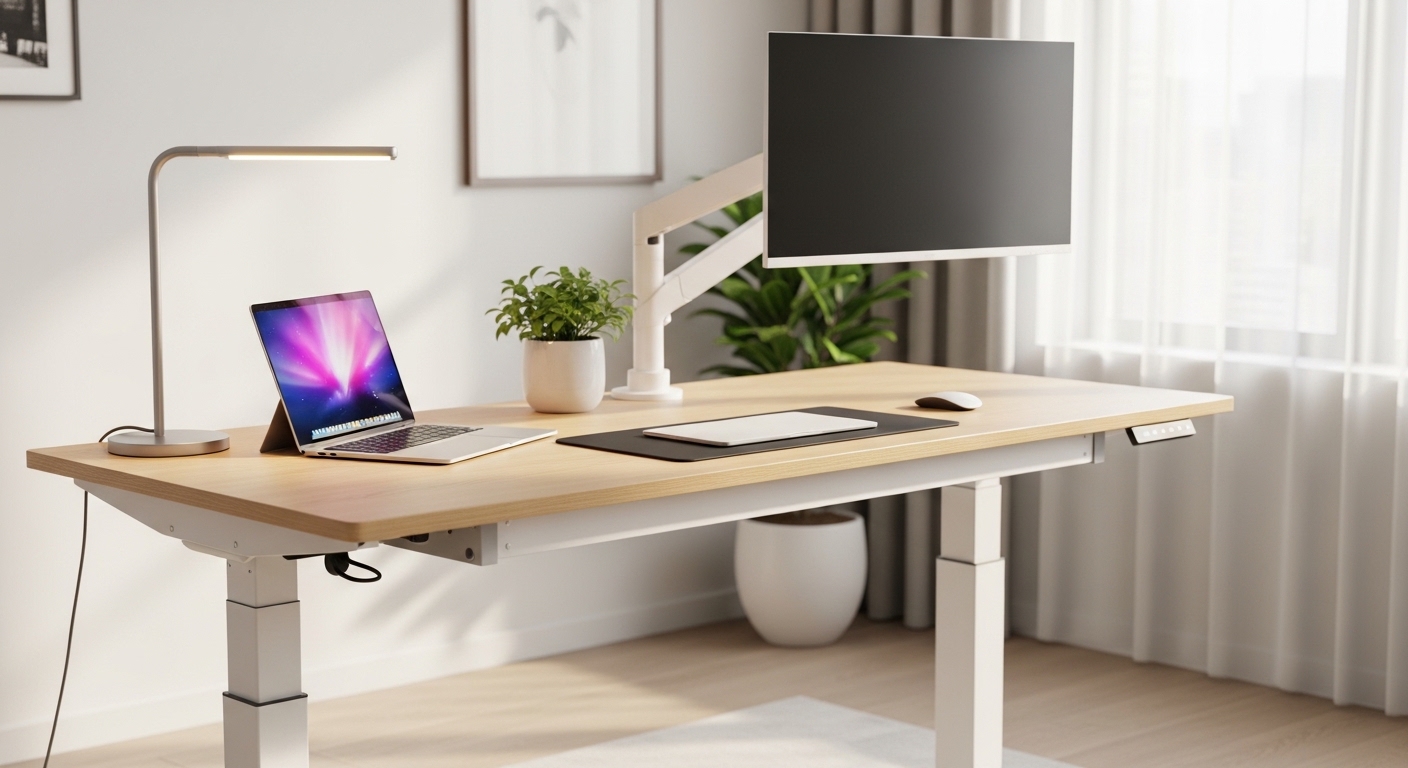
The Evolution of Dynamic Workspaces
Our relationship with our desks has shifted dramatically over the past decade as dynamic movement replaces static posture. Modern professionals spend vast amounts of time at their computers, leading to a rising demand for healthier office furniture solutions.
A physical workspace should actively support your physical health instead of causing fatigue. Learning how to choose an ergonomic standing desk is the first step toward building a healthier and more productive office environment.
Ergonomic Innovations in 2026
The concept of active working continues to redefine the modern workspace. In the year 2026, static office setups are quickly becoming obsolete as user wellness takes priority over simple utility.
Modern standing desks are highly sophisticated, offering customizable interfaces and integrated technology. Choosing the correct frame ensures you stay active, energized, and comfortable throughout your busy workday.
Determining Your Perfect Height Range
An ergonomic desk must accommodate your specific physical dimensions to prevent neck and back strain. A desk that does not adjust to your height will quickly cause fatigue in your shoulders and wrists.
When you sit, your feet must rest flat on the floor with your knees bent at a ninety degree angle. Your forearms should rest comfortably on the desktop surface while your shoulders remain relaxed.
Measuring for Seated and Standing Heights
To determine your exact height needs, sit comfortably in your favorite office chair. Measure the distance from the floor to the top of your armrests, which represents your ideal seated height.
Next, stand up straight while wearing your typical office shoes. Measure from the floor to the underside of your elbows to establish your ideal standing height.
Ensure the adjustment range of your prospective desk fully covers these two crucial dimensions. Taller users or those sharing a desk will require a broader adjustment spectrum to remain comfortable.
Analyzing Motor Systems and Lifting Power
Electric standing desks rely on internal motorized components to transition between heights. The design and number of these motors determine the speed, stability, and longevity of the entire unit.
Single motor configurations are common in entry level desks. These systems use a single motor to spin a central rod that drives both legs simultaneously.
The Limitations of Single Motor Desks
Single motor systems are often slower to adjust and can struggle with heavier loads. They are also prone to uneven wear, which can cause the desktop to tilt or jam over time.
If you have a minimal setup with just a single laptop, a single motor desk might suffice. However, for more complex setups, investing in superior motorized performance is highly recommended.
Why Dual Motor Desks are Superior
Dual motor desks feature a dedicated motor built into each individual leg. This allows for rapid, synchronized height adjustments and a much higher lifting capacity.
Dual motor systems run much quieter and handle unevenly distributed weight with ease. They provide a smooth transition that prevents your items or monitor mounts from shaking during movement.
For users with multiple monitors, heavy book stacks, or large audio speakers, dual motors are essential. They ensure your desk will lift heavy loads easily without straining the electrical components.
Evaluating Noise Levels and Transition Speed
The speed at which a desk adjusts can affect how often you choose to stand. Slow adjustments can feel tedious, especially when you are in the middle of an intensive task.
Most quality electric desks adjust at a rate of one point five inches per second or faster. This swift movement allows you to transition from sitting to standing in less than ten total seconds.
Understanding Motor Noise Levels
Motor noise is another crucial factor, especially if you work in quiet environments or share an office. High quality motors operate at noise levels below fifty decibels, which is similar to a quiet library.
Cheap motors can produce a high pitched whining sound that is highly disruptive. Whisper quiet motors ensure you can adjust your desk during video calls without disturbing meeting participants.
Addressing Desk Stability and Frame Wobble
Stability is a major concern when raising a desk to its maximum standing height. A shaky workspace can ruin your concentration, make typing difficult, and cause monitors to bounce constantly.
The structural materials and engineering of the frame determine how much wobble you will experience. High quality steel frames with thick wall tubing offer the best resistance to wobbling.
Understanding Frame Designs
Most desk frames use either a T style or C style leg configuration. T style legs place the lifting column directly in the center of the foot, which provides excellent central balance.
C style legs place the column toward the back of the foot, creating more legroom underneath. C style desks are highly popular but require extra structural reinforcement to prevent front to back swaying.
Leg Columns and Crossbars
Lifting columns are typically divided into two stage or three stage telescoping segments. Three stage columns offer a wider adjustment range and are structurally stiffer at higher extensions.
Some desks include a physical crossbar that connects the legs horizontally below the desktop. While crossbars improve stability, they can limit legroom and obstruct under desk storage solutions.
Modern high end frames often achieve superior stability without a crossbar by using heavier steel plates. This allows you to maintain a clean aesthetic while enjoying a rock solid work surface.
Selecting Desktop Materials and Dimensions
The desktop is the surface you interact with every single day, making durability and size critical considerations. Your choice of material affects both the aesthetic appeal and the lifespan of your workspace.
Laminate desktops are incredibly popular due to their affordability and scratch resistance. They are easy to wipe clean and come in a wide variety of colors and wood grain patterns.
Natural Wood and Premium Materials
Solid wood desktops offer unmatched beauty, natural warmth, and unique grain patterns. They are a premium investment but can be sanded and refinished to last a lifetime.
Bamboo is another fantastic option, offering high durability and sustainability. It is lighter than solid hardwood but provides excellent structural rigidity for daily tasks.
Choosing the Perfect Desktop Size
A desk should be wide enough to accommodate your equipment without feeling cramped. A width of at least sixty inches is ideal for dual monitor setups and desktop accessories.
Depth is equally important for maintaining a safe viewing distance from your screens. Ensure your desk is at least thirty inches deep to support proper ergonomic monitor placement.
Choosing Between Frame Only and Full Bundles
When purchasing a standing desk, you can buy a complete preconfigured bundle or purchase the frame separately. Both paths have unique advantages depending on your technical skill and customization desires.
A full preconfigured bundle is the easiest path to a complete workspace. The manufacturer ensures the desktop and frame holes align perfectly for quick, straightforward assembly.
The Appeal of Frame Only Options
Buying only the desk frame allows you to select a custom desktop from another vendor. This custom approach is highly popular among woodworkers and tech enthusiasts who want a unique look.
You can mount almost any flat surface onto a high quality steel frame. This customization allows you to create a workspace that perfectly matches your specific office design.
Comparing Different Types of Standing Desks
Understanding the different categories of standing desks helps you choose the perfect model for your lifestyle. Each type offers unique benefits and trade offs regarding cost, convenience, and performance.
Electric Standing Desks
Electric desks offer the ultimate convenience with motor driven adjustments at the touch of a button. They are perfect for users who transition between sitting and standing multiple times a day.
- Benefit, effortless adjustments require zero physical strain
- Benefit, precise digital control over your desk height
- Drawback, higher initial cost compared to manual alternatives
- Drawback, dependent on proximity to an electrical outlet
Pneumatic Standing Desks
Pneumatic desks utilize pressurized gas cylinders to raise and lower the desk. They operate quietly and quickly without requiring any electrical power.
- Benefit, rapid height changes take only a second
- Benefit, cordless operation allows for flexible room placement
- Drawback, lower weight limits than heavy duty electric models
- Drawback, lifting heavy items requires manual counter balance assistance
Manual Crank Standing Desks
Manual desks use a hand crank mechanism to adjust the height of the work surface. They are highly reliable, cost effective, and require zero electricity to operate.
- Benefit, budget friendly entry into the standing desk market
- Benefit, fewer mechanical parts that could break over time
- Drawback, winding the crank is tedious and takes physical effort
- Drawback, slow speed may discourage you from standing often
Essential Safety Features and Smart Technology
Modern standing desks are packed with intelligent features that improve safety and comfort. These technologies protect your belongings and enhance your daily workflow.
An anti collision system is one of the most critical safety features to look for. This sensor automatically stops the desk if it detects resistance while moving up or down.
Memory Presets and Health Reminders
Digital controllers often feature memory presets that store your favorite heights. This allows you to return to your perfect sitting or standing level with one simple touch.
Some advanced controllers connect to mobile apps or feature built in physical vibrations. These subtle alerts remind you to change positions regularly, preventing muscle fatigue.
Smart Cable Management Solutions
Moving desks require a thoughtful cable management strategy to prevent damaged cords. When the desk rises, tight cables can pull out of their ports or snap entirely.
Choose a desk with integrated cable trays or under desk channels. Keeping your cords organized maintains a clean look and safe height transitions.
Essential Ergonomic Accessories for Your Desk
Choosing the desk frame and desktop is only the first part of creating an ergonomic workspace. Adding the right accessories completes the setup and maximizes the health benefits of your new desk.
An active standing mat is highly recommended to reduce physical fatigue on your legs and feet. Standing on hard surfaces for long periods can cause joint stiffness.
The Role of Adjustable Monitor Arms
Your screen height needs to change when you transition from sitting to standing to maintain eye level alignment. Adjustable monitor arms allow you to position your screens perfectly in seconds.
These arms free up valuable desktop space and prevent you from tilting your neck downward. Proper screen placement is critical to achieving the full ergonomic benefits of standing.
Under Desk Storage Solutions
Traditional desks often include built in drawers that move with the frame. Standing desks typically lack built in drawers to keep the weight light and the look minimalist.
You can add under desk storage drawers that screw directly into the underside of your desktop. These low profile drawers keep your pens, notebooks, and devices within easy reach at all times.
Budgeting for Your Standing Desk Investment
The price of standing desks varies widely based on size, materials, and motor configurations. Establishing a clear budget helps you prioritize features that matter most to you.
Under three hundred dollars, you will find basic single motor desks with laminate tops. These are excellent for light office use but may lack long term durability under heavy daily use.
Mid Range Value and Customization
The mid range tier, spanning four hundred to eight hundred dollars, offers the best value. Here you will find robust dual motor systems, heavy duty steel frames, and sustainable solid wood.
Premium desks exceeding one thousand dollars offer unmatched customization and high end finishes. These premium models feature whisper quiet motors, advanced electronics, and extended warranty periods.
Remember to factor in the cost of ergonomic accessories when planning your budget. Items like active standing mats or monitor arms can significantly enhance your overall comfort and productivity.
Conclusion
Finding the perfect standing desk is a highly personal journey that transforms your workspace dynamics. Prioritizing correct height ranges, stable frames, and reliable adjustment mechanisms ensures a smart investment.
Take the time to measure your space and physical dimensions before making your choice. A high quality desk will support your health and elevate daily work for years to come.