

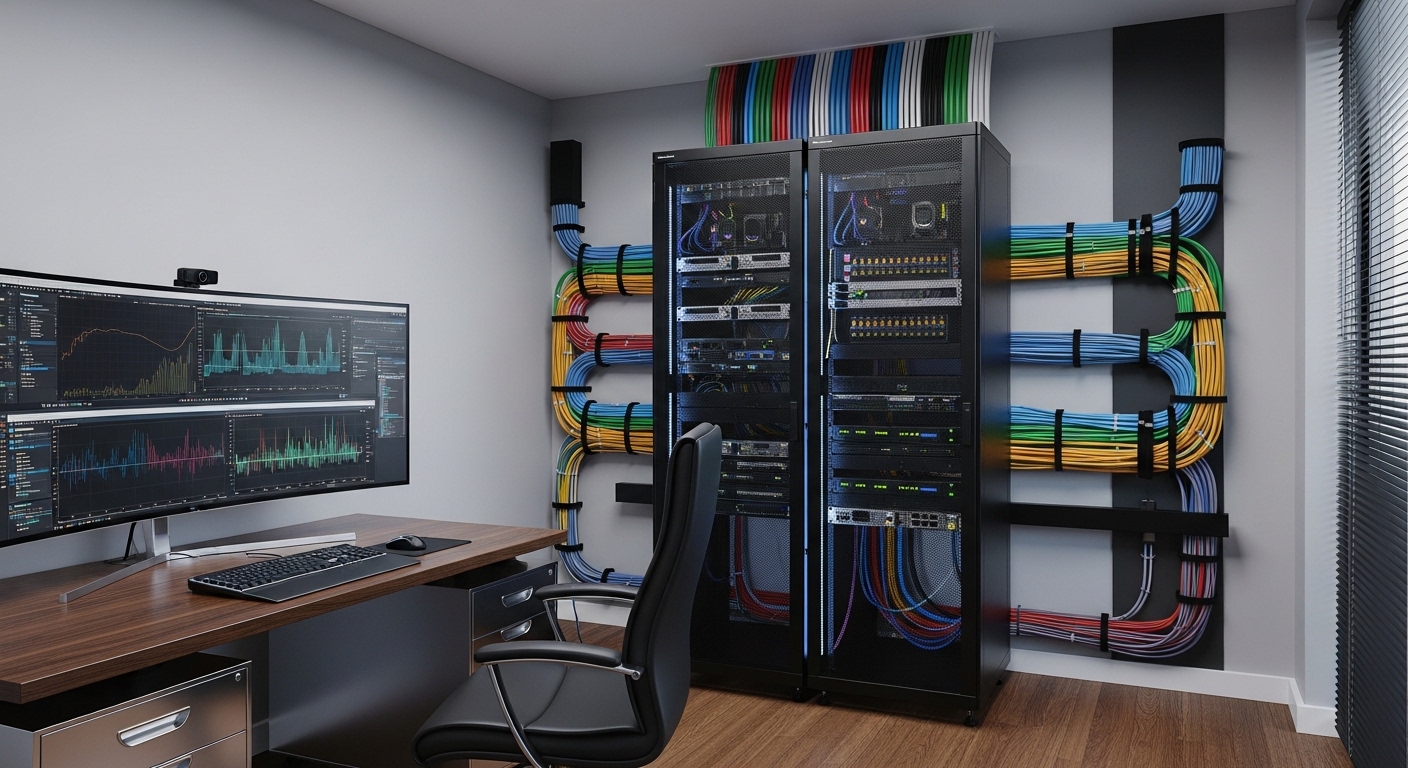
Building the Heart of Your Home Lab
Starting a home lab project is an exciting journey for any tech enthusiast. Selecting the right foundation ensures that your hardware remains organized, safe, and efficient.
In this guide, you will learn how to choose a home lab server rack that fits your specific technical requirements. We will explore everything from physical dimensions to thermal management strategies.
A server rack is more than just a metal frame. It acts as the central nervous system for your networking gear, storage arrays, and compute nodes.
Choosing poorly can lead to cable clutter or even hardware damage due to poor ventilation. This guide provides the professional insights needed to make an informed purchasing decision.
- Assessment of available floor space
- Evaluation of current and future hardware
- Understanding total weight requirements
- Planning for cable management and power
Measuring Your Needs in Rack Units
The first step in your journey involves understanding the standard unit of measurement for server equipment. This measurement is known as the Rack Unit or U.
One single Rack Unit equals exactly 1.75 inches in vertical height. Most enterprise equipment is designed to fit into these standardized increments.
When you look at a rack, you might see sizes like 6U, 12U, or even 42U. A 12U rack can hold twelve standard 1U devices or six 2U devices.
Always aim for more vertical space than you currently need. This allows for growth and prevents you from needing a total rack replacement later.
It is generally wise to calculate your current equipment total and add 30 percent for expansion. This extra space allows for better airflow and easier cable routing between devices.
Standard Width and Mounting Rails
Most server racks utilize a standard width of 19 inches. This width refers to the internal mounting distance between the vertical rails.
The exterior width of the rack will be slightly wider. Ensure you measure your physical room space to accommodate the external rack chassis.
Selecting the Perfect Rack Depth
Depth is often the most confusing part for beginners. Networking equipment usually requires much less depth than servers.
A networking rack might only be 15 to 20 inches deep. Enterprise servers often require a depth of 30 inches or more.
If you plan to use full sized rackmount servers, you must choose a deep rack. Check your server specifications for the maximum rail depth before buying.
For more specific needs, you might want to look at a guide on short depth server racks for compact spaces. These are ideal for wall mounted setups or tight closets.
Adjustable rails are a premium feature to look for. They allow you to customize the internal depth to fit your specific server rails.
Always leave a few inches of extra space at the rear. This space is necessary for cable bends and airflow exit paths.
Common Depth Standards
Standard depths typically range from 600mm for networking to 1200mm for high density computing. For a home lab, 800mm to 1000mm is often the sweet spot.
Measure your deepest piece of equipment including any protruding cables. Add at least 4 inches to that measurement for proper rear clearance.
Open Frame vs Enclosed Cabinets
The choice between an open frame and an enclosed cabinet depends on your environment. Each style offers distinct functional advantages.
Open frame racks are essentially four vertical posts with no side panels or doors. They are the most cost effective option for beginners.
An open frame allows for unrestricted airflow and easy access to all components. This makes troubleshooting and upgrading your gear much simpler.
However, open frames do not provide any physical security. They also leave your equipment exposed to dust and accidental bumps.
Enclosed cabinets offer a professional look and better physical protection. They often feature lockable front and rear doors.
Cabinets can also help with noise reduction if they are specifically designed for sound dampening. If your lab is in a living area, an enclosed silent rack is ideal.
Thermal Considerations for Enclosures
Enclosed racks require active management of heat. Without proper fans, heat can quickly build up and shorten hardware lifespan.
Look for cabinets with perforated doors to allow passive air exchange. You should also consider rackmount cooling fans to pull hot air out.
Weight Capacity and Structural Build
A server rack must be strong enough to support heavy enterprise gear. Servers and UPS units are surprisingly heavy objects.
Check the static load rating of any rack you consider. This rating tells you how much weight the rack can safely hold when stationary.
Dynamic load refers to the weight capacity when the rack is being moved on casters. This rating is always lower than static weight limits.
High quality racks are made from cold rolled steel. Thicker steel gauge provides better structural integrity and less flexing under load.
Avoid cheap, thin metal frames that might wobble. A sturdy rack protects your valuable hardware investment from physical stress.
Floor Loading Concerns
In a home environment, the total weight of the rack is a concern. A fully loaded 42U rack can weigh over 1000 pounds.
Ensure your floor can handle the concentrated weight in a small area. Using a solid floor base or a weight distribution plate can help.
Mounting Holes: Square vs Threaded
There are two main types of mounting holes found in server racks. Most modern data centers use square hole rails.
Square holes allow the use of cage nuts. Cage nuts are easily replaceable and versatile for various equipment types.
If you strip a thread in a square hole rack, you just replace the nut. This prevents permanent damage to the rack frame itself.
Threaded holes are more common in networking racks and older telco equipment. These holes have pre tapped threads directly in the metal.
While threaded holes are easier to set up initially, they are less flexible. Stripping a thread can make that rack unit unusable permanently.
We highly recommend choosing a rack with square holes for any home lab server setup. This ensures compatibility with universal rails used by major server brands.
Cable Management and Power Distribution
Organization is the hallmark of a professional home lab. A rack without cable management quickly becomes a tangled mess of wires.
Look for racks that include vertical cable managers. These allow you to route cables neatly up the sides of the frame.
You may also need dedicated accessories like rackmount shelves for non rackable gear. These shelves provide a flat surface for smaller desktop switches or hubs.
Power distribution is another critical factor to plan for. Most enthusiasts use a rackmount PDU to manage power delivery.
Integrating a rackmount PDU ensures that your power cables stay internal to the rack. This reduces external cable clutter significantly.
Do not forget to account for your UPS system. You can learn how to calculate UPS size to ensure your rack stays powered during outages.
Portability and Strategic Placement
The location of your server rack impacts its performance and your comfort. Consider the noise and heat output in your chosen room.
Casters are a highly recommended feature for home labs. They allow you to roll the rack out to access the rear cabling.
Leveling feet are also important for stability. Once the rack is in place, deploy the feet to keep it from moving or vibrating.
Avoid placing your rack in a small closet without ventilation. Servers generate significant heat that must be vented to stay cool.
Think about the surface your rack will sit on. Hard surfaces like concrete or wood are better than thick carpets for stability.
Managing Noise in the Home
Servers can be extremely loud due to high RPM fans. If your rack is in an office, noise suppression is vital.
Using foam acoustic panels around the rack area can help dampen the sound. However, never block the actual airflow intake or exhaust ports.
Budgeting for Your Home Lab Rack
Racks can range from one hundred dollars to several thousand. Setting a realistic budget is part of the planning process.
Used enterprise racks are often available at a deep discount. Local liquidations or online marketplaces are great places to find deals.
Buying used can save you hundreds of dollars. Just ensure you can transport the heavy frame safely to your home.
If you buy new, focus on the features that matter most. A basic four post open frame is often better than a cheap, poorly ventilated cabinet.
Factor in the cost of accessories like cage nuts, shelves, and PDUs. These small items can add up quickly in your total budget.
Investing in a high quality rack now saves money in the future. A durable steel frame will last for decades of hardware cycles.
Future Proofing Your Infrastructure
Technology moves fast, and your home lab will likely grow over time. Always leave room for expansion when selecting your rack size.
In the year 2026, we expect hardware to become even more dense and powerful. Having a rack with flexible mounting options is essential.
Standardize your equipment as much as possible to fit 19 inch rails. This makes reconfiguring your setup much easier and cleaner.
Check for modularity in your rack design. Some racks allow you to add side panels or expansion kits later on.
Don’t forget to label everything to maintain organization. Using label printers helps you identify cables and ports during maintenance sessions.
Conclusion: Making Your Final Choice
Selecting the right rack is the foundation of a successful technical hobby. It provides structure and protection for your expensive hardware components.
Remember to prioritize depth and height to accommodate all your gear. Square holes and sturdy steel construction are the hallmarks of a quality unit.
Whether you choose an open frame for ease of access or a cabinet for security, ensure airflow remains a priority. Proper cooling is the key to hardware longevity.
Take your time to measure your space and your equipment. Following these steps will help you understand how to choose a home lab server rack that meets your needs.
Your home lab is a reflection of your technical passion. Building it on a premium server rack ensures a professional and reliable experience for years to come.