

The Evolution of Visual Communication in the Professional Sphere
The modern landscape of remote work has shifted significantly toward high definition communication. Most integrated laptop webcams utilize tiny sensors that struggle with low light and color accuracy, leading to a grainy appearance during important meetings.
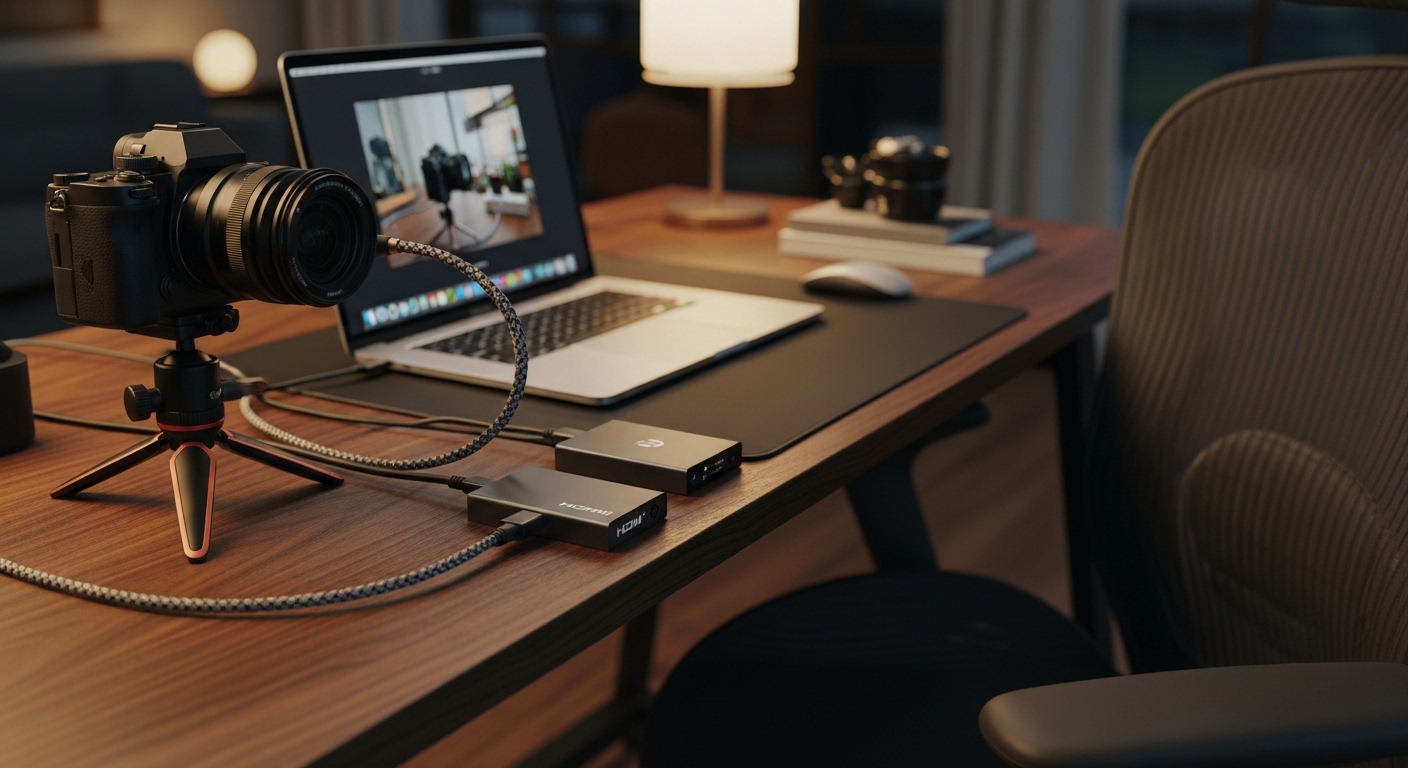
By using one of the best hdmi capture cards, you can bridge the gap between professional photography and digital meetings. These devices allow your computer to recognize a high end mirrorless camera as a standard webcam source.
The science behind this involves converting an uncompressed HDMI signal into a format compatible with USB standards. This process ensures that every detail from your lens reaches your colleagues with perfect clarity and minimal lag.
Using a dedicated capture device reduces the processing load on your computer CPU. This hardware offloading is essential for maintaining smooth performance during long video conferences where system resources are already stretched thin.
Understanding the Impact of Image Sensors
Larger sensors in professional cameras capture more light than the small modules found in mobile phones or laptops. This results in a natural background blur that helps you stand out from your home office environment.
When you pair a large sensor camera with a high quality capture card, you achieve a cinematic look that commands attention. This level of professionalism can influence how you are perceived by clients and executive leadership during virtual presentations.
Quick Buying Guide
Before investing in hardware, you must verify that your camera supports a clean HDMI output signal. This feature ensures that the on screen display icons like battery life or focus boxes do not appear in your video call feed.
Look for devices that offer UVC support for a seamless experience. UVC stands for USB Video Class, which means the device will work instantly without requiring manual driver installations on Windows or macOS systems.
Consider the thermal management of the device if you plan on attending back to back meetings for several hours. Professional grade capture cards often feature aluminum housings that act as heat sinks to prevent thermal throttling or signal drops.
Check the maximum resolution and frame rate capabilities to ensure they match your camera output. While many professionals prefer 4K for its future proofing, a stable 1080p signal at 60 frames per second is often the gold standard for zoom calls.
Connectivity and Bandwidth Requirements
Ensure your computer has a USB 3.0 port or higher to handle the massive data flow of uncompressed video. Using a USB 2.0 port will result in heavy compression and noticeable visual artifacts during your professional calls.
Verify if the capture card requires a specific cable type, such as USB C or USB A. Having the correct cable interface prevents the need for unstable adapters that might introduce latency into your video stream.
The 8 Best HDMI Capture Cards for Professional Video Calls
Below is our curated selection of the most reliable and high performance capture solutions for your professional home office laboratory.
1. Elgato Cam Link 4K
The Elgato Cam Link 4K is widely considered the industry standard for transforming high end cameras into powerful webcams. Its compact dongle design allows it to sit discreetly behind your computer without taking up valuable desk space or requiring external power.
This device supports resolutions up to 4K at 30 frames per second or 1080p at 60 frames per second. It offers ultra low latency technology, ensuring that your mouth movements remain perfectly synchronized with your audio during high stakes business negotiations.
This product is ideal for professionals who want a simple, reliable plug and play solution from a reputable brand. Its wide compatibility with various mirrorless cameras makes it a safe choice for almost any professional user setup.

Maximizing Video Stability
To ensure the best performance with compact dongles, avoid using them on unpowered USB hubs. Direct connection to the motherboard port provides the most stable power delivery for consistent video feeds throughout the day.
2. AVerMedia Live Gamer Extreme 3
The AVerMedia Live Gamer Extreme 3 features a robust external box design that looks great on any modern desktop. It includes visible status indicators that help you confirm the signal status at a single glance during your busy workday.
A standout feature of this device is its support for variable refresh rate pass through, though its primary benefit for professionals is 4K capture. It provides an extremely smooth 60 frames per second feed at 1080p, which looks incredibly lifelike during motion heavy presentations.
This card is best for users who appreciate tactile hardware and need a device that can also handle light gaming content creation on the side. It offers great value for those who want a versatile tool for both work and personal projects.

3. Magewell USB Capture HDMI Gen 2
The Magewell USB Capture HDMI Gen 2 is built with a ruggedized metal housing that is designed for 24 hour operation. Its industrial build quality ensures it can withstand constant use in professional environments without any degradation in signal quality.
Technically, this device is impressive because it performs hardware based video processing, such as scaling and color space conversion, inside the dongle itself. This reduces CPU load significantly, making it the perfect choice for older laptops or highly demanding workflows.
This is the ultimate choice for corporate professionals who prioritize absolute reliability above all else. While it carries a premium price tag, the peace of mind it provides during critical executive meetings is well worth the investment.

Understanding Hardware Offloading
When the capture card handles the image processing, your computer stays cooler and runs faster. This prevents the distracting fan noise that often occurs when a laptop struggles to encode high definition video signals.
4. Atomos Connect 4K
The Atomos Connect 4K offers a sleek and minimalist aesthetic that matches the high end monitors the brand is famous for. It is incredibly small, making it a portable companion for professionals who frequently travel and need to maintain a high quality video presence.
It supports 4K input and converts it to a high quality 1080p output for maximum compatibility with software like Zoom or Microsoft Teams. The color accuracy provided by Atomos hardware is legendary, ensuring your skin tones look natural and professional under any lighting.
This product is best for the budget conscious professional who still wants pro level performance from a trusted cinema brand. It strikes a perfect balance between price, size, and visual fidelity for the modern remote worker.

5. Blackmagic Design UltraStudio Recorder 3G
The Blackmagic Design UltraStudio Recorder 3G is a broadcast grade tool that uses a Thunderbolt 3 interface for massive bandwidth. Its compact, all metal design feels like a piece of high end laboratory equipment that is built to last a lifetime.
Because it uses Thunderbolt instead of standard USB, it offers zero latency performance that is virtually unmatched by other devices in this price category. It supports both HDMI and SDI inputs, giving you the flexibility to use professional studio cameras if your needs evolve.
This device is specifically for power users with Thunderbolt equipped computers who demand the highest signal integrity. It is less a consumer gadget and more a professional video tool for those who refuse to compromise on quality.

Blackmagic Design Capture UltraStudio Monitor 3G BDLKULSDMBREC3G
Check Price on Amazon
Choosing the Right Interface
Thunderbolt connections offer much higher data speeds than standard USB ports found on many mouses. This extra bandwidth allows for uncompressed video frames to reach your software without any perceptible delay or frame dropping.
6. Guermok Video Capture Card
The Guermok Video Capture Card provides an affordable way to connect high end cameras to a computer for professional video calls. This hardware supports 4K input signals and transmits clear 1080p video at 30 frames per second through a standard USB connection.
Users benefit from a plug and play setup that requires no external drivers for immediate use on major meeting software. The small aluminum enclosure helps manage heat during extended sessions and ensures a reliable connection for every presentation.

7. Capture Card
The Elgato Cam Link 4K is a top capture card for users who need professional video call quality. This device supports 4K resolution at 30 frames per second to ensure crisp visual clarity during meetings.
The Magewell USB Capture HDMI Gen 2 provides a professional grade solution with driverless installation for most computers. It handles 1080p signals at 60 frames per second to maintain smooth motion for presentations.

Maintaining Your Hardware
Keep your capture card in a well ventilated area of your desk to ensure optimal cooling. Even efficient metal housings perform better when they have some airflow to dissipate the heat generated during video processing.
8. Razer Ripsaw X
The Razer Ripsaw X is a dedicated camera capture solution that focuses on providing a pure signal for high end video calls. Its tiny footprint makes it one of the most portable 4K capable devices currently available on the market.
It supports 4K resolution at 30 frames per second, allowing you to capture every detail of your professional presentation with stunning clarity. The near zero latency ensures that your interactions with clients feel natural and instantaneous, just like an in person meeting.
This product is best for professionals who are already part of the Razer ecosystem or those who need maximum resolution in the smallest possible form factor. It provides a crisp, high contrast image that makes a significant impact on viewers.

Comparison of Professional HDMI Capture Cards
The following table provides a quick overview of how these leading capture devices compare in terms of features and intended use cases.
| Product Name | Key Feature | Best For | Price Range |
|---|---|---|---|
| Elgato Cam Link 4K | Compact Dongle | All Professionals | Mid Range |
| AVerMedia Live Gamer Extreme 3 | VRR Pass Through | Hybrid Work/Gaming | Mid Range |
| Magewell USB Capture HDMI Gen 2 | Hardware Processing | Mission Critical Use | Premium |
| Atomos Connect 4K | Color Accuracy | Creative Professionals | Budget |
| Blackmagic UltraStudio 3G | Thunderbolt Speed | Broadcast Quality | Mid Range |
| EVGA XR1 Lite | Value Performance | Budget Upgrades | Budget |
| NZXT Signal HD60 | Thermal Efficiency | Minimalist Setups | Mid Range |
| Razer Ripsaw X | Small 4K Factor | Portable 4K Calls | Mid Range |
Final Verdict
After analyzing the technical specifications and real world performance of these devices, the Elgato Cam Link 4K remains the overall best pick for most professional users in 2026. Its combination of a small form factor, widespread software compatibility, and proven reliability makes it the safest investment for anyone looking to significantly improve their video call quality with minimal effort.
However, if your work involves mission critical presentations where a hardware failure is not an option, the Magewell USB Capture HDMI Gen 2 is the superior choice. Its dedicated onboard processing and industrial grade build quality provide a level of stability that consumer level devices simply cannot match, making it the definitive choice for the ultimate high end home office laboratory.