

The Science of Handshake Ergonomics
Chronic discomfort at your workstation often stems from a common anatomical issue known as forearm pronation. This happens when you twist your wrist to place your palm flat against a traditional pointing device.
This posture puts constant pressure on the median nerve and surrounding tendons. Over time, the strain can lead to carpal tunnel syndrome or repetitive strain injuries that hinder your productivity.
Understanding Nerve Compression
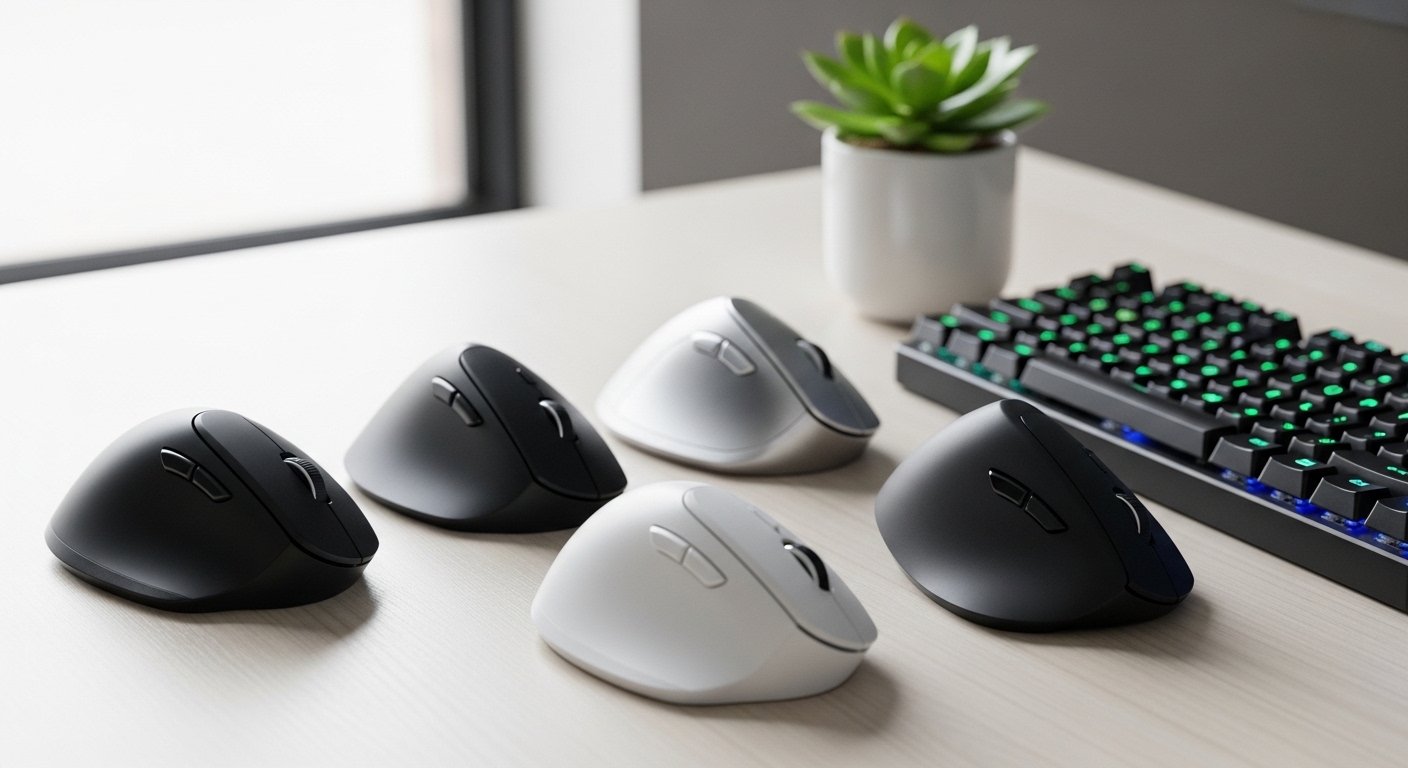
A vertical orientation allows your hand to rest in a natural handshake position. This alignment reduces muscle activity in the forearm and eliminates the torsion caused by flat mouse devices.
By moving the stress away from the delicate carpal tunnel area, you allow your wrist to maintain a neutral state. This physiological shift is essential for anyone spending more than four hours a day on a computer.
Long Term Health Benefits
Modern office workers are seeing a surge in musculoskeletal disorders due to poor equipment choices. Implementing a vertical mouse is one of the most effective ways to mitigate these risks early.
The ergonomic design encourages you to move your entire arm rather than just your wrist. This change in movement pattern distributes the physical workload across larger muscle groups in the shoulder and upper arm.
Quick Buying Guide
When selecting your next ergonomic tool, the primary factor to consider is the degree of tilt provided by the chassis. Most high quality vertical mouses offer an angle between fifty seven and sixty degrees for optimal comfort.
This specific angle mimics the natural resting state of a human hand on a flat surface. You should also verify that the size of the device matches the dimensions of your palm for a secure grip.
Sensor Precision and Connectivity
Do not sacrifice technical performance for the sake of ergonomics when choosing your peripherals. Look for a high dots per inch range that allows you to move the cursor across the screen with minimal physical effort.
Adjustable sensitivity settings are crucial because they let you fine tune the response to your specific workflow. Connectivity options such as Bluetooth or dedicated wireless receivers provide a clutter free environment for your desk.
Material Quality and Button Placement
The texture of the device plays a significant role in long term comfort and grip stability. Premium mouses often feature rubberized grips or textured surfaces that prevent slipping during intense work sessions.
Check the placement of the primary buttons and scroll wheel to ensure they are within easy reach. The goal is to minimize finger extension and clicking force to further reduce the risk of strain.
The 8 Best Ergonomic Vertical Mouses for Wrist Pain
Finding the perfect device requires balancing technical specs with personal comfort needs for your home office in 2026.
1. Logitech MX Vertical Wireless Mouse
The Logitech MX Vertical represents the gold standard for professional ergonomic pointing devices currently available. It features a stunning design with a unique fifty seven degree vertical angle that reduces muscular strain by ten percent.
The build quality feels incredibly premium with a rubberized palm area and a metallic scroll wheel that provides satisfying tactile feedback. It is a large device that feels substantial and stable on any desk surface.
Performance is handled by a high precision four thousand DPI sensor that significantly reduces the amount of hand movement required. You can toggle between different sensitivity levels with a dedicated button on the top of the chassis.
This mouse is the best choice for power users who need multi device switching and fast charging capabilities. It is particularly effective for those with medium to large hands who want a reliable and durable tool.

Optimizing Your Workspace Layout
Adding a vertical device is only the first step toward a healthy workstation. You must also ensure your desk height is correct to keep your elbow at a ninety degree angle.
2. Logitech Lift Vertical Ergonomic Mouse
The Logitech Lift is designed specifically to address the needs of users with smaller hand sizes who find larger models uncomfortable. It mirrors the high end features of the MX series but in a more compact and approachable form factor.
The design is soft and rounded with several color options to match your personal home office aesthetic. It utilizes a silent magnetic scroll wheel that allows for both precision and high speed scrolling without the noise.
Technically, it offers seamless connectivity via Bluetooth or the Logi Bolt receiver for a secure and lag free experience. The buttons are positioned perfectly for shorter fingers to reach without overextending the joints.
This model is the ideal selection for petite users or anyone who prefers a lightweight mouse for daily tasks. It provides excellent battery life from a single AA battery that can last up to two years.

3. Anker Wireless Vertical Mouse
The Anker Wireless Vertical Mouse is widely recognized as the best entry level option for those curious about ergonomic shapes. It features a sleek shark fin design that provides a surprisingly comfortable grip for its very affordable price point.
The plastic construction is lightweight but durable enough for standard office use over many years. It includes five buttons that offer basic productivity shortcuts like forward and back navigation for web browsing.
Technical performance is reliable with an optical sensor that offers three different DPI levels up to sixteen hundred. While it lacks the advanced software of premium brands, it works perfectly as a plug and play solution.
This device is best for budget conscious buyers who want to test the benefits of vertical ergonomics without a large investment. It serves as an excellent secondary mouse for travel or occasional home office use.

Maintaining Your Ergonomic Equipment
Dust and oils from your skin can accumulate on the sensors and grips of your mouse devices. Regular cleaning with a microfiber cloth ensures the tracking remains accurate and the surface stays hygienic.
4. Evoluent VerticalMouse 4 Right Hand
The Evoluent VerticalMouse 4 features a patented shape that supports your hand in a fully upright and neutral posture. Unlike other models, the design prevents your pinky finger from rubbing against the desk surface by using a contoured lip.
The build quality is industrial and robust, reflecting its reputation as a tool often recommended by physical therapists. It offers six programmable buttons that can be customized extensively using the proprietary software.
A unique feature is the pointer speed indicators located directly on the side of the mouse body. This allows you to see your current sensitivity level at a glance without opening any computer menus.
This product is best for individuals who are already suffering from significant wrist pain and need the most clinical design available. It offers a steeper learning curve but provides the most dramatic shift in hand orientation.

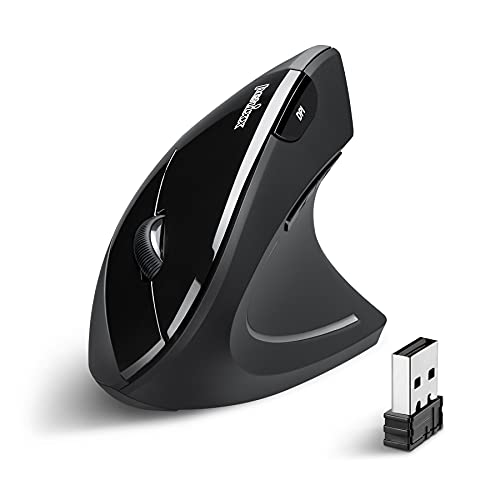
5. Perixx PERIMICE 713 Wireless Mouse
The Perixx PERIMICE 713 offers a refined take on the classic vertical shape with a focus on smooth gliding and comfort. It has a slightly more aggressive tilt than basic models which helps in achieving a true handshake grip.
The surface is coated in a matte finish that feels soft to the touch and resists fingerprints effectively. It features a dedicated slot to store the wireless nano receiver, making it a great choice for mobile professionals.
Technical specs include a reliable two point four gigahertz connection that remains stable even in crowded wireless environments. The optical sensor is optimized for power efficiency, helping the batteries last for several months of daily use.
This mouse is best for users who want a full sized device that feels substantial without paying a premium for brand names. It provides a great balance of features, comfort, and long term reliability.
Customizing Your Cursor Speed
A higher sensitivity setting allows you to navigate large displays with very small physical movements. This is a key strategy for reducing the total distance your hand travels during a typical workday.
6. Lekvey Vertical Wireless Mouse
The Lekvey Vertical Wireless Mouse is a popular choice for its sleek modern appearance and internal rechargeable battery system. This eliminates the need for disposable batteries and makes the device more environmentally friendly and convenient.
The ergonomic shape is slightly more tapered than its competitors, allowing for a very natural and relaxed grip. It feels light in the hand, which reduces the effort required for rapid cursor movements across the screen.
It offers three adjustable DPI levels and a fast sleep mode that preserves power when the device is not in use. The buttons are quiet and provide a soft click that is less distracting in quiet office environments.
This model is perfect for users who value rechargeable convenience and a minimalist design. It is an affordable alternative that performs well for standard office productivity and casual web browsing.

7. JTech Digital V628 Scroll Endurance
The JTech Digital V628 is a unique vertical device that comes with a removable palm rest for added versatility. This allows you to choose between a standard vertical grip or a full arm support setup depending on your desk space.
The build is large and features a blue LED light strip that gives it a modern and tech forward appearance. The scroll wheel is positioned on the top edge, which some users find more intuitive for their index finger.
It is a wired device, which means you never have to worry about battery levels or wireless interference during critical tasks. The sensor is accurate and provides consistent tracking on a wide variety of desk surfaces.
This mouse is the best pick for users who prefer a wired connection for maximum stability and zero latency. The additional wrist support makes it a powerhouse for long sessions of data entry or creative work.
![J-Tech Digital Wired Ergonomic Vertical USB Mouse with Adjustable Sensitivity (600/1000/1600 DPI), Scroll Endurance, Removable Palm Rest & Thumb Buttons [V628]](https://m.media-amazon.com/images/I/41Rr0XulZRL._SL500_.jpg)
Improving Your Arm Movement
When using these devices, try to pivot from your elbow rather than your wrist. This technique utilizes larger muscles and prevents the small tendons in your hand from becoming overworked.
8. CHERRY MW 4500 Ergonomic Mouse
The CHERRY MW 4500 comes from a brand famous for its high quality keyboard switches and durable office peripherals. This mouse features a forty five degree angle that acts as a gentle transition for those used to flat mouses.
The build quality is exceptionally high with precise plastic molding and a very satisfying click feel on every button. It is designed to be an understated and professional tool that fits into any corporate or home office environment.
It includes a status LED that warns you when the battery is running low so you are never caught off guard. The optical sensor provides accurate tracking for general office tasks and professional creative software.
This device is best for users who want a subtle ergonomic shift rather than a radical change in posture. It offers the reliability and build quality that the CHERRY brand is known for worldwide.

Comparison
Choosing the right peripheral involves comparing the specific features that impact your daily comfort and workflow efficiency at the desk.
| Product Name | Key Feature | Best For | Price Range |
|---|---|---|---|
| Logitech MX Vertical | 57 Degree Angle | Premium Professionals | High |
| Logitech Lift | Compact Design | Small Hands | Mid |
| Anker Wireless | Shark Fin Shape | Budget Buyers | Low |
| Evoluent VerticalMouse 4 | Pinky Finger Support | Severe Pain Relief | High |
| Perixx PERIMICE 713 | Matte Finish | Large Hands | Low |
| Lekvey Wireless | Rechargeable Battery | Eco Conscious Users | Low |
| JTech Digital V628 | Removable Palm Rest | Wired Stability | Mid |
| CHERRY MW 4500 | 45 Degree Angle | Subtle Ergonomics | Mid |
Final Verdict
After reviewing the top contenders, the Logitech MX Vertical remains the superior choice for the majority of professional users. Its combination of advanced sensor technology, premium build quality, and perfect ergonomic angling justifies the higher investment for long term health.
If you have smaller hands or want a more modern aesthetic, the Logitech Lift is an equally impressive alternative that offers the same high end features. Both of these mouse devices provide the necessary support to eliminate wrist pain and improve your overall home office experience.