

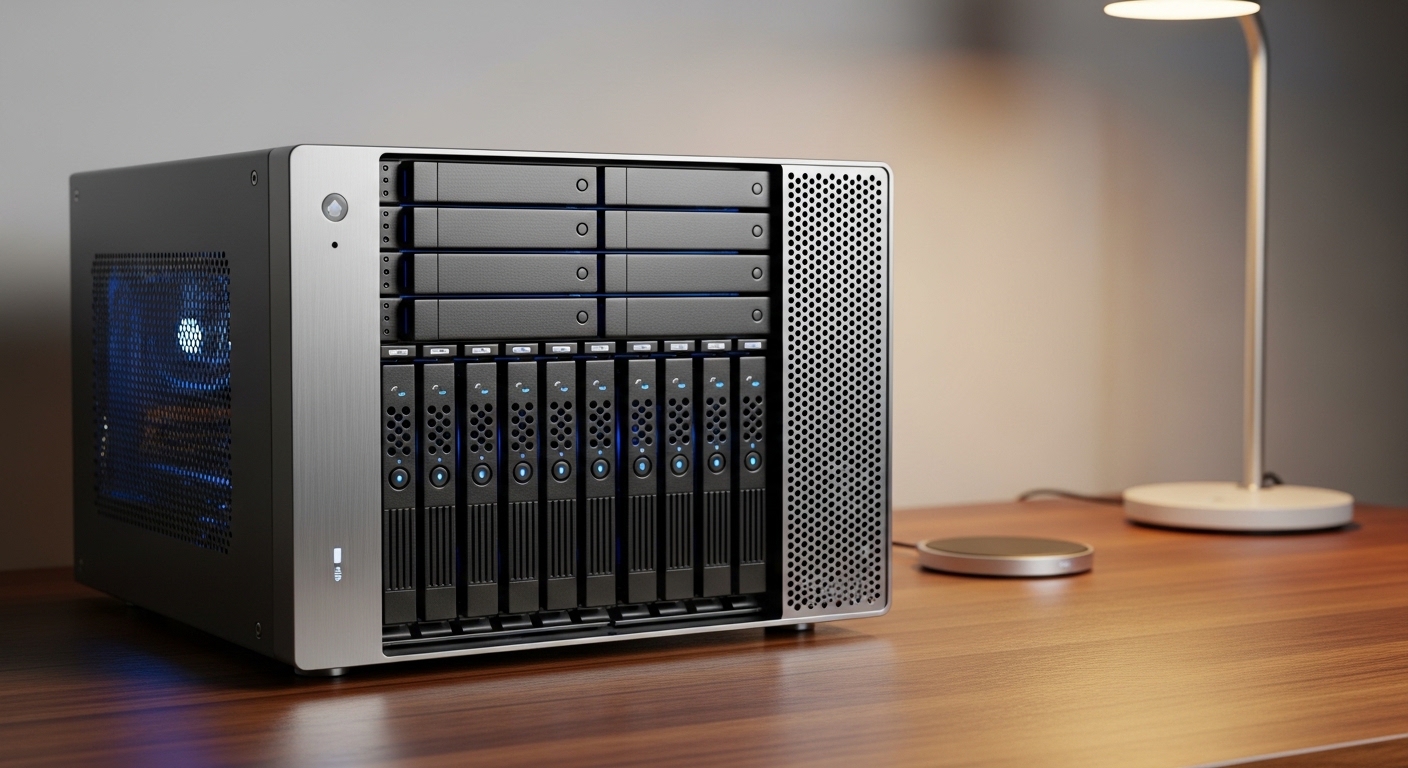
Introduction to Home Server Enclosures
Selecting the right chassis is the most important decision when building a central data hub. This component dictates how many hard drives you can install and how cool your hardware will stay during heavy workloads.
Many builders overlook the importance of the enclosure while focusing on the CPU or RAM. However, the physical shell determines the longevity of your components over several years of continuous operation.
A home server typically runs 24 hours a day and 7 days a week. This constant operation requires a specific set of features that standard gaming cases often lack, such as extensive storage expansion and specialized thermal management.
At The Home Office Lab, we believe that understanding your storage needs is the first step. You must decide if you want a compact unit for a small office or a massive storage array for a media collection.
This guide will walk you through the technical requirements and physical constraints of modern chassis designs. We will help you understand how to choose a case for home server setups that meet your specific performance goals.
By the end of this article, you will have a clear roadmap for your purchase. You will know exactly which physical specifications matter most for your home lab environment.
Defining Your Server Form Factor
The form factor refers to the physical size and shape of the motherboard that the case can accommodate. Common standards include Mini ITX, Micro ATX, and standard Full ATX dimensions.
Small cases using Mini ITX are perfect for basic file sharing or running a few lightweight containers. These compact units occupy very little desk space but often limit the number of internal hard drives you can fit.
Micro ATX cases provide a middle ground for users who need a balance of size and expansion. They usually offer more PCIe slots for network interface cards or storage controllers compared to smaller options.
Full ATX towers are the gold standard for enthusiasts who want maximum flexibility. These cases allow for multiple graphics cards and large arrays of disks without compromising on internal space.
Rackmount cases are a different category entirely and are designed for specialized server cabinets. These are ideal if you plan to build a dedicated server rack in a basement or a closet.
Think about where the server will reside before making a choice. A tower chassis is quieter and fits better in a living room than a loud rackmount unit.
Prioritizing Storage Density and Drive Bays
Storage is usually the primary function of a home server. You need to look for a case that offers plenty of internal drive mounts for both 3.5 inch and 2.5 inch disks.
Some premium cases feature hot swappable bays on the front panel. This allows you to replace a failing hard drive without opening the side panel or turning off the system.
Internal cages are more common in consumer cases and require a bit more work to access. Ensure the cages are removable or modular to make the initial assembly process much easier for you.
Check if the case supports vibration dampening for the hard drives. Spinning disks create mechanical vibrations that can lead to premature failure if not properly managed by the chassis.
Rubber grommets or specialized mounting brackets are essential for a quiet and stable build. These small details protect your valuable data storage from physical wear over time.
Consider the future growth of your data library when counting the bays. It is always better to have two empty slots now than to run out of space in six months.
Airflow and Thermal Management Strategies
Servers generate significant heat when processing data or streaming media. Effective airflow is the only way to prevent thermal throttling and hardware damage during the summer months.
Look for a case with a mesh front panel rather than a solid plastic or glass face. Mesh allows for unrestricted air intake, which is vital for keeping large hard drive stacks cool.
The number of fan mounting points is a key metric for any server build. You want the ability to install large 140mm fans that move a lot of air at low speeds.
Lower fan speeds result in a much quieter home environment. This is especially important if your server sits in a shared home office space or a bedroom.
Dust filters are another mandatory feature for any machine that runs 24/7. These filters prevent harmful dust buildup on your motherboard and heat sinks over the years.
Make sure the filters are easy to remove and clean without tools. Regular maintenance is the secret to a reliable home lab that lasts for a decade.
Evaluating Build Quality and Materials
The materials used in the construction of the case impact both durability and noise. Heavy gauge steel is often preferred for servers because it absorbs mechanical noise better than thin aluminum.
A sturdy frame prevents the case from warping when it is filled with heavy hard drives. Cheap cases may flex or rattle, which creates an annoying background hum in your office.
Inspect the quality of the side panels and the paint finish. A premium powder coating prevents scratches and keeps the server looking professional for a long time.
Acoustic dampening foam is a luxury feature found in some high end silent cases. This foam is applied to the interior walls to muffle fan noise and disk seek sounds.
Check the thickness of the metal used for the motherboard tray. A rigid mounting surface ensures that your components stay securely in place even if the case is moved.
Quality materials are worth the extra investment if you value a silent and stable computing environment. Avoid the cheapest options as they often sacrifice structural integrity for a lower price.
Compatibility with Specialized Hardware
Home servers often require specialized expansion cards like Host Bus Adapters or 10 Gigabit network cards. You must ensure the case has enough vertical clearance for these full height components.
Some small form factor cases only support low profile brackets. This can be a major limitation if you plan to use enterprise grade hardware salvaged from older data centers.
Power supply compatibility is another crucial factor to check. Most towers use standard ATX power units, but compact cases might require SFX or Flex ATX alternatives.
Check the maximum length for the power supply if you have a lot of cables. Modular power supplies are highly recommended for servers to reduce cable clutter inside the air paths.
Cable management space behind the motherboard tray is often overlooked. You need ample room for routing the many SATA and power cables required for a multi drive array.
If you plan to use a large CPU cooler, verify the height clearance. Tall air coolers or liquid cooling radiators require specific internal dimensions to fit properly without touching the side panel.
Types of Server Cases: Pros and Cons
The traditional Mid Tower is the most popular choice for home users. These cases offer a great balance of price and storage capacity for most hobbyists.
- Pros: Widely available, affordable, excellent cooling options.
- Cons: Can be bulky, not optimized for high density storage.
Small Form Factor cases are perfect for those with limited space. They are often visually appealing and discreet, making them suitable for living room setups.
- Pros: Compact footprint, stylish designs, low power consumption.
- Cons: Difficult to build in, limited to a few hard drives.
Rackmount enclosures are designed for professional grade reliability. They are built for easy maintenance within a specialized rack cabinet environment.
- Pros: Extreme storage density, standardized mounting, easy access.
- Cons: Very loud fans, requires a rack, expensive components.
Choosing between these types depends on your available space and your noise tolerance. Most beginners should start with a well ventilated tower before moving to rackmount gear.
In 2026, we see more hybrid designs that combine the quietness of a tower with the density of a server. These specialized hybrid cases are becoming a favorite for the modern home lab enthusiast.
Ease of Maintenance and Access
A server is a workhorse that will eventually need hardware upgrades or cleaning. A case with tool free entry makes these tasks much less frustrating for the owner.
Look for thumb screws on the side panels and drive trays. Being able to swap a drive without searching for a screwdriver is a major quality of life improvement.
Front panel connectivity is also important for quick tasks. Having USB 3.0 ports on the front allows you to easily plug in external backup drives or bootable sticks.
Consider how easy it is to access the internal fans for cleaning. Fans are the first parts to fail, so being able to replace them quickly is a huge advantage.
Check if the motherboard tray has a cutout for CPU cooler installation. This allows you to change the thermal paste or the cooler without removing the entire motherboard from the case.
Good cable management loops and tie down points are also essential. Organized cables improve the internal airflow and make it easier to identify specific connections during troubleshooting.
Budget Considerations for Your Purchase
Price is always a factor when deciding on the best hardware. Entry level cases are perfectly functional for basics but may have sharper edges and thinner metal.
Mid range cases usually offer the best value for home labbers. They provide better acoustic performance and more sophisticated drive mounting systems for a moderate price increase.
Premium cases are designed for those who want the absolute best experience. These models feature thick aluminum panels, extensive soundproofing, and support for massive storage arrays.
Do not forget to factor in the cost of additional fans. Many cases only come with one or two fans, but a fully populated server might need four or five.
Investing in a high quality case is a smart long term move. Unlike CPUs or motherboards, a good case can last through multiple hardware upgrade cycles over ten years.
Allocate a reasonable portion of your budget to the chassis. It is the physical foundation of your data and deserves the same attention as the internal silicon.
Final Checklist for Your Selection
Before you hit the buy button, verify the number of SATA ports on your motherboard. Ensure the case has enough bays to match your current and future drive count.
Measure the physical space where the server will live. Check the depth and height of the case to ensure it fits under your desk or in your closet.
Read user reviews specifically focusing on noise and vibration. Real world feedback is the best way to judge how quiet a case will actually be in your home.
Check the warranty provided by the manufacturer. Most reputable brands offer at least two years of coverage for defects or missing parts.
Ensure the front I/O cables are long enough to reach the headers on your motherboard. This is a common issue in larger towers that can be very frustrating during the build.
Lastly, double check the fan compatibility. If you want silent operation, make sure the case supports 140mm fans in all the primary intake positions.
Conclusion
Understanding how to choose a case for home server use involves balancing size, storage, and thermal performance. It is a personal choice that depends on your specific goals for the project.
Whether you choose a sleek tower or a rugged rackmount unit, focus on airflow and build quality above all else. A well chosen case will protect your data and stay quiet for years to forget.
Take your time to research the dimensions and drive configurations. Your future self will thank you for building a solid foundation for your home office laboratory today.
The right enclosure is the silent partner of your digital life. Choose wisely and enjoy the rewarding experience of building your own dedicated server hardware.