

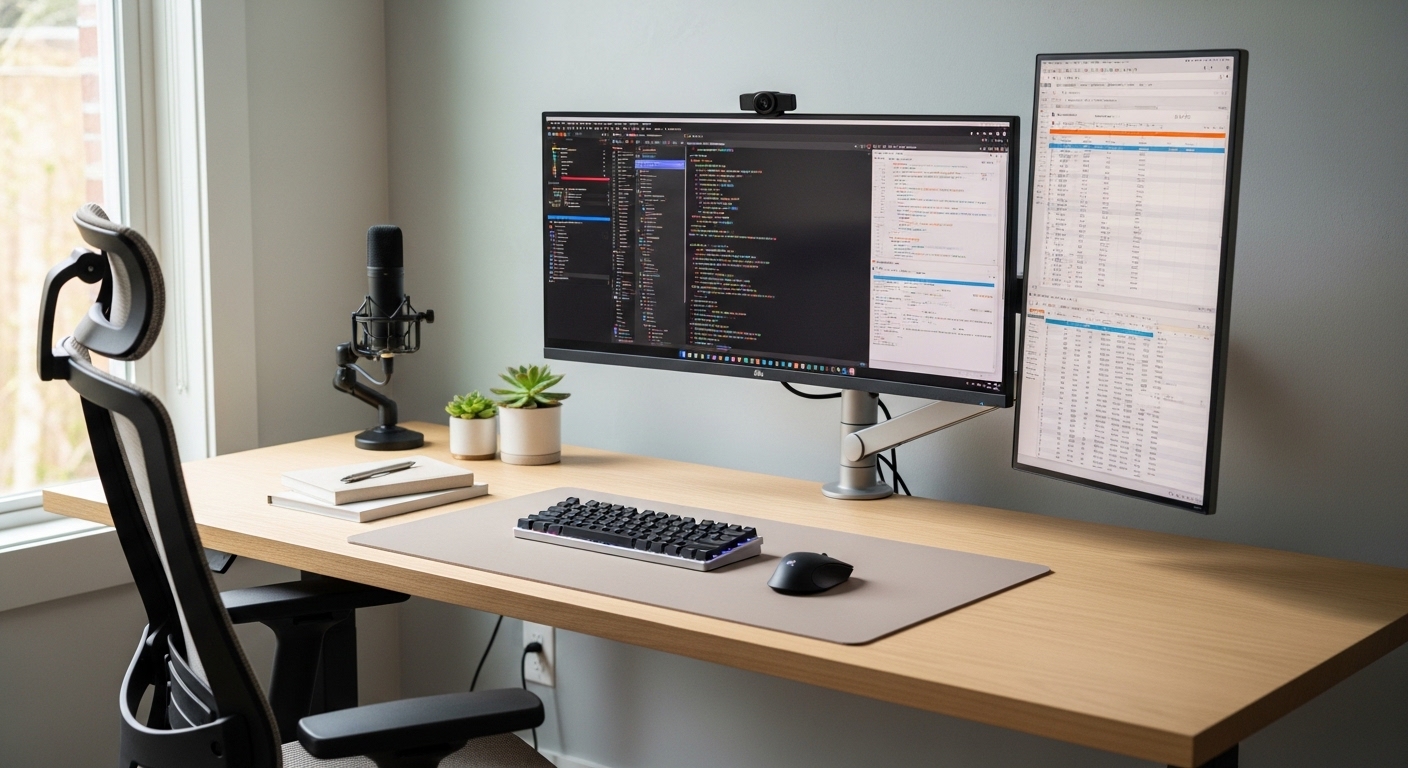
The Importance of Panel Technology in Professional Workspaces
Welcome to The Home Office Lab, where we dissect the technical nuances of your workspace. Choosing the best monitor panel for office work is a decision that impacts your productivity every single day.
Most users focus solely on the size or the brand of their display. However, the underlying panel technology dictates how your eyes process information for eight hours a day.
A poor choice can lead to significant eye strain and physical fatigue. Understanding these differences will help you create a sustainable work environment.
In this guide, we will explore the three primary types of liquid crystal displays. We will also look at how emerging technologies like OLED fit into the modern office.
Understanding In Plane Switching or IPS Panels
IPS panels are widely considered the gold standard for modern professional tasks. This technology works by aligning liquid crystals in a parallel orientation to the glass substrate.
This alignment allows for superior light transmission and consistent color reproduction. When you move your head, the colors on the screen remain accurate and vibrant.
For office workers, this means that text remains sharp even if the monitor is slightly angled. This is particularly beneficial for multimonitor setups where screens are placed at various degrees.
IPS technology has evolved significantly over the last decade. Modern versions offer excellent response times and very high levels of brightness.
The main drawback is often referred to as IPS glow. This is a slight light leakage visible in very dark rooms when viewing dark content.
However, for a typical office environment with ambient lighting, this is rarely an issue. The wide viewing angles make IPS the most versatile choice for general administration.
Vertical Alignment or VA Panels Explained
VA panels use a different physical approach to managing light. The liquid crystals are aligned vertically when no voltage is applied.
This vertical structure is highly effective at blocking the backlight. Consequently, VA panels offer the best contrast ratios among traditional LED displays.
If you frequently work with dark mode applications, a VA panel might be ideal. The blacks appear deep and rich rather than the dark grey often seen on IPS screens.
This high contrast helps text pop against dark backgrounds. It can reduce the effort required for your eyes to distinguish characters in a coding editor.
Tradeoffs of the VA Architecture
The primary weakness of VA technology involves viewing angles and motion. As you move away from the center of the screen, colors may appear to shift or wash out.
Furthermore, VA panels can suffer from dark level smearing. This happens when dark pixels take longer to change state, causing a ghosting effect during scrolling.
For static office work, this smearing is usually a minor concern. However, if you do a lot of fast scrolling through long documents, it might become noticeable.
VA panels are often found in curved monitors. The curve helps mitigate the viewing angle issues by keeping the edges of the screen equidistant from your eyes.
Twisted Nematic or TN Panels in the Office
TN panels are the oldest liquid crystal technology still in common use. They are primarily known for their incredible speed and low manufacturing costs.
In a competitive gaming environment, TN panels are highly valued for their high refresh rates. For office work, however, they are generally the least desirable option.
The color reproduction on a TN panel is often muted and inaccurate. This can make spreadsheets look dull and photographs appear lifeless.
The most significant issue with TN panels is the poor viewing angles. Even a slight tilt of the head can cause the colors to invert or darken significantly.
If you are on a very tight budget, a TN panel might be your only option. However, for a professional setting, the savings rarely justify the loss in visual quality.
We generally recommend avoiding TN panels for serious productivity tasks. The resulting eye fatigue from poor clarity can hinder your performance over time.
The Role of OLED and Future Technologies
Organic Light Emitting Diode or OLED technology is a radical departure from traditional screens. Instead of a backlight, each pixel emits light individually.
This allows for perfect black levels because a pixel can be turned off completely. The contrast ratio is effectively infinite, providing a stunning visual experience.
For creative professionals, OLED offers the most accurate color representation available. Text clarity is also exceptional due to the per pixel control of the light.
However, OLED comes with a specific concern for office workers known as burn in. Static elements like taskbars or window borders can leave permanent marks if left for too long.
Many modern OLED monitors include software features to prevent this. These features include pixel shifting and automatic dimming of static areas.
In 2026, we expect to see more office focused OLED displays entering the market. For now, they remain a premium choice for those who prioritize visual perfection above all else.
Resolution and Pixel Density for Office Clarity
While the panel type defines color and contrast, resolution defines sharpness. High resolution is essential for reducing eye strain during long reading sessions.
A standard 1080p resolution is becoming the bare minimum for professional work. We strongly suggest looking toward 1440p or 4K options for a better experience.
Higher resolution allows you to fit more windows on a single screen. This increases your multitasking capabilities and reduces the need to switch between tabs.
Pixel density is measured in pixels per inch or PPI. A higher PPI means the individual pixels are smaller and harder to see.
This leads to text that looks like printed ink on paper. It is much easier to read small fonts on a high PPI display.
When choosing a panel, ensure your computer can handle the target resolution. Most modern laptops support 4K outputs, but older machines might struggle with high refresh rates.
The Impact of Refresh Rates on Eye Comfort
Refresh rate refers to how many times the screen updates per second. Most office monitors operate at a standard 60Hz frequency.
While 60Hz is functional, higher refresh rates like 75Hz or 120Hz provide a smoother experience. This smoothness is visible even when just moving the mouse cursor.
A higher refresh rate can make the interface feel more responsive. This reduced latency can decrease the perceived effort of navigating complex software.
Some users find that higher refresh rates help reduce headaches. The smoother motion is less taxing for the brain to process during navigation.
You do not need a gaming monitor to enjoy these benefits. Many professional panels now offer 100Hz as a standard feature for productivity.
Color Gamut and Professional Accuracy
Color gamut refers to the range of colors a monitor can display. For basic office tasks, 100 percent sRGB coverage is the standard goal.
If you work in marketing or design, you may need wider gamuts. Technologies like DCI P3 or Adobe RGB offer a much broader spectrum of colors.
IPS panels are typically the best performers in this category. They offer the most consistent colors across the entire surface of the screen.
VA panels have improved but often struggle with color shifts at the edges. This can be problematic if you are trying to match brand colors exactly.
Calibration is another factor to consider for high end work. Some panels come factory calibrated to ensure accuracy right out of the box.
Choosing a panel with good color reproduction makes your digital workspace feel more natural. It also ensures that the documents you create look the same on other devices.
Matte vs Glossy Panel Coatings
The coating on the surface of the panel is just as important as the pixels. Most office monitors use a matte anti glare finish.
Matte coatings scatter light, which prevents reflections from windows or overhead lamps. This is vital for maintaining focus in a brightly lit office.
However, matte coatings can sometimes make the image look slightly grainy. The diffusion layer can impact the perceived sharpness of the text.
Glossy panels provide the most vibrant colors and the sharpest text. Unfortunately, they act like a mirror in rooms with uncontrolled lighting.
If you have total control over your room lighting, a glossy panel can be beautiful. For most people, a high quality matte finish is the safer and more practical choice.
Some modern panels use a semi glossy finish. This attempts to find a perfect balance between clarity and reflection handling.
Blue Light Filters and Eye Protection
Extended exposure to blue light can disrupt your sleep patterns. Many panel manufacturers now include hardware level blue light filters.
Unlike software filters, hardware solutions reduce blue light without turning the screen excessively yellow. This maintains a better color balance for your work.
Look for certifications such as TUV Rheinland Low Blue Light. These independent certifications ensure the monitor meets strict safety standards.
Flicker free technology is another essential feature for eye health. Some monitors use pulse width modulation to control brightness, which can cause invisible flickering.
This flickering is a major cause of eye strain and migraines. Always ensure your chosen panel uses a direct current dimming system instead.
Investing in eye protection features is a long term strategy for your health. Your future self will thank you for prioritizing visual comfort today.
Matching Panels to Specific Office Roles
Different jobs require different screen characteristics. A data analyst has very different needs than a video editor or a customer service representative.
For general admin and spreadsheet work, a high resolution IPS panel is the best all around choice. It provides the clarity and consistency needed for long hours of reading.
Software developers often prefer VA panels for their high contrast. Coding in dark mode is much more visually comfortable on a screen with deep black levels.
Creative professionals should almost always choose IPS or OLED. These technologies provide the color precision necessary for photo and video work.
If your work involves many video calls, consider a panel with good brightness. This helps you see your colleagues clearly even in brightly lit environments.
Budget Considerations for Professional Panels
Budget is always a factor when upgrading your home office lab. Fortunately, high quality IPS panels have become very affordable in recent years.
A mid range budget can now secure a 27 inch 1440p monitor with excellent color. This is often the sweet spot for price and performance.
Entry level panels often sacrifice stand quality and connectivity options. You might find a great panel on a flimsy plastic stand that lacks height adjustment.
We recommend allocating extra funds for a panel with a versatile stand. Ergonomics are just as important as the pixels on the screen for your daily comfort.
If you have a limited budget, prioritize resolution over high refresh rates. Sharp text is more beneficial for office productivity than ultra smooth motion.
Remember that a monitor is an investment that usually lasts five years or more. Spending slightly more now can prevent costly eye issues later.
Connectivity and Panel Integration
The panel is useless if you cannot connect it easily to your computer. Modern panels often include USB C connectivity with power delivery.
This allows you to connect your laptop and charge it with a single cable. It creates a cleaner desk setup and simplifies your morning routine.
Some high end panels also include built in USB hubs. This allows you to connect your keyboard and mouse directly to the back of the monitor.
Check for the version of DisplayPort or HDMI supported by the panel. This is crucial for running high resolution displays at their maximum refresh rate.
Daisy chaining is another feature to look for in professional panels. It allows you to connect multiple monitors to each other in a series.
The Final Verdict on Choosing Your Panel
Selecting the right technology requires a balance of needs and budget. For most professionals, choosing the best monitor panel for office work means selecting an IPS display.
The combination of color accuracy and wide viewing angles is hard to beat. It remains the most reliable choice for a wide variety of tasks.
If you prioritize contrast and work in dark environments, consider a VA panel. Just be aware of the potential for color shift at extreme angles.
Avoid TN panels unless your budget is extremely restricted. The visual trade offs are simply too great for a modern professional environment.
Keep an eye on OLED if you want the absolute best image quality. As the technology matures, it will likely become the standard for premium workspaces.
Your monitor is your window into your digital world. By understanding these technologies, you can choose a panel that supports your long term success.
Take the time to evaluate your specific work habits before making a purchase. A well chosen panel will make every workday more enjoyable and productive.
Thank you for trusting The Home Office Lab for your hardware research. We hope this guide helps you build the ultimate professional setup.