

The Evolution of the Modern Desktop Workspace
The layout of our workspaces has undergone a massive transformation as professional demands increase. Choosing the right display configuration is no longer just about having a screen to read emails.
A single expansive canvas can completely redefine how you interact with your software applications. Understanding how to choose an ultrawide monitor for productivity is the first step toward a more efficient workflow.
For years professionals relied on dual monitor setups to handle multiple documents side by side. However this traditional approach often introduces distracting physical bezels right in the middle of your field of view.
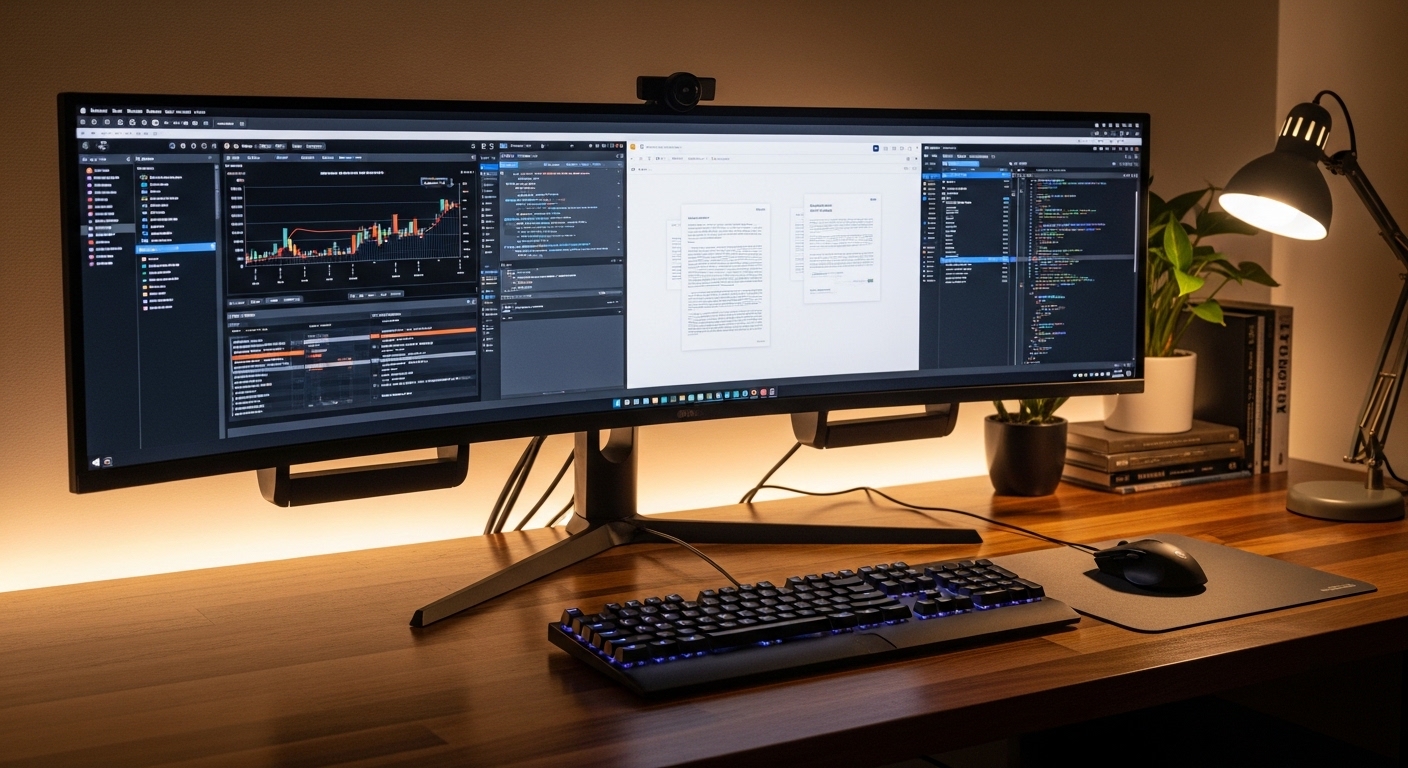
An ultrawide screen eliminates this physical barrier completely. It allows you to position your primary work windows centrally while keeping reference materials easily visible on the periphery.
Why Workspace Continuity Matters
A seamless display environment reduces the cognitive load associated with window switching. When your eyes move smoothly across a single continuous panel your focus remains uninterrupted.
This layout encourages better window management and a cleaner desk aesthetic. Let us explore the technical parameters that will guide your purchasing decision.
Understanding Screen Sizes and Aspect Ratios
When entering the market you will encounter two primary aspect ratios. These are the classic twenty one to nine ratio and the super wide thirty two to nine ratio.
The standard twenty one to nine ratio offers a comfortable balance for most office desks. It provides approximately thirty percent more horizontal screen space than a traditional widescreen display.
This format is ideal for having two full browser windows open side by side without any scaling issues. It fits comfortably on standard desk surfaces without requiring specialized heavy duty mounts.
If you require even more screen real estate you might consider the ultra panoramic thirty two to nine aspect ratio. This configuration is essentially equivalent to placing two sixteen to nine monitors side by side.
Choosing the Right Width for Your Desk
While a thirty two to nine screen offers unparalleled space it requires a significant amount of desk depth. You must ensure your desk can accommodate such a massive physical presence comfortably.
For most office professionals a thirty four inch screen with a twenty one to nine ratio is the absolute sweet spot for daily operations.
Larger screens measuring thirty eight inches or more offer vertical room as well. This extra height is incredibly beneficial for viewing long spreadsheets or complex programming code.
The Importance of Screen Resolution and Pixel Density
A large screen is only useful if the image remains sharp and readable. Pixel density plays a critical role in preventing eye strain during long working sessions.
You should generally avoid lower resolutions like twenty five hundred by ten hundred eighty pixels on screens larger than twenty nine inches. At that scale individual pixels become visible and text looks noticeably blurry.
For a thirty four inch ultrawide the ideal starting point is a resolution of thirty four hundred forty by fourteen hundred forty pixels. This combination delivers excellent text rendering sharpness for reading documents.
This resolution is often abbreviated as UWQHD. It provides a crisp visual experience without putting excessive strain on your computer graphics hardware.
Understanding Pixels Per Inch
The measurement of pixels per inch determines how sharp your screen will look at a normal viewing distance. A pixel density of around one hundred ten pixels per inch is perfect for office tasks.
If you choose a larger thirty eight inch panel look for a resolution of thirty eight hundred forty by sixteen hundred pixels. This maintains that crucial clarity so your eyes do not fatigue quickly.
Higher resolution screens allow you to scale your operating system comfortably. You can display more columns in your spreadsheets and more lines of code simultaneously.
Evaluating Panel Technologies for Office Tasks
The underlying display panel technology dictates the color accuracy, contrast ratio, and viewing angles of your monitor. The three main options available are IPS, VA, and OLED.
IPS panels are widely regarded as the gold standard for office environments. They offer superior color accuracy and exceptionally wide viewing angles.
This means the colors and contrast remain consistent even when you look at the far edges of a wide screen. This consistency is vital when working on visual designs or complex spreadsheets.
VA panels offer much deeper contrast ratios and darker blacks. They are excellent if you work in a dimly lit office environment regularly.
The Limitations of VA and OLED Panels
However VA panels can sometimes suffer from color shifting when viewed from an angle. The edges of a very wide VA screen might appear slightly washed out if the monitor is flat.
OLED displays offer unmatched contrast and beautiful colors. However they are prone to permanent image retention when displaying static office elements for hours.
Since office work involves static application menus, taskbars, and window borders, OLED is generally not recommended for pure productivity. For longevity and reliability IPS panels remain king for office productivity.
Ergonomics and Screen Curvature Explained
As screens get wider the distance between your eyes and the outer corners of the display increases. This variance can cause your eyes to constantly refocus as you look across the panel.
A curved screen solves this issue by bringing the outer edges closer to your natural field of vision. This curvature is measured with a rating followed by the letter R.
A lower number represents a more aggressive curve. For example a one thousand R curve is much steeper than an eighteen hundred R curve.
For general productivity a subtle curve of fifteen hundred R or eighteen hundred R is usually preferred. It provides a comfortable viewing experience without distorting straight lines in design applications.
The Benefits of Curved Panels
A curved monitor helps maintain a uniform viewing distance across the entire width of the screen. This reduces eye strain significantly over the course of an eight hour workday.
Flat ultrawide screens are available but they are usually only practical up to twenty nine inches. For anything larger a curved design is highly recommended for ergonomic comfort.
The curve also helps block out ambient light reflections from side windows. This minimizes glare and improves readability in bright office settings.
Connectivity and Port Selection
A modern productive workstation relies on fast and clean cable management. The ports on the back of your monitor determine how easily you can connect your computers.
You should prioritize displays that feature a USB Type C port with power delivery. This allows you to transmit video, data, and power through a single cable to your laptop.
This single cable solution keeps your desk remarkably clean and organized. It also ensures your laptop remains fully charged throughout the day without using its proprietary brick.
Looking ahead to 2026 and beyond this standard continues to dominate professional hardware configurations.
The Power of Integrated KVM Switches
Another incredible feature to look for is an integrated KVM switch. This technology allows you to control two different computers using a single keyboard and mouse set.
You can easily switch between your work laptop and your personal desktop with the press of a button. This eliminates desk clutter and streamlines your daily routine.
Make sure the monitor has sufficient USB ports to connect your essential peripherals like webcams and external drives. Having these ports on the monitor makes accessibility much simpler.
Refresh Rates and Eye Care Technology
Many people associate high refresh rates exclusively with gaming monitors. However a higher refresh rate offers massive benefits for daily office productivity as well.
A standard screen refreshes at sixty hertz. Upgrading to a monitor that supports one hundred hertz or higher makes a noticeable difference in visual smoothness.
System animations look incredibly fluid and mouse cursor movement becomes silky smooth. This fluid motion reduces perceived eye fatigue during long reading sessions.
Scrolling through long documents or lines of code feels significantly more natural on a high refresh screen.
Essential Eye Protection Features
You should also look for certified flicker free backlight technologies. Constant invisible flickering is a major contributor to headaches and physical fatigue.
Low blue light modes are also highly beneficial for late night working sessions. These modes adjust the color temperature to warmer tones to protect your sleep cycle.
An anti glare screen coating is another essential feature to combat bright overhead office lights. It diffuses reflections so you can focus entirely on your active documents.
Pros and Cons of Ultrawide Monitors
Transitioning to an ultrawide setup is a major decision for any professional. It is important to weigh the advantages against the potential drawbacks before purchasing.
Let us look closely at the primary benefits of adopting this modern display style.
- You enjoy a seamless workspace without any physical screen bezels blocking your view.
- It simplifies your cable setup by requiring only one power cable and one video cable.
- Window management becomes intuitive with specialized software that snaps windows into place.
- It provides a modern and professional aesthetic that elevates your entire office design.
These advantages make it clear why so many professionals are making the switch. However there are also some notable downsides to keep in mind.
- The physical footprint of these displays is very large and requires a sturdy desk surface.
- Sharing your entire screen during virtual video calls can result in tiny illegible text for other participants.
- They generally cost more than purchasing two separate standard widescreen monitors of equal quality.
- Some older legacy software applications may not scale correctly to the wider aspect ratio.
Overcoming the Screen Sharing Challenge
The screen sharing issue is easily managed by sharing individual application windows instead of your entire desktop display. This keeps your shared content clear and easy to read for your colleagues.
Using window snapping tools built into modern operating systems also solves most scaling difficulties. You can quickly configure your layout to match your precise workflow requirements.
Budget Considerations and Market Segments
Ultrawide monitors are available across a wide range of price points. Understanding what you get at each tier helps you allocate your budget effectively.
Entry level options typically feature standard flat screens with lower resolutions. They are suitable for basic administrative tasks but lack advanced connectivity options.
The mid range tier is where most professionals will find the best value for money. Displays in this bracket feature curved screens, UWQHD resolution, and USB Type C connectivity.
These monitors are built specifically to handle demanding daily office workloads for several years.
The Premium High End Market
Premium options offer advanced features like built in docking stations, high color accuracy calibrations, and fast refresh rates. They often feature large thirty eight inch or forty nine inch screens.
These high end displays are perfect for financial analysts, software developers, and creative professionals who need maximum screen real estate.
Investing in a high quality display is an investment in your daily comfort and productivity. A good monitor will easily outlast several computer upgrades.
Conclusion and Final Recommendations
Selecting the perfect display setup requires balancing physical space, technical specifications, and your personal workflow requirements. The right monitor should seamlessly integrate into your daily tasks.
Prioritize screen resolution and ergonomics to ensure your eyes remain comfortable throughout the day. USB Type C connectivity and integrated KVM switches will keep your desk clean and highly functional.
By selecting a screen designed for your specific needs you can build an ultrawide workspace that inspires great work.
Take your time to assess your desk space and choose a panel that meets your technical demands. Your body and your productivity will thank you for the upgrade.