

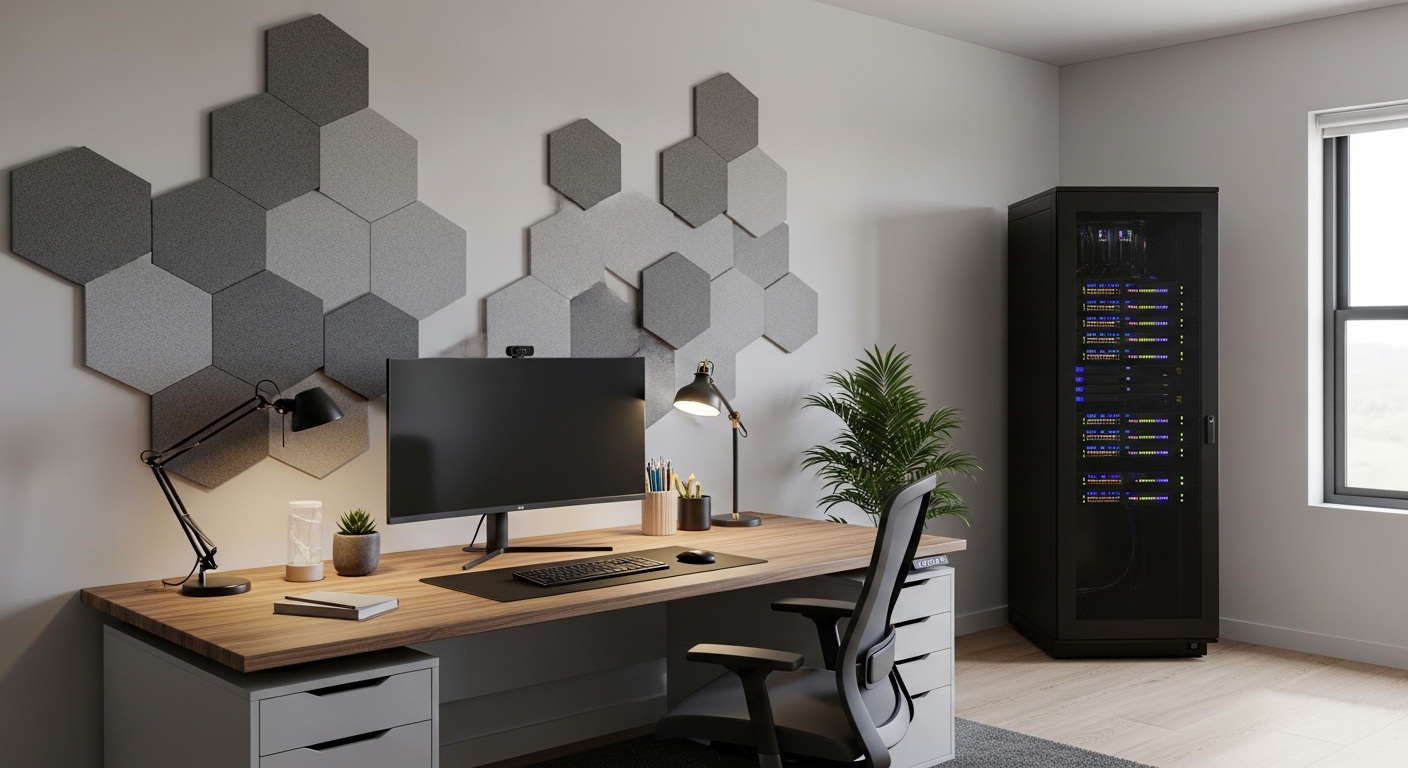
The Challenge of Server Noise in Professional Workspaces
Maintaining a quiet environment is crucial for anyone who spends long hours working near powerful computing hardware. If you are wondering how to reduce server noise in home office environments, you are not alone in this struggle.
Server equipment is traditionally designed for dedicated data centers where noise levels do not matter much. In those industrial settings, cooling efficiency takes priority over the comfort of human ears.
When you bring that same equipment into a spare bedroom or a dedicated study, the high pitched whine of fans can become unbearable. This constant background hum increases stress and can even lead to fatigue over time.
Reducing these sounds requires a systematic approach that addresses both the source of the noise and how it travels. We will explore various strategies to help you reclaim the peace in your professional space.
Identifying the Primary Sources of Sound
Before you can fix the problem, you must understand where the noise is coming from inside your hardware. The most common culprit is almost always the cooling fans spinning at high speeds.
These fans are often small in size but move a large volume of air to keep components safe. Smaller fans must spin much faster than larger ones to achieve the same cooling capacity.
Mechanical hard drives also contribute to the overall acoustic profile of your home lab setup. The spinning platters and the movement of the read write heads create a distinct grinding or clicking sound.
Vibrations are another factor that many people overlook when they set up their equipment. A server case might vibrate against a hard floor or a desk, amplifying the internal sounds of the machine.
Upgrading Your Cooling Systems for Silence
One of the most effective ways to lower decibel levels is to replace stock fans with specialized quiet alternatives. Many enterprise servers use loud, high static pressure fans that are simply too noisy for homes.
Look for fans that utilize fluid dynamic bearings or high quality oil pressure bearings. These technologies reduce the friction within the fan motor and lead to a much smoother operation.
If your server chassis allows it, try to install the largest fans possible for your specific case. Larger fans move more air at lower revolutions per minute, which drastically cuts down on aerodynamic turbulence.
Ensure that the fans you choose are compatible with Pulse Width Modulation or PWM control. This allows your system to adjust the fan speed dynamically based on the actual heat generated by the components.
Implementing Intelligent Fan Curves
Hardware upgrades are great, but software control is equally important for a quiet office. You can often access the BIOS or UEFI settings to adjust fan speed profiles manually.
Setting a conservative fan curve ensures the fans only ramp up when the server is under heavy load. During idle periods, the fans can spin down to a whisper that is barely audible.
Many modern motherboards offer a silent mode or a manual tuning option in their management interface. Take the time to test different settings while monitoring your component temperatures to ensure safety.
If your server is an older enterprise model, you might need specialized scripts to override the default fan speeds. Be careful when doing this to avoid overheating your critical hardware components.
The Role of Storage Technology in Noise Control
Mechanical hard drives are iconic for their reliability in large arrays but they are inherently loud. If your budget allows, switching to solid state drives will eliminate storage noise entirely.
SSDs have no moving parts and generate zero sound regardless of how much data you are reading or writing. This change makes a massive difference in a quiet room during late night work sessions.
If you must use traditional hard drives for high capacity storage, look for models with lower rotation speeds. Drives that spin at 5400 RPM are generally much quieter than those that spin at 7200 RPM or higher.
Mounting your hard drives with rubber grommets or vibration dampening brackets can also help. These small accessories prevent the vibrations of the spinning platters from transferring to the metal server chassis.
Choosing the Right Power Supply Unit
The power supply unit often contains a small fan that can be a major source of high frequency noise. Opting for a high efficiency PSU can reduce the amount of heat generated as waste.
Power supplies with an 80 Plus Gold or Platinum rating convert electricity more effectively and stay cooler. Many of these units feature a zero RPM mode where the fan stays off during low power usage.
External power bricks are another option for smaller servers or micro PCs used in a home lab. Since the power conversion happens outside the case, there is no internal fan noise from the power source.
Always ensure your power supply has enough headroom so it does not have to work at its maximum capacity. A PSU running at 50 percent load is usually much quieter than one pushed to its limits.
Acoustic Enclosures and Soundproofing Strategies
Sometimes hardware changes are not enough to achieve the level of quiet you desire. In these cases, you might consider using a soundproof server rack or a specialized enclosure.
These cabinets are lined with acoustic foam and feature baffled air intakes to trap sound while allowing air to flow. They are specifically designed for people who need to keep servers in office environments.
If a professional rack is too expensive, you can build a DIY enclosure using wood and acoustic insulation. Just make sure to include enough ventilation to prevent the equipment from overheating inside the box.
Adding a few high quality exhaust fans to the enclosure can help pull hot air out efficiently. This allows the internal server fans to run at much lower speeds since the ambient air stays cooler.
Using Acoustic Panels in the Room
The layout of your room affects how sound waves bounce and reach your ears. Adding acoustic foam panels to the walls behind or around your server can absorb many of those reflections.
Soft materials like rugs, curtains, and upholstered furniture also help in dampening the overall noise level. Avoid placing your server in a corner with bare walls, as this creates a megaphone effect for the sound.
Placing the server on a thick rubber mat can stop vibrations from traveling through the floor. This is particularly important if your office has hardwood or laminate flooring that tends to echo.
Even small changes to the room acoustics can make the remaining fan noise feel much less intrusive. Sound treatment is about reducing the sharpness of the noise rather than making it disappear entirely.
Optimal Server Placement for Noise Reduction
The simplest way to deal with a loud machine is to put more physical distance between it and your desk. If possible, move your server to a nearby closet or a different room entirely.
Longer Ethernet cables and active USB extensions can allow you to keep the hardware far away. You can still manage everything remotely using network protocols or specialized remote desktop software.
Ensure that any closet used for hardware has some form of ventilation to avoid heat buildup. You might need to install a vented door or a small wall fan to keep the air moving.
Basements are often excellent locations for servers because they are naturally cooler and away from living areas. The concrete walls and floors in a basement are also great at absorbing low frequency hums.
Managing Airflow to Reduce Fan Strain
A server that can breathe easily does not need to spin its fans as fast. Proper internal cable management is essential for maintaining a clear path for air to travel.
Bundling loose wires and tucking them away from the path of the intake fans will improve thermal performance. When air flows smoothly, the heat is removed faster, and the system stays quieter.
Regularly cleaning your server with compressed air will remove dust that clogs up heatsinks and fan blades. Dust buildup forces the fans to work harder and spin faster to achieve the same cooling effect.
Check the orientation of your fans to ensure they are working together rather than fighting each other. A simple front to back airflow pattern is usually the most efficient for rackmount and tower servers alike.
Advanced Modifications for Tech Enthusiasts
If you are comfortable working with hardware, you might consider replacing the heatsinks on your CPU. Larger aftermarket air coolers offer much better thermal dissipation than standard enterprise heat pipes.
Some users even experiment with liquid cooling systems for their home servers to achieve near silence. Liquid cooling uses large radiators and slow fans to move heat away from the processor very effectively.
Be aware that liquid cooling requires more maintenance and carries a slight risk of leaks. For most home office users, a high quality air cooler with a silent fan is a safer and easier path.
Another option is to undervolt your CPU or GPU to reduce the amount of power they consume. Lower power consumption leads directly to less heat and a much quieter server overall.
The Importance of Case Quality
The chassis itself plays a significant role in how much noise escapes into your office. High quality cases use thicker steel or aluminum which is better at deadening internal sounds.
Some cases are designed specifically with silence in mind and include pre installed dampening material. They often feature indirect air intakes that prevent fan noise from traveling directly out of the front panel.
Avoid cheap cases with thin metal panels that can rattle or vibrate during operation. A heavy and well built chassis is a great foundation for a silent home server build.
If your current case is problematic, you can apply adhesive sound dampening sheets to the interior panels. This is a cost effective way to upgrade the acoustic properties of your existing hardware.
Monitoring and Maintenance for Long Term Silence
Noise levels can creep up over time as bearings wear out or dust accumulates. Establishing a regular maintenance schedule will help keep your home office quiet throughout the year.
Listen for new clicking or grinding sounds that might indicate a fan is reaching the end of its life. Replacing a failing fan early prevents it from becoming a major annoyance during your workday.
Use software tools to monitor your component temperatures during different seasons of the year. You might need to adjust your fan curves slightly when the summer heat makes your office warmer.
Check your server logs for any hardware errors that could cause the system to run in a high power state. Sometimes a software glitch or a stuck process can cause the CPU to run hot and drive up fan speeds.
Summary of Actionable Noise Reduction Tips
- Replace standard server fans with high quality silent PWM versions.
- Switch from mechanical hard drives to solid state drives where possible.
- Install acoustic foam or sound dampening sheets inside the server chassis.
- Adjust BIOS settings to use silent or optimized fan speed profiles.
- Move the server away from your desk or into a ventilated closet.
- Use a rubber mat under the server to stop floor vibrations.
- Clean dust from heatsinks every few months to maintain airflow.
Frequently Asked Questions
Will a soundproof rack cause my server to overheat?
Not if it is designed correctly with active ventilation and proper airflow paths. Always monitor your internal temperatures when using any type of enclosure.
Are silent fans powerful enough for enterprise servers?
Many quiet fan models offer excellent static pressure that is suitable for most home lab workloads. However, you should check your specific cooling requirements for high density hardware.
Can I use a regular closet for my server?
Yes, but you must ensure there is enough air exchange to prevent heat buildup. A closed door can lead to rapidly rising temperatures that might damage your equipment.
Is liquid cooling worth it for a home server?
It is excellent for noise reduction but requires more technical knowledge to set up. For most users, high quality air cooling is the more practical solution for a quiet office.
Creating a Productive Home Office Environment
Achieving a quiet workspace is about more than just comfort, it is about professional focus. By learning how to reduce server noise in home office setups, you create a better environment for deep work.
The year 2026 will likely bring even more efficient and quiet hardware options for home enthusiasts. Until then, the strategies mentioned here will help you manage the sounds of your current technology.
Start with the easiest changes, like fan curves and placement, before moving on to hardware replacements. Every decibel you remove brings you closer to a perfectly peaceful and productive home office.
Take the time to assess your specific needs and budget to find the right balance of silence and performance. A quiet server is a silent partner in your career success and daily wellbeing.