

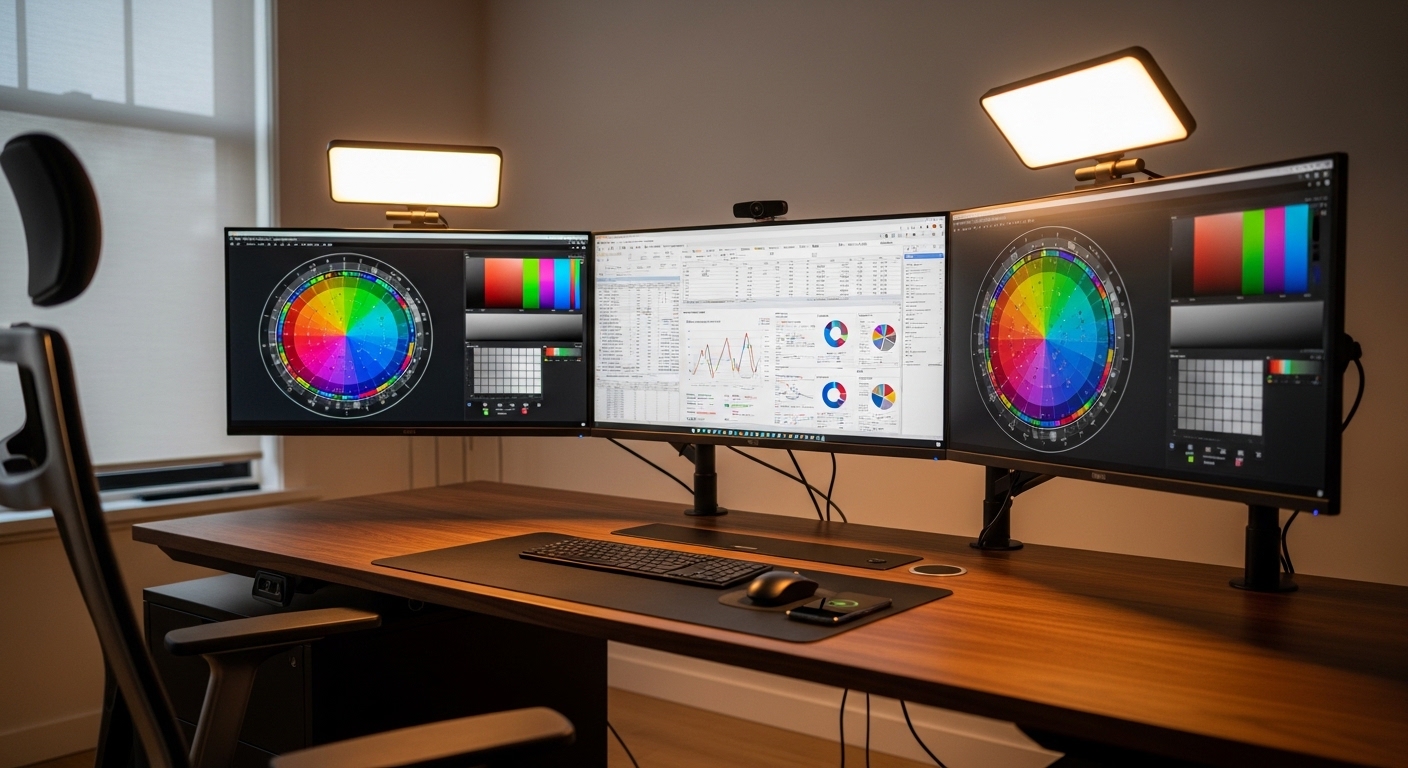
The Importance of Screen Foundations
Choosing a new display for your workspace is one of the most impactful decisions you can make. The quality of your visual experience directly affects your efficiency and daily comfort.
Many professionals focus strictly on the size of the screen or the external aesthetics. However, the internal hardware determines how text looks and how colors appear during your tasks.
This guide focuses on understanding monitor panel technology to help you build a better workstation. We will explore the different ways liquid crystals behave to produce the images you see.
By the end of this article, you will know exactly which panel suits your specific workflow. Whether you handle spreadsheets or creative assets, the right technology makes a difference.
The Three Pillars of Liquid Crystal Displays
Most modern office monitors utilize Liquid Crystal Display or LCD technology as their core framework. These screens work by using a backlight that shines through various layers of filters.
The magic happens within the liquid crystal layer where molecules move to block or allow light. How these molecules are arranged defines the primary panel categories available today.
The three most common types you will encounter are Twisted Nematic, In Plane Switching, and Vertical Alignment. Each of these designs offers unique advantages for different professional environments.
Understanding these categories is the first step toward optimizing your desk. Each technology prioritizes a different aspect of visual performance such as speed or color.
Exploring Twisted Nematic Panels
Twisted Nematic panels are often the most affordable option for entry level setups. They were the first liquid crystal technology to reach mass market adoption and remain popular today.
The crystals in this design twist at a ninety degree angle to control light passage. This simple mechanical movement allows for extremely fast response times during high motion tasks.
While speed is a benefit, these panels struggle with color reproduction and viewing angles. If you move your head slightly, the colors on the screen may appear to shift or wash out.
For basic office work like word processing or simple data entry, these panels are sufficient. They offer a functional experience without requiring a massive financial investment from the user.
Limitations of TN Technology
The main drawback for office productivity is the narrow range of visibility. This means users must sit directly in front of the screen for the best image quality.
If you use a multi monitor setup, the side screens might look distorted because of the angle. This can lead to increased eye fatigue as your brain compensates for the color shifts.
The Rise of In Plane Switching
In Plane Switching or IPS technology was created to solve the limitations of earlier designs. In this setup, the liquid crystals align horizontally and rotate within the plane of the screen.
This horizontal movement allows light to pass through more consistently across the entire surface. As a result, IPS panels offer the most accurate colors available for standard office displays.
Graphic designers and photographers almost exclusively use this technology for their professional work. However, even general office workers benefit from the extreme clarity and vibrancy of the image.
The viewing angles are also significantly better than other technologies. You can look at the screen from nearly any position without seeing a change in contrast.
Why IPS Rules the Office
For most people, an IPS display provides the best balance of features. Text appears sharp and the backlight is usually very even across the entire panel.
This consistency is vital when you spend eight hours a day looking at documents. It ensures that visual information remains clear regardless of your posture or desk height.
Understanding Vertical Alignment Panels
Vertical Alignment or VA panels represent a middle ground between the other two options. In these displays, the crystals align vertically when no voltage is applied to the system.
This vertical orientation is excellent at blocking light from the background. Because of this, VA panels produce deep black levels that look much better than IPS or TN.
High contrast ratios make these screens ideal for viewing video content or detailed charts. If your work involves analyzing dark data sets, a VA panel might be your best tool.
They offer better colors than TN panels but generally fall behind IPS in terms of accuracy. They are a versatile choice for a home office that doubles as an entertainment space.
Potential Issues with VA Panels
One common issue with this technology is known as dark smearing or ghosting. This happens when the crystals take a long time to change states when displaying dark colors.
If you move windows around quickly, you might see a faint trail behind the text. This is generally not a deal breaker for most office tasks but is worth noting.
Color Depth and Professional Productivity
When you are researching monitor panel technology, you will often see mentions of bit depth. This refers to how many shades of each primary color the panel can display.
Most standard office monitors use 8 bit panels which provide over sixteen million colors. This is plenty for reading emails or managing standard business applications during the day.
High end professional monitors use 10 bit technology to show over one billion colors. This level of detail prevents banding in gradients and ensures smooth transitions between shades.
If your productivity involves digital art or video editing, bit depth is a critical specification. For the average user, an 8 bit panel offers a great experience at a lower cost.
The Role of FRC Technology
Some monitors use Frame Rate Control to simulate more colors than the hardware natively supports. This technique flickers pixels rapidly to trick the human eye into seeing a new shade.
While this is a clever engineering trick, native panels are always superior for accuracy. Check the specifications for native color support to ensure you get the best quality.
Resolution and Pixel Density Matters
Panel technology works in tandem with resolution to define how much information you see. A high quality IPS panel will still look blurry if the resolution is too low for the size.
Pixel density is measured in pixels per inch or PPI. A higher PPI means that text looks sharper and more like a printed page in a book.
For a standard twenty four inch monitor, Full HD is usually the minimum acceptable resolution. However, twenty seven inch screens benefit greatly from Quad HD or 1440p resolutions.
Productivity increases when you have more screen real estate to arrange your application windows. Sharpness also reduces the strain on your eyes during long reading sessions in the afternoon.
Refresh Rates for Smoother Workflows
Refresh rate refers to how many times the screen updates the image every second. Most office monitors operate at 60Hz, which is the standard for basic computing tasks.
Recent trends show that higher refresh rates like 75Hz or 100Hz are becoming more common. A faster refresh rate makes mouse movements feel much more fluid and responsive on the desktop.
While often marketed to gamers, these higher speeds actually improve the office experience. Scrolling through long documents or spreadsheets feels less jarring when the movement is smooth.
If you have the option, choosing a slightly higher refresh rate is a great investment. It adds a layer of polish to the user interface that makes work feel more modern.
The Impact of Panel Coatings
The physical surface of the monitor panel also plays a huge role in your productivity. There are generally two types of coatings: matte and glossy.
Matte coatings are the most popular choice for office environments because they diffuse light. This helps to reduce distracting reflections from overhead lights or nearby windows in the room.
Glossy screens can make colors look more vibrant and blacks appear deeper. However, they act like a mirror in bright rooms which can cause significant eye strain over time.
Most experts recommend a matte finish for a dedicated workspace. It provides a consistent viewing experience regardless of the lighting conditions throughout the busy work day.
Maintaining Your Screen Surface
Regardless of the coating, keeping the panel clean is essential for visual clarity. Dust and fingerprints can distort the light coming from the pixels behind the glass.
Use a soft microfiber cloth and avoid harsh chemicals that could damage the delicate layers. A clean screen ensures that panel technology performs at its absolute peak every single morning.
Backlight Technologies and Eye Comfort
The panel is just one part of the equation because it requires a light source to function. Most modern displays use Light Emitting Diodes or LEDs as the primary backlight.
Some screens use Edge Lit technology where the lights are located only at the borders. This allows for a thinner monitor profile but might result in uneven brightness across the screen.
Direct Lit or Full Array backlights place the LEDs directly behind the liquid crystal layer. This provides better uniformity and can improve the overall contrast of the image you see.
Uniformity is important for productivity because it prevents dark spots or bright patches. An even backlight ensures that your focus remains on the work rather than the hardware.
Blue Light and Flicker Free Features
Office workers are often concerned about the long term effects of screen time on their vision. Manufacturers have introduced several features to address these health concerns directly.
Flicker free technology uses Direct Current dimming instead of Pulse Width Modulation to control brightness. This eliminates the invisible rapid flickering that can cause headaches for some sensitive users.
Low blue light modes shift the color temperature of the panel to warmer tones. This reduces the amount of high energy blue light that may disrupt sleep patterns after work.
When selecting a panel, look for certifications from independent testing bodies like TUV Rheinland. These labels indicate that the monitor meets strict standards for visual safety and comfort.
Advanced Tech: OLED and Nano IPS
As we move into 2026, newer variations of these technologies are becoming more accessible for office use. Nano IPS uses a layer of nanoparticles to enhance color purity and vibrancy.
OLED is another emerging option that does not require a backlight at all. Every pixel in an OLED panel produces its own light, allowing for infinite contrast ratios and perfect blacks.
While OLED is beautiful, it has historically faced challenges with text clarity in office settings. The subpixel layouts can sometimes make small fonts look slightly blurry or fringed with color.
However, recent improvements have made these high end panels much more viable for professional users. They offer a premium experience for those who demand the best possible visual fidelity.
Matching Panel Type to Your Job
Your specific daily tasks should dictate which panel technology you choose for your desk. If you are a lawyer or accountant, an IPS panel with high resolution is ideal.
The sharp text and wide viewing angles make reading long contracts or massive sheets much easier. If you work in a dark studio environment, a VA panel might be better.
The deep contrast will help you see details in shadows that an IPS panel might wash out. For those on a very tight budget, a TN panel remains a functional starting point.
Always consider the environment where the monitor will live. A bright office needs the brightness of IPS, while a dim room can benefit from the contrast of VA.
Practical Tips for Evaluating Panels
- Check the viewing angle specifications to ensure they are at least one hundred and seventy degrees.
- Look for the sRGB color gamut coverage which should ideally be ninety nine percent or higher.
- Determine if the monitor has a matte coating to handle reflections in your specific room layout.
- Verify the brightness level which is measured in nits and should be at least two hundred and fifty.
- Read reviews specifically mentioning backlight bleed which can be distracting in dark office settings.
Actionable Advice for Your Purchase
Before you commit to a purchase, try to see the different panel types in person. Visit a local electronics store to compare an IPS screen alongside a VA screen.
Pay close attention to how the text looks when you scroll through a website or document. You might find that your eyes prefer the specific pixel structure of one brand over another.
Consider your desk depth when choosing the resolution for your chosen panel technology. If you sit close to the screen, a high PPI becomes much more important for your comfort.
Investing in a high quality panel is an investment in your health and productivity. A good screen can last for many years and remain a central part of your office.
Common Questions About Monitor Panels
Is IPS always better than VA for office work?
IPS is generally better for color accuracy and viewing angles which helps most office users. However, VA is superior for contrast and is often preferred by those working in darker environments.
Can I use a gaming monitor for productivity?
Yes, many gaming monitors use high quality IPS or VA panels that are excellent for work. The high refresh rates found in gaming displays can actually make the desktop experience feel smoother.
Does the panel type affect energy consumption?
Generally, the differences in energy use between TN, IPS, and VA are quite small. The brightness level of the backlight has a much bigger impact on the power your monitor draws.
What is backlight bleed?
This is when light leaks from the edges of the screen and is most visible on dark images. It is more common in IPS panels and can vary between individual units of the same model.
Conclusion
The journey of understanding monitor panel technology for office productivity reveals that there is no single perfect choice. Each technology offers a set of trade offs that cater to different needs and budgets.
IPS remains the most versatile option for the majority of professionals due to its color and clarity. VA provides a rich and deep visual experience for those who prioritize contrast in their daily work.
By focusing on your specific workflow, you can choose a panel that enhances your focus and protects your eyes. Your monitor is your window into the digital world of your career.
Take the time to research the technical specifications and consider how they align with your workspace. A well chosen panel will serve as a reliable partner in your daily productivity for years to come.