

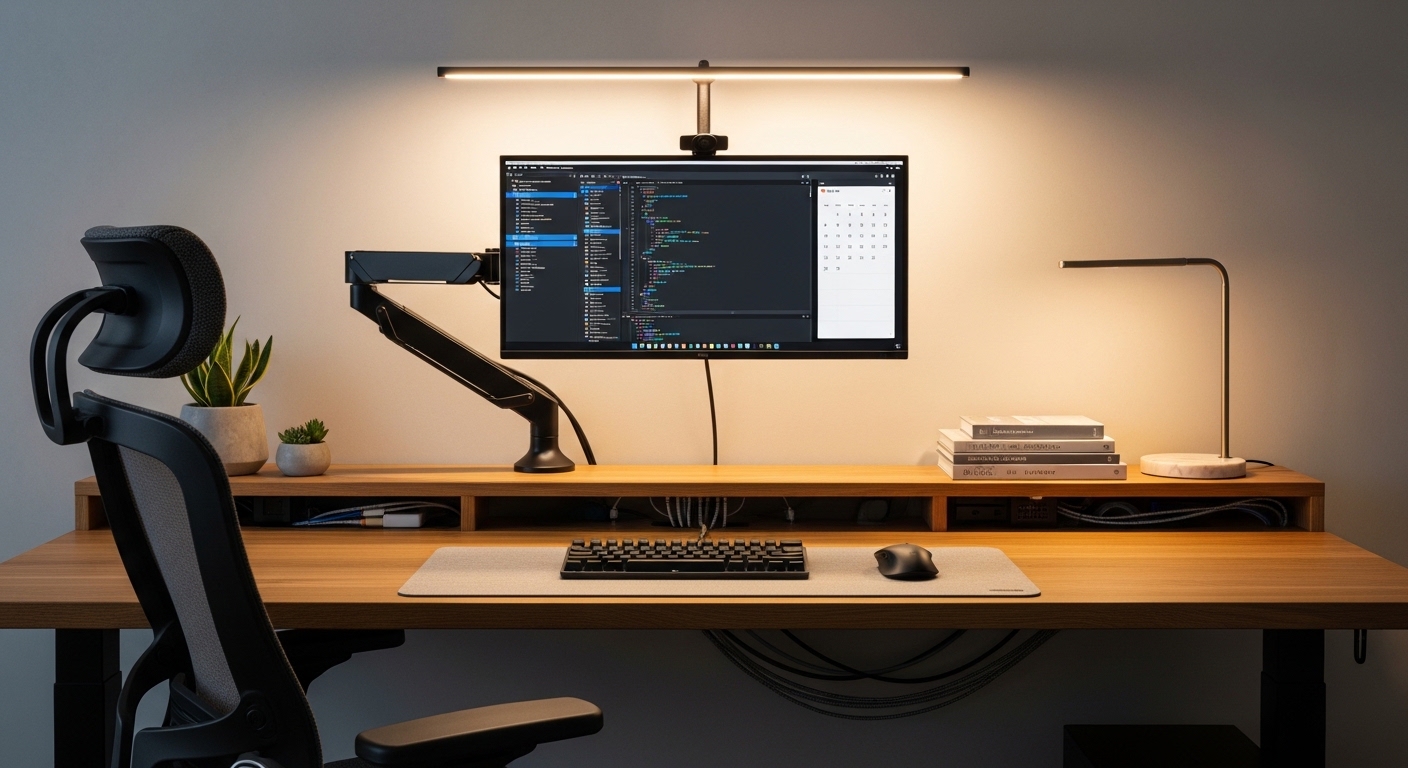
Transforming Your Workspace with Ergonomic Mounting
A cluttered desk often leads to a cluttered mind. Many professionals find that lifting their screens is the best way to optimize desk space.
When you start choosing the right monitor arm for your desk, you must consider several technical factors. This guide will walk you through every critical detail to ensure a perfect fit.
The standard stands provided by manufacturers often lack the necessary range of motion. These basic bases take up valuable real estate and force you into poor posture habits.
By using a dedicated arm, you can position your screen at the exact height required for your eyes. This adjustment helps reduce neck strain and improves your overall comfort during long work sessions.
Investing in the right equipment is a commitment to your long term health. This guide is designed to help you navigate the complex mounting market.
Understanding VESA Compatibility Standards
Before you even look at designs, you must check the back of your display. Most screens follow a standard known as VESA mounting interface.
This standard consists of four screw holes arranged in a square or rectangular pattern. You need to measure the distance between these holes in metric millimeters.
The most common sizes for home office displays are 75 by 75 or 100 by 100. If your monitor lacks these holes, you might need a specialized adapter kit.
Some ultra thin screens or all in one computers require proprietary brackets. Always verify that your screen supports the universal mounting standard before purchasing an arm.
Checking Your Monitor for Hidden Mounts
Sometimes the mounting holes are hidden behind the original stand attachment. You should remove the factory stand to reveal the internal mounting plate.
If you see a smooth plastic back with no holes, your monitor might not be compatible. In these rare cases, you can use a universal non VESA adapter.
Weight Capacity and Screen Size Limits
Every mounting system has a maximum weight limit that it can safely support. Exceeding this limit will cause the arm to droop or fail.
You should find the weight of your monitor without its original base. The weight of the panel alone is what the arm must carry.
Modern ultra wide displays are significantly heavier than standard screens. You must ensure the arm is rated for the specific load weight.
Size also matters because it affects the leverage placed on the joints. An arm meant for 27 inch screens might not handle a 49 inch ultra wide.
Always choose an arm that has a weight capacity slightly higher than your screen weight. This provides a margin of safety for stability.
The Physics of Weight Distribution
When you extend an arm fully, the force on the desk mount increases. This leverage can pull on your desk surface with significant mechanical pressure.
Heavier monitors require a more robust base to prevent the desk from tipping. High quality arms use reinforced steel components to handle these loads.
Choosing the Right Mounting Style
There are several ways to attach a monitor arm to your workstation. The most common method is the versatile C clamp.
A C clamp slides over the edge of your desk and tightens from underneath. This method is popular because it requires no permanent modifications.
If your desk has a cable hole, a grommet mount is an excellent alternative. The grommet mount bolts directly through the desk surface.
Grommet mounts offer superior stability for heavy or multi monitor configurations. They are the preferred choice for permanent office setups.
Wall Mounts and Specialized Solutions
Wall mounts are ideal if your desk is exceptionally thin or made of glass. Bolting the arm to a wall stud provides the ultimate weight support.
Wall mounting also completely clears the desk surface of any footprint. However, it limits your ability to rearrange your furniture later.
Gas Spring versus Mechanical Spring Mechanisms
The mechanism inside the arm determines how easily you can adjust the height. Gas spring arms use a pressurized nitrogen cylinder.
These arms offer fluid and effortless movement with a single hand. They are perfect if you frequently change your position.
Mechanical spring arms use a heavy duty coil to counterbalance the weight. These are often more durable and last many years.
Mechanical springs might require more effort to adjust initially. They are a great choice for users who set their height once.
Premium models allow you to tune the tension of either spring type. This ensures the arm stays perfectly still at any vertical level.
Range of Motion and Articulation
Articulation refers to how many joints the arm has and how they move. Most high quality arms offer three points of articulation.
You should be able to tilt the screen forward and backward easily. Tilt is essential for reducing screen glare from overhead lights.
Swivel allows you to turn the screen left or right for sharing. This is useful for collaborative office environments.
Pivot allows you to rotate the monitor from landscape to portrait mode. This orientation is incredibly helpful for coding or long documents.
Depth Adjustment and Reach
Depth adjustment is the ability to pull the monitor closer or push it away. Proper focal distance is critical for preventing eye strain.
If you have a deep desk, you need an arm with a long reach. Conversely, short arms are better for shallow workspace environments.
Desk Material and Structural Integrity
Not all desks can handle the concentrated pressure of a monitor arm. Solid wood or thick plywood desks are the most reliable.
Desks made of honeycomb paper or thin MDF might crack under pressure. You should use a reinforcement plate for these materials.
Glass desks require extreme caution when choosing the right monitor arm for your desk. Most manufacturers recommend avoiding clamp mounts on glass.
If you use a glass desk, a wall mount is the safest path forward. Protecting your desk surface is just as important as securing your monitor.
Managing Cables for a Clean Aesthetic
One of the best reasons to get an arm is to hide messy wires. Premium arms feature integrated cable channels.
These channels allow you to tuck power and display cables inside the arm structure. This prevents wires from tangling during movement.
Look for arms that use plastic covers or magnetic panels for cable routing. This makes it easier to swap out hardware in the future.
Always leave a bit of slack in the cables near the joints. This ensures that the monitor can move freely without unplugging the connectors.
The Benefit of Built in Ports
Some advanced monitor arms include USB ports at the base. This provides convenient desktop access for charging devices.
Having ports integrated into the mount reduces the need for extra hubs. It keeps your setup looking minimalist and professional.
Single versus Dual Monitor Configurations
Choosing between a single or dual arm depends on your workflow. A single arm offers the most flexibility for a primary screen.
Dual monitor arms come in two main styles: crossbar or independent. Independent arms allow you to move each screen completely separately.
Crossbar mounts keep the monitors perfectly aligned at the same height. These are great for seamless multi screen displays.
However, independent arms are better if you use screens of different sizes. They allow for asymmetrical setup options.
If you plan to expand later, consider buying two single arms. This often provides more freedom of movement than a dual mount.
Ergonomic Benefits for Your Health
The primary goal of any desk upgrade should be your physical well being. A monitor at eye level prevents slouching and hunching.
Your eyes should naturally align with the top third of the screen. This positioning keeps your neck in a neutral and relaxed state.
Many users find that an arm helps them stand more often. You can quickly raise the screen when switching to standing mode.
Reducing glare and improving focal distance also protects your vision. These small changes lead to greater productivity over time.
Dynamic Movement Throughout the Day
Sitting in one position for eight hours is detrimental to your spine. A flexible arm encourages you to shift your posture.
You can move the screen closer for detailed work or push it back for reading. This dynamic movement is a key ergonomic principle.
Budget Considerations for Long Term Use
Budget arms are often made of thinner metals and simpler springs. They may work fine for small screens but lack smooth adjustment.
Mid range options usually offer the best balance of price and performance. They provide reliable gas springs and decent cable management.
High end arms are built to last for decades with heavy usage. These models often come with extended warranty periods.
Spending more upfront can save you money by preventing screen damage. A failing arm is a risk to your expensive hardware.
In the year 2026, many users are prioritizing sustainable and modular designs. Investing in quality ensures you rarely need a replacement.
Installation Tips for a Secure Setup
Installing a monitor arm is usually a straightforward process. You should always read the included instruction manual carefully.
Start by attaching the base to the desk and ensuring it is tight. Then, attach the VESA plate to the back of your monitor.
It is often easier to have a friend help you lift the monitor onto the arm. This prevents accidental drops and makes alignment much simpler.
Once mounted, you must adjust the tension screw to match the monitor weight. Turn it toward the plus sign if the monitor is sinking.
Checking for Stability After Installation
After the setup is complete, give the arm a gentle shake. The monitor should remain stable and vibration should be minimal.
If the arm feels loose, check the mounting clamp or grommet bolt. A secure foundation is the key to safety.
Final Thoughts on Choosing the Right Monitor Arm
Selecting the perfect mounting solution requires careful thought and measurement. You must balance aesthetics, functionality, and budget.
Remember to prioritize weight capacity and VESA compatibility above all else. These technical specs ensure your equipment stays safe and functional.
An organized desk with floating screens is a joy to work at every day. You will appreciate the extra surface area and comfort.
Take your time when choosing the right monitor arm for your desk. The right choice will elevate your productivity for years to come.
Focusing on ergonomics is the best investment you can make for your career. Enjoy your newly optimized workspace.