

The Evolution of Desktop Connectivity and Laptop Power
The modern professional landscape has shifted dramatically toward a mobile first philosophy where the laptop is the primary computing engine. While these portable machines offer incredible processing power, they often lack the physical real estate for the diverse array of ports required for maximum efficiency.
Connecting multiple high resolution displays, external storage drives, and wired networking cables directly to a thin laptop is often physically impossible due to chassis limitations. This creates a cluttered environment where users must constantly plug and unplug various dongles throughout the workday.
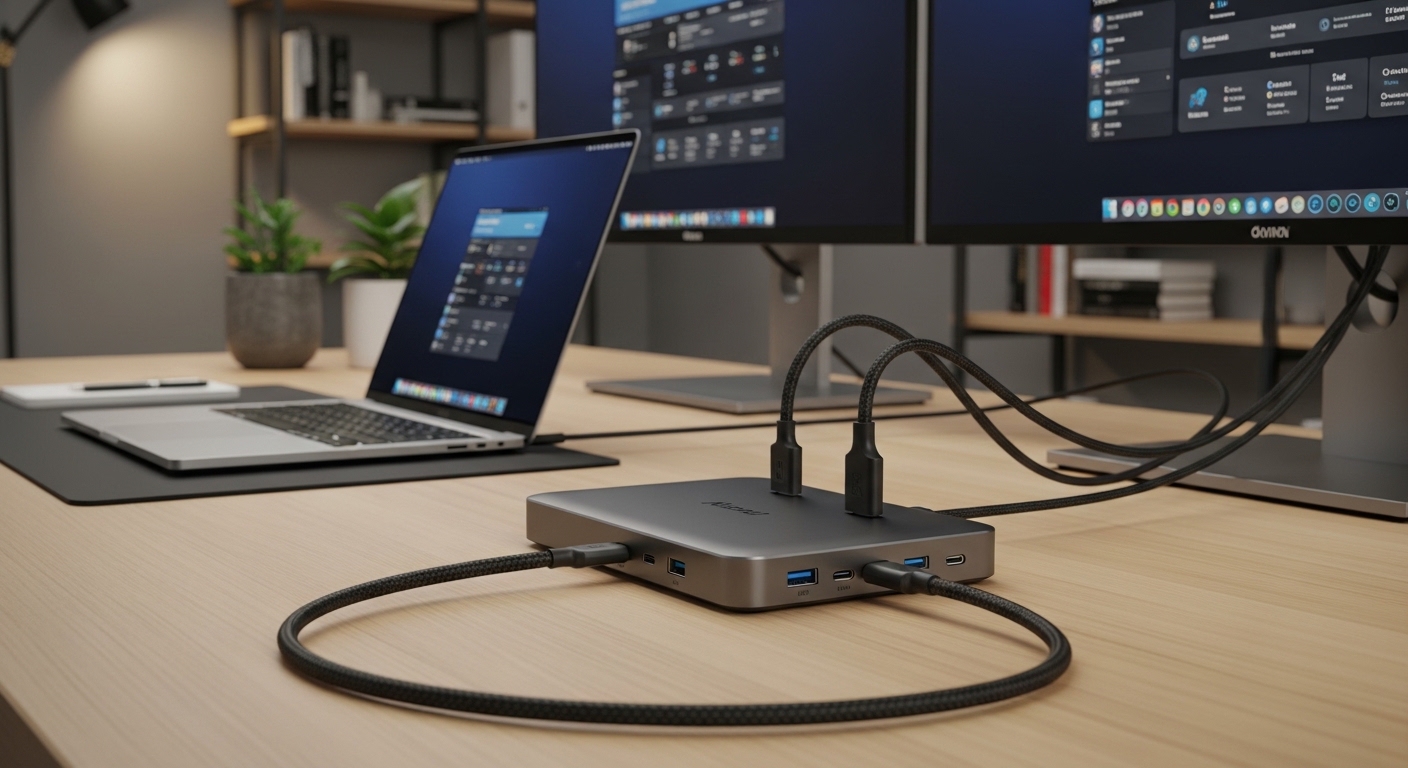
A premium USB C docking station serves as the centralized neural hub for your entire digital workspace, consolidating every peripheral into a single cable connection. By utilizing the massive bandwidth of modern USB protocols, these devices enable a desktop class experience without sacrificing the mobility of your laptop.
The science behind these units involves complex signal multiplexing and power management systems that ensure data integrity remains high across all connected mouses and keyboards. Understanding how these stations distribute bandwidth is the key to unlocking a truly seamless workflow that eliminates technical friction during intensive tasks.
Investing in the right hardware means you can transition from a mobile setup to a full triple monitor workstation in mere seconds. This efficiency directly impacts your mental clarity by reducing the cognitive load associated with managing messy cables and unreliable connections.
The Technical Architecture of Modern Docking
Most high end docks utilize either DisplayLink technology or USB C Alt Mode to transmit video signals to your external screens. These protocols allow for high refresh rates and deep color accuracy that were previously only available on dedicated desktop towers.
As we look toward the hardware landscape of 2026, the integration of smarter power delivery systems will continue to define the market leaders. These systems protect your laptop battery while providing consistent energy to every connected accessory on your desk.
Quick Buying Guide
Before purchasing a docking station, you must prioritize the Power Delivery capacity of the unit to ensure your laptop remains charged. Many high performance laptops require at least eighty five watts of upstream power to maintain their battery levels during resource intensive video editing or data analysis.
If the docking station provides lower wattage, your computer might slowly drain its battery even while it is plugged into the wall. Always verify the specific power requirements of your machine before choosing a dock to avoid the frustration of a dying battery during a long meeting.
The second critical factor is the number and type of video outputs available on the rear of the device. You should seek out stations that offer a mix of HDMI and DisplayPort options to provide the greatest flexibility for your current and future monitor upgrades.
Port density and variety will determine if you can connect all your essential peripherals like wired mouses, external SSDs, and professional microphones. Look for a balanced mix of USB A and USB C ports to accommodate both legacy hardware and modern high speed accessories.
Thermal management is another essential consideration because these devices can generate significant heat when driving multiple displays and charging a laptop simultaneously. Units with aluminum enclosures generally dissipate heat much better than plastic alternatives, which helps maintain long term reliability and performance.
Choosing Between DisplayLink and Alt Mode
DisplayLink requires specific drivers but allows you to connect more monitors than your laptop might natively support through its hardware. This is particularly useful for users with base model silicon that limits external display counts by default.
USB C Alt Mode relies on the native graphics capabilities of your processor and usually offers lower latency for gaming or video production. Choose the technology that matches your specific laptop hardware constraints to ensure the best possible visual experience.
The 8 Best USB C Docking Stations for Laptop Productivity
Explore our top selections for the best usb-c docking stations for laptop productivity currently available on the market.
1. Anker 575 USB C Docking Station
The Anker 575 is a masterclass in industrial design, featuring a vertical orientation that significantly reduces the footprint on your desk. The aluminum finish provides a sleek aesthetic that complements high end laptops while acting as a giant heat sink for internal components.
This thirteen in one powerhouse offers eighty five watts of charging for your laptop and includes a variety of ports including dual HDMI and a single DisplayPort. It effectively manages high speed data transfers at ten gigabits per second, ensuring your external drives perform at their maximum potential during large file migrations.
This unit is perfect for office professionals who need a reliable and stylish solution for a dual 4K monitor setup. The front facing ports are conveniently located for quick access to SD cards and charging cables for mobile phones or wireless mouses.

Enhancing Workflow with High Speed Data
Data transfer speeds are vital when you are moving large batches of photos or 4K video files between devices. The Anker 575 ensures that your workflow remains uninterrupted by providing dedicated high bandwidth channels for every connected drive.
2. CalDigit USB C HDMI Dock
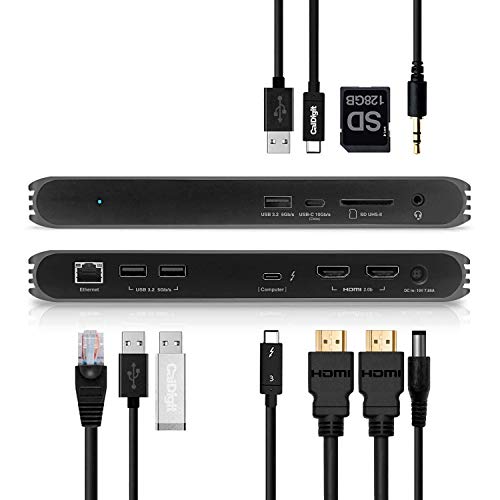
The CalDigit USB C HDMI Dock is widely regarded as one of the most reliable workstations available for both Mac and Windows users. Its build quality is exceptionally rugged, designed to withstand the rigors of a professional studio environment while maintaining a compact form factor.
This dock provides ninety four watts of power, which is more than enough to charge even the most demanding sixteen inch laptops. It features dual HDMI 2.0 ports and a plethora of USB ports, making it a favorite for those who use many wired mouses or specialized input devices.
Creative professionals who value stability above all else will find this to be the ultimate companion for their daily tasks. While it lacks a DisplayPort, the dual HDMI setup is incredibly easy to configure with most modern 4K monitors on the market today.
3. Plugable USB C Triple 4K Display Docking Station
Plugable has created a versatile solution that solves the common problem of limited external display support on many modern laptops. The UD ULTC4K utilizes DisplayLink technology to drive three independent 4K monitors at a smooth sixty hertz refresh rate.
The device includes a unique layout with multiple HDMI and DisplayPort options for each of the three video outputs, giving you incredible flexibility. It also delivers one hundred watts of power to the host laptop, ensuring your machine stays fully charged regardless of the workload intensity.
This station is the best choice for data analysts and stock traders who require massive screen real estate to monitor multiple windows simultaneously. The inclusion of a dedicated ethernet port ensures a stable and secure internet connection for critical professional tasks.

The Advantage of Multiple Video Ports
Having a choice between HDMI and DisplayPort on every output eliminates the need for expensive and clunky adapters. This versatility allows you to mix and match different monitor models without worrying about cable compatibility issues.
4. Satechi Triple 4K Display Docking Station
Satechi is known for creating accessories that perfectly match the aesthetic of modern silver and space gray laptops. The Triple 4K Display Docking Station is no exception, offering a premium metallic finish and a very clean, rectangular design language.
Internally, this dock is powered by DisplayLink, allowing it to bypass the native monitor limits of many popular laptop processors. It provides a generous selection of ports including high speed USB C data ports and dedicated slots for both SD and micro SD cards.
Users who prioritize a clean and coordinated desk setup will appreciate how this dock blends into a professional office environment. It is an excellent middle ground for those who need triple monitor support but want a device that looks like a natural extension of their laptop.

5. Baseus 17 in 1 USB C Docking Station
For the user who needs to connect every imaginable peripheral, the Baseus 17 in 1 offers a staggering port density that is hard to beat. It features a unique tall design that allows for ports on all four sides, maximizing the available surface area for connectivity.
With three HDMI ports and multiple USB 3.0 connections, this dock can handle everything from printers to multiple mouses and external speakers. It supports up to one hundred watts of power input, though you must use a sufficiently powerful wall adapter to achieve these speeds.
Budget conscious power users will find this to be an incredible value given the sheer number of ports provided for the price. It is ideal for home lab enthusiasts who need to connect legacy equipment alongside modern high speed storage devices.

Maximizing Peripheral Connectivity
Connecting specialized hardware like audio interfaces or graphics tablets requires a stable bus that can handle varied data packets. The Baseus unit manages these multiple streams effectively to prevent lag or disconnection issues during use.
6. WAVLINK USB C Ultra 5K Universal Docking Station
The WAVLINK Ultra 5K is a powerhouse designed for those who have moved beyond standard 4K resolutions and demand extreme clarity. It is capable of driving a single 5K display or dual 4K monitors with uncompromising color depth and sharpness.
This dock is universal in the truest sense, working seamlessly across different operating systems and hardware architectures. It features six USB 3.0 ports, which is perfect for users who have a large collection of peripheral mouses, keyboards, and webcams.
This device is best suited for software developers and engineers who spend hours looking at complex code or detailed architectural diagrams. The high resolution support reduces eye strain by providing the crispest text rendering possible on high end displays.

7. Ugreen Revodok Pro 210
The Ugreen Revodok Pro 210 is a compact yet highly capable docking station that focuses on portability and efficiency. Its small size makes it an excellent choice for professionals who frequently move between a home office and a corporate headquarters.
Despite its smaller stature, it still supports dual 4K monitor setups and provides eighty five watts of pass through charging to the host laptop. The build quality is excellent, featuring a heat resistant casing that stays cool even during long periods of continuous operation.
This is the best option for the hybrid worker who needs a reliable docking solution that does not take up much room in a laptop bag. It offers the essential ports needed for a standard dual screen productivity setup without the bulk of larger stations.

Portability Without Performance Sacrifice
Travel friendly docks often cut corners on display refresh rates or charging speeds to save space. The Revodok Pro 210 manages to maintain high performance standards in a frame that fits comfortably in the palm of your hand.
8. Dell WD19S 180W USB C Docking Station
The Dell WD19S is a workstation grade docking station designed for enterprise reliability and long term heavy usage. It comes with a massive 180 watt power adapter, allowing it to deliver up to 130 watts of power to compatible Dell laptops.
The modular design of the WD19S allows for future upgrades to the connectivity module without needing to replace the entire unit. It features a robust selection of ports including dual DisplayPort 1.4 and a single HDMI 2.0 port for flexible monitor configurations.
This is the ultimate choice for corporate environments or users who own Dell hardware and want the most compatible and supported experience. Its cooling fan ensures that the internal components stay within optimal temperature ranges during the most demanding workdays.

Comparison
Selecting the right hardware requires a clear understanding of how these units differ in their primary technical capabilities and intended use cases.
| Product Name | Key Feature | Best For | Price Range |
|---|---|---|---|
| Anker 575 USB C Docking Station | 13 in 1 Connectivity | Office Professionals | Mid Range |
| CalDigit USB C HDMI Dock | 94W Power Delivery | Creative Studios | Premium |
| Plugable Triple 4K Dock | DisplayLink Triple 4K | Data Analysts | Premium |
| Satechi Triple 4K Dock | Sleek Aluminum Design | Modern Aesthetic Desks | Premium |
| Baseus 17 in 1 Dock | Massive Port Count | Peripheral Heavy Users | Budget Friendly |
| WAVLINK Ultra 5K Dock | 5K Resolution Support | Software Developers | Mid Range |
| Ugreen Revodok Pro 210 | Compact Form Factor | Hybrid Workers | Budget Friendly |
| Dell WD19S 180W Dock | 130W Power Delivery | Enterprise Environments | Premium |
Final Verdict
After a comprehensive evaluation of the current market, the Plugable USB C Triple 4K Display Docking Station stands out as the overall best choice for most productivity focused users. Its ability to drive three independent 4K monitors while providing one hundred watts of power makes it a future proof investment for any professional setup.
For those who prioritize aesthetic integration and build quality above all else, the CalDigit USB C HDMI Dock remains a legendary choice that offers unmatched stability. Regardless of your final selection, upgrading to one of these stations will immediately transform your laptop into a high performance workstation that scales with your growing professional needs.