

The Science of Desktop Ergonomics and Posture
Modern work culture has forced millions of professionals into a sedentary lifestyle that revolves around a compact screen. The human body was never evolved to stare downward at a fixed point for eight hours a day, yet this is exactly what happens when you use a laptop directly on a desk surface.
This downward gaze creates a massive amount of mechanical stress on the cervical spine and the surrounding musculature. Professionals often suffer from a condition known as tech neck, which involves a forward head posture that can add up to sixty pounds of extra weight to the neck joints.
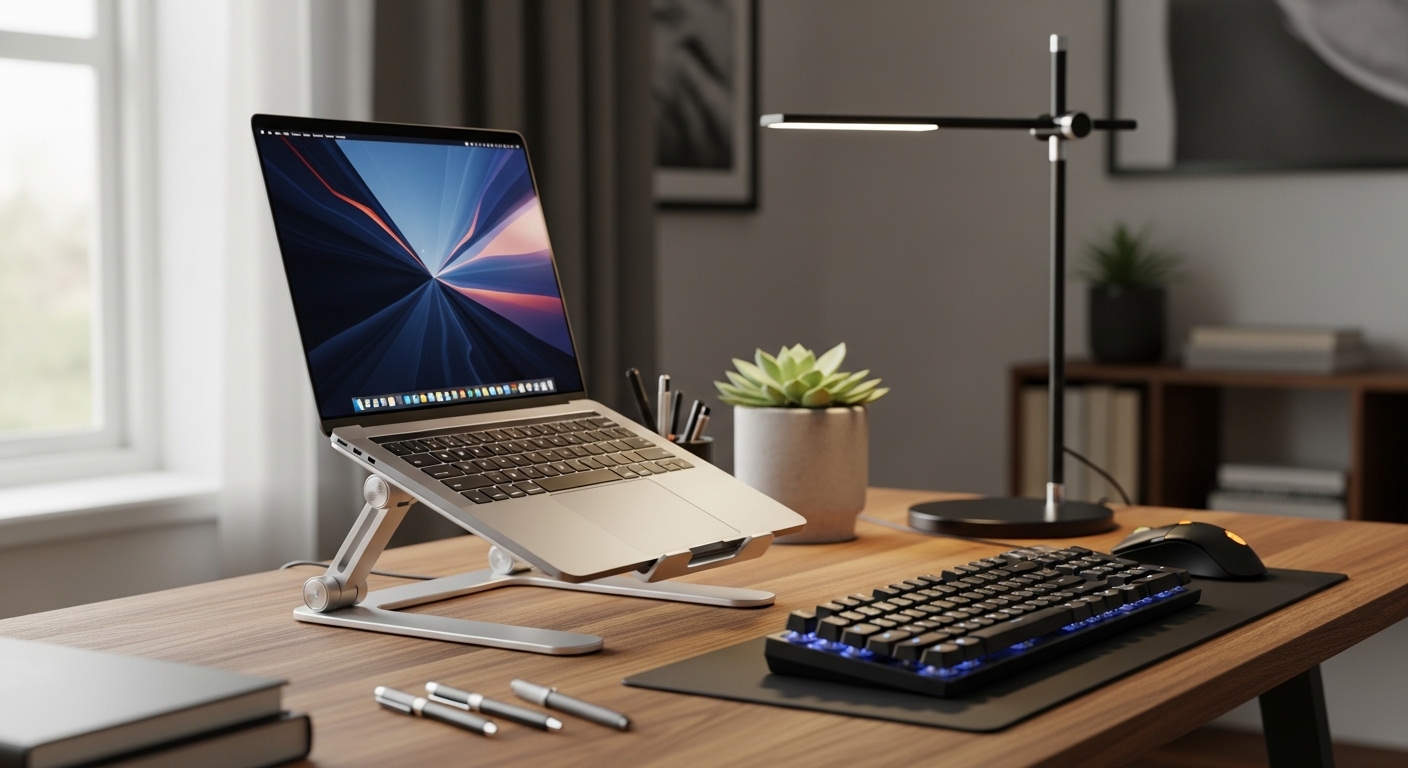
An adjustable laptop stand is not just a desk accessory but a critical medical intervention for your workstation. By raising the top of your screen to eye level, you allow your shoulders to drop into a natural position and your spine to maintain its healthy curvature.
The Biological Impact of Screen Height
When the screen is positioned too low, your upper back muscles must constantly contract to keep your head from falling forward. This leads to chronic tension, headaches, and even long term nerve compression in the upper extremities.
Using a stand encourages the use of external peripherals like mechanical keyboards and ergonomic mouse devices. This separation of the screen and the input devices is the fundamental rule of a healthy home office environment.
As we move through 2026, the focus on wellness at work has moved from a luxury to a mandatory requirement for peak performance. Choosing the right stand ensures that your physical health does not degrade while you pursue your professional goals.
Quick Buying Guide
Before you purchase a stand, you must evaluate the specific weight capacity of the support arms. Not all stands are created equal, and some might wobble when supporting heavier seventeen inch workstations or gaming rigs.
Look for materials that facilitate heat transfer, such as high grade aluminum or open air designs. Laptops generate significant heat from their base, and a stand that blocks airflow can lead to thermal throttling and reduced hardware lifespan.
Adjustability and Portability Factors
Determine if you need a fixed height stand for a permanent desk or a foldable model for a hybrid work life. Fixed stands offer superior structural stability, while folding models provide the flexibility to work from cafes or co working spaces.
The range of motion is another vital metric to consider during your research phase. Some stands only offer tilt adjustments, while others allow for a full vertical lift of up to ten inches or more.
Examine the quality of the rubber padding on the contact points where the laptop sits. High quality silicone grips prevent your expensive machine from sliding or suffering from surface scratches during daily use.
The 8 Best adjustable laptop stands for home office ergonomics
This selection represents the pinnacle of design and functionality for the modern professional seeking comfort.
1. Gogoonike Adjustable Laptop Stand for
The Gogoonike Adjustable Laptop Stand for desk use features a dual axis design that allows users to customize both height and angle for improved neck posture. This sturdy aluminum alloy accessory supports computers up to seventeen inches while providing an open ventilation space for cooling.
This model ranks among the best adjustable laptop stands for home office ergonomics because it offers a stable base for heavy devices. With its silicone pads and foldable frame it remains a portable yet durable solution for any workspace.

Optimizing Your Vertical Workspace
Adding verticality to your desk setup opens up valuable real estate underneath the laptop for storage. You can tuck away your external mouse devices or a docking station right under the elevated platform.
This organization reduces visual clutter, which has been shown to decrease stress levels during complex tasks. A clean desk environment facilitates better focus and higher levels of creative output.
2. Twelve South Curve Flex
The Twelve South Curve Flex is a masterpiece of portability and high end industrial design. It features a dual hinge system that allows it to fold completely flat for transport in a laptop bag or sleeve.
Despite its slim profile when folded, it can raise a laptop up to twenty two inches high or tilt it at various angles. This makes it a versatile tool for both sitting and standing desk configurations depending on your immediate needs.
This product is specifically designed for the mobile professional who refuses to compromise on ergonomics while traveling. The included neoprene travel sleeve ensures that the premium finish remains protected from scratches during transit.

Hinge Tension and Longevity
High quality stands use friction hinges that are rated for thousands of cycles of movement. This ensures that the stand does not become loose or unstable after a few months of regular use.
Cheaper alternatives often use plastic components that fail under the weight of heavier professional laptops. Investing in a metal stand with reinforced hinges is a much smarter long term strategy for your health.
3. Boyata Laptop Stand
The Boyata Laptop Stand is famous for its incredible strength and the high level of resistance in its adjustment hinges. It is constructed from thick aluminum alloy that can support even the heaviest workstation laptops without any sagging or movement.
The large base plate provides excellent stability, ensuring that the stand will not tip over even at its maximum extension height. It features large ventilation holes in the mounting plate to prevent heat buildup during intensive processing tasks.
This stand is the best choice for users with large seventeen inch laptops or those who want a very high degree of customization in their viewing angle. It requires a bit of strength to adjust, which is a testament to its long term durability.

The Importance of Airflow
Laptops rely on internal fans to pull cool air through the bottom of the chassis. A stand that elevates the device allows for passive cooling by increasing the volume of air available to the intake vents.
This can lead to a noticeable decrease in fan noise and an increase in overall system performance. Keeping your components cool is essential for preventing premature hardware failure in a professional environment.
4. Nulaxy C3 Aluminum Stand
The Nulaxy C3 Aluminum Stand offers a more traditional fixed height design that is both elegant and extremely sturdy. It is composed of three separate pieces that can be easily assembled or disassembled for occasional travel or storage.
The height is fixed at six inches, which is the ergonomic sweet spot for most users of average height. It features a forward tilt that brings the screen closer to your eyes while maintaining optimal neck alignment.
This stand is perfect for students or home office workers who want a simple, effective, and budget friendly solution. Its minimalist aesthetic blends into any home decor without looking like a piece of heavy industrial equipment.

Visual Distance and Eye Strain
Ergonomics is not just about the neck, but also about the distance between your eyes and the pixels. A stand helps you position the screen at the correct focal length to reduce digital eye strain.
When the screen is too close, your eye muscles must work harder to maintain focus. Proper placement ensures that you can work for longer periods without experiencing the fatigue associated with staring at close range monitors.
5. ObVus Solutions Laptop Tower Stand
The ObVus Solutions Laptop Tower Stand is one of the few models on the market designed to turn any standard desk into a standing desk. It offers an incredible range of height adjustment, lifting the laptop significantly higher than standard stands.
The build is exceptionally robust, utilizing heavy duty aluminum to ensure the tower remains stable at full height. It is highly effective for video conferencing, as it allows you to position the laptop camera at a flattering eye level.
This product is the best option for users who want to alternate between sitting and standing throughout the workday without buying a full standing desk. Its ability to reach heights of over a foot makes it unique in this product category.

Enhancing Video Call Professionalism
Low camera angles during Zoom calls are notoriously unflattering and unprofessional. By using a height adjustable stand, you can look directly into the lens, which fosters better engagement with your colleagues.
This simple change in camera height can significantly improve your professional presence during remote meetings. It eliminates the awkward angle that shows the ceiling or the underside of your jaw.
6. Satechi Aluminum Laptop Stand
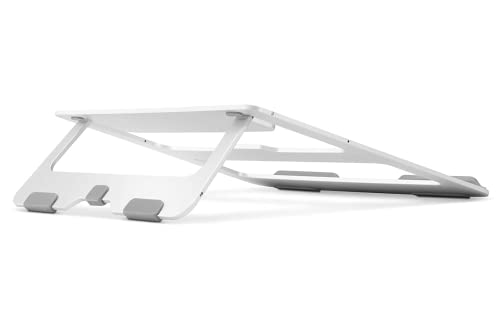
The Satechi Aluminum Laptop Stand focuses on a sleek, foldable design that prioritizes portability and style. It features a slim profile that collapses down to a very small footprint, making it easy to slide into a drawer when not in use.
The rubberized base and grips ensure that the laptop stays securely in place despite the minimalist frame of the stand. It provides a subtle elevation and tilt that is perfect for users who still want to use the laptop keyboard occasionally.
This stand is ideal for the aesthetic conscious professional who uses a MacBook or a high end Windows ultrabook. It matches the color and texture of modern tech devices perfectly, creating a cohesive and professional looking desk setup.
Cable Management Considerations
A good stand helps you organize the mess of wires that often accompanies a professional laptop setup. Many stands feature integrated routing holes or gaps that allow you to thread power and data cables neatly behind the device.
Managing your cables prevents them from pulling on the ports of your laptop. This reduces wear and tear on your expensive hardware while also improving the visual appeal of your workspace.
7. Besign LS03 Aluminum Laptop Stand
The Besign LS03 Aluminum Laptop Stand is a highly adjustable model that offers a wide range of height and angle settings. It uses a thick aluminum construction that feels very premium and provides a stable platform for typing or viewing.
The adjustability allows users to find the exact angle that eliminates glare from overhead office lights or windows. It includes protective silicone pads on the base to ensure your desk surface remains free of any scuffs or marks.
This stand is a great choice for users who share a workspace with others and need to frequently reconfigure the screen height. Its versatility makes it suitable for a wide range of body types and desk heights.

Reducing Desk Surface Clutter
By lifting the laptop, you regain the square footage that the device would otherwise occupy. This space is perfect for keeping a notepad, a beverage, or your mouse devices when they are not in use.
A less cluttered desk is known to reduce cognitive load. You can focus more clearly on your tasks when your physical environment is organized and spacious.
8. Soundance Laptop Stand
The Soundance Laptop Stand is a classic elevator stand that is valued for its simplicity and effective heat management. It consists of a sturdy frame that is easy to assemble and provides a very clean, open look under the laptop.
The design is specifically tailored to maximize the area for heat to escape from the bottom of your computer. It raises the screen by six inches, which helps in aligning the spine for most seated users at standard desk heights.
This stand is the best option for those who want a reliable, no frills product that does its job perfectly without a high price tag. It is compatible with almost all laptop models ranging from ten to fifteen inches in size.

The Synergy of External Peripherals
Using a stand effectively requires you to adopt an external keyboard and high quality mouse devices. This creates a triangle of ergonomics between your eyes, your hands, and your spine.
When your hands are at desk level and your eyes are looking straight ahead, you achieve the neutral posture. This is the ultimate goal of any ergonomic office configuration.
Comparison
The following table provides a quick reference to help you decide which of these premium stands fits your specific workflow requirements.
| Product Name | Key Feature | Best For | Price Range |
|---|---|---|---|
| Rain Design iLevel 2 | Front Slider Adjustment | Permanent Desks | Premium |
| Twelve South Curve Flex | Collapsible Portability | Hybrid Workers | High End |
| Boyata Laptop Stand | Extreme Stability | Heavy Laptops | Mid Range |
| Nulaxy C3 Aluminum Stand | Simple Elevator Design | Budget Conscious | Affordable |
| ObVus Solutions Laptop Tower | Extreme Height Range | Standing Conversions | Premium |
| Satechi Aluminum Stand | Slim Folding Design | Minimalist Setups | Mid Range |
| Besign LS03 Stand | Multi Angle Versatility | Shared Workspaces | Affordable |
| Soundance Laptop Stand | Open Air Cooling | Maximum Airflow | Affordable |
Final Verdict
After a thorough analysis of all the options, the Rain Design iLevel 2 emerges as the overall best pick for a dedicated home office. Its unique slider mechanism allows for the most fluid adjustments, ensuring that you can maintain perfect ergonomics even as you shift your seating position throughout a long workday.
If you require a solution that can travel between your home and a corporate office, the Twelve South Curve Flex is the undisputed winner. Its ability to fold completely flat while still offering significant height elevation makes it the most sophisticated piece of ergonomic engineering for the modern mobile professional.