

The Importance of Dynamic Movement in Your Home Office
Creating a workspace that supports your physical health is a vital investment for any professional working from home. Many individuals find that sitting for long hours leads to significant discomfort and reduced productivity over time.
A versatile solution has emerged for those who want to keep their existing furniture while adding movement to their daily routine. This guide will explore every detail to help you understand exactly how to choose a high quality unit.
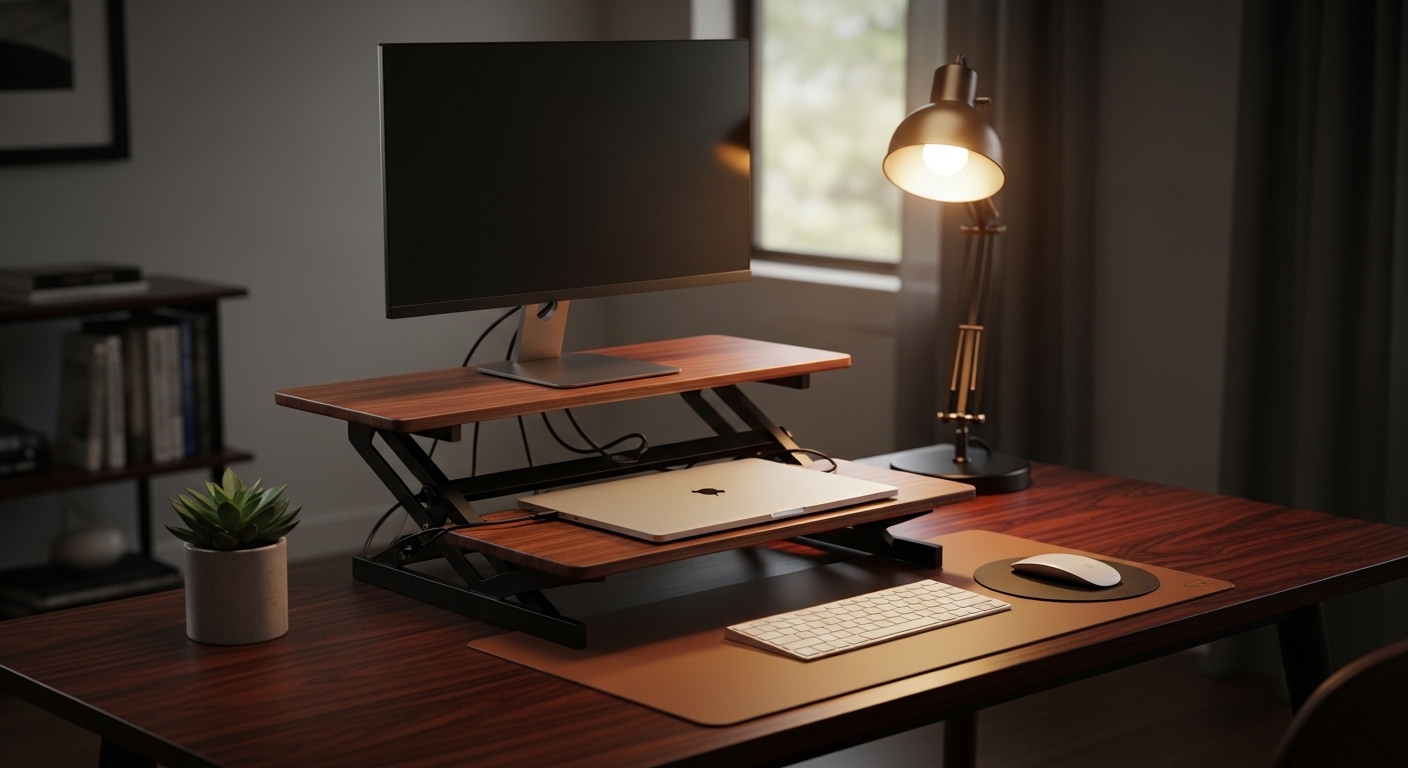
A standing desk converter is a device that sits directly on top of your current workstation to provide a height adjustable surface. It allows you to transition between sitting and standing without the need to replace your entire desk frame.
These units are often referred to as desk toppers or standing desk risers by ergonomic specialists. They offer a cost effective way to improve your posture and energy levels throughout the busy workday.
Choosing the right model requires a deep understanding of your specific physical needs and your current office layout. Not all converters are created equal, and the wrong choice could lead to more strain rather than relief.
By the end of this guide, you will be equipped with the knowledge to make an informed decision for your health. Let us dive into the critical factors that define premium ergonomic performance for these office tools.
Determining Your Ideal Height Range and Adjustability
The most important feature of any standing desk converter is the range of height it can reach. You must ensure that the unit can go high enough so your elbows remain at a ninety degree angle.
If the converter is too short, you will find yourself hunching over your keyboard while standing. This defeats the purpose of the device and can lead to severe neck and shoulder tension over time.
Measure the distance from the floor to your elbows when you are standing comfortably in your shoes. Subtract the height of your current desk from this measurement to find the required lift height for your converter.
Taller users need to be particularly careful when browsing different models on the market. Some converters only offer a few inches of lift, which may be insufficient for anyone over six feet tall.
Ideally, the converter should also allow for micro adjustments rather than fixed height increments. This flexibility ensures that you can find the perfect ergonomic height for your unique body proportions every single time.
Consider how the unit behaves at its lowest setting as well. Some models add several inches of height to your desk even when folded down, which might make your sitting position uncomfortable.
Evaluating Vertical Travel and Lift Mechanisms
The way a converter moves upward is just as important as how high it goes. Some models lift straight up and down, which is excellent for saving precious space in tight areas.
Other designs move in an outward arc toward the user as they rise. This can be beneficial if your desk is very deep, but it might require more floor space behind you.
Assessing Surface Area and Desktop Capacity
Before buying, you must account for all the equipment that needs to sit on the converter surface. This includes your monitors, laptop, mouse, and any other essential work tools you use daily.
A cramped workspace can lead to frustration and may even cause items to fall off during height transitions. Measure your monitor bases to ensure they fit securely within the platform dimensions provided by the manufacturer.
If you use a dual monitor setup, you will need a much wider converter than someone using a single laptop. Look for heavy duty models that are specifically designed to support multiple screen configurations without wobbling.
The weight capacity of the unit is another critical technical specification to check. Most converters can handle between twenty and forty pounds, which is plenty for most standard office setups today.
However, if you use large glass monitors or heavy studio speakers, you must verify the limit. Overloading a gas spring mechanism can cause it to fail prematurely or drop suddenly during adjustment.
Ensure there is still enough room for a notepad or a cup of coffee if those are part of your routine. A spacious work surface helps maintain a clear and organized mind during stressful projects.
The Importance of Keyboard Tray Ergonomics
Many standing desk converters come with a secondary level specifically designed for your keyboard and mouse. This two tier design is often better for ergonomics than a single flat surface.
A separate tray allows your screen to remain at eye level while your hands rest at a lower height. This prevents the common mistake of looking down at a screen, which causes significant neck strain.
Check if the keyboard tray is large enough to hold both a full sized keyboard and a mouse comfortably. Some budget models have very narrow trays that force your wrists into awkward and painful positions.
Stability is paramount for the keyboard tray because you will be leaning your hands on it throughout the day. A tray that bounces or flexes while you type will quickly become a source of annoyance.
Some premium converters allow you to adjust the tilt of the keyboard tray independently. A slight negative tilt can help maintain a neutral wrist position, reducing the risk of repetitive strain injuries.
If you prefer using a laptop directly, look for a converter with a removable tray. This flexibility allows you to customize the setup as your equipment evolves over the coming years.
Manual versus Gas Spring and Electric Mechanisms
There are three main types of lifting mechanisms to consider when choosing your converter. Manual versions are the most basic and usually require you to manually lift the weight yourself.
These are often cheaper but can be difficult to move if you have heavy equipment on the desk. They are best for those on a tight budget who do not mind a bit of physical effort.
Gas spring mechanisms are the most popular choice for home office professionals. They use pressurized cylinders to counterbalance the weight of your gear, making the lift feel almost effortless.
You simply squeeze a handle and guide the desk to your desired height with minimal strength. This type of mechanism is highly reliable and provides a smooth transition between sitting and standing modes.
Electric standing desk converters are the most luxurious option available on the market. They feature a small motor that does all the heavy lifting at the push of a button.
Electric models are perfect for users with mobility issues or those who have very heavy workstations. They often include memory presets so you can return to your exact height with one touch.
Choosing Between X Frames and Z Frames
The frame design affects how the converter distributes weight and how much space it occupies. An X frame design typically lifts straight up and down, which is great for stability.
A Z frame design often moves the keyboard closer to the user as it rises. You should choose the frame that best matches the depth of your existing desk and your personal reach.
Stability and Build Quality Considerations
A standing desk converter must be rock solid to be truly effective in a professional environment. If the unit shakes every time you type, it will disrupt your focus and cause visual fatigue.
Check the base of the converter to see if it has non slip pads or a weighted foundation. A heavy steel base is usually a sign of a high quality product that will not tip over.
Read reviews specifically looking for mentions of monitor shake or wobbling. Some cheaper plastic models lack the structural integrity needed for a stable experience at full height extension.
The materials used in the construction also play a role in the long term durability of the unit. Look for surfaces that are scratch resistant and easy to clean with standard office supplies.
Powder coated steel frames are generally superior to aluminum or plastic alternatives for daily use. They can withstand the wear and tear of frequent height adjustments without losing their structural strength.
Investing in a sturdy unit now will save you money in the long run by preventing the need for replacements. High quality engineering ensures the internal lifting components remain smooth for many years of operation.
Pros and Cons of Using a Desk Converter
It is important to weigh the benefits of a converter against a full electric standing desk. One major advantage is that you can keep your current favorite desk or antique furniture.
Converters are also much easier to assemble and set up than a full desk. Most arrive almost fully assembled, meaning you can start standing within minutes of the package arriving at your door.
However, converters do take up a significant amount of your existing desktop real estate. They can make a small desk feel quite cluttered if you have a lot of peripheral devices or paperwork.
Another drawback is the limited space for activities other than computer work. If you need a large flat area for drawing or crafting, a converter might get in your way constantly.
Stability can also be an issue compared to a heavy four legged standing desk. While high end converters are stable, they can never quite match the grounded feel of a dedicated standing desk frame.
Finally, consider the aesthetic impact on your room as these units can look quite industrial. You should look for a style that complements your decor rather than clashing with your home office design.
Cable Management and Accessory Integration
When your desk moves up and down, your cables must move with it safely. Poor cable management can lead to tangled wires or even damage to your expensive computer ports.
Look for converters that include built in cable clips or channels to keep things organized. You will need to ensure your power cords are long enough to reach the outlet at the highest setting.
Some models offer integrated slots for tablets or smartphones to keep them within sight. These small design touches can greatly improve your overall workflow and keep your desk tidy and professional.
If you use a monitor arm, check if the converter is compatible with standard clamp mounts. Combining a converter with a monitor arm provides the ultimate ergonomic flexibility for your screen positioning.
Do not forget to account for the thickness of the converter base when choosing accessories. Some clamps might not fit over both the converter and the desk surface at the same time.
Properly organized cables not only look better but also prevent accidents during height transitions. Take the time to route your wires carefully before you begin using your new ergonomic setup.
Health Benefits and the Transition Period
The primary reason to learn how to choose an ergonomic standing desk converter is to improve your long term health. Alternating between sitting and standing can reduce back pain and improve blood circulation.
Many users report increased focus and higher energy levels when they stand for parts of the day. This simple change can boost your productivity and help you avoid the mid afternoon energy slump.
However, you should not try to stand for eight hours straight as soon as your converter arrives. Your body needs time to adjust to the new physical demands of standing while working.
Start by standing for twenty minutes every hour and gradually increase the duration over several weeks. Wearing supportive footwear or using an anti fatigue mat can also make the transition much more comfortable.
Listen to your body and sit down if your legs or feet begin to feel fatigued or sore. The goal is sustained movement throughout the day rather than static standing for long, exhausting periods.
Consistency is the key to reaping the cardiovascular benefits associated with a more active workspace. By the middle of 2026, you will likely find that standing has become a natural part of your daily routine.
Budgeting and Finding the Best Value
Standing desk converters are available at a wide variety of price points to suit any budget. Entry level models provide basic height adjustment but may lack long term durability or advanced features.
Mid range converters usually offer gas spring assistance and better build materials for daily use. These units represent the best value for the average professional seeking a reliable and ergonomic workstation upgrade.
Premium models often feature electric motors, larger work surfaces, and superior stability for heavy equipment. While more expensive, they offer a seamless user experience that can last for a decade or more.
Consider the warranty offered by the manufacturer as a sign of their confidence in the product. A longer warranty period usually indicates better internal components and more reliable lifting mechanisms over time.
Do not simply choose the cheapest option available if you plan to use it every day. Your physical comfort and health are worth the investment in a piece of equipment that works correctly.
Compare different brands and read customer feedback regarding the ease of assembly and customer support. A reputable company will provide clear instructions and help if any parts are missing from your package.
Final Checklist for Your Purchase
Before making your final selection, run through a mental checklist of your specific requirements. Confirm the weight capacity and height range one last time to avoid any compatibility issues.
Visualize how the unit will sit on your desk and whether you have enough room for your mouse. Ensure the lifting mechanism is one that you can operate comfortably multiple times every day.
Think about the color and finish of the converter and how it will look in your home. A coordinated workspace can actually improve your mood and motivation to sit down and work.
Check if the manufacturer offers a trial period or a clear return policy in case it does not fit. Having peace of mind during the purchase process makes the transition to a standing desk much smoother.
Once your converter arrives, take the time to set it up correctly according to ergonomic principles. Your future self will thank you for the effort you put into creating a healthier home office.
Conclusion
Learning how to choose an ergonomic standing desk converter is a significant step toward a healthier professional life. By focusing on height adjustability and stability, you ensure a comfortable and productive experience.
Remember to evaluate the specific needs of your equipment and the dimensions of your current desk. A well chosen converter can transform your workflow and reduce the physical toll of long office hours.
Whether you choose a manual gas spring model or a high tech electric version, the benefits are clear. Adding dynamic movement to your day is one of the best things you can do for your body.
We hope this guide from The Home Office Lab has helped you feel confident in your upcoming purchase. Your ergonomic journey is just beginning, and we are here to support your home office success.