

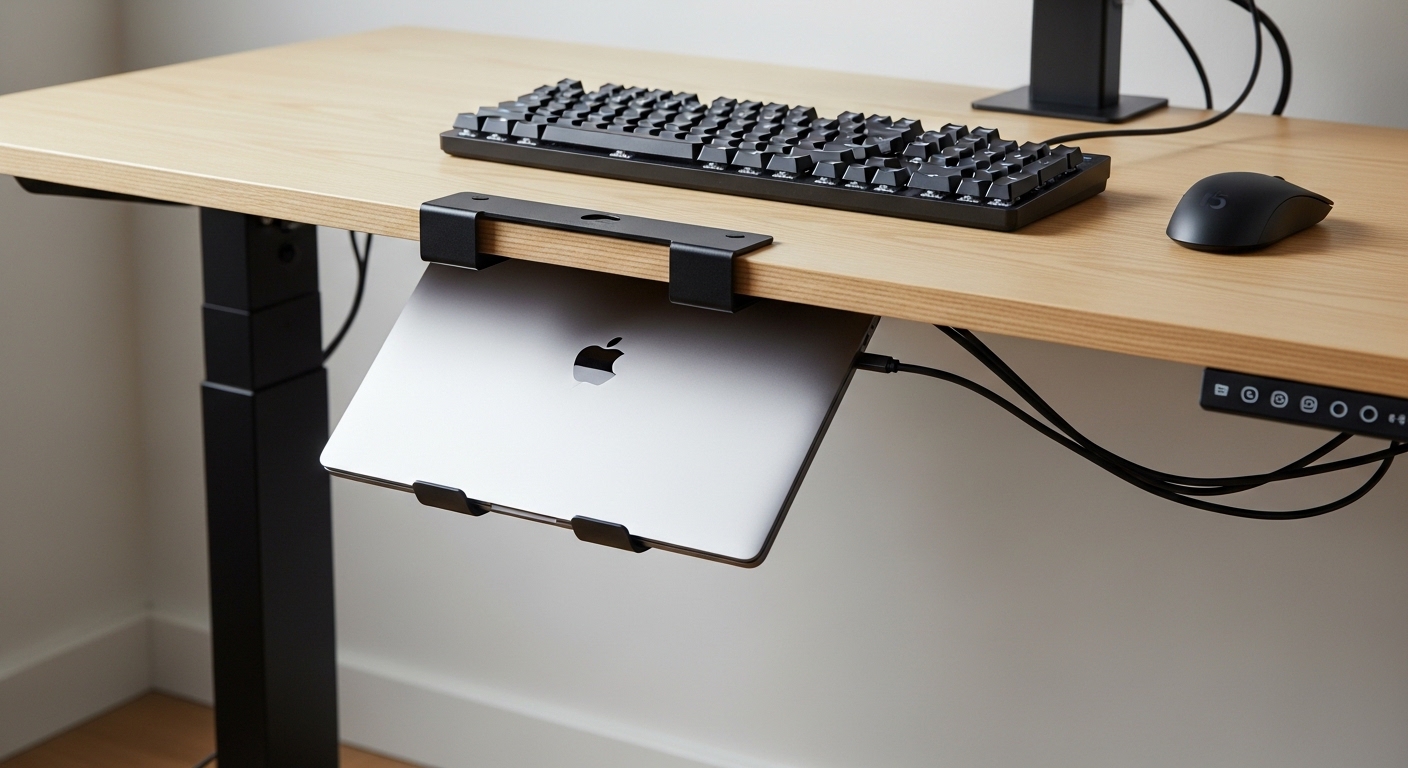
The Evolution of the Modern Minimalist Workspace
Modern professionals are increasingly realizing that desk real estate is the most valuable currency in a productive home office. As we transition toward cleaner setups, the primary computing device often becomes a physical hurdle that consumes significant space on the desktop surface.
By utilizing specialized hardware to move your machine beneath the desk, you effectively double your usable work area for other essential tools. This transition allows for a more focused environment where clutter is eliminated and mental clarity is prioritized throughout the long workday.
Optimizing Ergonomics for Standing Desk Users
Standing desks present a unique set of challenges because every item on the surface must remain stable during vertical transitions. When a laptop sits loosely on the desk, cables can snag or pull as the motor moves the frame upward.
An under desk solution solves this by anchoring the laptop and its associated cables to the underside of the desktop itself. This ensures that the entire system moves as a single cohesive unit, protecting your expensive ports and preventing accidental drops or cable disconnects.
The Science of Thermal Management and Airflow
Critics often worry that mounting a laptop under a wooden or laminate surface might lead to overheating during intensive tasks. However, professional grade mounts are specifically engineered with ventilation gaps and heat dissipation channels to maintain optimal operating temperatures.
Many of these mounts use high quality steel or aluminum which naturally draws heat away from the chassis of your machine. By elevating the laptop away from the insulating surface of a desk mat, you actually improve air circulation around the internal fans of your computer.
Quick Buying Guide
Before selecting a mounting solution, you must verify the exact thickness of your laptop including any protective cases or cooling feet. Most mounts offer a specific height clearance, and choosing one that is too tight can lead to surface scratches or restricted airflow.
Measure your device carefully and ensure there is at least a small gap for air to circulate freely around the vents. A proper fit ensures that you can slide the device in and out without applying unnecessary pressure to the delicate internal components.
Weight Capacity and Material Choice
The material of the mount dictates both its longevity and the safety of your hardware under your standing desk. Cold rolled steel is the industry standard for high weight capacity, ensuring the bracket will not sag or bend over time.
Aluminum options are lighter and offer better thermal conductivity, though they may feel less substantial than their steel counterparts. Always look for heavy duty construction that can support the weight of your specific laptop model along with its charging cables and attached hubs.
Installation Methods and Desk Compatibility
Standard mounts usually require drilling small pilot holes into the underside of your desktop to secure the brackets with wood screws. If you have a glass desk or a very thin desktop, you may need to look for clamp based solutions or adhesive options that do not require drilling.
Check the underside of your desk for any structural crossbars or cable trays that might interfere with the mounting location. Ensuring a flat mounting surface is critical for a level and secure installation that will last for years of daily use.
The 8 Best Under Desk Laptop Mounts for Standing Desks
Finding the right balance between security, accessibility, and aesthetics is key when choosing your mounting hardware for your workstation.
1. HumanCentric Under Desk Laptop Mount
The HumanCentric Under Desk Laptop Mount is widely regarded as the gold standard for users who prioritize build quality and simple installation. This mount is crafted from high grade steel and features a sleek matte black finish that blends seamlessly with most standing desk frames.
The design consists of two separate brackets that allow you to customize the width based on the size of your specific laptop or docking station. It feels incredibly sturdy and does not flex, providing peace of mind that your expensive hardware is safely secured away from the desk surface.
Adjustability and Protection
One of the standout features of this specific model is the inclusion of thick silicone padding on all contact points where the laptop rests. This prevents metal on metal contact, ensuring your laptop chassis remains free from scuffs and scratches during repeated use.
The height clearance is generous enough to accommodate most modern laptops, including thicker gaming models or machines inside protective sleeves. This versatility makes it the best overall choice for professionals who may upgrade their hardware frequently over the next several years.
2. Oeveo Under Desk Laptop Mount
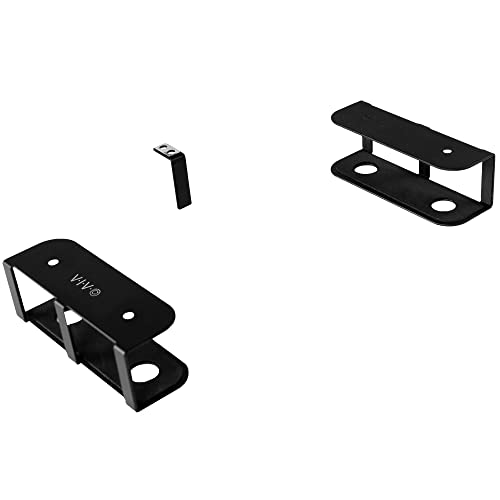
Oeveo focuses on industrial strength and minimalist aesthetics with their wide range of mounting solutions for modern office environments. Their under desk laptop mount is a single piece of formed steel that provides a very stable and consistent platform for your machine.
The unit features a wide open design on the sides, which is essential for maintaining proper airflow and allowing easy access to side ports. When you first unbox this mount, the solid metal construction immediately gives a sense of reliability and heavy duty performance.
Thermal Efficiency and Port Access
Performance is where the Oeveo excels, particularly for users running high performance workloads that generate significant heat. Because the sides are completely unobstructed, your laptop fans can pull in cool air and exhaust hot air without any physical barriers.
This mount is perfect for users who want a permanent home for their laptop that also serves as a docking station hub. It is the ideal solution for power users who rarely move their laptops and want the most stable mounting platform available on the market.
3. VIVO Under Desk Mount for Laptops
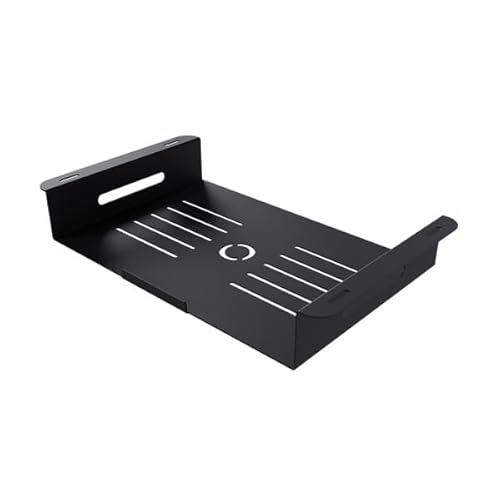
VIVO is a household name in the world of ergonomic office furniture and their laptop mounting solution follows their tradition of high value hardware. This model, known as the MOUNT LS01, features a sliding tray mechanism that provides easier access to your device than fixed brackets.
The build quality is reliable, using a combination of steel and high quality plastics to balance weight and durability across the entire frame. The tray design provides extra security by cradling the laptop on all sides, preventing it from sliding out accidentally during desk height adjustments.
Ease of Use and Accessibility
Technically, the VIVO mount offers a unique advantage because it allows the laptop to sit slightly lower, providing better clearance for plugging in peripheral devices. You can easily reach under the desk to connect your mouses or external hard drives without having to remove the entire machine from its cradle.
The installation process is straightforward, with a clear template provided to help you align the screw holes perfectly on the first try. This product is perfect for students or home office workers who need a functional and budget friendly way to clear their desk space.
4. HideIt Mounts Laptop Under Desk Mount
If you are looking for the most discreet mounting solution possible, the HideIt Mounts Laptop series is the primary contender for your setup. These brackets are designed to be as small and unobtrusive as possible while still maintaining a high level of structural integrity.
The mount uses three separate hooks that you can position anywhere on the underside of your desk to create a custom fit. This minimalist design philosophy ensures that the mount itself is almost invisible once the laptop is tucked away in its new home.
Customization and Low Profile Design
The technical performance of the HideIt system is based on its flexibility, as it can accommodate laptops of virtually any thickness or width. Because you choose the mounting points, you can ensure that no ports or cooling vents are covered by the steel brackets.
The steel is powder coated for a smooth finish and includes small rubber caps to protect the edges of your computer from metal contact. This mount is highly recommended for aesthetic enthusiasts who want their desk to look completely empty and organized from every angle.
5. BrainyTrade Under Desk Laptop Mount
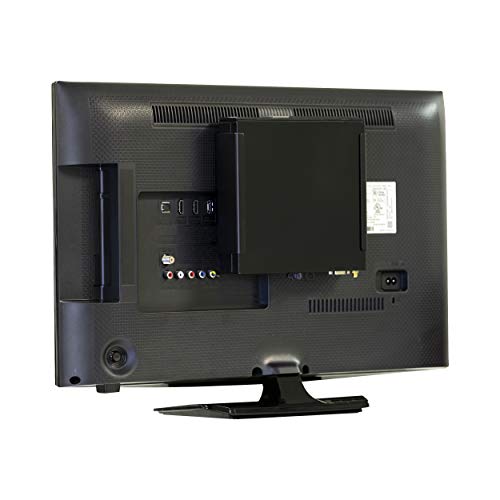
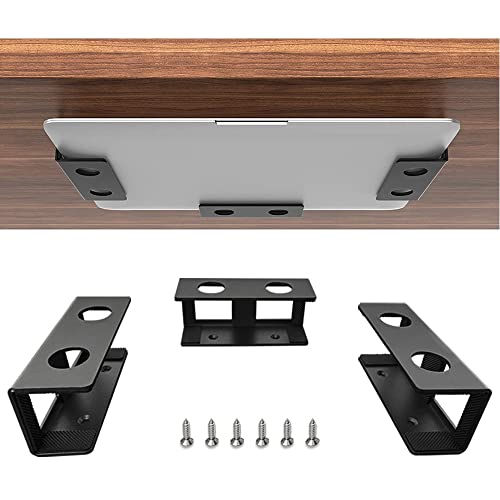
The BrainyTrade Under Desk Laptop Mount is an excellent choice for users who want a reliable, no frills solution that focuses on protection. This mount uses a traditional three bracket system that provides support for the back and sides of the laptop simultaneously.
The finish is a clean white or black powder coat, making it a great match for modern white standing desk setups that are popular in 2026. The thick inner padding is the highlight here, as it is much more substantial than the thin stickers provided by other budget brands.
Stability and Safety Features
In real world scenarios, this mount stays remarkably still even when the standing desk is moving at its highest speed settings. The rear bracket prevents the laptop from sliding too far back, which helps in consistent cable management and prevents port strain.
The wide footprint of the brackets distributes the weight of the laptop over a larger surface area of the desk underside. It is best for users who have larger, heavier workstations and need a mounting solution that feels significantly over engineered for the task.
6. Mount-It Under Desk Laptop Mount Tray
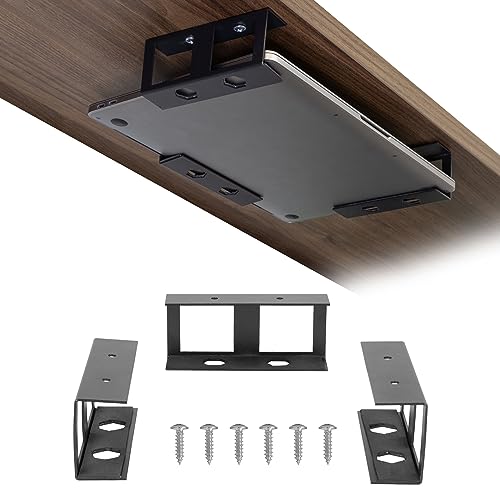
Mount It offers a sophisticated tray based mounting system that is designed for those who want their laptop to be accessible but protected. This mount functions similarly to a drawer, allowing you to slide the laptop out for quick access to the power button or keyboard.
The tray is ventilated with a series of hole patterns that facilitate active cooling even when the laptop is tucked away. It is built from sturdy carbon steel and features a smooth sliding mechanism that does not rattle or shake during desk movement.
Functionality and Cooling
The technical performance of this mount is centered around its ability to handle both laptops and docking stations at the same time. The tray is deep enough to hold a slim laptop stacked on top of a thin port replicator, which is a rare feature in this category.
The slide out feature makes it much easier to manage cables and check connections without having to crawl under your desk with a flashlight. This model is best for technicians and IT professionals who frequently need to interact with the physical ports on their machine.
7. Penn Elcom Under Desk Laptop Drawer EX-6151B
For those who require the ultimate level of security and a premium feel, the Penn Elcom Under Desk Laptop Drawer is the pinnacle of the market. This is not just a bracket but a fully enclosed, lockable drawer that bolts directly to the underside of your desk.
It is manufactured from heavy gauge steel and features professional grade ball bearing slides for an incredibly smooth and silent operation. The integrated lock system provides a layer of physical security that simple brackets simply cannot match for expensive company hardware.
Security and Professional Build Quality
The performance of this unit is unmatched in terms of physical protection against theft or accidental damage in shared office spaces. It includes dedicated cable entry points at the rear, allowing you to keep your laptop charging while it is securely locked away.
The interior is lined with a soft material to prevent any scratches to the laptop lid or base during daily use. This product is the premium choice for executive home offices or corporate environments where security and high end build quality are the primary requirements.

8. StarTech Under Desk Laptop Mount
StarTech is a brand known for creating enterprise grade accessories, and their under desk laptop mount lives up to that reputation for reliability. This mount features a robust design that is specifically optimized for corporate laptops and mobile workstations.
The brackets are wide and provide a very secure grip, ensuring that the laptop cannot tilt or shift once it is installed. The industrial aesthetic design is perfect for those who want their home office to feel like a high performance professional workstation.
Reliability and Enterprise Standards
Technically, the StarTech mount is designed to withstand the rigors of daily use in busy environments without losing its structural integrity. The mounting hardware included is of higher quality than standard budget kits, featuring reinforced screws that resist stripping during installation.
The spacing is optimized to allow for maximum airflow, which is critical for maintaining the lifespan of the internal components of your computer. This mount is specifically designed for users who value long term reliability and brand reputation over the cheapest possible price point.

Comparison
Choosing the right mount requires a quick look at the features that matter most for your specific workspace and laptop model.
| Product Name | Key Feature | Best For | Price Range |
| HumanCentric Mount | Adjustable Width | Versatility | $$ |
| Oeveo Laptop Mount | Single Piece Steel | Durability | $$ |
| VIVO Tray Mount | Sliding Tray | Budget Value | $ |
| HideIt Mounts | Minimalist Hooks | Aesthetics | $ |
| BrainyTrade Mount | Thick Padding | Protection | $ |
| Mount It Tray | Ventilated Slide | Accessibility | $$ |
| Penn Elcom Drawer | Lockable Steel | Security | $$$ |
| StarTech Mount | Industrial Build | Enterprise Use | $$ |
Final Verdict
After analyzing the top options on the market, the HumanCentric Under Desk Laptop Mount stands out as the overall best choice for the majority of users. Its combination of adjustable width, high quality steel construction, and excellent protective padding makes it a versatile tool for any standing desk setup.
It provides the perfect balance of security and airflow while remaining easy to install for users of all technical skill levels. If you prioritize security and performance above all else, the Penn Elcom Drawer is the only logical step up for a truly high end professional environment.