

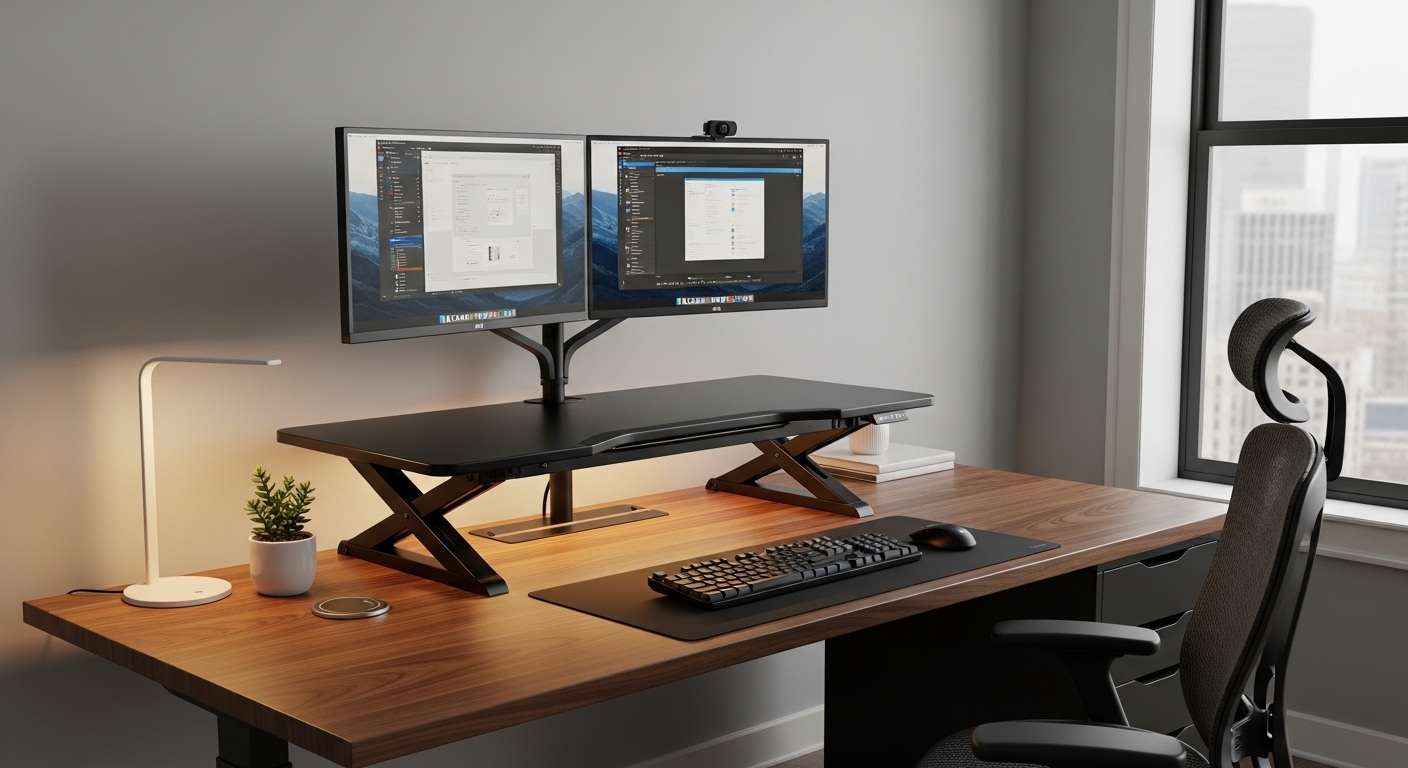
Creating a dynamic workspace is the first step toward a healthier professional life. Many professionals find themselves trapped in a sedentary cycle that affects both focus and physical well-being.
Understanding how to choose a sit stand desk converter is essential for anyone wanting to upgrade their current desk without replacing it. These versatile tools allow you to transition between sitting and standing throughout the workday.
Defining the Modern Sit Stand Converter
A sit stand converter is an ergonomic accessory that rests directly on top of your existing workstation. It features a movable platform that can be raised or lowered to provide the ideal height for your tasks.
These units are designed for users who love their current desk but want the health benefits of standing. They offer a stable surface for monitors, keyboards, and other essential peripherals.
Choosing the right model involves looking at mechanical engineering and ergonomic design. You must consider how the unit interacts with your current furniture and your unique body proportions.
Evaluating Your Physical Workspace Requirements
Before making a purchase, you must measure the available surface area on your desk. A converter that is too large will overlap the edges and create an unstable environment.
Check the depth of your desk as well. Some converters require a significant amount of space to ensure the base remains firmly planted during height adjustments.
The Importance of Weight Capacity
Every converter has a maximum load limit that you must never exceed. This includes the weight of your monitors, mounting arms, and any accessories like speakers or microphones.
Heavy duty units are built to support multiple monitor setups without wobbling. Always calculate the total weight of your gear before selecting a specific model to ensure long term durability.
- Calculate the combined weight of all screens.
- Include the weight of your keyboard and mouse.
- Account for external drive docks or stationary items.
Exploring Vertical Lift Range and Adjustability
The primary goal of a converter is to reach your optimal eye level while standing. If the unit does not go high enough, you will end up hunching over your work.
Tall users should look for models that offer an extension of at least twenty inches above the desk surface. This ensures that the monitor remains at a comfortable height for the neck and shoulders.
Similarly, the minimum height is important for sitting ergonomics. A converter that adds too much thickness when fully collapsed can ruin your sitting posture by raising your keyboard too high.
Surface Dimensions and Tiered Designs
Most premium converters utilize a two tier design to separate the monitor from the keyboard. This creates a natural ergonomic gap that mimics the layout of professional workstations.
The upper platform should be wide enough to accommodate your screen setup. If you use dual monitors, ensure the platform width can support both stands or a clamping monitor arm.
The lower tier or keyboard tray needs to be spacious. It should have enough room for a full sized keyboard and a comfortable mouse pad for unrestricted movement.
Worksurface Material and Texture
The material of the converter affects both aesthetics and mouse tracking. Some surfaces are made of laminated wood while others use high density plastics or steel.
Consider a matte finish to reduce glare from overhead lights or windows. A textured surface can also prevent your peripherals from sliding when the unit is in motion.
Comparing Manual and Electric Lift Mechanisms
Manual converters often use gas spring technology to assist with the lifting process. These cylinders allow for smooth transitions with minimal physical effort from the user.
Some entry level models use a notch system or simple springs. These can be more difficult to operate, especially when the converter is loaded with heavy equipment.
Electric converters are the premium choice for modern home offices. They use a quiet motor to adjust the height at the press of a button.
- Electric models offer precise height presets.
- Gas springs provide silent and cordless operation.
- Manual notches are often more affordable but less flexible.
The Difference Between X Frames and Z Frames
The internal architecture of a converter determines how it moves through space. An X frame design lifts the platform straight up and down in a vertical line.
This is ideal for small offices where space is limited. It maintains a consistent footprint and does not require extra clearance behind or in front of the desk.
A Z frame design moves outward as it rises. This can bring the monitors closer to the user, which is helpful for those with deeper desks or vision requirements.
However, the Z frame requires more room in front of the workstation. You must ensure you have enough floor space to step back as the converter extends toward you.
Ergonomic Alignment and Keyboard Positioning
Proper ergonomics require your elbows to be at a ninety degree angle. The keyboard tray should allow for a neutral wrist position to prevent repetitive strain injuries.
Look for trays that offer a slight tilt. This feature can help maintain a healthy posture during long typing sessions in the year 2026 and beyond.
Monitor Height and Eye Strain
The top third of your monitor screen should be at eye level. This prevents cervical spine compression caused by looking down for extended periods.
If the converter does not provide enough height, you may need to add a monitor arm. Ensure the converter base is compatible with standard grommet or C clamp mounts.
Assessing Stability and Build Quality
A shaky desk converter is a major distraction during deep work. You need a unit that remains rock solid even when you are typing vigorously at full height.
Check the thickness of the steel used in the frame. Heavier bases generally provide better stability and prevent the unit from tipping forward when extended.
Look for reviews or specifications regarding wobble reduction. High quality joints and precision bearings are signs of a well engineered product that will last for years.
Cable Management and Accessory Integration
Moving your desk up and down can put stress on your cables. A good converter should include integrated cable clips or routing paths to keep wires organized.
Ensure that your power and display cables are long enough to reach the standing height. Use cable sleeves to bundle wires together and prevent them from getting caught in the lifting mechanism.
Some converters also offer built in USB charging ports or tablet slots. these small features can significantly improve the organization of your desktop surface.
- Use flexible cable wraps for easy movement.
- Check for clearance around the scissor lift.
- Secure power bricks to the underside of the desk.
Budget Considerations and Long Term Value
When learning how to choose a sit stand desk converter, price is often a major factor. Entry level models provide the basic functionality needed to stand but may lack specialized features.
Mid range options usually offer gas spring assistance and better build materials. These units provide a balance of durability and ease of use for the average professional.
Premium models focus on motorized movement and superior aesthetics. Investing more upfront often results in a smoother user experience and a longer warranty period.
Think of this purchase as an investment in your health. A high quality converter can prevent back pain and increase your daily energy levels significantly.
Pros and Cons of Using a Desk Converter
One of the biggest advantages is the ability to keep your current furniture. You do not have to disassemble your entire office to embrace ergonomics.
However, converters do take up space on your desktop. They can also limit the amount of usable flat surface for non computer tasks like writing or drawing.
Another benefit is the speed of setup. Most converters arrive almost fully assembled and are ready to use within minutes of unboxing.
On the downside, they have lower weight limits than full electric desks. If you have a massive workstation with four monitors, a full desk might be a better choice.
Final Steps in the Selection Process
Before you hit the buy button, double check all your measurements. Ensure the footprint of the base fits comfortably on your desk without blocking drawers.
Think about your daily workflow. If you change positions frequently, a motorized unit or a high quality gas spring model will be much more convenient.
Consider the aesthetic of your office. Converters come in various colors like black, white, and wood grain to match your decor perfectly.
Finally, look for a solid warranty. A company that stands behind its lifting mechanism is one that you can trust for your professional environment.
Conclusion
Mastering how to choose a sit stand desk converter allows you to transform your work life without a total renovation. By focusing on stability, vertical range, and mechanical quality, you ensure a productive setup.
Remember that the best converter is the one that fits your body and your space. Prioritize ergonomics and build quality to get the most out of your investment.
Take the time to assess your needs and measure your equipment carefully. With the right choice, you will enjoy a more dynamic and healthy home office experience every single day.