

The Importance of an Ergonomic Monitor Mount
Creating a professional workspace requires more than just a powerful computer. You must consider how your body interacts with your digital tools.
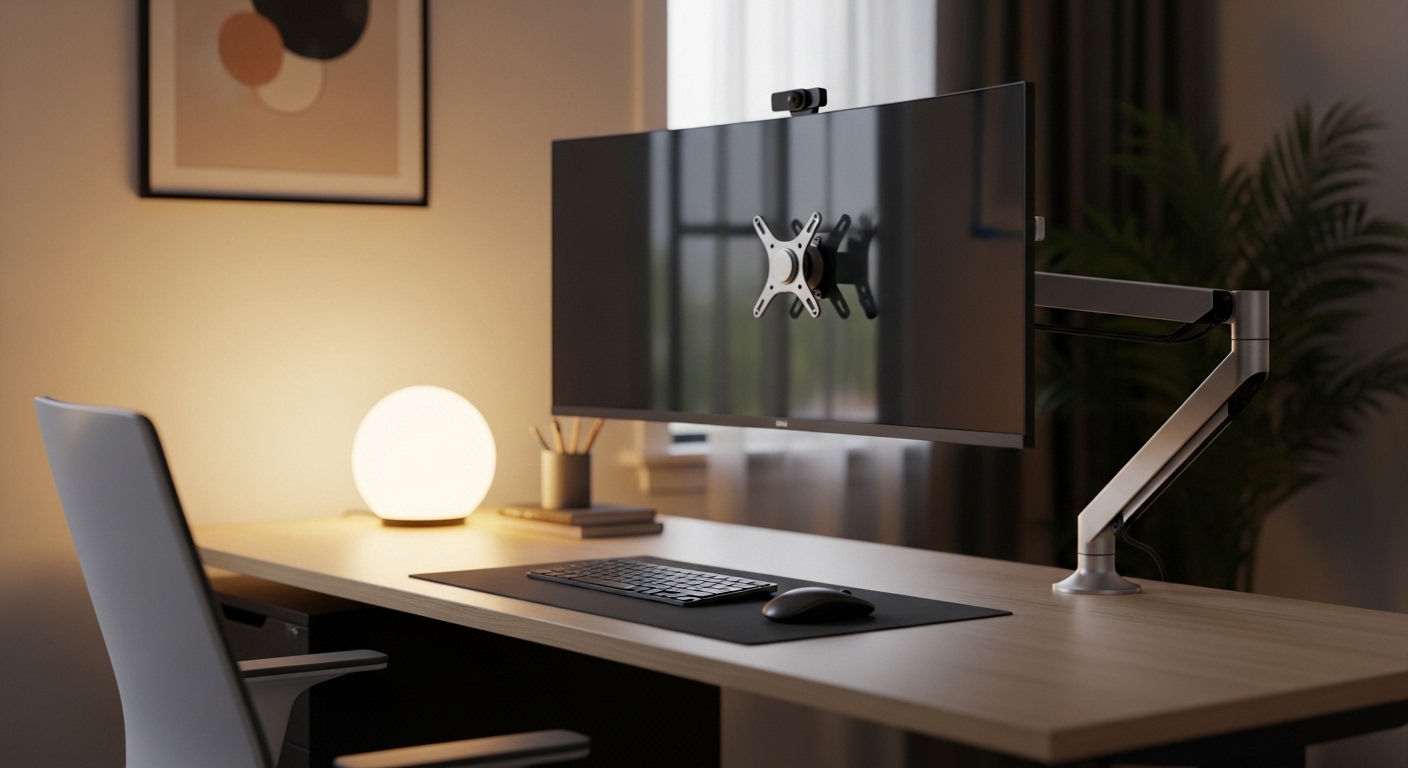
One of the most overlooked components of a healthy office is the monitor mount. This device determines the height, tilt, and angle of your primary visual interface.
If you find yourself hunching over a laptop or leaning toward a static screen, your posture is at risk. This often leads to chronic back pain over time.
Understanding how to choose the right ergonomic monitor mount is the first step toward a pain free work life. This guide will walk you through every critical technical specification.
By the end of this article, you will know exactly which features matter most for your specific desk environment. Let us explore the world of advanced screen positioning.
Understanding VESA Compatibility Standards
Before you look at styles or colors, you must check the back of your monitor. Most displays use a universal mounting standard known as VESA.
This standard defines the distance between the four mounting holes on the rear of your screen. The most common patterns are 75 by 75 millimeters or 100 by 100 square patterns.
Large monitors might require a larger pattern like 200 by 200 millimeters. You should measure these distances with a ruler to ensure perfect alignment.
Some ultra thin monitors require a special adapter because they lack these holes. Always verify if your screen is VESA compatible before purchasing any hardware.
Using the wrong mount for your screen can lead to stability issues or even damage. A secure connection is absolutely essential for safety.
Check the manual of your monitor for the exact measurements. This ensures you buy a mount that fits perfectly without extra parts.
Weight Capacity and Screen Size Limits
Every ergonomic arm has a specific weight limit that it can safely support. Exceeding this weight can cause the arm to droop or fail.
Modern screens are becoming lighter, but large ultrawide displays remain quite heavy. You must calculate the weight of the monitor without its original stand.
The stand often adds significant bulk that is not relevant to the arm capacity. Most manufacturers list the net weight in the technical specifications.
Size also matters because of the physical reach of the mounting arm. An arm designed for a 27 inch screen might not center a 49 inch ultrawide.
If the arm is too short, you will lose the ability to rotate the screen. This limits your ergonomic flexibility during the day.
Always choose a mount that offers a weight range slightly higher than your screen. This provides a safety margin for your expensive hardware.
Gas Spring versus Mechanical Spring Arms
When researching how to choose the right ergonomic monitor mount, you will encounter two main tension systems. Gas spring arms use pressurized cylinders to move.
These arms offer incredibly smooth movement and allow for effortless height adjustments. You can move the screen with a single finger once calibrated.
Mechanical spring arms use traditional heavy duty coils to provide tension. These are often more durable over decades of heavy use.
However, mechanical springs can be noisier and slightly less fluid during adjustment. They are a robust choice for static setups.
Gas springs are the premium choice for users who frequently change positions. If you move between sitting and standing, gas is better.
Keep in mind that gas cylinders can eventually lose pressure after many years. Mechanical springs rarely lose their strength over time.
Choosing the Right Tension for Your Setup
Adjusting the tension is a vital part of the installation process. You will typically use a hex key to tighten the spring.
If the monitor rises on its own, the tension is too high. If it falls, you must increase the resistance immediately.
Proper tension ensures the monitor stays exactly where you place it. This balance is the hallmark of a premium ergonomic setup.
Mounting Styles: Clamp versus Grommet
How the mount attaches to your desk is a major factor in your decision. The desk clamp is the most popular method for home offices.
It slides over the edge of the desk and tightens with a screw mechanism. This requires no permanent modifications to your furniture.
Grommet mounts require a hole through the surface of the desk. Many professional office desks come with a pre drilled hole for this.
The grommet style is generally more stable for very heavy displays. It places the center of gravity more securely on the desktop.
If you have a glass desk, you must be extremely careful. Most clamps are not safe for glass surfaces without a reinforcement plate.
Always measure the thickness of your desk before buying a mount. Some clamps only work on surfaces up to two inches thick.
Range of Motion and Adjustability
The goal of an ergonomic mount is to provide total control over your viewing angle. Tilt adjustment allows you to eliminate glare from overhead lights.
Swivel adjustment lets you share your screen with a colleague or move it aside. Rotation is essential if you want to use your monitor in portrait mode.
Height adjustment is perhaps the most critical feature for neck health. The top third of your screen should be at eye level.
Depth adjustment allows you to move the screen closer or further away. This is vital for users with different visual needs.
A mount with a long reach is great for deep desks. It ensures you do not have to lean forward to see text.
Check the degree of tilt offered by the mounting head. A wide tilt range is useful for creative work or drawing.
Single vs Dual vs Multi Monitor Mounts
Your workflow determines how many screens you need to support. A single arm is clean and minimalist for simple tasks.
Dual monitor mounts come in two main varieties: stacked or side by side. Stacked monitors are excellent for saving horizontal space on small desks.
Side by side configurations are the standard for multitasking and research. Look for arms that move independently of each other.
Cheap dual mounts often lock both monitors onto a single bar. This makes it impossible to align different models perfectly.
Independent arms allow you to set different heights for each display. This is helpful if you use mismatched screen sizes.
For triple monitor setups, stability becomes the primary concern. These mounts often require a heavy duty grommet for safety.
Managing Ultrawide Displays
Ultrawide monitors require specialized mounts due to their extreme width. The leverage applied to the mounting head is significant.
Standard arms may tilt downward involuntarily when holding an ultrawide. Look for mounts specifically rated for large format displays.
Build Quality and Material Selection
The materials used in construction determine the lifespan of the product. Cheap mounts often use thin plastic and light alloys.
Premium mounts are typically crafted from aircraft grade aluminum or solid steel. These materials offer superior vibration dampening while you type.
A wobbling screen is highly distracting and can cause eye fatigue. Heavy steel mounts provide a rock solid foundation for your work.
Examine the joints and hinges for any signs of play or looseness. High quality bearings ensure smooth rotation for years to come.
Finish quality also matters for the aesthetic of your home office lab. Powder coated finishes resist scratches and fingerprints effectively.
In 2026, many users prefer matte black or brushed silver finishes. These colors blend well with modern tech aesthetics.
The Role of Integrated Cable Management
A cluttered desk can lead to a cluttered mind and lower productivity. Quality monitor mounts include integrated channels for your cables.
These channels hide power cords and display cables inside the arm itself. This creates a clean floating look for your monitor.
Make sure the cable tracks are easy to access and large enough. Thick DisplayPort cables can be difficult to route through tight spaces.
Some mounts use plastic clips while others use magnetic covers. Magnetic covers are much easier to manage during initial setup.
Proper routing also prevents cables from snagging when you move the arm. This protects your hardware ports from accidental damage.
Good cable management is the final touch for a professional workspace. It turns a messy desk into a streamlined laboratory for work.
Desk Surface Stability and Protection
The weight of a monitor mount is concentrated on a small area of your desk. This pressure can dent soft wood like pine or cedar.
You can use a reinforcement plate to distribute the weight more evenly. This is a smart investment for expensive solid wood desks.
Check the bottom of the clamp for protective padding or rubber. This prevents the metal from scratching the surface of your furniture.
Stability is also affected by the type of floor your desk sits on. A desk on thick carpet may wobble more than one on hardwood.
A heavy monitor arm can exacerbate this swaying motion during typing. Choosing a mount with a wide base helps minimize this effect.
Consider the total weight of the mount and the monitor combined. Ensure your desk can handle the static load safely.
Wall Mounting as an Alternative
If your desk is too thin for a clamp, consider a wall mount. This clears the entire desk surface for other tools.
Wall mounts require finding a stud to ensure the screen stays secure. This is the most permanent solution available for offices.
Budgeting for Your Ergonomic Upgrade
Price points for monitor mounts vary wildly depending on features and materials. Entry level mounts are functional and affordable for most users.
These basic models often use simple bolts for adjustment rather than springs. They are fine if you rarely move your screen.
Mid range mounts offer gas spring technology and decent cable management. These provide the best value for a typical professional.
Premium mounts are expensive but offer unmatched build quality and aesthetics. They often include USB ports in the base for convenience.
Consider the cost of your monitor when deciding on a budget. It is unwise to support a thousand dollar screen with a twenty dollar mount.
A high quality mount can last through several computer upgrades. It is a long term investment in your health and comfort.
Health Benefits of Proper Screen Positioning
The primary reason to learn how to choose the right ergonomic monitor mount is health. Proper positioning reduces the strain on your eyes.
When the screen is at the correct distance, your eyes do not struggle. This prevents headaches and fatigue after long work sessions.
Neck health is also improved when you stop looking down at a screen. Keeping your head in a neutral position protects your cervical spine.
Good posture encourages deeper breathing and better circulation throughout the day. This leads to higher energy levels while you work.
Ergonomics is not just about comfort, it is about sustainable productivity. A healthy body is a productive body in any professional setting.
Investing in your setup is an investment in your future self. You will feel the difference immediately after the first day.
Final Checklist for Your Purchase
Before making your final choice, review your requirements one last time. Confirm the VESA pattern matches your monitor exactly.
Check that the weight of your screen falls within the arm’s range. Measure your desk thickness to ensure the clamp will fit.
Decide if you prefer the smoothness of a gas spring system. Consider if you need extra height for a standing desk setup.
Think about your future needs for a second or third monitor. Buying a modular mount might save you money later on.
Look for reviews that mention the ease of assembly and installation. A well designed mount should be simple to install alone.
Take your time to compare different models and their technical specs. The right choice will transform your workspace into a professional lab.
Conclusion
Selecting the right hardware is a journey toward a better work experience. You now know how to choose the right ergonomic monitor mount with confidence.
Prioritize build quality and weight capacity to protect your valuable displays. Remember that proper ergonomics is a continuous process of adjustment.
Your body will thank you for the extra effort and investment. Enjoy the clean and efficient environment of your new home office lab.