

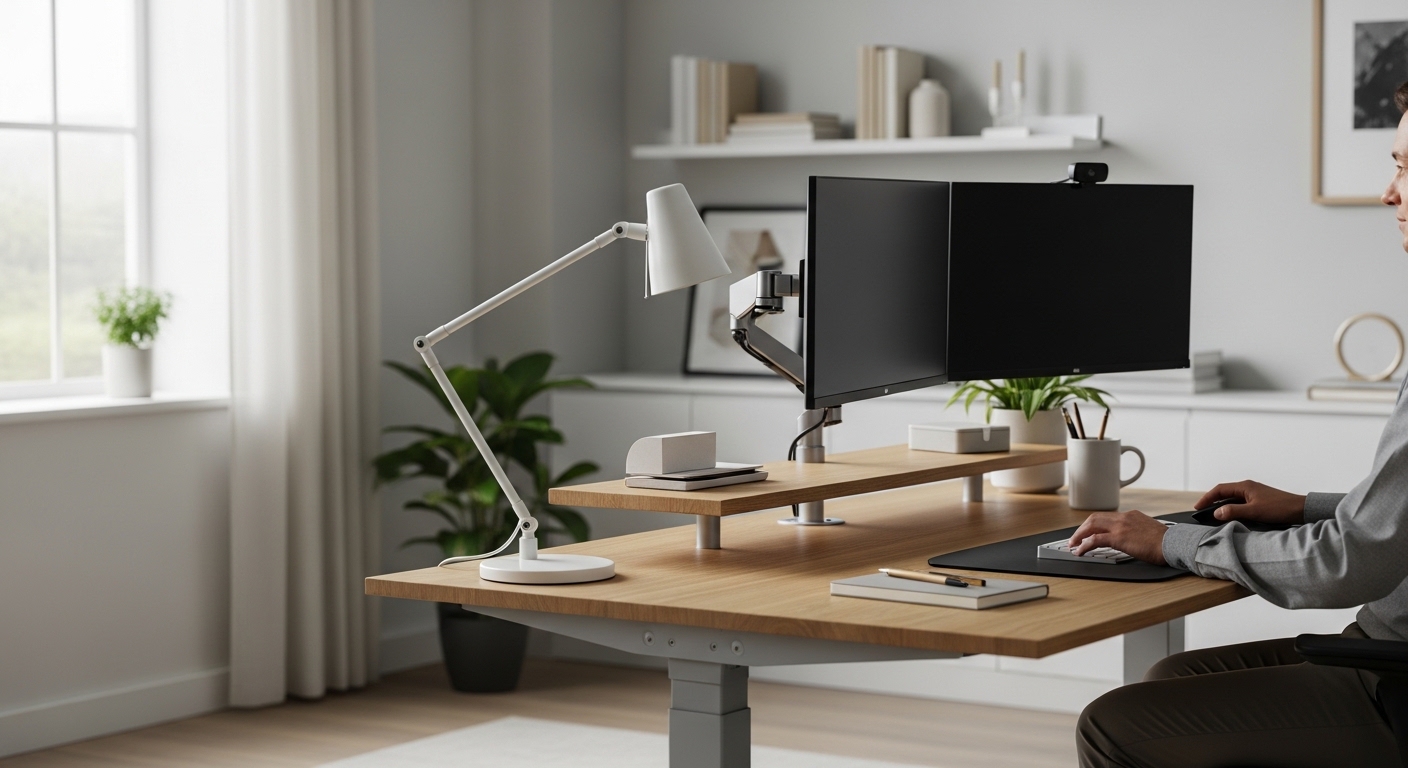
The Importance of Workspace Ergonomics
Creating a functional workspace begins with understanding how your body interacts with furniture. One of the most overlooked factors in office design involves choosing the ideal desk height for productivity and long term health.
A surface that sits too high or too low can lead to significant physical strain. This discomfort eventually reduces your ability to focus on complex tasks during the workday.
Most professionals spend over eight hours at their desks every single day. Without proper alignment, these hours contribute to repetitive strain injuries and chronic fatigue.
Investing time in adjusting your environment pays dividends in both comfort and output. A well calibrated desk serves as the foundation for a professional and efficient home office environment.
In this guide, we will explore the precise measurements required for peak performance. We will also discuss how small changes can lead to massive improvements in your daily energy levels.
The Science of Neutral Posture
Neutral posture is the position where the body is aligned and balanced while sitting or standing. It places the least amount of stress on joints and muscles during work.
When you achieve this state, your breathing improves and your blood flows more freely. This physical ease allows your brain to dedicate more resources to cognitive processing.
Your desk height plays a pivotal role in maintaining this neutral state. If the desk is too high, your shoulders will shrug naturally to reach the keyboard.
This constant tension leads to tension headaches and upper back pain. Conversely, a desk that is too low causes you to slouch forward significantly.
Slouching compresses the diaphragm and reduces oxygen intake throughout the day. By prioritizing proper desk alignment, you ensure that your body remains supported and relaxed.
Calculating Your Ideal Sitting Height
To find the correct height, you must first sit in your office chair with your feet flat. Your thighs should be parallel to the floor while your knees form a ninety degree angle.
Relax your shoulders and bend your elbows to about ninety degrees as well. The distance from the floor to the bottom of your elbows is your target desk height.
For most adults, this measurement falls between twenty eight and thirty inches. However, shorter or taller individuals may require custom solutions to maintain perfect ergonomic form.
If your desk is not adjustable, you might need to raise your chair to match the surface. In such cases, using ergonomic footrests becomes essential for supporting your lower limbs.
Without a footrest, your legs might dangle or stretch uncomfortably. This lack of support can lead to poor circulation or lower back pressure over time.
Measuring for Standing Desk Success
Standing desks have become incredibly popular for their ability to reduce sedentary behavior. However, choosing the ideal desk height for productivity while standing requires a different approach.
When standing, your elbows should still maintain a ninety degree angle relative to the desk surface. Your wrists should remain neutral and flat rather than tilting upward or downward.
Keep your head aligned over your shoulders to avoid neck strain. The monitor should be positioned so that the top third of the screen is at eye level.
Standing too long at an incorrect height can cause lower back compression. You should alternate between sitting and standing every forty five minutes to maximize physical vitality.
Wear supportive shoes or use an anti fatigue mat to cushion your feet. These small additions help maintain the benefits of standing without causing secondary joint pain.
The Impact of Keyboard and Mouse Placement
The desk surface is merely the base for your primary input devices. Your keyboard and mouse must sit at a height that prevents wrist extension or flexion.
If you feel a tingling sensation in your fingers, your desk might be too high. This height forces the wrists to bend back, which can lead to carpal tunnel syndrome.
Ideally, your hands should float slightly above the keys in a relaxed manner. A keyboard tray can sometimes provide the necessary height adjustment for fixed desks.
Your mouse should be kept close to the keyboard to prevent overreaching. Overreaching puts unnecessary strain on the rotator cuff and shoulder blade area.
Consistent alignment of these tools is a core component of choosing the ideal desk height for productivity. Small tweaks in placement can eliminate many common workplace injuries.
Addressing Monitor Height and Eye Strain
While the desk holds the keyboard, it also determines where your monitor sits. A monitor that is too low forces you to tilt your chin downward.
This position, often called tech neck, places immense pressure on the cervical spine. You should refer to a monitor sizing guide to ensure your screen fits your space.
If your desk height is perfect for your arms but the screen is low, use a monitor riser. Many modern desks include integrated riser platforms for this exact purpose.
The goal is to keep your gaze horizontal or slightly downward by fifteen degrees. This angle reduces eye muscle fatigue and keeps you focused on your work longer.
Proper screen positioning is just as vital as the physical desk surface itself. Always consider the total height of your equipment when making adjustments.
How Desk Height Affects Mental Focus
Physical comfort is directly linked to your ability to concentrate on deep work. When the body is in pain, the brain sends constant distraction signals to the mind.
These signals break your flow state and make simple tasks feel much more difficult. By choosing the ideal desk height for productivity, you remove these physical distractions.
A comfortable body allows for a calm and focused mind during the day. You will find that your mental endurance increases when your posture is naturally supported.
Productivity is not just about time management or software tools. It is also about creating a physical environment that supports your biological needs.
In the year 2026, we recognize that the home office is a primary place of labor. High quality ergonomics are no longer a luxury but a professional necessity.
Organizing Your Space for Better Movement
An organized desk allows for better transitions between different work modes. If your desk is cluttered, you might struggle to adjust your seating position correctly.
Consider how your hardware setup impacts your ability to change heights quickly. You must implement cable management solutions to prevent wires from tugging when the desk moves.
Tangled cords can limit the range of an adjustable height desk significantly. Clear paths for all electronics ensure that you can move from sitting to standing easily.
A clean workspace also promotes a sense of mental clarity and order. This psychological boost complements the physical benefits of a perfectly heighted desk.
Take time each week to clear your surface and check your equipment connections. This habit maintains both your gear and your physical health over time.
Common Mistakes to Avoid
Many people assume that a standard desk height works for everyone. This common misconception leads to many avoidable injuries in the modern workforce.
Another mistake is ignoring the thickness of the desk surface itself. A very thick desktop can prevent your legs from fitting comfortably underneath the surface.
Always measure from the top of the desk where your hands actually rest. Some users also forget to account for the height of their office chair cushions.
If you add a seat cushion, you must raise your desk to compensate. Failing to adjust for new accessories can throw your entire ergonomic system out of balance.
Finally, do not wait for pain to appear before making these changes. Proactive adjustment is the best way to ensure long term career longevity.
Tips for Testing Your Setup
Sit at your desk and close your eyes for a few seconds. When you open them, look straight ahead at your primary work screen.
Your eyes should land on the top section of the display naturally. If you have to move your head, your setup needs adjustment immediately.
Type a paragraph and pay attention to your shoulder tension levels. If your shoulders feel tight, your desk is likely too high for your frame.
Ask a friend or family member to take a photo of you from the side. Viewing your posture in a photo reveals misalignments that you might not feel otherwise.
Use these visual cues to make iterative improvements to your workstation height. Perfection is rarely achieved on the first try but comes through consistent testing.
Adjusting for Different Tasks
Not all tasks require the exact same desk height for maximum efficiency. Writing by hand often requires a slightly higher surface than typing on a keyboard.
If you do a lot of manual sketching, you might prefer a slight tilt. However, for general computer work, a flat and level surface is usually best.
If you use a laptop without a separate keyboard, your ergonomics will suffer. Laptops force a compromise between screen height and keyboard height that is never ideal.
Always use a laptop stand and an external keyboard whenever possible. This setup allows you to separate the components for better individual height adjustments.
Your desk height should remain consistent once you find the optimal setting for your primary task. Stability in your environment leads to stability in your daily work routine.
The Role of Lighting and Visibility
Desk height even affects how light hits your workspace and eyes. A desk at the wrong level might cause glare from overhead lights or windows.
Glare causes you to squint or lean forward, which ruins your posture. Adjusting the desk height can sometimes help you avoid harsh reflections on your screen.
Ensure that your task lighting is positioned to illuminate your work area clearly. Good visibility reduces the need to hunch over to see small details or text.
Combine choosing the ideal desk height for productivity with a smart lighting plan for the best results. A bright and aligned office is a powerhouse for creativity.
Consider using a desk lamp with an adjustable arm for targeted light. This flexibility allows you to maintain perfect posture regardless of the time of day.
Practical Tips for Quick Adjustments
- Use a measuring tape to record your optimal height settings for future reference.
- Mark the legs of your desk with small stickers if it is manually adjustable.
- Check your posture every hour using a digital timer or phone app.
- Invest in a high quality chair with adjustable armrests to bridge the gap.
- Keep your feet supported to maintain the natural curve of your spine.
Frequently Asked Questions
What is the standard desk height?
Most commercial desks are built to a standard height of twenty nine inches. This height is designed to accommodate the average male height but often fails others.
Women and shorter men often find this height too tall for comfortable typing. Using an adjustable desk is the best way to bypass these generic standards.
Can a desk be too low?
Yes, a desk that is too low will cause you to slouch and lean. This position puts excessive pressure on the lower back and can cause long term spinal issues.
If your desk is too low, you can use furniture risers to lift the entire unit. Ensure the risers are stable and can support the weight of your equipment.
How often should I change between sitting and standing?
Most experts recommend a sit to stand ratio of roughly one to one or two to one. This means standing for twenty to thirty minutes for every hour of sitting.
The key is to avoid static positions for too long throughout the day. Constant movement keeps your metabolism active and your muscles engaged and healthy.
Conclusion
Ultimately, choosing the ideal desk height for productivity is a personal process that requires careful measurement. By aligning your furniture with your biology, you create a sustainable and healthy work environment.
Remember to keep your elbows at ninety degrees and your eyes level with your screen. These simple rules will protect your body and enhance your focus for years to come.
A small investment in your ergonomic setup today prevents a lifetime of physical discomfort. Take the time to measure your space and make the necessary changes for your future success.