

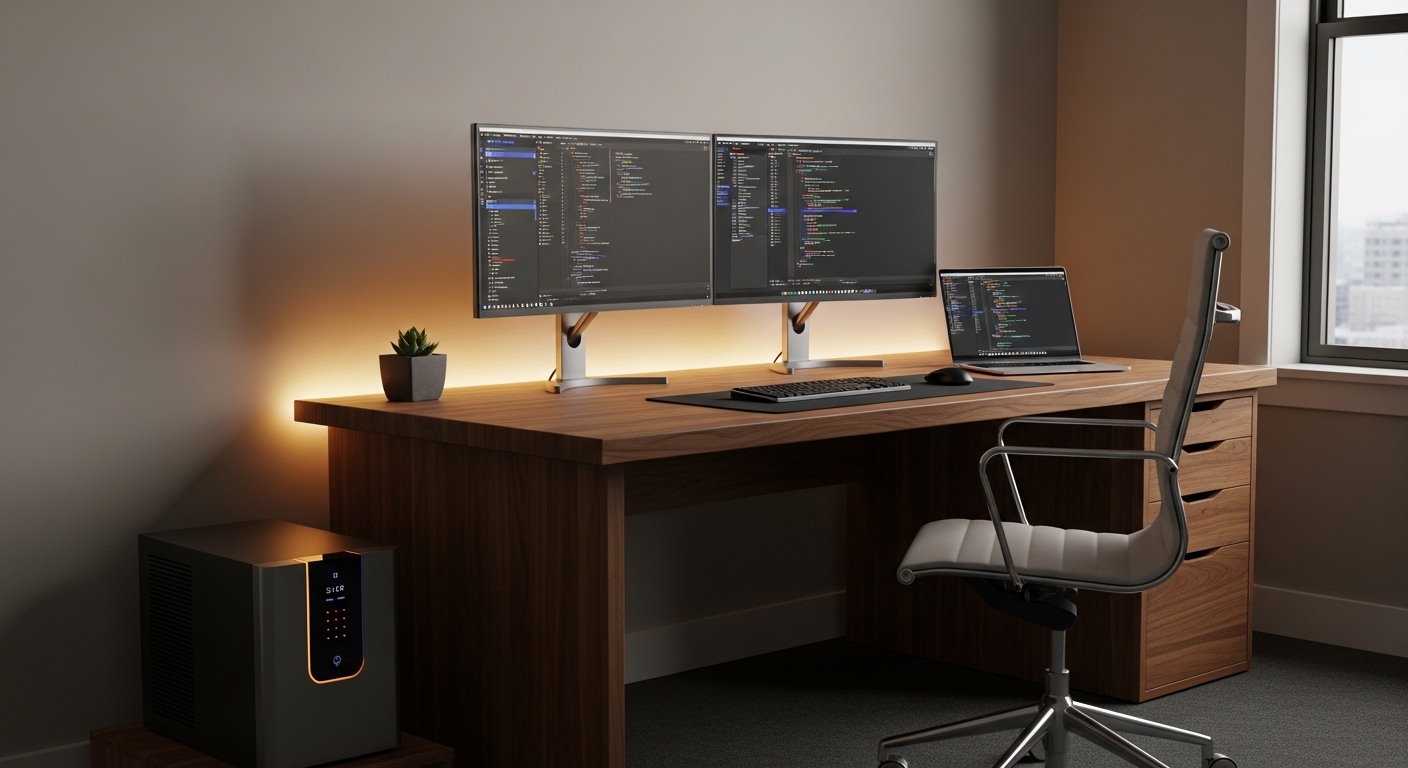
The Critical Role of Power Stability in Modern Work
Creating a professional workspace requires more than just a comfortable chair and a fast computer. Reliable electricity serves as the foundation for every digital task you perform throughout the day.
Many professionals overlook the vulnerability of their equipment to electrical fluctuations. An unexpected outage can erase hours of diligent effort in a single heartbeat.
Investing in power protection is no longer an optional luxury for the remote workforce. It is a fundamental necessity for business continuity in an increasingly digital world.
This comprehensive guide explores the various benefits of uninterruptible power supply for home office environments. We will examine how these devices safeguard your career and your hardware.
Understanding the technology behind these systems helps you make an informed decision. You will learn how to maintain peak productivity regardless of external utility conditions.
Defining the Uninterruptible Power Supply
An uninterruptible power supply, commonly known as a UPS, acts as an intermediary between the wall outlet and your electronics. It contains a dedicated internal battery that engages instantly when utility power fails.
Beyond simple battery backup, these units provide sophisticated surge protection and regulation. They ensure that the electricity reaching your sensitive components remains within safe parameters.
The primary function is to provide enough time to save work and shut down properly. In some cases, they allow you to work through short flickers without noticing a change.
Modern units often include software that communicates with your computer. This feature allows for automated system shutdowns if the battery runs low while you are away.
Without this bridge, your hardware remains exposed to the chaotic nature of the electrical grid. A UPS provides the peace of mind required for high stakes professional assignments.
Preventing Devastating Data Loss
Data loss is perhaps the most immediate threat posed by sudden power failure. When a computer loses power while writing to a drive, file corruption often occurs.
This risk applies to both traditional hard drives and modern solid state drives. The integrity of your files depends on a controlled termination of system processes.
Imagine losing a complex spreadsheet or a video render that took hours to complete. A UPS provides the vital minutes needed to hit the save button manually.
Even if you use cloud storage, local caches can become corrupted. This corruption might prevent the application from launching correctly the next time you try to work.
System files and operating system structures are also at risk during hard crashes. Frequent improper shutdowns can lead to permanent operating system failure which requires a full reinstallation.
Protecting Specialized Creative Work
Creative professionals often handle massive files that require significant processing time. Interrupted saves in software like Photoshop or Premiere can destroy entire project architectures.
The benefits of uninterruptible power supply for home office users include protecting these creative assets. High end rendering tasks consume significant power and are sensitive to even minor drops.
A momentary brownout can cause a workstation to reboot, ruining a long render. Having a battery backup ensures that sustained processing tasks finish without interruption or failure.
Professional workflows demand consistency that the public power grid cannot always guarantee. A UPS acts as a silent guardian for your creative output and digital archives.
Enhancing the Lifespan of Sensitive Electronics
Utility power is rarely a smooth and consistent flow of energy. It is subject to surges, sags, and noise that can damage delicate silicon components over time.
A high quality backup unit provides automatic voltage regulation to stabilize these fluctuations. It boosts low voltage and trims high voltage to maintain a steady stream of power.
Electronics such as monitors, high performance desktops, and external storage arrays are sensitive. Constant exposure to erratic electrical currents causes micro stresses on internal circuitry.
These stresses eventually lead to premature component failure or intermittent system instability. By filtering the electricity, you extend the usable life of hardware significantly.
Think of a UPS as a protective filter for your expensive home office investments. It is far cheaper to replace a battery than to buy a new workstation.
Maintaining Essential Internet Connectivity
In the age of remote meetings and cloud collaboration, an internet connection is your lifeline. Most home users plug their router directly into the wall, leaving it vulnerable.
During a localized power flicker, your modem and router will likely reboot. This process can take several minutes to restore your active digital connection.
If you are in the middle of an important video conference, this delay is unacceptable. Connecting your network hardware to a UPS keeps your wifi signal active during outages.
Many localized blackouts do not affect the physical internet lines provided by your service provider. This means you can stay online even if the lights in your room go dark.
Maintaining a connection allows you to notify colleagues about the situation. You can gracefully exit meetings or move to a mobile device without vanishing without a word.
Staying Productive During Brief Outages
Some power outages only last for a few seconds or a couple of minutes. Without backup, these brief events would force a complete restart of your entire office.
A UPS allows you to bypass these minor disruptions entirely. Your monitors stay bright, and your computer remains fully operational during the transition.
The ability to work through a storm without stopping is a significant productivity gain. You avoid the frustration of restarting apps and finding your place in your documents.
For those living in areas with unstable infrastructure, this benefit is life changing. It transforms an unreliable environment into a stable professional hub for your daily tasks.
Understanding the Different UPS Topologies
Not all backup power units function in the exact same way. Understanding the three main types helps you choose the right level of protection for your specific needs.
Standby units are the most basic and affordable options for home users. they wait for a power failure before switching to battery power within milliseconds of the event.
Line interactive units are more sophisticated because they include a transformer. This allows them to correct minor voltage fluctuations without ever switching to the internal battery.
Double conversion units, or online UPS systems, provide the highest level of security. They constantly convert power from AC to DC and back to AC to provide perfectly clean energy.
While double conversion is often used in data centers, it is becoming popular for high end home labs. It offers zero transfer time, which is critical for the most sensitive laboratory or server equipment.
Most home office users will find that a line interactive model offers the best balance. It provides excellent surge suppression and voltage regulation at a reasonable price point.
Calculating the Right Capacity for Your Setup
When selecting a unit, you must calculate the total wattage of your equipment. This ensures the battery can handle the electrical load during an emergency.
Check the power labels on your computer, monitors, and peripherals. Add these numbers together to find your maximum power consumption in watts.
Manufacturers often rate their units in Volt Amps rather than just Watts. It is important to look at the actual wattage rating to avoid overloading the system.
A common mistake is plugging a laser printer into a battery backed outlet. Laser printers draw massive amounts of current when heating up, which can trip the UPS safety circuits.
Keep your non critical items like lamps or speakers on the surge only outlets. Reserve the battery power for your central computing core and networking devices.
Future Proofing Your Power Requirements
Technology evolves quickly, and your power needs might increase as you add more monitors or external drives. It is wise to choose a unit with additional capacity for growth.
In the coming years leading into 2026, home office hardware will become more efficient. However, the demand for continuous uptime will only continue to grow as remote work matures.
Selecting a slightly larger unit provides longer runtime during an actual outage. This extra time can be crucial for complex shutdowns or finishing urgent emails.
Consider a model with user replaceable batteries to ensure longevity. This allows you to refresh the power capacity without buying a completely new unit every few years.
Strategic Placement and Environmental Care
The physical location of your power supply affects its performance and lifespan. Batteries are sensitive to high temperatures, which can degrade their ability to hold a charge.
Ensure that the unit has plenty of ventilation on all sides. Avoid tucking it into a tight or unventilated cabinet where heat can build up over time.
Most units are designed to sit on the floor, but keep them away from thick carpets. Elevating the unit slightly can improve the airflow around the cooling vents.
Keeping the unit clean from dust is another vital maintenance task. Dust accumulation can cause internal components to overheat or create a fire hazard in rare cases.
Use a damp cloth or compressed air to keep the exterior and vents clear. A well maintained unit will serve your home office reliably for many years to come.
Battery Health and Testing Protocols
A UPS is only useful if the battery is healthy enough to support the load. Batteries naturally lose their chemical storage capacity as they age over several years.
Most professional units perform self tests automatically every few weeks. You should also monitor the status indicators on the front panel regularly for warning lights.
If your unit has software, check the reported battery health occasionally. It is better to discover a failing battery during peace than during an actual power emergency.
Expect to replace the internal lead acid or lithium batteries every three to five years. This routine maintenance cost is small compared to the value of the protected equipment.
Never ignore a chirping sound coming from your power supply. This is usually the audible alert for failure or a battery that can no longer hold a charge.
Practical Tips for UPS Management
- Label every cable connected to the unit to avoid confusion during maintenance.
- Test your runtime once a year by unplugging the unit while your system is idle.
- Prioritize the router and modem to maintain internet access on mobile devices.
- Avoid using daisy chained power strips or extension cords with your backup unit.
- Keep a flashlight near the unit to help you see connections during a dark outage.
Following these simple steps ensures that you get the most out of your investment. Organized power management leads to a safer and more efficient work environment.
Consistency is key when it comes to electrical safety. Small habits like checking the battery status monthly can prevent major professional disasters.
The Professionalism of Uninterrupted Presence
In a remote work culture, your digital presence is your reputation. Being the person who consistently drops out of calls due to power issues looks unprofessional.
A UPS ensures that you remain steady and reliable regardless of local conditions. It demonstrates that you have a robust technical infrastructure for your remote career.
This reliability builds trust with clients and managers who depend on your availability. The benefits of uninterruptible power supply for home office include this intangible boost to your professional image.
Staying connected during a storm allows you to manage expectations in real time. You can communicate your status instead of simply disappearing from a collaborative session.
This level of preparation is what separates a casual home user from a true remote professional. It is an investment in your brand and your future career growth.
Frequently Asked Questions
How long will a UPS keep my computer running?
This depends on the capacity of the battery and the power draw of your computer. Most units provide between 5 and 20 minutes of runtime for safe shutdown procedures.
Can I plug my space heater into a UPS?
You should never plug high wattage heating elements into a battery backup. These devices will overload the inverter and could potentially damage the power supply immediately.
Is a surge protector the same as a UPS?
A surge protector only guards against high voltage spikes from the grid. A UPS provides that same protection plus battery backup for outages and voltage regulation for sags.
Why does my UPS beep when the power goes out?
The beeping is an audible notification that the unit is now running on battery power. Most units allow you to mute this alarm through software if it becomes distracting.
Do I need a UPS for my laptop?
While laptops have internal batteries, a UPS is still useful for protecting the charger and external monitors. It also provides surge protection for the dock and connected peripherals you use daily.
Conclusion: Securing Your Digital Future
The modern home office is a complex ecosystem of hardware, software, and connectivity. Protecting this environment from electrical instability is paramount for long term success.
By understanding the benefits of uninterruptible power supply for home office, you can create a resilient workspace. You gain the ability to face outages with calm and professional confidence.
The peace of mind that comes from knowing your data is safe is invaluable. No longer will a passing summer storm or a grid flicker ruin your productive momentum.
Take the time to assess your power needs and choose a unit that fits your workflow. This small step ensures that The Home Office Lab remains a place of steady, focused, and uninterrupted progress.
Invest in your infrastructure today to protect the hard work you do tomorrow. Your hardware, your data, and your professional reputation deserve the best protection available.