

Building the Foundation of Your Network
Welcome to The Home Office Lab, your primary resource for building professional infrastructure at home. Every successful server rack or workstation setup relies on a stable physical connection to function correctly.
Wireless technology has improved significantly over the years. However, high performance environments still require the reliability of copper wires to ensure consistent data delivery.
Learning how to choose ethernet cable for home lab environments is the first step toward achieving professional networking standards. Without the right cables, even the most expensive enterprise switches will underperform.
This guide will walk you through the technical specifications that matter most. We will explore categories, shielding, and material quality standards for your lab.
By the end of this article, you will understand exactly which specifications fit your specific needs. You will be ready to build a robust network backbone for your local services.
Understanding Ethernet Categories and Speed
The category of a cable determines its maximum bandwidth and frequency capabilities. Choosing the wrong category can create a significant bottleneck for your local data transfers.
Category 5e is the oldest standard still commonly found in modern homes. It supports speeds up to 1Gbps at a frequency of 100MHz over long distances.
While Cat5e is functional, it is no longer the recommended choice for a growing lab. Most modern enthusiasts prefer at least Category 6 cabling for their core infrastructure.
Category 6 cables support speeds up to 10Gbps for short distances of about 55 meters. They operate at a frequency of 250MHz which reduces signal interference significantly.
Stepping Up to Category 6a
Category 6a is the augmented version of the standard Cat6 specification. It is designed to support 10Gbps speeds over the full 100 meter length of the cable.
This standard operates at 500MHz and is often the best choice for professional labs. It provides excellent future proofing for users planning to adopt multi gigabit hardware.
If you are running cables through walls, Category 6a is the most logical investment. You will not need to replace these cables for many years to come.
Category 7 and Category 8 are also available on the consumer market today. Category 7 uses proprietary shielding but is not officially recognized by the TIA EIA standards for many applications.
Category 8 is designed for data centers and supports speeds up to 40Gbps. It is typically overkill for home environments unless you have specialized high speed needs.
Stick with Cat6 or Cat6a for the perfect balance of price and performance. These categories represent the sweet spot for value in the current market.
Shielding and Electromagnetic Interference
Interference can cause packet loss and slow down your network speed. This is especially true when cables run near power lines or motors in your home.
Unshielded Twisted Pair or UTP is the most common type of ethernet cable. It relies on the twisting of wire pairs to cancel out electromagnetic noise.
UTP is flexible and easy to terminate with standard tools. It is usually sufficient for most home lab setups that lack heavy industrial equipment.
However, some environments require Shielded Twisted Pair or STP cabling. This type includes a metallic foil layer to block external electrical interference.
Decoding Shielding Acronyms
You may see acronyms like F/UTP or S/FTP when browsing for cables. These letters describe where the shielding is located within the cable jacket.
F/UTP means there is a foil shield around the entire bundle of wires. S/FTP means each individual pair is shielded with foil and a braid covers everything.
Shielded cables require specialized shielded RJ45 connectors to function properly. You must also ensure your network equipment is grounded to drain the interference.
Using shielded cables without proper grounding can actually create more problems. It can act as an antenna and attract more noise into your sensitive data lines.
For most enthusiasts, high quality UTP Category 6a is the most reliable option. It offers excellent noise rejection without the complexity of grounding hardware.
- UTP is best for general indoor home use.
- F/UTP helps in high interference areas near power lines.
- S/FTP offers the maximum protection for extreme environments.
- Shielded cables require proper grounding at the patch panel.
Copper Quality and Internal Construction
The material used for the internal conductors is a critical factor in performance. Many cheap cables use Copper Clad Aluminum or CCA instead of pure copper.
CCA cables consist of an aluminum core with a thin coating of copper. These are inferior in every way compared to pure oxygen free copper wires.
Aluminum is more brittle than copper and can break easily during installation. It also has a higher electrical resistance which leads to signal degradation.
CCA cables are also dangerous when used for Power over Ethernet or PoE. The high resistance causes excessive heat buildup which can melt the cable jacket.
Always verify that you are buying solid copper cables for your home lab. Pure copper ensures the best conductivity and long term durability for your infrastructure.
Stranded vs Solid Conductors
Ethernet cables come in two main structural varieties for the internal wires. Solid core cables use a single thick wire for each of the eight conductors.
Solid core is designed for permanent installations inside walls or ceilings. It maintains signal integrity better over long distances but is quite stiff and difficult to bend.
Stranded cables use many tiny filaments of copper twisted together for each conductor. These are highly flexible cables used for patch cords between devices.
Do not use solid core cables as patch cords for your desk. The constant movement will cause the metal to fatigue and eventually snap internally.
Conversely, stranded cables are not ideal for long runs through your attic. Use solid core for the backbone and stranded for the final connections to your servers.
- Solid copper is mandatory for safe PoE operation.
- Avoid CCA at all costs to prevent fire hazards.
- Solid core is for permanent in wall wiring.
- Stranded core is for flexible patch cables.
Wire Gauge and Jacket Ratings
The thickness of the wire inside the cable is measured in AWG or American Wire Gauge. A lower AWG number indicates a thicker copper wire.
Standard Cat6 cables usually feature 24 AWG or 23 AWG conductors. Thicker wires like 23 AWG are better for 10Gbps and PoE applications.
Thicker copper allows for less signal loss over distance. It also handles the thermal load of modern high power PoE devices much more efficiently.
The outer jacket of the cable also has specific safety ratings. These ratings determine where you can legally and safely install the cable in your home.
Plenum vs Riser Ratings
CM is the general purpose rating for basic patch cables and exposed runs. It is not suitable for vertical runs between floors or air handling spaces.
CMR or Riser rated cables are designed for vertical paths between floors. They have fire resistant jackets to prevent flames from spreading upward during a fire.
CMP or Plenum rated cables are for spaces used for air circulation, such as drop ceilings. These jackets produce very little smoke and zero toxic fumes when burning.
Check your local building codes before running cables through your HVAC system. Using the correct jacket rating is essential for your safety and home insurance compliance.
For most lab enthusiasts, CMR rated cable is a great middle ground. it is affordable and safe for most residential installation scenarios.
Choosing the Right Connectors and Boots
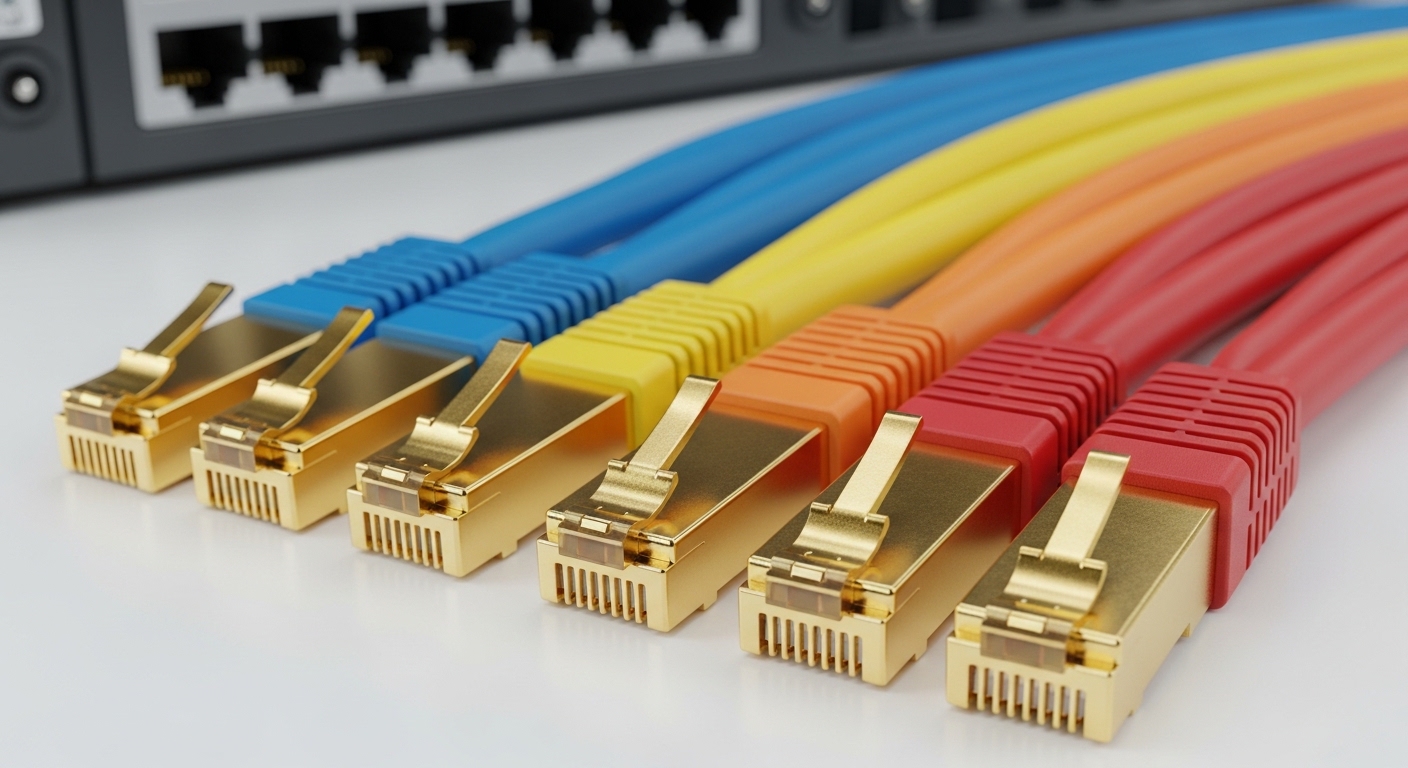
The connector at the end of the cable is known as the RJ45 plug. High quality connectors use gold plated contacts to prevent corrosion over several years.
Standard plugs have a plastic tab that is very easy to break. Once this tab snaps off, the cable will frequently fall out of the ethernet port.
Snagless boots are protective covers that sit over the locking tab. They prevent the tab from catching on other cables when you pull them through a bundle.
Internal lab management is much easier with snagless designs. They save you from the frustration of broken connectors during routine hardware upgrades or maintenance.
When terminating your own cables, ensure the connectors match your cable type. 23 AWG solid copper requires specific large diameter connectors for a proper fit.
The Importance of Color Coding
Color coding is an often overlooked aspect of how to choose ethernet cable for home lab setups. Using different colored jackets can simplify your troubleshooting process immensely.
You might use blue for general data and red for management interfaces. Green could signify security camera feeds or dedicated storage network traffic.
Visual organization allows you to identify a specific connection at a glance. This reduces the risk of unplugging the wrong server during a critical update.
Buy a variety pack of short patch cables for your rack. Having a rainbow of options makes the back of your switch look professional and organized.
- Gold contacts ensure a long lasting electrical connection.
- Snagless boots protect the delicate plastic locking tabs.
- Color coding simplifies complex network troubleshooting tasks.
- Pass through connectors make DIY termination much easier.
Future Proofing Your Home Lab
The network landscape is constantly evolving as data needs grow. Looking forward to 2026, we expect 10 gigabit speeds to become the standard for home enthusiasts.
Choosing Category 6a today ensures that you are ready for this transition. It is much cheaper to install the right cable once than to rewire later.
Consider the power requirements of your future devices as well. High end access points and small server nodes often pull power via the ethernet cable.
PoE Plus and PoE Plus Plus standards require high quality copper to operate. Choosing thick 23 AWG solid copper guarantees compatibility with these high power standards.
If you are building a dedicated server room, consider running fiber optics alongside your copper. Fiber is the ultimate future proof solution for 40Gbps or 100Gbps links.
However, for the majority of lab tasks, copper remains the king of convenience. It is easier to terminate and far more durable than delicate glass fibers.
Budget Considerations for Home Lab Cabling
Cabling can become expensive if you buy individual pre made cords for every run. Buying bulk cable reels is much more economical for large scale installations.
A 1000 foot spool of Cat6 is often more cost effective than twenty long patch cables. It also allows you to cut custom lengths for a perfectly clean rack.
Keep in mind that bulk cabling requires an investment in tools. You will need a quality crimping tool and a basic cable tester to verify your work.
Testing is a mandatory step for any custom made cable. A simple continuity tester can save hours of frustration by identifying miswired pairs instantly.
For short jumps between a server and a switch, stick with factory made cables. They are machine tested for performance and usually have better strain relief than DIY versions.
Balance your budget by spending more on the permanent in wall runs. You can always replace cheap patch cables, but replacing hidden infrastructure is a nightmare.
Pros and Cons of Different Ethernet Standards
Every choice in networking involves a trade off between cost and performance. Understanding these pros and cons helps you allocate your budget wisely.
Category 6 Standard
The main advantage of Cat6 is the affordable price point. It is widely available and handles gigabit speeds with perfect reliability in every home environment.
The downside is the limited distance for 10Gbps networking. If your lab spans multiple rooms, Cat6 might not support the highest speeds everywhere you need them.
Category 6a Augmented
Cat6a offers the best performance for modern high speed home labs. It supports full 10Gbps speeds and has better protection against alien crosstalk between cables.
The disadvantage is that the cable is much thicker and stiffer. It can be difficult to route through tight conduits or small holes in the wall.
Shielded Cabling Options
Shielding provides the best protection against signal interference. It is essential for runs that must pass directly next to electrical panels or fluorescent lights.
The con is the significantly higher cost and installation complexity. You must use metal shielded jacks and ensure the entire path to ground is complete.
- Cat6 is affordable and perfect for gigabit speeds.
- Cat6a is the best choice for 10Gbps future proofing.
- Shielding adds cost but solves interference in noisy areas.
- Thin patch cables are great for airflow in dense racks.
Conclusion
Deciding how to choose ethernet cable for home lab projects does not have to be overwhelming. Focus on quality copper materials and the correct category for your speed goals.
Prioritize Cat6a if you want the best possible longevity for your investment. Ensure you avoid aluminum conductors to keep your hardware safe and your signal strong.
Remember that the physical layer is the foundation of everything you build. A solid cabling strategy prevents mysterious disconnects and frustrating speed drops in your services.
Take the time to plan your runs and choose the right jacket ratings for your home. Your future self will thank you when your network runs at peak performance for years.
The Home Office Lab is here to help you every step of the way. Start your networking journey today by selecting the high quality cables your lab deserves.