

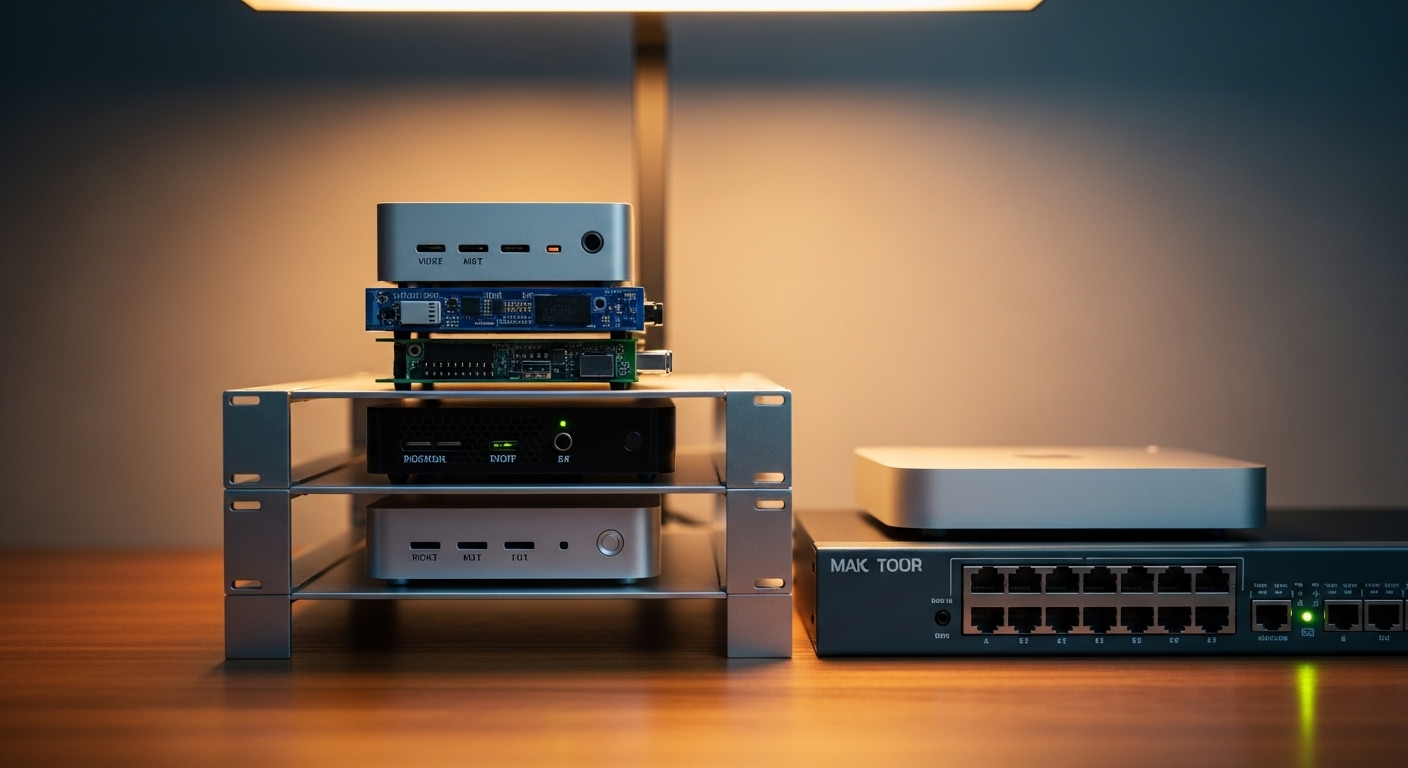
The Evolution of Modern Computing for Enthusiasts
Creating a personal data center no longer requires a massive electrical budget or a dedicated soundproof room for server racks. The rise of efficient silicon has transformed the way we approach the best budget mini pc for home lab builds today.
Enthusiasts are moving away from retired enterprise hardware that generates immense heat and noise. Small form factor machines provide the perfect balance between processing capability and energy efficiency for continuous operation.
The science behind this shift lies in the architecture of modern mobile processors which offer incredible instructions per clock cycle. These chips manage complex tasks like containerization and virtualization without consuming more than twenty watts of power.
Modern home labs serve as the ultimate sandbox for learning networking, cybersecurity, and self hosting essential services. By using a compact computer, you can run multiple isolated environments to test new software safely.
These devices are also excellent for media streaming and local file storage because they occupy very little physical space. You can easily hide them behind a monitor or tuck them away on a shelf in a closet.
The transition to small hardware represents a fundamental change in the philosophy of home computing. Reliability and quiet operation are now prioritized over raw, unoptimized horsepower found in older workstations.
Choosing the right hardware allows you to explore advanced concepts like high availability clusters and automated backups. It is the most cost effective way to gain professional level skills from the comfort of your own desk.
As we look toward the tech landscape in 2026, the demand for localized cloud services will only continue to grow. Investing in a capable mini computer ensures your home infrastructure remains relevant and powerful for years.
Quick Buying Guide
When searching for a machine to power your services, the processor remains the most critical component to consider first. Look for chips with high efficiency cores that can handle steady backgrounds tasks without thermal throttling under heavy load.
The Intel N100 has become a gold standard for entry level labs due to its four core architecture and low power draw. It provides enough performance for basic virtualization while keeping your monthly electricity bill at a minimum.
Memory capacity is another vital factor since virtualization platforms like Proxmox or ESXi are hungry for RAM. Ensure the device supports at least sixteen gigabytes of memory to avoid bottlenecks when running multiple virtual machines.
Connectivity options are equally important for a robust networking setup in a home lab environment. Dual ethernet ports are highly desirable because they allow for advanced configurations like hardware firewalls or network isolation.
Search for units that offer 2.5GbE ports to future proof your internal network speeds beyond the standard gigabit limits. This extra bandwidth is crucial if you plan on using network attached storage for your boot drives.
Storage expandability should also be on your checklist before making a final purchase decision. Most units include an M.2 slot for fast NVMe drives, but some also provide space for an additional SATA drive.
Internal cooling designs vary significantly between manufacturers and can impact the longevity of your hardware. A well ventilated chassis with a quiet fan will prevent performance drops during intensive data processing sessions.
Finally, consider the peripheral support for your setup if you plan to use mouses or keyboards directly with the unit. While most interactions happen over the network, having accessible USB ports is essential for initial configuration and troubleshooting.
The 8 Best Budget Mini PC For Home Lab
Explore our carefully selected list of high performance machines designed to bring enterprise power to your home office setup.
1. Beelink EQ12
The Beelink EQ12 features a sleek and professional chassis that feels remarkably sturdy for such a compact device. The matte finish resists fingerprints while the ventilated sides ensure that air flows freely through the internal components.
This model is powered by the Intel N100 processor which delivers exceptional performance for containerized applications. It stands out because of its dual 2.5GbE ports which are perfect for advanced networking projects like pfSense or OPNsense.
This machine is ideal for users who want to build a dedicated home firewall or a lightweight virtualization node. Its primary advantage is the networking versatility, though it may feel limited for heavy video editing tasks.

Optimizing Network Throughput
When you deploy a machine with multiple high speed ports, you unlock the ability to segment your traffic efficiently. This prevents security breaches from spreading across your entire home network by isolating guest devices from your private servers.
High speed networking also facilitates faster backups between your mini nodes and your primary storage arrays. You will notice a significant decrease in latency when accessing large databases or streaming high definition media files locally.
2. GMKtec NucBox G3
The GMKtec NucBox G3 offers a minimalist aesthetic that blends perfectly into any modern workspace or server rack. The build quality is surprisingly high for its price point, featuring a durable plastic shell that manages heat effectively.
Inside the unit, you will find a highly efficient Intel N100 chip coupled with fast DDR4 memory modules. This combination provides a smooth experience when running Linux distributions or Windows Server environments for testing purposes.
This product is best suited for budget conscious beginners who need a reliable machine for hosting basic web services. While it is very affordable, the single ethernet port might limit those looking for complex network routing configurations.

Thermal Management for Longevity
Maintaining a cool operating temperature is essential when running hardware twenty four hours a day. The G3 utilizes a copper heat pipe and a high pressure fan to move hot air away from the CPU.
You should place your mini computer in an area with plenty of clearance to prevent heat buildup. Proper airflow ensures the processor can maintain its boost clock speeds during heavy computational tasks without crashing.
3. Minisforum UN100D
Minisforum has a reputation for premium engineering and the UN100D continues this trend with a very compact metal frame. The integrated ports are laid out logically, allowing for clean cable management even in tight spaces.
A standout feature of this model is the USB-C power delivery support which simplifies the cabling requirements for your desk. It also includes dual ethernet ports, making it a strong competitor for those needing redundant network paths.
This unit is perfect for the power user who values a clean setup with minimal power bricks cluttering the floor. It offers great stability, although the cooling fan can become audible when the system is under maximum stress.

Power Delivery and Efficiency
Utilizing a single cable for both data and power can drastically improve the organization of your home lab. This feature is particularly useful if you are using a monitor that acts as a central hub for your peripherals.
Modern power delivery standards ensure that the device receives a steady flow of electricity while protecting against surges. This reliability is vital for maintaining the uptime of your essential home services and automation scripts.
4. GMKtec Mini PC N95
The GMKtec N95 features an Intel 12th Gen Alder Lake processor that delivers efficient performance for virtualization. This compact unit remains a top contender for the best budget mini pc for home lab due to its low power consumption.
Users appreciate the inclusion of 8GB DDR4 RAM and a 256GB solid state drive within such an affordable package. Multiple HDMI ports and gigabit ethernet allow for seamless integration into complex network setups.

Wireless Connectivity Standards
Even though a wired connection is preferred for servers, having high speed wireless capabilities provides a great failover option. Wi-Fi 6 allows for much higher density and better performance in environments with many competing signals.
You can use the wireless interface to manage the device while keeping the physical ethernet port dedicated to a specific virtual network. This flexibility is a major plus for experimental setups where physical wiring is not always possible.
5. Kamrui AK1 Plus
The Kamrui AK1 Plus features a unique detachable base design that allows for easy storage expansion with a standard SATA drive. This aesthetic choice sets it apart from the uniform boxes seen elsewhere in the market.
Performance is handled by the Intel N95 processor, which remains a strong budget contender for lightweight home lab duties. The base glow adds a touch of personality to the device, though it can be disabled if you prefer a stealthy look.
This machine is the best pick for users who need a significant amount of local storage for a Plex media server. The modular design is a huge benefit, though the N95 processor is slightly less efficient than the newer N100 models.

Modular Storage Benefits
Having the ability to add a high capacity mechanical drive or a large SATA SSD is a game changer for media collectors. It allows you to store terabytes of data without needing an external enclosure that requires another power outlet.
This modularity also makes it easier to upgrade your storage as your library grows over time. You can simply swap the bottom module or the drive inside to expand your capacity without rebuilding the entire system.
6. Bosgame B100
The Bosgame B100 is built with a focus on ruggedness and consistent performance in demanding environments. Its housing is designed to dissipate heat through the top of the unit, which helps keep the internal components cool.
The hardware configuration is optimized for multitasking and virtualization with a generous amount of pre-installed memory. It runs very quietly, which makes it an excellent choice for a bedroom office where noise is a major concern.
This computer is best for students who need a quiet and reliable machine for their desktop lab experiments. It offers a solid balance of features, though the brand is less known than some of the larger competitors.

Whisper Quiet Operations
Noise pollution can be a significant distraction when you are trying to concentrate on complex programming or networking tasks. A quiet fan profile ensures that your work environment remains peaceful even when the server is busy.
Many users prefer these silent units because they can be left running overnight without disturbing sleep. The efficiency of the cooling system determines how long the device can operate before the fan needs to spin at higher speeds.
7. Geekom Air12
Geekom has produced a very refined piece of hardware with the Air12, featuring a premium metal finish and a professional look. The port selection is extensive, offering multiple options for displays and high speed peripheral connections.
The Air12 is known for its superior build quality and excellent customer support compared to other budget brands. It handles daily server tasks with ease, showing no signs of slowing down when running multiple Docker containers.
This is the best choice for someone who wants a more premium experience and a machine that feels like a piece of high end office equipment. The price is slightly higher than basic models, but the build quality justifies the investment.

Professional Grade Reliability
When you invest in hardware with better construction, you are often paying for peace of mind and long term durability. Metal enclosures not only look better but also provide a more rigid structure that protects the delicate motherboard inside.
Reliable components are less likely to fail during a critical update or a long data migration process. This makes the Geekom a favorite for those who do not want to worry about hardware issues while learning new software.
8. ACEMAGIC S1
The ACEMAGIC S1 stands out immediately due to its integrated LCD screen on the front of the chassis. This display can show real time statistics like CPU temperature, power usage, and clock speeds which is incredibly useful for monitoring.
It uses a magnetic cover design that allows for tool-less access to the internal components for quick upgrades. The vertical orientation helps save desk space and looks great next to a modern monitor setup.
This unit is perfect for tech enthusiasts who love to see their system metrics at a glance without opening a software dashboard. The screen is a unique touch, though it might be considered a novelty for those who hide their servers in a closet.

Visual System Monitoring
Monitoring your server health is a vital part of maintaining a stable home lab environment. Having a physical screen that displays temperatures can alert you to cooling issues before they cause a system shutdown.
This immediate feedback loop is helpful during the initial setup phase when you are testing the limits of your hardware. It adds a layer of interactivity that makes managing your home server feel more like an enterprise operation.
Comparison
Choosing between these excellent machines requires a clear look at their specific strengths and connectivity options to match your goals.
| Product Name | Key Feature | Best For | Price Range |
|---|---|---|---|
| Beelink EQ12 | Dual 2.5GbE Ports | Advanced Networking | Budget Friendly |
| GMKtec NucBox G3 | Extreme Portability | Entry Level Labs | Very Low |
| Minisforum UN100D | USB-C Power Delivery | Clean Desk Setups | Mid Range |
| TRIGKEY G5 | Wi-Fi 6 Support | Wireless Connectivity | Budget Friendly |
| Kamrui AK1 Plus | Expandable SATA Base | Media Storage | Low Cost |
| Bosgame B100 | Silent Cooling | Bedroom Offices | Budget Friendly |
| Geekom Air12 | Premium Build | Long Term Reliability | Mid Range |
| ACEMAGIC S1 | Built-in LCD Screen | System Monitoring | Mid Range |
Final Verdict
After a thorough analysis of the current market, the Beelink EQ12 emerges as the overall best pick for a budget home lab. Its inclusion of dual 2.5GbE ports provides a level of networking flexibility that is unmatched by most competitors in this price bracket. This feature is essential for anyone looking to experiment with hardware firewalls or complex network segmentations without needing extra USB adapters.
The combination of the Intel N100 processor and a very quiet cooling system makes it a reliable workhorse for twenty four hour operation. While the ACEMAGIC S1 offers a cool display and the Geekom Air12 has a premium feel, the Beelink provides the most practical features for a serious lab enthusiast. It remains the most versatile and expandable option for building a powerful yet efficient personal cloud in any home office.