

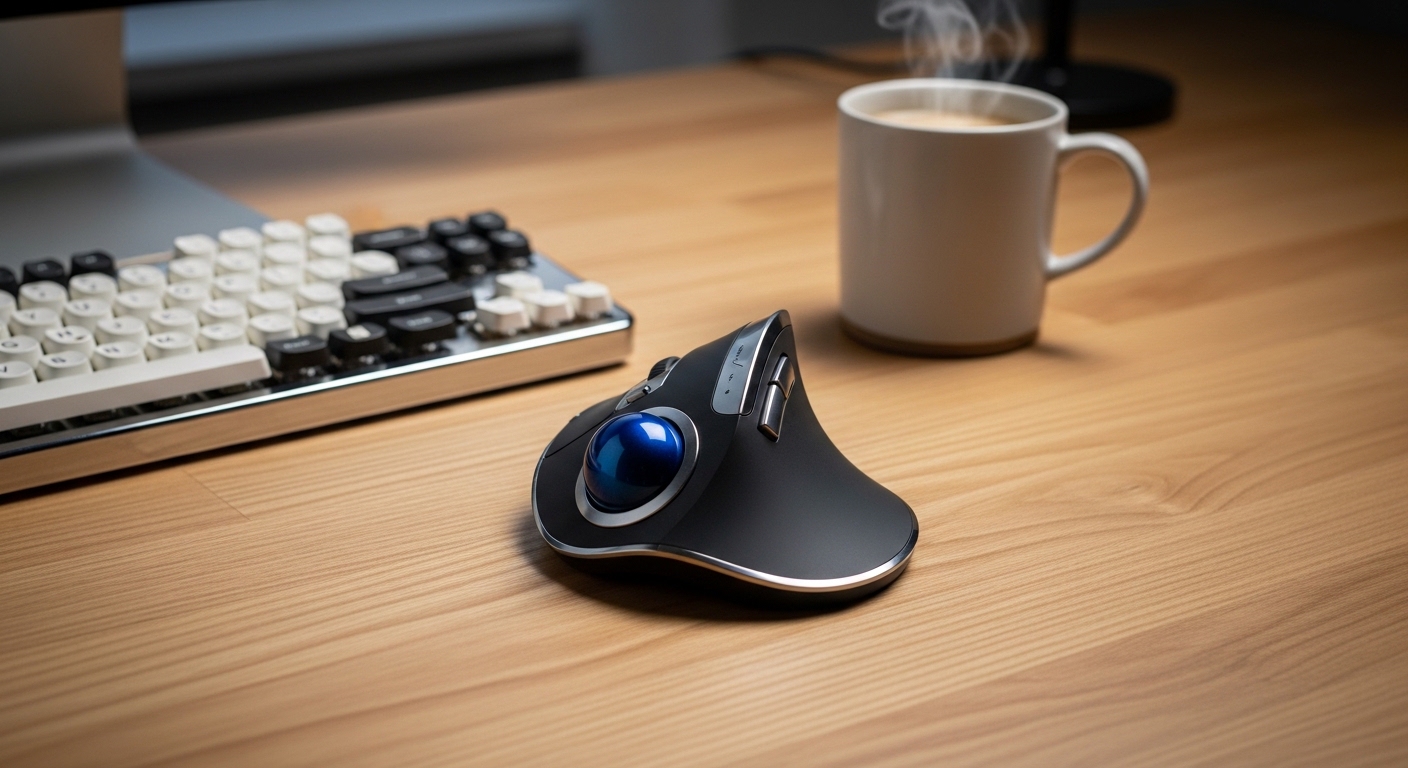
The Science of Ergonomic Mouse Devices
Many office professionals suffer from repetitive strain injuries because of traditional computer peripheral designs. Standard optical mouses require constant forearm movement and repetitive clicking while the wrist stays in a pronated position.
This flat orientation compresses the median nerve and puts undue pressure on the carpal tunnel over time. By switching to a trackball device, you eliminate the need to slide the entire unit across your desk surface.
The primary benefit of these specialized tools is the neutral wrist angle they promote during long working sessions. Because the device remains stationary, your shoulder and forearm muscles can remain completely relaxed throughout the day.
Trackball mouses allow the user to manipulate the cursor using only their thumb or fingers. This isolation of movement prevents the micro traumas associated with the constant dragging and lifting of standard office mouses.
Modern research suggests that maintaining a natural handshake position is the most effective way to prevent muscle fatigue. These devices are the ultimate ergonomic solution for users who spend more than eight hours at a workstation.
Understanding Wrist Anatomy and Motion
When you use a traditional mouse, your wrist often performs a movement called ulnar deviation. This happens when you pivot your hand side to side while keeping your forearm firmly planted.
Such repetitive motions are a leading cause of tendonitis and chronic discomfort in the home office. Trackballs encourage a static posture where the hand rests comfortably on a sculpted dome or flat surface.
Quick Buying Guide
Choosing the right trackball requires an understanding of your own hand size and preferred control style. There are two main categories consisting of thumb controlled and finger operated models available today.
Thumb controlled units feel most similar to traditional mouses and usually have a smaller learning curve. Finger operated versions utilize a larger ball in the center, which offers superior precision for graphic design or video editing tasks.
You should also consider the degree of tilt offered by the chassis. A steeper angle often provides better relief for those already experiencing significant wrist pain or carpal tunnel symptoms.
Connectivity is another vital factor to evaluate before you complete your purchase. Most professionals prefer wireless models to keep their desk setup clean and free of cluttering cables.
However, wired mouses are still highly valued for their reliability and lack of battery management needs. Look for high dots per inch ratings if you work on high resolution ultrawide monitors.
Materials and Build Quality Factors
The texture of the trackball itself significantly impacts the smoothness of the cursor movement. Premium models use synthetic ruby bearings to ensure the ball glides with minimal friction against the internal sensors.
Ensure the casing is made of high quality plastics or rubberized finishes to prevent sweating. A weighted base is also essential to ensure the device stays put during intense clicking sessions.
The 8 Best ergonomic trackball mouses for wrist comfort
We have carefully selected these premium devices based on their ergonomic certifications and long term reliability.
1. Logitech MX Ergo Wireless Trackball Mouse
The Logitech MX Ergo represents the pinnacle of thumb controlled design in the current market. It features a unique magnetic hinge that allows you to customize the tilt angle between zero and twenty degrees.
The build quality is exceptional, featuring a soft rubberized grip that feels premium and durable. The weight of the device ensures it remains perfectly stable on your desk regardless of your movement speed.
This model features a precision mode button that instantly lowers the cursor speed for detailed work. The rechargeable battery can last for four months on a single full charge cycle.
This device is ideal for office power users who want the most customizable experience possible. It bridges the gap between traditional ergonomics and modern productivity features effectively.

Optimizing Your Workspace Layout
Placing your trackball at the correct height is just as important as the device itself. Aim to keep your elbow at a ninety degree angle to reduce strain on your neck and upper shoulders.
2. Kensington Expert Mouse Wireless Trackball
The Kensington Expert Mouse is a legendary choice for professionals who prefer finger operated controls. It features a massive trackball that provides an incredible level of momentum and precision during navigation.
The design is completely symmetrical, making it a rare and versatile option for both left and right handed users. It includes a detachable wrist rest that ensures a flat and neutral hand position.
One of the standout features is the physical scroll ring surrounding the large ball. This allows for rapid scrolling through long documents or code files without straining your fingers.
This unit is perfect for creative professionals who need to move cursors across multiple large displays. Its robust construction makes it a favorite in recording studios and editing suites globally.

Kensington Expert Wireless Trackball Mouse (K72359WW) Black, 3.5″ x 6.1″ x 8″
Check Price on Amazon
3. Logitech Ergo M575 Wireless Trackball Mouse
The Logitech Ergo M575 serves as a highly accessible entry point into the world of ergonomic mouses. It features a sculpted ergonomic shape that naturally fits the contours of a medium to large sized hand.
The plastic build is lightweight yet sturdy, utilizing recycled materials to reduce the environmental footprint. It provides a smooth glide thanks to the high quality transparent coating on the trackball.
This device operates on a single AA battery which can last for up to two years. It connects via Bluetooth or a dedicated USB receiver for maximum compatibility with different computer systems.
We recommend this mouse for users who want a simple and reliable solution without excessive buttons. It is the best value pick for students or remote workers on a budget.

The Importance of Regular Cleaning
Dust and skin oils can accumulate on the internal bearings of your trackball mouse. You should pop the ball out once a week to maintain optimal tracking performance and prevent cursor jumping.
4. Kensington SlimBlade Pro Trackball
The Kensington SlimBlade Pro offers a unique aesthetic that blends modern technology with a very low profile. Its sleek chassis allows your hand to sit much lower to the desk than other ergonomic models.
The most innovative feature of this device is the twist to scroll mechanism. By rotating the ball on its horizontal axis, you can scroll through web pages with incredible speed.
The Pro version includes dual wireless connectivity and a wired mode for zero latency performance. The optical sensors inside provide pixel perfect accuracy for high resolution tasks.
This product is best suited for users who have limited vertical space or prefer a minimalist desk aesthetic. It offers a sophisticated experience for those who appreciate high end industrial design.

5. Elecom Huge Wired Trackball Mouse (M-HT1URBK)
The Elecom Huge certainly lives up to its name by providing an expansive surface for your entire hand. It features an integrated foam palm rest that cushions your wrist throughout the work day.
The trackball is significantly larger than standard thumb units, allowing for greater control with multiple fingers. It includes eight programmable buttons that can be mapped to various shortcuts using the Elecom software.
This wired version ensures that you never have to worry about charging or signal interference. The low friction bearings inside are made of large synthetic rubies to ensure a smooth rolling sensation.
This is the ultimate choice for users with very large hands who find standard mouses too small. It provides a cradled feeling that effectively eliminates tension in the palm and wrist.

Improving Workflow with Macros
Using the extra buttons on your trackball can significantly reduce the amount of keyboard travel required. Mapping ‘copy’ and ‘paste’ to your mouse devices can boost productivity by over twenty percent.
6. Perixx Perimice-520 Wired Ergonomic Trackball Mouse
The Perixx Perimice-520 is a unique contender that offers a tilting base for adjustable ergonomics. It comes with two different magnetic stands that allow for a ten or twenty degree angle.
The chassis has a distinct contoured shape that supports every finger individually. This prevents the fingers from dragging on the mouse pad which can cause irritation over time.
The wired connection provides a stable and consistent polling rate for professional applications. It includes a physical DPI switch that allows you to change cursor sensitivity on the fly.
This device is best for individuals who are actively recovering from wrist injuries and need a specific angle. It offers excellent therapeutic support at a very competitive price point.

7. ProtoArc EM01 Wireless RGB Trackball Mouse
The ProtoArc EM01 introduces a touch of style to the ergonomic category with its subtle RGB lighting. The shape is heavily inspired by the most popular thumb mouses, ensuring immediate comfort for new users.
It supports connecting to three different devices simultaneously via 2.4G wireless and two Bluetooth channels. This makes it a perfect companion for those who switch between a laptop and a desktop frequently.
The internal battery is easily recharged via a modern USB C port. The silent click switches are a great feature for those working in quiet office environments or shared spaces.
This mouse is ideal for multi tasking professionals who value connectivity and a modern look. It is a reliable daily driver that won’t look out of place in a gaming or office setup.

Choosing the Right Surface
Because trackball mouses do not move, you can use them on virtually any flat surface. This makes them exceptionally useful for people who work on small desks or even from a lounge chair.
8. Kensington Orbit Fusion Wireless Trackball
The Kensington Orbit Fusion combines the shape of a traditional mouse with a finger operated trackball. This hybrid design helps users transition from standard mouses without feeling completely lost.
It features the signature Kensington scroll ring which is located around the central ball. The high end sensor provides precise tracking across the entire screen without any jitter or lag.
The device uses a single AA battery and offers a convenient storage slot for the USB receiver. It is built with durable components that are designed to withstand years of heavy daily use.
We recommend this model for users who want finger precision but prefer the feel of a standard mouse grip. It provides a familiar interface while still offering the ergonomic benefits of a stationary device.

Kensington Orbit Wireless Trackball with Scroll Ring – Black-Red (K70990WW),
Check Price on Amazon
Comparison
This table provides a quick overview of the technical specifications and target users for each device. All of these mouses are excellent for reducing wrist strain in a modern office environment.
| Product Name | Key Feature | Best For | Price Range |
|---|---|---|---|
| Logitech MX Ergo | 20 Degree Tilt | Power Users | Premium |
| Kensington Expert | Large Trackball | Creative Pros | High |
| Logitech Ergo M575 | Long Battery Life | Everyday Use | Budget |
| Kensington SlimBlade Pro | Twist to Scroll | Minimalists | High |
| Elecom Huge | Foam Palm Rest | Large Hands | Mid Range |
| Perixx Perimice-520 | Adjustable Angle | Therapeutic Use | Mid Range |
| ProtoArc EM01 | Multi Device Pairing | Multi Tasking | Budget |
| Kensington Orbit Fusion | Hybrid Shape | Transition Users | Mid Range |
Final Verdict
After evaluating the top options for the year 2026, the Logitech MX Ergo remains the overall champion for general productivity. Its ability to tilt twenty degrees provides an immediate and noticeable reduction in forearm tension for most users. The combination of software customization and premium build quality justifies its position as the top choice for a comfortable home office.
If you require absolute precision for detailed creative tasks, the Kensington Expert Mouse is our secondary recommendation. The massive ball and smooth scroll ring offer a level of control that thumb mouses simply cannot match. Investing in either of these high quality tools will protect your health and improve your efficiency for many years to come.