

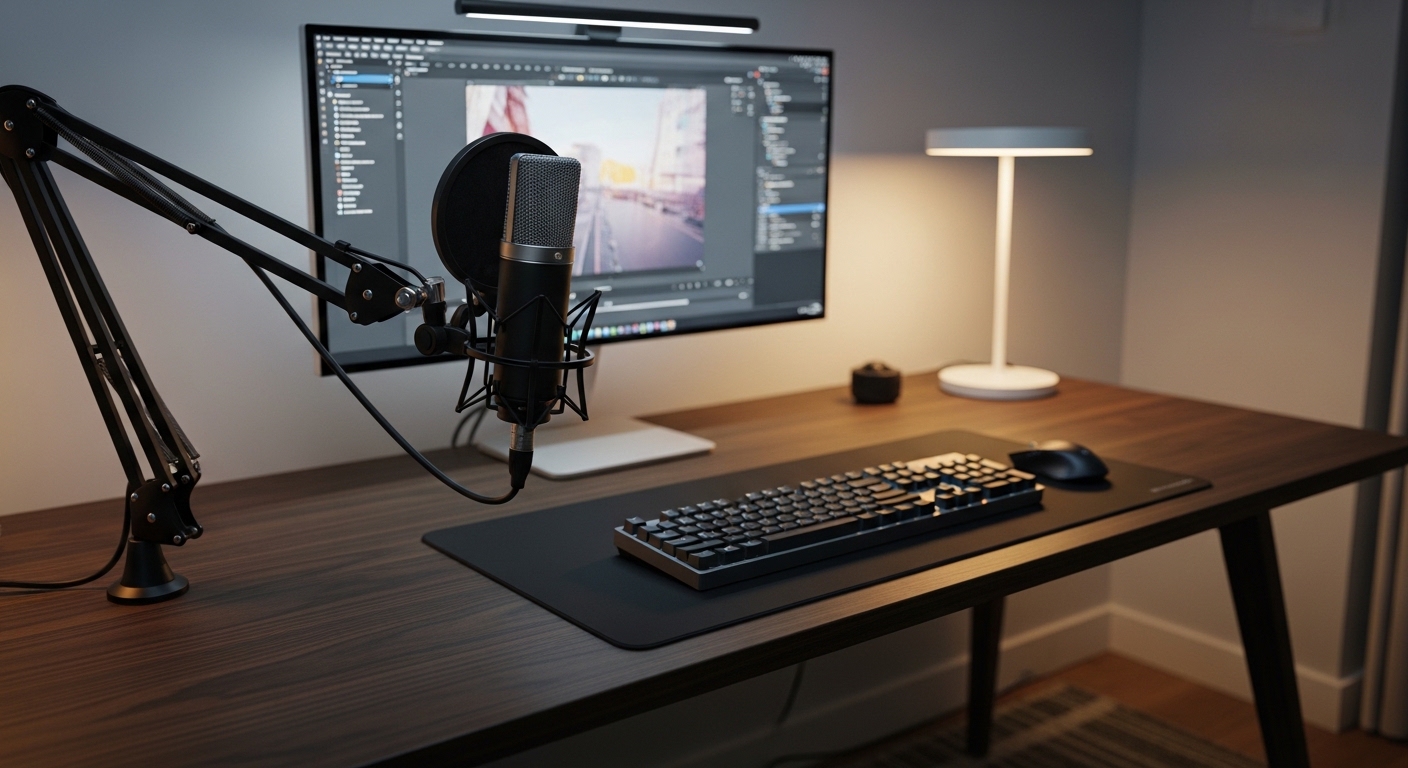
The Evolution of Voice in the Modern Workspace
Professionalism in the digital age relies heavily on how you present your voice to the world. A clear and crisp vocal presence signals authority and attention to detail during every virtual interaction.
Most integrated laptop solutions fail to provide the depth and clarity required for high stakes business calls. This is why understanding how to choose a professional home office microphone is essential for modern success.
Transitioning from a basic headset to a dedicated recording device transforms the way colleagues perceive your contributions. You effectively remove the barrier of distance by sounding as though you are in the same room.
Investing in your audio chain is not just a luxury for content creators or streamers. It is a fundamental requirement for anyone navigating a serious remote career today.
The Great Debate Between USB and XLR Connectivity
The first major decision you will face involves the method used to connect the device to your computer. This choice dictates the complexity of your setup and the potential for future upgrades.
USB microphones offer the ultimate convenience for users who value a simple plug and play experience. You simply connect the cable to a port and start speaking immediately.
These devices contain internal conversion hardware that turns your voice into a digital signal. This integrated design makes them very portable and extremely user friendly for beginners.
However, the convenience of a digital connection comes with limitations regarding hardware flexibility. You are generally unable to swap out components or expand the system without replacing the entire unit.
Exploring the Power of XLR Professionalism
XLR connections represent the industry standard for professional recording studios and broadcast environments. These microphones require an external audio interface to function correctly.
The interface acts as a bridge between the analog microphone and your digital computer system. This separation allows you to choose specific preamplifiers and converters to tailor your unique sound.
One of the primary benefits of this path is the ability to upgrade individual parts. You can keep your favorite microphone while improving your interface as technology advances over time.
XLR systems also offer better durability because the physical connectors are designed for heavy use. They provide a secure locking mechanism that prevents accidental disconnections during important client presentations.
- USB connectivity is ideal for minimalists and travelers
- XLR setups provide a higher ceiling for audio fidelity
- Interfaces offer tactile control over gain and volume levels
- A digital connection simplifies the desktop cable management
Understanding Microphone Transducer Types
The internal mechanism that converts sound waves into electricity is known as the transducer. There are two primary types found in the professional office environment.
Dynamic microphones are famous for their ruggedness and ability to handle loud sound sources. They utilize a simple coil and magnet system that is incredibly reliable over long periods.
The main advantage of a dynamic model is its natural rejection of background noise. If you work in a space with hums or distant traffic, this type will isolate your voice effectively.
Dynamic capsules often provide a warm and radio like quality to the human voice. This characteristic is highly sought after by those who want a commanding vocal presence.
The Sensitive Nature of Condenser Microphones
Condenser microphones use a thin diaphragm and an electric field to capture sound with extreme precision. They are much more sensitive to subtle vocal nuances than their dynamic counterparts.
This sensitivity allows for a wide frequency response that captures the air and detail of your speech. You will notice a shimmering clarity that makes every word sound lifelike and natural.
The drawback to this high level of detail is the tendency to pick up unwanted environment sounds. A condenser might capture the hum of an air conditioner or the clicking of keyboards nearby.
Most condenser microphones require a power source known as phantom power to operate. While USB models provide this internally, XLR versions need the audio interface to supply it.
Analyzing Polar Patterns for Office Use
The polar pattern describes the specific areas where the microphone is most sensitive to sound. Choosing the correct polar pattern determines how much room noise enters your stream.
A cardioid pattern is the most common and useful choice for a home office professional. It captures sound primarily from the front while rejecting audio from the rear.
This heart shaped pickup area ensures that your voice remains the focus of the recording. It effectively ignores the sounds coming from your monitors or speakers located behind the device.
Some microphones offer a supercardioid or hypercardioid pattern for even tighter focus. These are excellent if your workspace is particularly noisy or acoustically untreated.
Omnidirectional and Bidirectional Options
Omnidirectional patterns capture sound equally from all directions around the microphone capsule. This is useful if you are hosting an in person meeting with multiple people.
However, this pattern is usually detrimental for a solo home office setup. It will pick up every room reflection and echo, leading to a hollow and distant sound.
Bidirectional patterns, also known as figure eight, capture sound from the front and the back. These are perfect for face to face interviews across a single desk surface.
Most professional office users should prioritize a dedicated cardioid sensor for maximum voice isolation. Versatility is good, but specialized performance usually yields the highest quality results.
- Cardioid patterns focus strictly on the speaker in front
- Omnidirectional patterns are prone to picking up echoes
- Bidirectional patterns work well for two person interviews
- Supercardioid patterns offer the best side noise rejection
Technical Specifications to Consider
When you research how to choose a professional home office microphone, you will encounter various technical terms. Understanding these numbers helps you compare different models objectively.
Frequency response refers to the range of sounds the microphone can successfully reproduce. A range of 20Hz to 20kHz covers the entire human hearing spectrum.
Look for a response curve that is relatively flat or has a slight boost in the high frequencies. This boost, often called a presence peak, helps your voice sound intelligible and clear.
Sample rate and bit depth define the quality of the digital conversion in USB models. A standard of 24 bit depth and 48kHz sample rate is more than sufficient for professional use.
The Importance of Self Noise and Sensitivity
Self noise is the amount of hiss or hum the microphone electronics produce internally. In a quiet office, a low self noise rating ensures your recordings remain pristine and professional.
Sensitivity indicates how much output signal the microphone produces for a specific sound level. Higher sensitivity is generally preferred for quiet speakers or soft voices.
Max SPL, or Sound Pressure Level, tells you how much volume the device can handle before it distorts. While less critical for speaking, it matters if you also use the microphone for loud creative projects.
Always verify the signal to noise ratio provided by the manufacturer in their documentation. A higher ratio means your voice will stand out clearly against the background electronic floor.
Ergonomics and Physical Workspace Integration
A professional microphone should fit seamlessly into your daily workflow without causing physical clutter. The physical size and mounting options are crucial for long term comfort.
Many microphones come with a small tripod stand intended for use on a desk surface. While functional, these stands often place the microphone too far away from your mouth.
Positioning the capsule close to your face is the best way to achieve a rich sound. This is why many professionals invest in a telescoping boom arm for their setup.
Boom arms allow you to float the microphone at the perfect height and angle. You can easily push the device out of the way when you finish your calls for the day.
Reducing Vibrations with Shock Mounts
Every time you type or move a mouse, vibrations travel through your desk and into the microphone. These vibrations manifest as distracting thumping sounds for your listeners.
A shock mount uses elastic bands to suspend the microphone and absorb these mechanical vibrations. It is an essential accessory for maintaining a clean and professional audio signal.
Some microphones include an internal shock mount system within the metal casing. However, an external suspension system is almost always superior at isolating unwanted desk noise.
Make sure the mount you choose is compatible with the weight and diameter of your device. A secure fit is necessary to prevent the microphone from sagging or falling during use.
- Boom arms improve the ergonomics of your desk space
- Shock mounts eliminate the sound of keyboard typing
- Pop filters stop harsh air blasts from hitting the capsule
- Integrated stands are convenient but often lack height
The Impact of Room Acoustics on Your Sound
Even the most expensive microphone will sound poor in a room with excessive echo. Hard surfaces like windows and bare walls bounce sound waves around the environment.
You should consider your room as a component of your overall audio system. Simple changes can drastically improve how your professional microphone performs in 2026.
Adding soft materials like rugs or curtains helps absorb the energy of your voice. This reduces the reverberation that creates a hollow or cavernous sound in meetings.
If you have a dedicated office, acoustic foam panels can be strategically placed to kill reflections. Focus on the area directly behind you and the spots to your immediate sides.
Using Software to Enhance Your Signal
Modern technology offers software solutions to help clean up your audio in real time. Many professional microphones come with dedicated companion apps for fine tuning.
Digital signal processing can remove consistent background noises like computer fans or hums. These tools use advanced algorithms to isolate your speech from the surrounding environment.
Be careful not to overprocess your voice, as this can make you sound robotic or artificial. The goal is to enhance the natural characteristics of your speech without losing clarity.
Setting a subtle noise gate is also helpful for keeping the line silent when you are not talking. This prevents keyboard clicks from bothering your colleagues while they are speaking to you.
Budgeting for Your Professional Audio Upgrade
Determining how much to spend is a critical step in the buying process. Audio equipment follows a path of diminishing returns as prices increase into the thousands.
The entry level professional tier typically starts around one hundred dollars for a solid USB model. This price point offers a massive improvement over any built in laptop microphone.
The mid range tier, between two hundred and five hundred dollars, is the sweet spot. Here you find excellent XLR microphones and high quality interfaces that will last for many years.
Premium options exceeding five hundred dollars are intended for those who need absolute perfection. At this level, you are paying for exotic materials and handcrafted capsules from boutique manufacturers.
Factoring in the Cost of Accessories
When seting your budget, do not forget to include the price of necessary accessories. A high end microphone requires proper support to reach its full potential in your office.
A quality boom arm might cost between fifty and one hundred dollars for a sturdy model. Cables and pop filters usually add another thirty to fifty dollars to the total bill.
If you choose the XLR route, a reliable audio interface will cost at least one hundred dollars. Planning for these additional expenses ensures you have a functional and complete recording chain.
It is better to buy a mid range microphone with great accessories than a top tier microphone with none. Balance is the key to achieving a professional sound on a realistic budget.
- Entry level USB models are perfect for basic conferencing
- Mid range XLR setups offer the best long term value
- Always allocate funds for a boom arm and shock mount
- Acoustic treatment is often cheaper than buying a new mic
Conclusion: Final Steps to Your Perfect Setup
Choosing the right microphone is an investment in your professional communication and personal brand. By focusing on voice clarity and isolation, you stand out in every digital meeting.
Remember to consider your specific environment and whether you need the simplicity of USB or the power of XLR. Both paths can lead to incredible results if you follow the right principles.
Test your new setup in various conditions to find the perfect distance and gain settings. Small adjustments often yield the most significant improvements in your overall audio quality.
With the right tools and a little knowledge, your home office will sound like a professional broadcast studio. You are now ready to make an informed decision for your future workspace.