

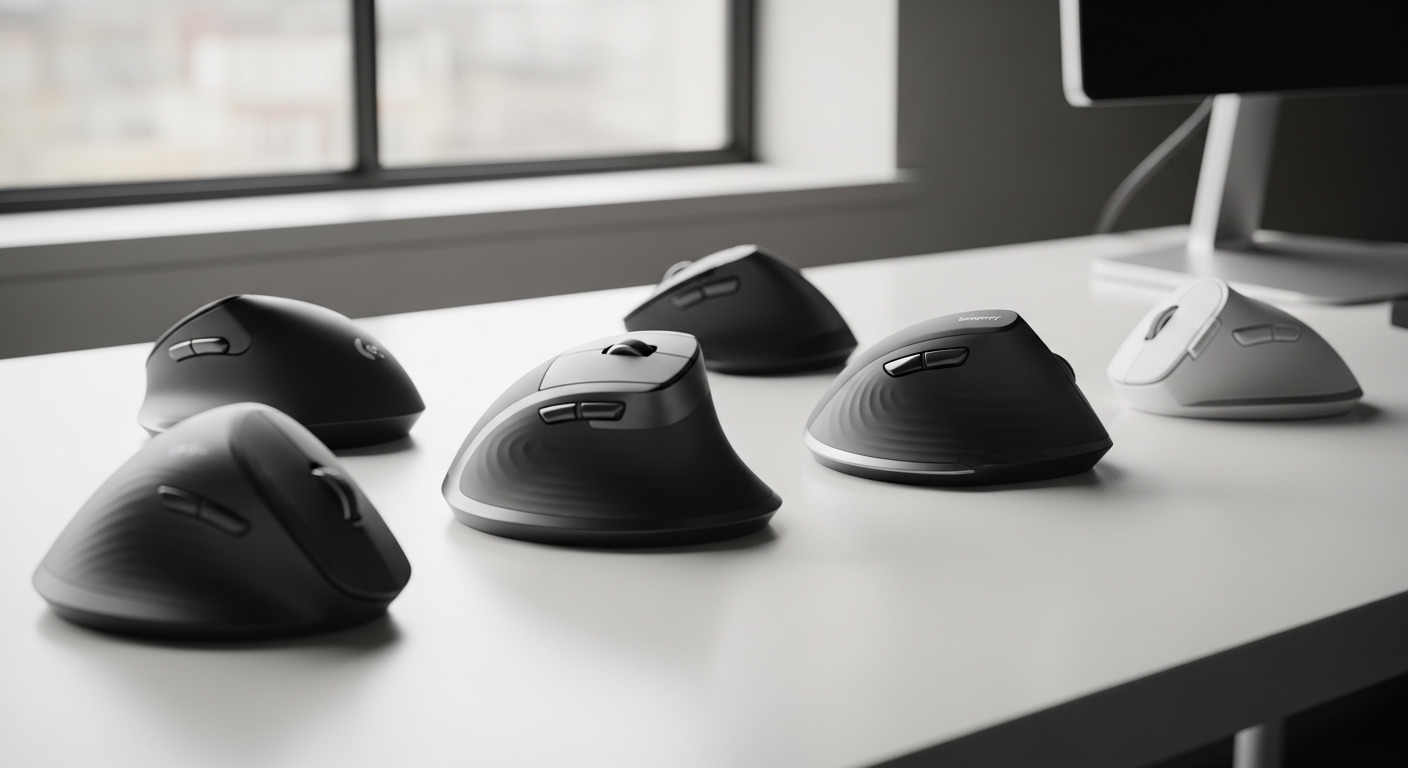
The Science of Vertical Ergonomics and Wrist Relief
Chronic discomfort in the workplace often stems from the traditional flat computer mouse design which forces the human forearm into a compromised pronated position. When you lay your palm flat on a desk, the radius and ulna bones in your forearm cross over each other which increases internal pressure on the nerves.
This biological compression is a leading cause of repetitive strain injuries and the dreaded carpal tunnel syndrome that plagues modern office workers. Transitioning to a vertical design allows your arm to rest in a natural handshake posture that aligns your joints perfectly.
By rotating the hand at an angle between fifty and seventy degrees, you significantly reduce the activity of the pronator teres muscle. This reduction in muscle tension prevents the inflammation of tendons and protects the median nerve from long term damage during 2026 work sessions.
Anatomy and Workplace Wellness
Professional ergonomic solutions are no longer a luxury but a necessity for anyone spending more than four hours a day at a digital workstation. Vertical mouse devices are engineered to shift the mechanical load from the small wrist bones to the larger muscles of the upper arm and shoulder.
This shift encourages a more fluid movement pattern that utilizes the entire arm rather than just the delicate wrist pivot point. Most users report an immediate decrease in localized pain after a short adjustment period of just a few days.
The transition phase is essential as your brain recalibrates to the new orientation of the optical sensor relative to your hand movement. Once mastered, the vertical orientation provides superior control and comfort that traditional mouses simply cannot match in a professional environment.
Choosing the right peripheral requires an understanding of your specific hand measurements and the primary tasks you perform daily. Whether you are a graphic designer needing pixel perfect precision or a data entry specialist, there is a specific vertical solution designed for your needs.
Quick Buying Guide
The most critical factor to consider when purchasing a new ergonomic device is the degree of vertical tilt offered by the frame. Smaller angles around fifty degrees feel more familiar to traditional users, while steeper angles provide maximum relief for severe wrist pain.
You should also carefully measure your hand from the base of the palm to the tip of your middle finger. Many premium manufacturers offer small and large versions of their flagship models to ensure the buttons align perfectly with your fingertips.
Connectivity options play a significant role in the daily usability and cable management of your home office setup. While wireless models offer a clutter free experience and better range of motion, wired versions ensure zero latency and never require battery changes.
Sensor Technology and Customization
Look for devices that offer adjustable dots per inch settings which allow you to change the pointer speed with a simple click. Higher sensitivity means you need to move your hand less to cross the screen, further reducing physical exertion during busy workdays.
The material and texture of the grip are equally important for maintaining a relaxed hold without excessive squeezing. Premium rubberized finishes or contoured thumb rests help the hand stay in place without requiring constant muscular micro adjustments.
Finally, consider the software compatibility if you require specialized shortcuts or button remapping for your professional workflow. Advanced mouses allow you to program specific macro commands that can save hours of repetitive clicking over the course of a single month.
The 10 Best Ergonomic Vertical Mouses for Wrist Pain
Explore our carefully curated selection of the finest vertical peripherals available on the market today to transform your ergonomic experience.
1. Logitech MX Vertical Wireless Mouse
The Logitech MX Vertical stands as the definitive gold standard for high end ergonomic peripherals in the current professional market. It features a scientifically validated fifty seven degree angle that reduces muscle strain by approximately ten percent compared to standard mouses.
The build quality is exceptional, featuring a textured rubber surface that feels both premium and durable under the palm. It supports three different connection methods including Bluetooth, the Unifying Receiver, and a standard USB cable for charging.
This device is ideal for professional users with medium to large hands who prioritize productivity and long term health. The four thousand high precision sensor ensures that movement is minimized while accuracy remains at an elite level for creative tasks.

2. Logitech Lift Vertical Ergonomic Mouse
The Logitech Lift is the perfect solution for individuals with small to medium hands who find larger vertical devices cumbersome to operate. It maintains the same optimal handshake angle as its larger sibling but in a much more compact and approachable form factor.
One of the standout features is the SmartWheel which provides seamless scrolling that transitions from precision to speed instantly. The silent click buttons make it an excellent choice for shared office spaces or quiet home environments where noise is a concern.
This model is specifically recommended for users who want a modern aesthetic design without sacrificing any ergonomic benefits. It comes in several colors to match your desk setup while providing consistent relief from repetitive strain symptoms.

3. Evoluent VerticalMouse 4 Right Handed
Evoluent pioneered the vertical mouse movement and their fourth generation model remains a favorite among physical therapists worldwide. It features a true vertical orientation that completely eliminates the need for forearm twisting during computer operation.
The device includes six programmable buttons and a dedicated speed toggle that allows for on the fly adjustments. A patented thumb rest provides a comfortable cradle that prevents the thumb from dragging across the desk surface during movement.
This mouse is best for power users who require extreme levels of customization and total forearm neutral alignment. While the design looks unique, the health benefits it provides for severe carpal tunnel cases are practically unmatched by competitors.

Advanced Ergonomic Features
When selecting these devices, we prioritize those that offer a dedicated lip for the pinky finger to rest upon. This prevents skin desk friction which can cause secondary irritation over long periods of continuous computer use.
Software integration is another pillar of the premium experience which allows users to create application specific profiles. This means your mouse can automatically change sensitivity when you switch from a spreadsheet to a graphic design application.
4. Kensington Pro Fit Ergo Vertical Wireless Mouse
Kensington has designed the Pro Fit Ergo with a natural tilt that mimics the neutral position of the human wrist perfectly. It features a built in wrist rest that provides additional support and cushioning for the base of the hand during long sessions.
The dual wireless connectivity allows you to switch between 2.4 GHz and Bluetooth 4.0 connections with a simple switch. It utilizes six different buttons that can be configured to improve your overall efficiency and speed while navigating complex software.
This peripheral is perfect for office professionals who want a sturdy and reliable tool that fits naturally into a corporate environment. The plug and play functionality ensures that you can start working comfortably without any complex installation procedures.

Kensington Pro Fit Ergo Vertical Wireless Mouse- Black (K75501WW), 2.8″x3″x4.4″
Check Price on Amazon
5. Anker Wireless Vertical Ergonomic Mouse
The Anker Vertical Mouse is widely recognized as the best entry level option for those curious about ergonomic designs. It offers a highly effective vertical slope at a fraction of the cost of premium competitors without sacrificing core functionality.
It includes convenient previous and next buttons located near the thumb rest for faster web browsing and document navigation. The power saving mode ensures that the battery lasts for several months by entering a sleep state after eight minutes of inactivity.
This model is the ideal choice for budget conscious students or office workers who want to test the vertical format. Despite its lower price point, the build quality is surprisingly resilient and the sensor tracking is smooth on most desk surfaces.

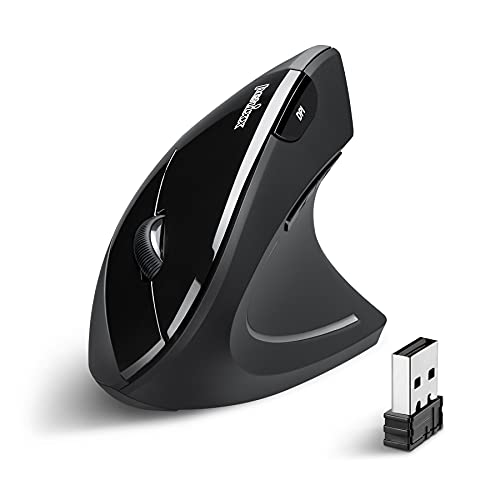
6. Perixx PERIMICE 713 Wireless Ergonomic Mouse
Perixx offers a clean and minimalist take on the vertical design with the PERIMICE 713 model. It features a refined matte finish that prevents fingerprints and provides a consistent grip even if your hands become slightly sweaty.
The internal storage compartment for the Nano receiver makes it a great choice for mobile professionals who travel frequently. It provides adjustable DPI levels including 800, 1200, and 1600 to suit various screen resolutions and user preferences.
This device is best for users who prefer a lightweight feel and a simple aesthetic for their workstation. The buttons are positioned intuitively to ensure that no finger stretching is required to reach the primary click surfaces.
Connectivity and Battery Life
Modern wireless mouses have evolved to provide battery lives that extend for months or even years on a single charge. This reliability is crucial for maintaining focus during intense work cycles without the distraction of a dead peripheral.
Many of the devices listed here feature rechargeable internal batteries that can be powered up via USB C while in use. This hybrid functionality combines the freedom of wireless with the reliability of a wired connection whenever needed.
7. J Tech Digital V628 Ergonomic Mouse
The J Tech Digital V628 stands out due to its unique removable palm rest which provides versatility for different grip styles. You can attach the palm support for long periods of gliding movement or remove it for more precise finger control.
It includes a soft blue LED light strip that adds a touch of modern style to your desk without being overly distracting. The optical tracking technology works flawlessly on a variety of surfaces which eliminates the strict need for a mouse pad.
This model is excellent for users who suffer from severe forearm fatigue and need a bulky, supportive device to lean on. The wide base ensures that the mouse remains stable and does not tip over during rapid hand movements.
![J-Tech Digital Wired Ergonomic Vertical USB Mouse with Adjustable Sensitivity (600/1000/1600 DPI), Scroll Endurance, Removable Palm Rest & Thumb Buttons [V628]](https://m.media-amazon.com/images/I/41Rr0XulZRL._SL500_.jpg)
8. Adesso iMouse E10 Wireless Vertical Mouse
Adesso has created a very vertical design with the iMouse E10 to ensure maximum relief for the ulnar nerve. The vertical orientation is extreme which makes it one of the best choices for users already experiencing significant pain symptoms.
It utilizes radio frequency technology to provide a stable connection up to thirty feet away from the computer receiver. The integrated scroll wheel is rubberized to provide tactile feedback and prevent slipping when scrolling through long research documents.
This peripheral is best suited for medical or legal professionals who spend many hours reviewing files and need consistent comfort. The height of the device accommodates larger hands while keeping the wrist in a completely neutral alignment.

9. Delux M618PD Rechargeable Vertical Mouse
The Delux M618PD is a feature rich device that includes a high capacity rechargeable battery for long term convenience. It supports dual mode connectivity which allows you to pair it with two different computers and switch between them seamlessly.
The shape is more rounded than other models, providing a very organic feel that follows the contours of a relaxed hand. It offers a wide range of DPI settings up to four thousand for those who use ultra high resolution monitor setups.
This mouse is recommended for multi tasking power users who work across different laptops and tablets simultaneously. The build is robust and the materials used are designed to withstand heavy daily use for several years.

10. Goldtouch Semi Vertical Mouse
The Goldtouch Semi Vertical provides a unique sixty six degree slope which sits right between a traditional mouse and a full vertical device. This specific angle is designed to offer the benefits of verticality while maintaining a familiar clicking sensation.
It features a modular weight system that allows you to customize the physical heft of the mouse to your preference. The oversized thumb cradle ensures that your hand stays in the correct position without any effort or grip force.
This is the best choice for users who find a ninety degree vertical mouse too difficult to control for precise design work. It bridges the gap between comfort and traditional functionality with a very thoughtful and refined ergonomic approach.

Longevity and Maintenance
Maintaining your ergonomic mouse involves regular cleaning of the optical sensor to ensure consistent tracking accuracy over time. A simple wipe with a dry cloth or a puff of compressed air is usually sufficient to remove household dust.
You should also periodically update the firmware or driver software to ensure maximum compatibility with the latest operating system updates. This helps maintain the battery efficiency and ensures that all programmable buttons continue to function as expected.
Comparison
This table provides a comprehensive overview of the technical specifications and primary benefits for each of our top recommended ergonomic devices.
| Product Name | Key Feature | Best For | Price Range |
|---|---|---|---|
| Logitech MX Vertical | 57 Degree Angle | High End Professionals | Premium |
| Logitech Lift | Silent Clicks | Small Hands | Mid Range |
| Evoluent VerticalMouse 4 | 6 Buttons | Severe Wrist Pain | Premium |
| Kensington Pro Fit | Built in Wrist Rest | Office Workers | Mid Range |
| Anker Wireless Vertical | Budget Friendly | Beginners | Budget |
| Perixx PERIMICE 713 | Matte Finish | Minimalist Desks | Budget |
| J Tech Digital V628 | Removable Palm Rest | Variable Grips | Mid Range |
| Adesso iMouse E10 | RF Connectivity | Large Hands | Mid Range |
| Delux M618PD | Dual Mode Pairing | Multi Device Users | Mid Range |
| Goldtouch Semi Vertical | 66 Degree Slope | Designers | Premium |
Final Verdict
Choosing the absolute best ergonomic solution depends heavily on your physical hand size and the severity of your current wrist discomfort. For the vast majority of professional users, the Logitech MX Vertical remains the most balanced and effective choice due to its superior sensor and build quality.
If you are working with a limited budget or simply want to try the vertical format, the Anker Wireless Vertical offers incredible value and health benefits. Investing in your ergonomic health today will prevent long term injuries and ensure that you remain productive throughout your entire career.