

The Importance of Natural Lighting in Remote Communication
Natural light is arguably the most powerful tool in your home office arsenal. It offers a level of clarity and warmth that even the most expensive artificial setups struggle to match.
When you understand how to use natural light for video calls, you immediately elevate your professional presence. Clear visibility fosters trust and ensures that your non verbal cues are accurately conveyed to your colleagues.
Many remote workers ignore the impact of their environment on their video quality. They rely on overhead fixtures that create unflattering shadows or yellow tints across the skin.
By harnessing the sun, you can achieve a vibrant and healthy glow without spending a single dollar on equipment. This guide will walk you through every nuance of solar illumination for digital meetings.
We will explore everything from window orientation to the physics of light diffusion. You will learn how to turn any room into a professional broadcasting studio using only the windows available to you.
The Fundamental Physics of Sunlight
To master your environment, you must first understand the characteristics of natural illumination. The sun provides a full spectrum of color that makes skin tones appear realistic and healthy.
Artificial bulbs often lean too far into the blue or orange spectrum. This causes the camera sensor to struggle with white balance, leading to a grainy or muddy image.
Natural light is inherently dynamic and changes throughout the day. This variability requires a strategic approach to desk placement and meeting schedules.
The intensity of the sun is influenced by cloud cover and the time of year. A cloudy day can actually be a blessing because the clouds act as a giant softbox for your face.
Direct sunlight can be too harsh and create high contrast shadows under your eyes and nose. We will discuss how to manage this intensity to create a soft and flattering look for every call.
Why Sunlight Outperforms Artificial Bulbs
The human eye is naturally tuned to perceive colors best under the sun. Video cameras follow a similar logic, as their sensors are designed to perform optimally in bright, natural environments.
Using the sun reduces the need for high digital gain settings on your webcam. This keeps the image sharp and noise free, which is essential for professional impressions.
Sunlight also has a high Color Rendering Index, or CRI. This measurement indicates how accurately a light source reveals the true colors of objects and skin.
Positioning Your Desk for Success
The most critical factor in your setup is your physical orientation relative to the light source. You should always aim to have the primary light source in front of you.
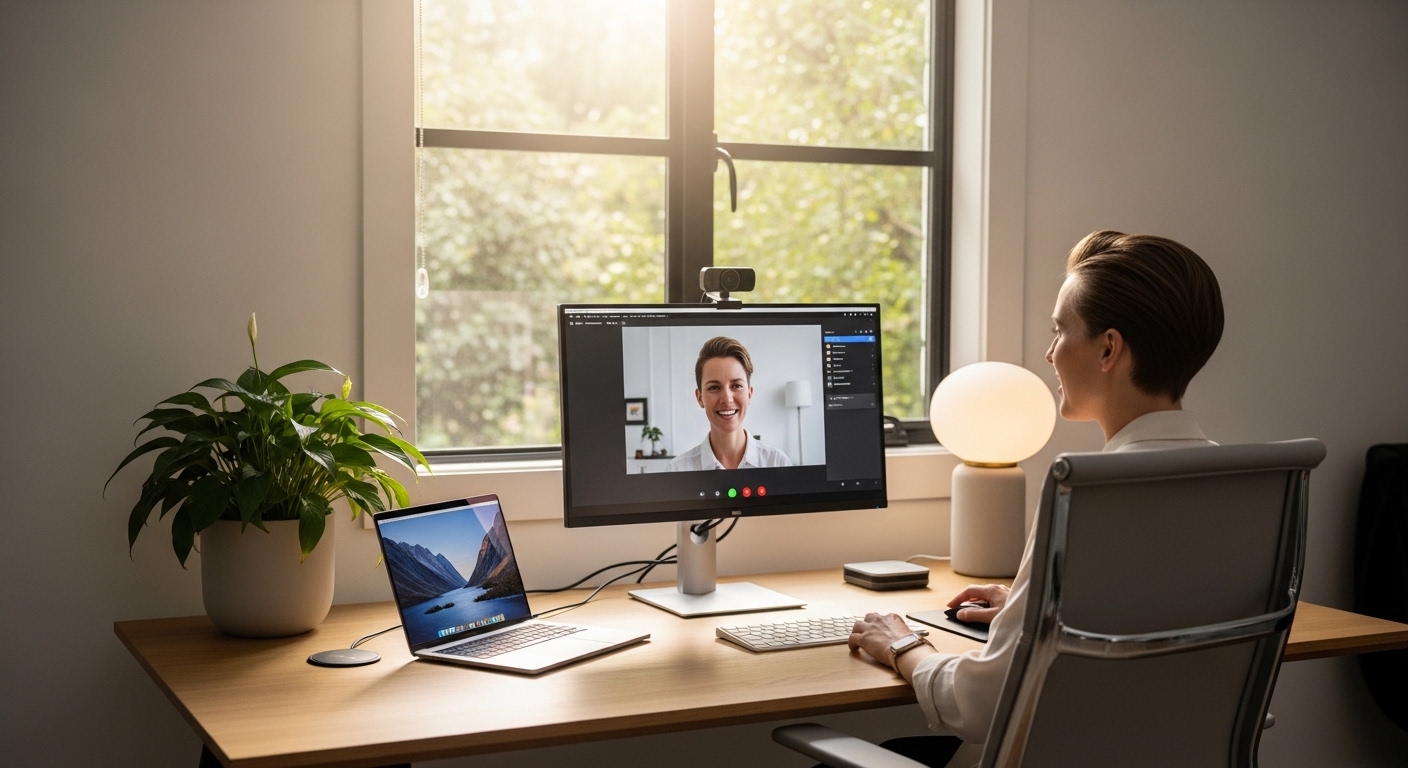
Placing your desk directly facing a window ensures that your face is evenly illuminated. This prevents one side of your face from being in the dark while the other is bright.
If you cannot face the window directly, a slight angle can also work. Position yourself so the light hits you at a forty five degree angle for a cinematic effect.
This angle creates subtle shadows that provide depth and dimension to your face. It is a classic lighting technique used by professional photographers to create a more interesting visual.
Never sit with a window directly behind you during a call. This setup creates a silhouette effect where your face becomes a dark and featureless shape against a bright background.
Optimizing Your Window Distance
Your distance from the glass determines the softness and intensity of the light. Sitting too close can lead to overexposed highlights on your forehead or cheeks.
Moving a few feet back allows the light to spread and soften before it hits your skin. This creates a more professional look that mimics a high end studio setup.
Experiment with your position during different times of the day. You might find that your ideal desk location shifts as the sun moves across the sky.
Dealing with Backlighting and Silhouettes
Backlighting is the most common mistake made by home office users. It happens when the brightest light in the room is located behind the subject being filmed.
The webcam attempts to balance the exposure for the bright window, which leaves your face underexposed. This results in a distracting and unprofessional appearance for your viewers.
If your room layout forces you to have a window behind you, you must use heavy curtains. Closing the blinds entirely will allow your camera to focus on your face instead of the background.
Alternatively, you can use a secondary light source to fill in the shadows. However, the goal of this guide is to maximize natural light without extra hardware.
Always check your video preview before the meeting starts. If you look like a shadowy figure in witness protection, you need to change your orientation immediately.
The Power of Background Control
A well lit background is important, but it should never be brighter than your face. You want to be the brightest element in the frame to keep the focus on you.
If the wall behind you is too dark, it can make the overall image feel gloomy. Try to find a balance where both you and your background are clearly visible and balanced.
Mastering Light Diffusion Techniques
Direct sunlight is often too powerful for a standard webcam sensor. It can create harsh lines and unflattering hot spots on your skin.
Diffusion is the process of scattering light to make it softer and more even. You can achieve this using simple household items like sheer white curtains.
A thin white fabric acts as a filter that breaks up the direct rays. This results in a gentle and wrapping light that hides skin imperfections and wrinkles.
If you do not have sheer curtains, even a white bedsheet can work in a pinch. The goal is to create a large and soft light source rather than a small and intense one.
Frosted window films are another permanent solution for home offices. They provide privacy while still allowing plenty of high quality light to enter the room.
The Advantage of Indirect Sunlight
Light that bounces off a wall before hitting your face is known as indirect light. This is often the most flattering light source available in a home environment.
If the sun is hitting a bright wall outside your window, that wall becomes a massive reflector. This provides a steady and soft illumination that stays consistent for long periods.
Timing Your Meetings with the Sun
The quality of natural light changes significantly from morning to evening. Early morning and late afternoon offer the most flattering golden light for video calls.
Midday sun is often directly overhead, which can be difficult to manage indoors. The light is intense and cool, which might make your video look clinical or harsh.
When scheduling important client presentations, consider the movement of the sun. Knowing when your office receives the best light can give you a competitive edge.
Weather patterns also play a major role in your video quality. Overcast skies provide the perfect natural diffusion, making it the easiest time to film.
Rainy days may require you to move closer to the window to compensate for the lower light levels. Understanding these patterns allows you to anticipate lighting shifts during long meetings.
Using the Golden Hour Effectively
The hour before sunset is famous for its warm and directional glow. This light can make any video call look cinematic and high production.
Be aware that the golden hour is short and the light changes rapidly. You may need to adjust your camera exposure every few minutes as the sun dips lower.
Window Orientation and Room Selection
The direction your window faces determines the consistency of your light. North facing windows provide the most consistent and cool light throughout the day.
This is because they never receive direct sunlight in the northern hemisphere. Artists and photographers prefer north light for its predictability and lack of harshness.
South facing windows offer the most brightness but can be very inconsistent. You will experience intense direct rays that move across the room as the hours pass.
East facing windows are brightest in the morning, while west facing windows peak in the afternoon. Choosing the right room depends on when you are most active on video calls.
If you have multiple rooms to choose from, test each one at different times. A room that looks great at nine am might be unusable by three pm.
Managing High Contrast Environments
Sometimes a room has too much light, creating extreme contrast between light and dark areas. This happens often in rooms with multiple large windows on different walls.
Use blinds to block the light that is hitting your side or back. Focus on using a single dominant light source to maintain a clean and professional look.
Reflecting Light to Fill Shadows
Even with great window placement, you might notice shadows on the side of your face away from the light. You can fix this using a simple white reflector.
A piece of white foam board or even a large white poster can act as a fill light. Place it on your desk on the shadowed side of your face.
The sunlight from the window hits the board and bounces back onto your skin. This fills in the dark areas and creates a more balanced and professional image.
This technique is a favorite among professional videographers for its simplicity. It requires no electricity and produces zero heat, making it perfect for long calls.
You can also use a white tablecloth or desk mat to bounce light upward. This helps to reduce shadows under the chin and brightens the overall frame.
The DIY Reflector Solution
You do not need to buy professional gear to achieve this effect. A large white binder or a piece of cardboard covered in paper works perfectly well.
Positioning is key, so try tilting the board until you see the shadows disappear. This small adjustment can make a massive difference in clarity and professionalism.
Optimizing Digital Settings for Natural Light
Your hardware needs to be configured to take full advantage of the available light. Most webcams have automatic exposure and white balance features turned on by default.
While convenient, these settings can cause the image to flicker as clouds pass by. Learning to manually lock your exposure ensures a consistent look throughout the call.
In the year 2026, software has become much better at handling dynamic natural environments. However, manual control still offers the best results for serious professionals.
Adjust your white balance to match the temperature of the sun. This usually means setting it to a daylight preset near 5600K for the most accurate colors.
If your video looks too bright, lower the exposure rather than closing the curtains. This keeps the background detail visible without blowing out your facial features.
Upgrading Your Visual Hardware
High quality lighting deserves a high quality sensor to capture it. Investing in the Best 4k webcams for remote executive meetings 2026 will allow you to see the true benefits of natural light.
Premium sensors have better dynamic range, meaning they can handle bright windows and dark shadows simultaneously. This results in a crisp and professional video feed that stands out.
Creating a Harmonious Sensory Environment
Visual quality is only half of the equation for a successful remote meeting. While you focus on lighting, do not forget about the importance of clear audio.
A bright and beautiful video can be ruined by background noise or echoes. You should pair your perfect lighting with The 3 Best Noise Canceling Headphones For Home Office to ensure total professionalism.
Natural light often comes from windows that might also let in street noise. Using quality audio equipment allows you to keep the window open for light while blocking out the sounds of traffic.
Balance is the key to a productive home office setup. When your visuals and audio are synchronized, your communication becomes much more effective.
Think of your lighting as the stage and your audio as the script. Both must be flawless to deliver a message that truly resonates with your audience.
Troubleshooting Common Natural Light Issues
Glare on glasses is a frequent problem when sitting in front of a window. To fix this, try tilting your glasses slightly or moving the light source to a side angle.
Reflection from computer monitors can also interfere with your natural lighting. Reduce the brightness of your screen if you see a blue tint appearing on your face.
If the light is constantly changing due to fast moving clouds, use a fixed exposure setting. This prevents the distracting brightness shifts that can occur during a storm.
Shadows from window frames or tree branches can create a cluttered look. Use diffusion fabric to blur these lines and create a clean, uniform background.
Sometimes the light is simply too bright for your webcam to handle. In these cases, moving further away from the window is the most effective solution.
Handling Overexposure on Skin
If your skin looks white or washed out, you are experiencing overexposure. This happens when too much light hits the sensor and data is lost.
Lowering your webcam brightness manually is the first step. If that fails, a thicker curtain or blind will be necessary to control the volume of light.
Frequently Asked Questions
Can I use natural light at night?
Natural light is only available during the day. For night calls, you must rely on artificial light that mimics the properties of the sun.
Is a cloudy day bad for video calls?
Actually, a cloudy day is often better because the clouds diffuse the light. This creates a very soft and flattering appearance with minimal effort.
Should I open my window for better light?
Opening the glass can increase brightness but may let in noise. The glass itself acts as a slight filter, which can actually be helpful for softening light.
What if my window is to my side?
Side lighting can be professional if you use a reflector. Use a white board on the opposite side to bounce light back and balance your face.
Conclusion: Embracing the Sun for Better Meetings
Learning how to use natural light for video calls is a skill that pays dividends every day. It requires no complex technology and relies on the most beautiful light source available.
By positioning your desk correctly and mastering the art of diffusion, you can look your best in every meeting. Remember that consistency and balance are more important than sheer brightness.
Take the time to experiment with your home office layout. Small changes to your angle or window treatments can lead to a massive improvement in your professional image.
A well lit workspace not only improves your video quality but also boosts your mood. The presence of natural sunlight increases productivity and helps you stay focused throughout the workday.
Invest in your environment by working with the sun rather than against it. Your colleagues and clients will notice the difference in your clarity and confidence.